
Screen Free Week

A screen free week sounds peaceful in theory. Birds chirping. Books opening. Humans making eye contact like it’s 1847. Then reality walks in wearing sweatpants: your phone pings, your laptop whispers “just one tab,” and suddenly you’re 42 minutes deep into a video about a raccoon stealing cat food from a porch. Noble quest, champ. Truly.
But here’s the good news: screen free week does not have to mean moving to a cabin, churning butter, and renouncing electricity. It means intentionally stepping away from the screens that hijack your attention, drain your energy, and turn “I’ll check one thing” into a full-blown scroll goblin incident. Done well, it can reset your habits, improve your focus, help your household reconnect, and remind you that boredom is not fatal. Mildly itchy, yes. Fatal, no.
This guide gives you a practical, step-by-step plan for a successful screen free week: how to prepare your household, set realistic boundaries, plan screen-free activities, handle work and school exceptions, stay accountable, and avoid the dramatic “we have no idea what to do now” meltdown. And because the internet is a powerful attention octopus, we’ll also cover how tools like BlockChamp can help you block distracting websites during your detox so your noble reign doesn’t collapse under the weight of one sneaky YouTube tab.
Quick Answers
What Is Screen Free Week, Really? Spoiler: It’s Not a Medieval Punishment
Screen free week is a planned break from recreational screen use for seven days. That usually means cutting out or sharply limiting things like social media, streaming, gaming, news scrolling, shopping apps, YouTube rabbit holes, and casual browsing. It does not necessarily mean ignoring your job, ghosting your school portal, or telling your boss, “Sorry, I’m spiritually unavailable because of vibes.”
The goal is not perfection. The goal is awareness and reset. Most of us use screens for both necessary and unnecessary things. Necessary: work emails, school assignments, banking, maps, medical appointments. Unnecessary but deliciously tempting: checking Instagram “for two minutes,” watching six product reviews for a blender you will never buy, and refreshing the news until your nervous system starts speaking in smoke signals.
According to the Pew Research Center’s mobile technology research, smartphones are deeply embedded in daily life for most adults. Meanwhile, Common Sense Media’s research on teen media use shows that entertainment screen time can take up many hours per day for young people. Translation: the screen kingdom is vast, loud, and extremely good at stealing the throne.
A screen free week helps you ask better questions:
- Which screens are actually useful, and which ones are attention confetti?
- When do I reach for my phone automatically?
- What do I do when I’m bored, stressed, lonely, tired, or procrastinating?
- What activities feel better than scrolling once I actually start them?
- How can I build healthier screen boundaries after the week ends?
If you want a deeper dive into the upside, check out our guide to the benefits of going screen-free. Consider it your royal scroll of motivation before battle.
Before You Begin: Choose Your Screen Free Week Rules Like a Sensible Monarch
The fastest way to fail screen free week is to declare wildly unrealistic rules with the confidence of a caffeinated motivational speaker. “No screens at all! No exceptions! We shall communicate only by carrier pigeon!” Then Tuesday arrives, you need to pay a bill, your kid has homework online, and the whole plan gets yeeted into the moat.
Instead, define your rules clearly before the week starts. Think of it as creating the constitution for your attention kingdom. Everyone knows what counts, what doesn’t, and what happens when temptation arrives wearing a TikTok hoodie.
Step 1: Decide what “screen free” means for you
You can choose one of three levels:
- Light mode: No recreational screen use after work or school. Useful for busy households and beginners.
- Standard mode: No social media, streaming, gaming, news scrolling, or casual browsing for seven days. Work and school screens allowed only when necessary.
- Hardcore mode: Minimal screens across the board, with only essential work, school, health, and logistics allowed. This is monk mode with snacks.
For most people, standard mode is the sweet spot. It cuts out the major attention thieves without making modern life impossible. If you use a computer for work, you can still work. You just don’t get to “accidentally” open Reddit between spreadsheets like a raccoon with a password manager.
Step 2: List your allowed uses
Write down what screens are allowed. Be painfully specific. “Important stuff” is too vague. Your brain will argue that checking celebrity drama is important because “culture.” Nice try, brain. The crown does not approve.
Allowed uses might include:
- Work or school tasks during set hours
- Video calls for work, school, or family
- Navigation and transportation apps
- Banking, medical portals, and essential admin
- Emergency communication
- Audio-only music, podcasts, or audiobooks if they don’t lead to browsing
Step 3: List your blocked uses
This is where your personal villains enter the ring. Common blocked uses include:
- Social media apps and websites
- YouTube, Netflix, Twitch, and other streaming platforms
- Online shopping “just browsing” sessions
- News refresh loops and doomscrolling
- Mobile games and browser games
- Random web browsing with no purpose
- AI chatbot wandering when you’re supposed to think for yourself
If you’re doing screen free week while still using Chrome for work or study, a website blocker becomes your royal guard. BlockChamp lets you block specific sites, entire categories like Social Media or Video & Streaming, and, for Champion users, even keywords. That means you can keep your computer useful without letting it become a glowing buffet of procrastination.
Prep Your Household: The Family Meeting That Saves Everyone From Chaos
If you live with other humans, do not spring screen free week on them like a surprise dental appointment. Announce it, explain it, and get buy-in. Even if you’re doing it solo, telling your household reduces friction. Otherwise, someone will innocently suggest movie night on Day 2 and you’ll stare at them like they’ve betrayed the crown.
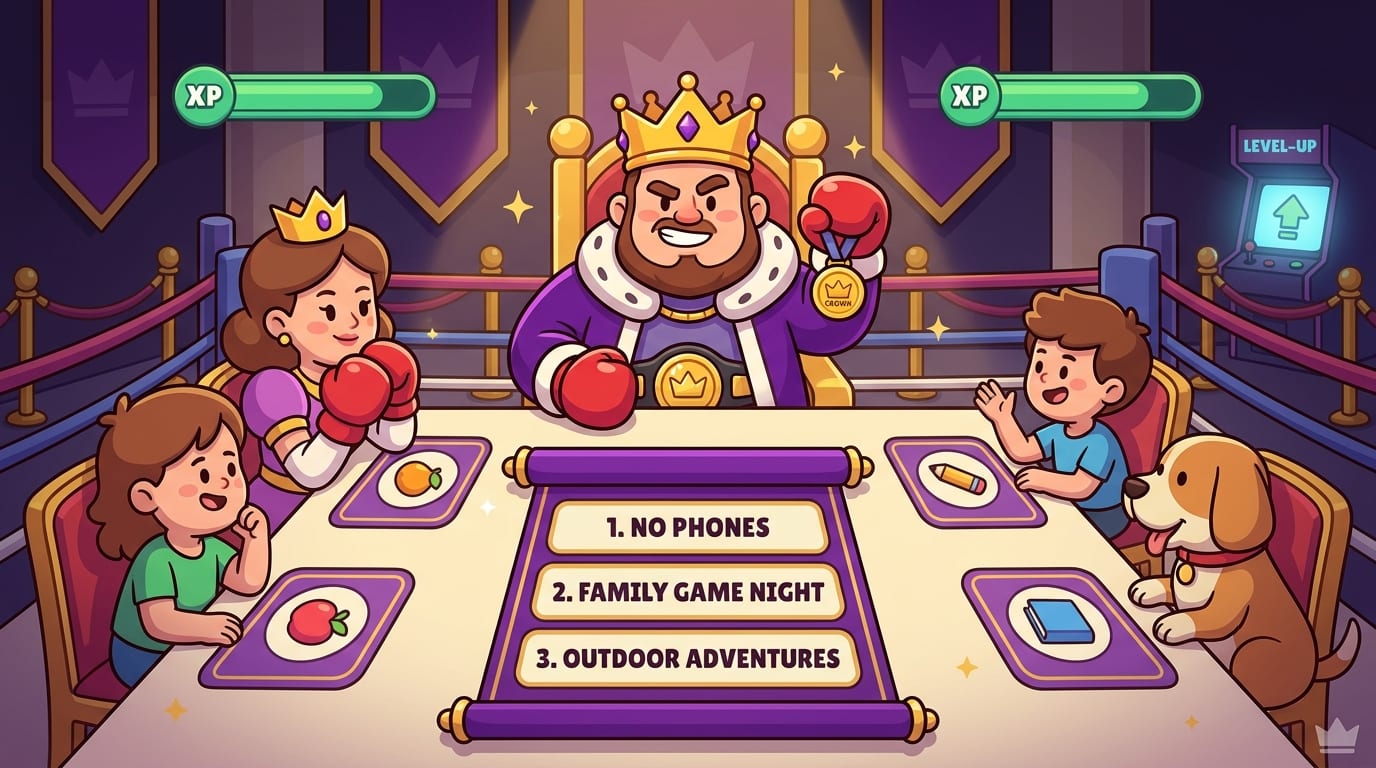
Hold a quick planning meeting a few days before you start. Keep it casual. Snacks help. Snacks always help. The agenda is simple:
- Explain why you want to try a screen free week.
- Agree on the rules and exceptions.
- Brainstorm replacement activities.
- Plan logistics like meals, homework, communication, and downtime.
- Choose how you’ll track progress and celebrate at the end.
For kids and teens, focus on what they gain, not just what they lose. More outdoor time, board games, baking, crafts, sports, reading, building, music, sleepovers, or family challenges can make the week feel like an adventure instead of a punishment from the Bureau of No Fun.
For adults, name the real pain points. Maybe your evenings disappear into streaming. Maybe you check email in bed and then wonder why your brain is doing cartwheels at midnight. Maybe your “quick news check” has the emotional effect of being chased by bees. Be honest, not dramatic.
If mornings are your biggest danger zone, read our guide to building screen-free mornings. A strong morning routine sets the tone for the whole day. Start the day as monarch of your attention, not as a sleepy peasant serving the notification goblin.
Make a Screen Free Week Plan: Because “We’ll Figure It Out” Is How Chaos Gets a Crown
Removing screens creates empty space. That’s the point. But empty space can feel weird at first, especially if your brain is used to constant digital confetti. So plan your week before you start. Not every minute needs a laminated itinerary, but you do want enough structure to avoid wandering around the house muttering, “What did people do in 1996?”
Create a daily rhythm
A simple rhythm makes screen free week easier. Try this:
- Morning: No phone for the first hour. Stretch, walk, journal, cook breakfast, read, or plan your day.
- Work/school block: Use screens only for required tasks. Block distracting sites during focus periods.
- Afternoon reset: Go outside, exercise, do chores, or run errands without entertainment screens.
- Evening: Replace streaming with a planned activity: cooking, games, crafts, reading, music, or social time.
- Bedtime: Keep devices out of the bedroom or across the room. Your pillow is not a charging dock with anxiety.
Research from the Sleep Foundation on electronics and sleep explains how screen use, especially before bed, can interfere with sleep quality. So if you only change one thing during screen free week, make it your evenings. The bedtime scroll is sneaky. It wears pajamas and lies.
Plan your meals and errands
Many people rely on screens for recipes, grocery lists, delivery apps, and last-minute “what do we eat?” panic. Before the week starts, print recipes, write a grocery list, and plan a few simple meals. Nothing fancy. This is not the Great British Bake Off unless you want it to be. Soup counts. Sandwiches count. A baked potato bar counts and frankly deserves more respect.
Prepare your physical environment
Your environment should make the good choice easier and the bad choice mildly annoying. Try:
- Put phones in a basket during meals and evenings.
- Move chargers out of bedrooms.
- Hide remotes or unplug streaming devices.
- Place books, puzzles, art supplies, sports gear, or board games in visible spots.
- Print schedules, maps, and important phone numbers.
- Use an analog alarm clock so your phone doesn’t ambush you at 6:30 a.m.
Think of it as redecorating your kingdom so distraction has fewer hiding places.
Screen Free Activities That Don’t Feel Like Sad Homework
The secret to a successful screen free week is not heroic willpower. It is having better things ready. If you remove screens and replace them with nothing, your brain will file a complaint. If you replace screens with fun, useful, relaxing, or social activities, the week becomes shockingly enjoyable. Rude of real life to be interesting, but there it is.
Here are activity ideas for different moods and energy levels. For an even bigger list, raid our treasure chest of screen-free activities for all ages.
Low-energy activities for tired humans
- Read a novel, comic, magazine, or essay collection.
- Listen to an audiobook while walking or cleaning.
- Do a puzzle, crossword, Sudoku, or word search.
- Take a bath, stretch, or do gentle yoga.
- Cook a simple comfort meal.
- Write a letter or postcard. Yes, mail still exists. Tiny miracle.
Social activities that do not require a group chat every 11 seconds
- Host a board game night.
- Go for a walk with a friend.
- Have a potluck dinner.
- Visit a local park, museum, market, or library.
- Start a family tournament: cards, chess, ping-pong, darts, anything with bragging rights.
- Make a “no phones at the table” dinner ritual.
Creative activities for the restless brain
- Draw, paint, knit, sew, or build something.
- Start a notebook for ideas, poems, jokes, or sketches.
- Practice an instrument.
- Try photography with a dedicated camera instead of a phone, if you have one.
- Make bread, jam, candles, soap, or something else pleasantly unnecessary.
- Rearrange a room. Become an interior designer with questionable confidence.
Outdoor activities that make your brain stop buffering
- Walk, hike, bike, run, skate, or swim.
- Garden or plant herbs.
- Play basketball, soccer, tennis, frisbee, or catch.
- Have a picnic.
- Go birdwatching, stargazing, or cloud judging. That one looks like a potato king.
- Do a neighborhood cleanup and feel annoyingly virtuous afterward.
The point is not to become a perfect rustic woodland creature. The point is to rediscover activities that give you energy instead of quietly draining it through your eyeballs.

How to Handle Work, School, and “But I Need My Laptop” Exceptions
Most modern adults and students cannot go fully screen-free for seven days. That’s fine. A realistic screen free week is about reducing unnecessary screen time, not sabotaging your responsibilities like a productivity gremlin in a cape.
The key is separating tool use from entertainment use. Your laptop can be a hammer or a slot machine. Same device, wildly different outcomes. During screen free week, decide when and why screens are allowed, then close the door when the task is done.
Use purpose-based screen sessions
Before opening a device, answer three questions:
- What exactly am I here to do?
- How long should it take?
- What will I close when I’m finished?
Example: “I’m opening my laptop to submit my assignment, email my professor, and download tomorrow’s readings. It should take 25 minutes. Then I close the laptop.” Beautiful. Regal. No wandering into “recommended videos” like a moth with student loans.
Use time blocks
Schedule essential screen use in batches. For example:
- Email: 9:00 a.m., 1:00 p.m., and 4:30 p.m.
- School portal: 30 minutes after dinner.
- Admin tasks: Saturday morning for one hour.
- Work tools: only during work hours.
Time blocking prevents screens from leaking into every corner of the day. If you want to go deeper on reclaiming attention, our post on finding freedom from constant distraction pairs nicely with a cup of coffee and a phone placed dramatically in another room.
Block the fun traps while keeping useful sites available
This is where BlockChamp is especially handy. If you need Chrome for work or school, you can still block the sites that derail you: social media, streaming, news, shopping, gaming, gambling, adult content, or AI distractions. Free users can block up to 3 specific sites and enable 2 categories, while Champion users can block unlimited sites, all 8 categories, and keywords.
During screen free week, you might create a “detox block list” like:
- YouTube, TikTok, Instagram, X/Twitter, Reddit
- Netflix, Twitch, Hulu, Disney+
- Amazon, Temu, eBay, Etsy
- News sites that trigger doomscrolling
- Any site you open when avoiding a hard task
Then turn on BlockChamp’s Master Focus Toggle and let The King stand guard. If you try to sneak into a blocked site, you get The Stare-Down: a full-screen royal roast reminding you that throwing away your reign for a meme is, technically speaking, peasant behavior.
Accountability: How to Stay Motivated When the Scroll Goblin Starts Negotiating
Screen free week gets easiest around Day 4. Days 1 and 2 are often weird. Day 3 is where your brain may start making legal arguments. “What if I just check one thing?” “What if watching a documentary counts as education?” “What if Instagram is actually community?” Your brain is clever. Do not give it a tiny wig and a courtroom.
Accountability helps. Pick one or more methods before the week starts.
Track your progress visibly
Use a paper calendar, habit tracker, whiteboard, or journal. Mark each successful day. Write down what you did instead of using screens. This creates momentum and makes the invisible visible.
BlockChamp also makes focus visible through XP, levels, badges, reigns, and a focus calendar. Every focused day helps you build your reign. Every blocked-site attempt you resist becomes progress, not shame. It’s much easier to keep going when your effort turns into a scoreboard. Humans love points. We are basically raccoons with calendars.
Use a buddy system
Invite a friend, partner, roommate, classmate, or family member to join you. Check in daily with three simple questions:
- What was the hardest moment today?
- What did you do instead of using screens?
- What’s your plan for tomorrow?
If you’re doing this with kids, make it collaborative. Let them choose activities and rewards. Avoid turning screen free week into a household dictatorship unless you enjoy rebellion, tiny coups, and dramatic sighing near the pantry.
Create rewards that do not involve bingeing screens
At the end of the week, celebrate with something meaningful: a meal out, a hike, a new book, art supplies, a day trip, a sports event, a board game, or a family adventure. Try not to make the reward “eight straight hours of everything we avoided,” because that’s less of a reset and more of a slingshot back into the swamp.
The American Psychological Association’s guidance on healthy technology use emphasizes building intentional habits around devices rather than relying on guilt. That’s the vibe: structure, awareness, and a little self-respect. With a crown on it.
Common Screen Free Week Problems and How to Knock Them Out
Even with a solid plan, you’ll hit bumps. That does not mean you failed. It means you are a human being, not a productivity statue carved from granite and oat milk.
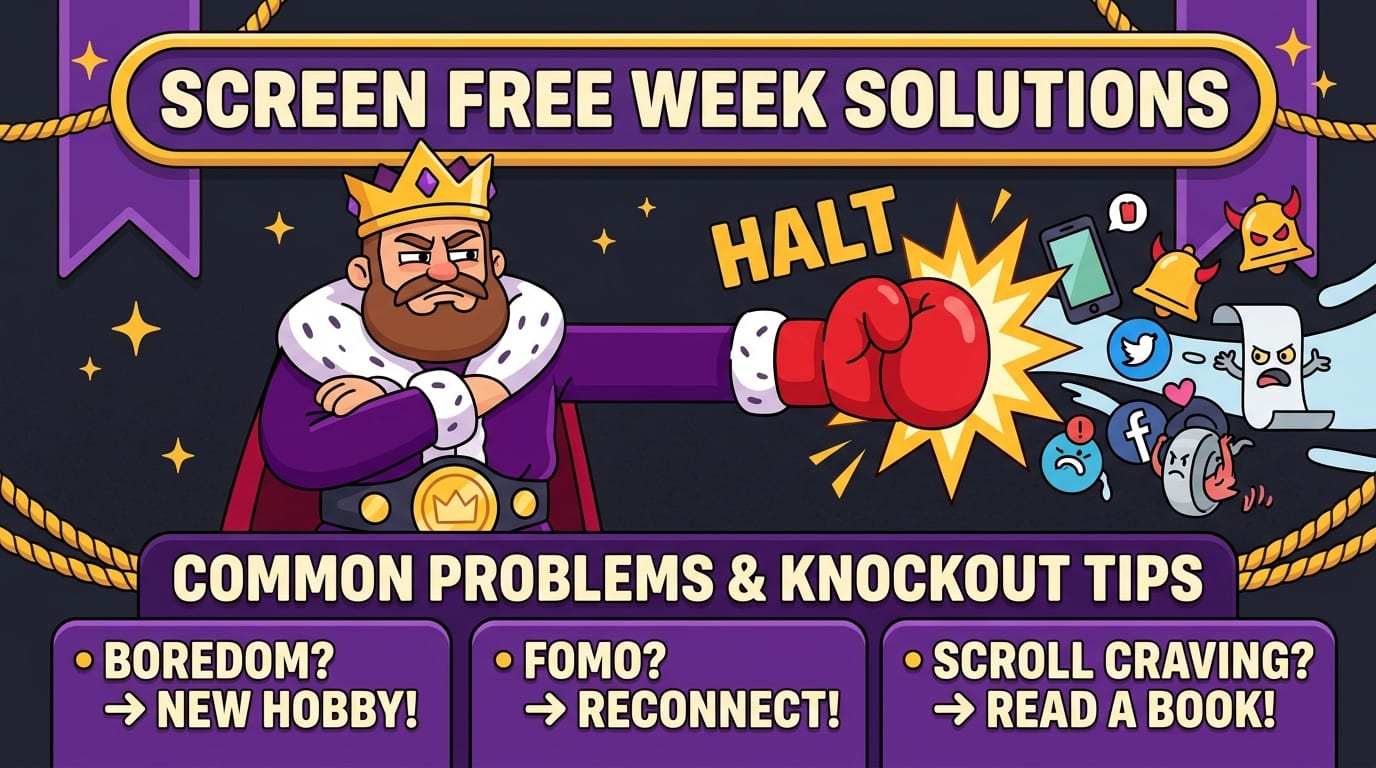
Problem: “I’m bored.”
Good. Boredom is where your brain starts remembering it can generate ideas instead of consuming them. But don’t just sit there suffering heroically. Keep a boredom menu handy with 10 activities you can start in under five minutes: walk, stretch, read, doodle, tidy one drawer, make tea, call someone, prep food, journal, or play cards.
Problem: “My friends keep sending me stuff.”
Tell people in advance: “I’m doing screen free week, so I’ll be slower to reply. If it’s urgent, call me.” Most people will survive this shocking boundary. Some may even admire it before sending you a meme anyway.
Problem: “I need screens for work and then I get sucked in.”
Use a browser-only rule: open only the tabs required for the task. Keep a written checklist next to you. Use BlockChamp to block distracting sites and categories during work sessions. If you need extra resistance, Champion users can use Focus Schedule so blocks activate automatically during certain days and hours. The King does not forget. The King has a calendar.
Problem: “My kids are melting down.”
Expect transition discomfort. Screens are easy entertainment, and removing them creates a gap. Fill the gap with routine, choices, and attention. Offer two options: “Do you want to bake muffins or ride bikes?” Not ten options. Ten options creates a tiny committee hearing.
Also, model the behavior. If adults are secretly scrolling under the table like raccoon spies, kids will notice. The throne requires consistency, champ.
Problem: “I slipped.”
Do not quit the whole week because of one slip. That is like dropping one grape and burning down the vineyard. Pause, write down what triggered the slip, adjust your plan, and continue. Progress beats drama.
After Screen Free Week: Don’t Sprint Back Into the Algorithm Swamp
The end of screen free week is where the real magic happens. You’ve created space. You’ve noticed patterns. You’ve probably discovered that some screen habits were useful, some were fun in moderation, and some were basically attention pickpockets with good branding.
Before returning to normal, do a 20-minute review. Ask:
- What did I miss least?
- What did I miss most?
- What activities made me feel better than scrolling?
- Which times of day were hardest?
- Which apps or sites do I want to keep limited?
- What permanent screen boundaries would improve my life?
Then choose a few ongoing rules. Keep them simple:
- No phone in the bedroom.
- No social media before noon.
- No screens during meals.
- Streaming only on weekends.
- One screen-free evening per week.
- Use website blocking during work or study hours.
For a balanced long-term approach, read our guide to reducing screen time while balancing technology and life. Because the goal is not to hate technology. Technology is useful. It lets us work, learn, connect, and order emergency tacos. The goal is to stop letting the loudest apps rule your schedule like tiny glowing tyrants.
Data from DataReportal’s Digital 2024 Global Overview Report shows just how much time people spend online globally. Screens are not going away. So the winning move is not permanent escape; it is better boundaries. Long live your focus.
A Simple 7-Day Screen Free Week Plan You Can Steal Immediately
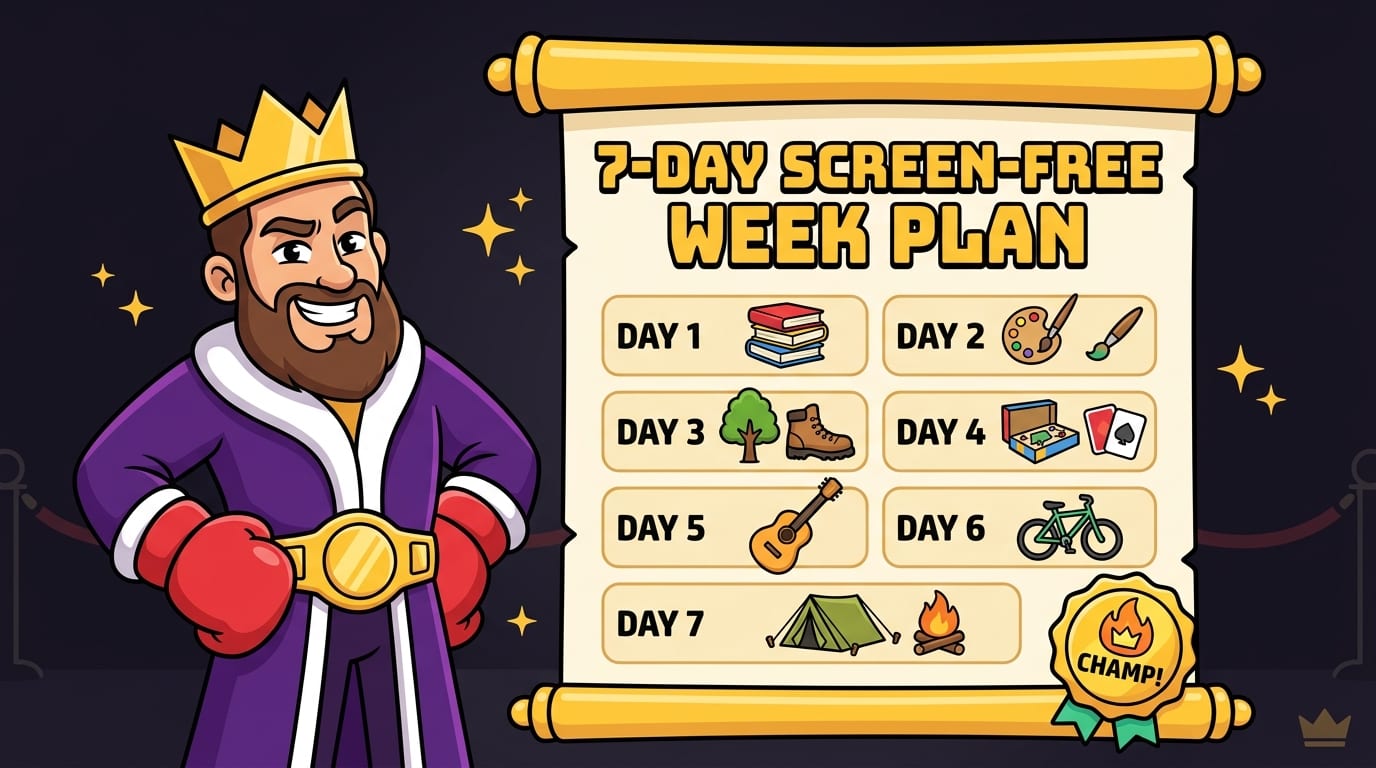
Need a plug-and-play plan? Excellent. The crown appreciates efficiency. Adjust this based on your household, work, school, and energy level.
Day 0: Setup Day
- Choose your rules and exceptions.
- Tell friends, family, coworkers, or classmates what you’re doing.
- Print recipes, schedules, maps, and important info.
- Pick 10 replacement activities.
- Set up BlockChamp to block distracting websites and categories in Chrome.
- Move chargers out of bedrooms and create a phone basket.
Day 1: Notice the urges
Your only job is awareness. Write down when you want to reach for a screen and why. Bored? Stressed? Avoiding work? Waiting in line? This is valuable intel from the battlefield.
Day 2: Replace the habit loop
Match common triggers with replacements. If you scroll after dinner, take a walk. If you check your phone when anxious, journal for five minutes. If you browse while procrastinating, do one tiny work step and let BlockChamp guard the gates.
Day 3: Make it social
Plan a screen-free hangout: dinner, games, sports, a library trip, a walk, or a coffee meetup with phones away. Human conversation may begin awkwardly, then become delightful. Wild technology, faces.
Day 4: Tackle a neglected project
Use your reclaimed time for something satisfying: clean a closet, fix something, organize papers, meal prep, start a creative project, or finish a book. Choose visible progress. Your brain likes evidence.
Day 5: Go outside longer than usual
Take a long walk, hike, bike ride, or park visit. Outdoor time helps break the association between rest and screens. Also, clouds are free content. No subscription required.
Day 6: Reflect and refine
Talk with your household or accountability buddy. What’s working? What’s annoying? What needs adjusting? Screen free week is not a military inspection. It’s an experiment.
Day 7: Celebrate and choose your new rules
Celebrate your seven-day reign. Then decide what continues. Maybe you keep social media blocked during work hours. Maybe you keep Sundays screen-light. Maybe you keep BlockChamp’s Master Focus Toggle on during study sessions and let The King roast you away from your worst habits. Sensible. Majestic. Slightly dramatic.
Final Thoughts: Your Attention Deserves a Crown
A successful screen free week is not about proving you are morally superior to people who enjoy Netflix. Netflix is fine. Memes are fine. Group chats are fine. The problem is when screens stop being tools and start becoming tiny slot machines for your attention.
Screen free week gives you a reset. It helps you see your habits clearly, reclaim your evenings, improve your focus, sleep better, reconnect with people, and remember that your brain can entertain itself without being fed an infinite conveyor belt of nonsense. At first, it may feel strange. Then it starts to feel quiet. Then useful. Then, dare we say it, powerful.
Start small if you need to. Define your rules. Prep your household. Plan better activities. Use accountability. Block your biggest digital traps. And if Chrome is your danger zone, let BlockChamp stand guard with XP, badges, streaks, and The King’s deeply unnecessary but highly effective royal judgment.
Take your time back, champ. Defend the throne. Crush the scroll. Long live your focus.
Related posts

Finding Focus For Fiction Writing

Learning To Focus In A Digital World As A Creative

Finding Focus For Personal Growth
