
Reducing Screen Time Balancing Technology And Life

Reducing screen time balancing technology and life sounds like one of those noble goals you announce on Sunday night while dramatically deleting Instagram… and then reinstalling it Tuesday because someone mentioned “the funniest video ever.” Relatable. The problem is not that technology is evil. Technology is brilliant. It lets us work remotely, learn anything, talk to friends, order tacos, and accidentally watch a raccoon wash cotton candy in a puddle. The problem is when your tools quietly become tiny glowing overlords wearing algorithmic capes.
The real goal is not to move into a cave, churn butter, and communicate by owl. It is to build a healthier relationship with screens so your devices serve your life instead of nibbling it into confetti. That means better routines, smarter limits, intentional habits, and a few well-placed guardrails for the moments when your willpower is wearing flip-flops.
This guide will walk you through practical, non-miserable strategies for reducing screen time while still using technology like a functioning modern human. We will cover routines, device limits, focus systems, environmental tweaks, and how tools like BlockChamp can help you knock out distractions without turning productivity into a sad beige spreadsheet. Crown up, champ. Your time kingdom awaits.
Quick Answers
Why Reducing Screen Time Is Really About Reclaiming Attention
When people talk about screen time, they often focus on hours. “I spent seven hours on my phone today.” “I watched three episodes and then somehow learned the entire history of medieval spoon making.” Hours matter, sure. But the bigger issue is attention. Screens do not just take time; they fragment your focus into bite-sized mental popcorn.
Research keeps pointing to the same uncomfortable truth: constant digital interruption makes it harder to concentrate, relax, and feel in control of your day. The American Psychological Association has reported on stress linked to technology and constant connectivity, especially when people feel pressured to check messages and updates all the time. Meanwhile, the Pew Research Center tracks how deeply smartphones and digital access are woven into daily life. Translation: screens are everywhere, and they are not politely waiting for an invitation.
Reducing screen time balancing technology and life is not about counting every minute like a miser guarding coins. It is about asking better questions:
- Is this screen helping me do something I care about?
- Am I choosing this, or did I get dragged here by a notification gremlin?
- Do I feel better after using this app, site, or device?
- What would I rather be doing with this time?
Some screen time is valuable: work, learning, video calls with faraway friends, creative projects, planning trips, managing money. Some screen time is digital quicksand: doomscrolling, rage-reading comments, checking the same app 47 times, shopping for a lamp you do not need because your brain wanted a tiny dopamine biscuit.
The mission is not “less technology.” The mission is better technology boundaries. That is where the magic happens.
Start With a Screen Time Audit: Meet Your Tiny Digital Goblins
You cannot fix what you refuse to look at. Step one is a screen time audit. Not a shame spiral. Not a courtroom drama. Just a factual check-in. You are not a villain because you watched too many shorts. You are a human with thumbs and a nervous system. Welcome to the club; we have chargers.
Most phones already include screen time reports. On iPhone, check Screen Time. On Android, look for Digital Wellbeing. Review the last seven days and write down your top five apps or websites by usage. If you work on a laptop, check browser history patterns or use tracking tools. BlockChamp also helps make distracting website behavior more visible through focus stats, stare-downs survived, XP, and calendar views, which is much more exciting than staring at a gray chart like it owes you rent.
As you audit, separate your usage into three categories:
- Useful screen time: work, study, admin, learning, genuine communication.
- Neutral screen time: casual entertainment, browsing, games in moderation.
- Regret screen time: the stuff you finish and think, “Why did I just donate my afternoon to the content swamp?”
Be specific. “Social media” is too vague. Which platform? When? Why? You may discover that Reddit only ambushes you after lunch, YouTube eats your evenings, or news sites turn your morning into an anxiety buffet. Once you know the pattern, you can design a counterattack.
If you want more context on what cutting back can actually improve, BlockChamp has a deeper breakdown on the benefits of reducing screen time. Spoiler: more focus, better sleep, less mental static, and fewer “how is it 1:13 a.m.?” moments.
Build Screen-Free Anchors Into Your Day
The easiest way to reduce screen time is not to argue with your phone all day. That is exhausting, and your phone has billions of dollars of behavioral design behind it. Instead, create screen-free anchors: predictable parts of your day where screens are not invited. Very rude to the screens. Very healthy for you.
Good anchors work because they remove decision fatigue. You are not asking, “Should I check my phone right now?” You already decided. The answer is no. The royal decree has been issued.
Try These High-Impact Screen-Free Zones
- The first 30 minutes after waking: No social media, news, email, or message triage. Let your brain boot up before feeding it chaos cereal.
- Meals: Eat without scrolling. Revolutionary, possibly illegal in some group chats, but effective.
- The first hour of focused work or study: Protect your best attention before the internet starts throwing pies.
- The last 45–60 minutes before bed: Use this time for reading, stretching, journaling, showering, or staring peacefully into the void like a Victorian ghost.
Sleep deserves special attention. The Sleep Foundation explains how evening electronics use can affect sleep, including through light exposure and mental stimulation. Even if blue light is not the only villain, late-night scrolling definitely does not whisper, “Rest now, noble creature.” It screams, “Here are seven opinions about a celebrity apology.”
Start small. Pick one anchor for the next week. If mornings are a disaster, try a phone-free first 20 minutes. If nights are the problem, charge your phone outside the bedroom. Yes, outside. It will survive. It is not a houseplant.
Use Friction Like a Productivity Bouncer
One of the best strategies for reducing screen time balancing technology and life is adding friction between impulse and action. Your brain loves easy. If TikTok is one tap away, guess where your thumb is going during a boring spreadsheet? Straight to the dopamine buffet.
Friction does not need to be dramatic. You are not building a moat. Although, honestly, a moat would be stylish. You are making distractions slightly harder to access so your better intentions have time to wake up and put on pants.
Simple Friction Tricks That Actually Work
- Move addictive apps off your home screen.
- Log out of social platforms after each use.
- Delete saved passwords for problem sites.
- Turn your phone grayscale during work hours.
- Disable non-essential notifications.
- Use a separate browser profile for work with no entertainment bookmarks.
- Keep your phone across the room during deep work.
For websites, friction gets even better when you use a blocker. BlockChamp lets you block specific sites like YouTube, Reddit, X/Twitter, or shopping sites, and it also offers category blocking for whole families of distractions such as Social Media, Video & Streaming, News, Shopping, Gaming, Gambling, Adult, and AI Distractions. Instead of manually blocking every rabbit hole one by one, you can tell The King, “Guard the kingdom,” and let him stand there with boxing gloves and a judgmental eyebrow.
The beauty of website blocking is that it catches you at the exact moment your autopilot tries to betray you. You type the URL. You hit enter. Instead of losing 38 minutes to “research,” you get stopped. With BlockChamp, you do not get a boring blocked page. You get The Stare-Down: a full-screen royal intervention reminding you that your reign is not worth throwing away for one little scroll. It is productivity with theatrical side-eye.

Set Device Limits That Match Real Life, Not Fantasy You
Fantasy You wakes at 5 a.m., meditates, drinks lemon water, writes a novel, and uses the internet only to read peer-reviewed studies. Real You checks a notification, opens a video, and emerges 22 minutes later knowing how penguins propose with rocks. Both versions deserve compassion, but only one is designing your habits today.
Device limits fail when they are too strict, too vague, or disconnected from your actual schedule. If you set a 15-minute daily limit on all entertainment but your evenings currently involve three hours of streaming, your brain will stage a tiny rebellion. Start with limits that create progress without triggering “abandon ship” energy.
A Practical Limit-Setting Formula
- Find your current average for a problem app or site.
- Reduce it by 20–30% for the first week.
- Create a specific usage window.
- Block access outside that window.
- Review weekly and adjust.
Example: If you spend 90 minutes a day on social media, start with a 60-minute limit split into two windows: 20 minutes at lunch, 40 minutes after dinner. Outside those windows, block social sites on your work browser. This is not punishment. It is containment. Like putting glitter in a jar instead of letting it colonize your entire home.
For more ideas on making limits feel reasonable instead of medieval, check out BlockChamp’s guide to reducing screen time without stress. The key is to avoid turning your life into a joyless productivity boot camp. You are allowed to have fun. You are just not allowed to let “fun” steal your tax documents, workout, sleep, and personality.
Replace the Habit, Don’t Just Remove the Screen
Here is a sneaky truth: if you remove screen time without replacing it, your brain will wander around like a raccoon in an empty kitchen. It will eventually find the trash. That is why “just stop scrolling” is useless advice. Thanks, Professor Obvious. Should we also “just become fluent in French” by Tuesday?
Most excessive screen use serves a function. It gives stimulation, escape, connection, comfort, novelty, or avoidance. If you want the habit to change, identify what job the screen is doing and offer a better substitute.
Common Screen Triggers and Better Replacements
- Boredom: Keep a short list of quick offline activities: walk, tidy one drawer, stretch, doodle, read five pages, make tea.
- Stress: Try breathing exercises, a 10-minute walk, journaling, or calling a real human instead of consulting the comment section goblin court.
- Loneliness: Message a friend directly, schedule a call, join a club, or spend time in a community that does not run on infinite scroll.
- Avoidance: Break the task into a two-minute starter step. Open the document. Write the title. Do one problem. Tiny wins beat giant intentions.
- Fatigue: Rest properly. Sometimes you do not need discipline; you need a nap and a snack. The throne supports snacks.
This is where balancing technology and life becomes less about restriction and more about design. You are not saying, “No screens forever.” You are saying, “When I feel stressed at 3 p.m., I will take a walk before opening Reddit.” That tiny plan matters.
The behavior design ideas popularized by Nir Eyal’s work on becoming indistractable emphasize understanding internal triggers rather than only blaming external tools. External tools matter, obviously. But your emotional pattern is the control room. Find the lever, champ.

Protect Deep Work Like It’s Wearing a Crown
Deep work is the focused, meaningful effort that produces your best results: studying difficult material, writing, coding, designing, planning, analyzing, creating. It is also extremely allergic to notifications. One ding and your concentration collapses like a folding chair in a wrestling match.
If you want to reduce screen time without reducing your ability to use technology productively, protect deep work blocks. This is not about being busy. Busy is easy. Focused is royal.
How to Create a Deep Work Block
- Choose one clear task before you begin.
- Set a timer for 25, 50, or 90 minutes.
- Close every unrelated tab.
- Put your phone away or in focus mode.
- Block distracting websites during the session.
- Write down any random urges on paper instead of acting on them.
- Take a real break when the timer ends.
BlockChamp is especially useful here because it turns “I should focus” into an actual system. Hit the Master Focus Toggle, set your blocks, and let The King guard the gate. Champion users can set recurring Focus Schedules, so work or study blocks activate automatically during specific days and hours. That means fewer daily negotiations with your inner procrastination lawyer, who is very persuasive and probably wears tiny sunglasses.
For serious focus sessions, BlockChamp’s Hardcore Lockdown adds a deliberate barrier before you can turn focus off. You can choose a cooldown timer or the delightfully absurd boxing riddle, where you repeat The King’s punch combo before surrendering. It sounds silly because it is. It also works because impulses often fade when you delay them by even 30–60 seconds. Your thumb wants instant escape; The King says, “Earn it, peasant.”
Make Your Environment Less Scroll-Friendly
Your environment is constantly voting for your behavior. If your phone is on your desk, unlocked, buzzing, and glowing like a cursed treasure, it is voting for distraction. If your book is open on the couch and your phone is charging in another room, your environment is voting for better choices. Democracy, but with fewer campaign ads.
Reducing screen time balancing technology and life becomes dramatically easier when your physical and digital spaces support the behavior you want.
Upgrade Your Physical Environment
- Create a charging station away from your bed.
- Keep your phone out of reach during meals and conversations.
- Use a real alarm clock if your phone becomes a bedtime trapdoor.
- Put books, notebooks, workout gear, or hobbies in visible places.
- Designate one screen-free chair, table, or room if possible.
Upgrade Your Digital Environment
- Unsubscribe from emails that lure you into shopping or news spirals.
- Remove bookmarks to distracting sites.
- Turn off autoplay on video platforms when possible.
- Clean your desktop and browser tabs at the end of each day.
- Use app folders named “Later” or “Not Now” to interrupt autopilot.
The goal is to make good choices obvious and bad choices slightly annoying. Annoyance is underrated. A two-second delay can be the difference between opening a spreadsheet and watching a stranger rank fast-food pickles.
If you are trying to understand your patterns before changing your setup, read BlockChamp’s guide on how to monitor screen time usage. Measurement gives you clues. Clues help you build better barriers. Better barriers protect the crown.
Create Social Rules So Your Phone Stops Third-Wheeling
One of the weirdest parts of modern life is how often phones join conversations uninvited. You are having dinner with a friend, and suddenly both of you are staring at screens like tiny rectangles are performing an opera. No judgment. We have all done it. But relationships need attention, not just proximity.
Healthy screen boundaries are easier when they are shared. You do not need to become the Phone Police, marching around with a whistle. Just set simple norms with the people you live, work, or spend time with.
Try These Low-Drama Social Rules
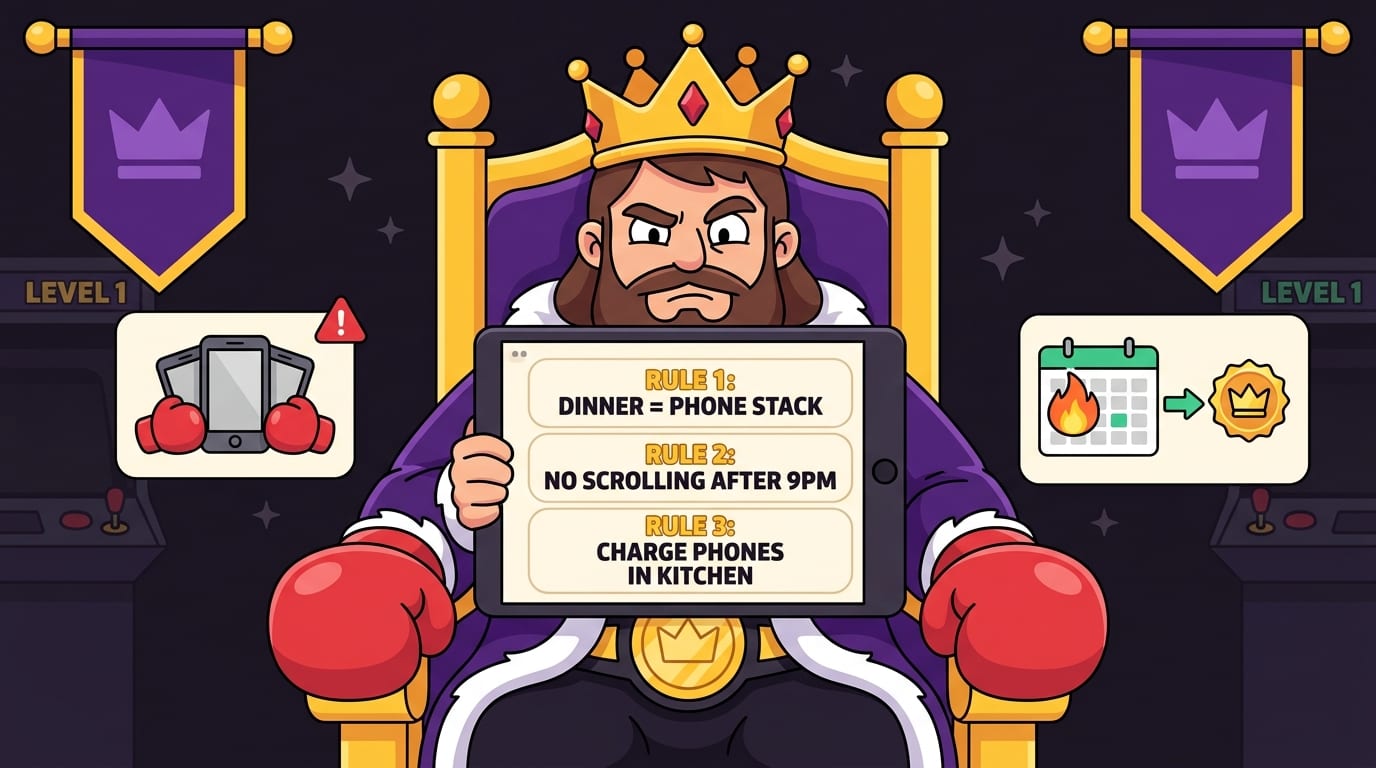
- No phones during dinner unless someone is showing a photo, map, or emergency meme.
- Phones face down during conversations.
- One shared movie or show at a time: no double-screening unless agreed.
- Weekend morning blocks for offline activities.
- Work chats stay inside work hours when possible.
This matters for adults just as much as kids. In fact, BlockChamp has a whole post on why screen time rules are not just for kids anymore. Adults also need structure. We just call it “productivity systems” so it sounds less like bedtime.
There is also a mental health angle. Excessive or low-quality screen time can amplify comparison, anxiety, and sleep disruption for some people. The World Health Organization recognizes gaming disorder as a pattern of impaired control over gaming in some cases, and broader digital wellbeing research continues to examine how online habits affect mood, attention, and behavior. For a practical overview, BlockChamp’s article on how screen time affects mental health is worth reading with a beverage and a mildly concerned eyebrow.
Use Technology to Fight Technology, Because Irony Is Delicious
Some people say using an app to reduce screen time is ironic. Correct. It is also effective. We use calendars to manage time, budgeting apps to manage money, and oven timers to avoid charcoal lasagna. Tools are not the enemy. Uncontrolled tools are.
The trick is choosing technology that supports your intentions rather than hijacking them. Look for tools that:
- Reduce access to known distractions.
- Make habits visible with simple tracking.
- Reward consistency rather than perfection.
- Let you set schedules or recurring rules.
- Respect your privacy.
- Feel easy enough that you will actually keep using them.
BlockChamp was built around exactly that idea. It is a gamified website blocker for Google Chrome that helps you block distracting sites, keywords, and categories while making focus feel like leveling up. You earn XP for focus minutes, focused days, and surviving Stare-Downs. You build reigns, unlock badges, climb ranks, and compete on leaderboards if your competitive goblin enjoys shiny numbers.
More importantly, it changes the emotional tone of blocking. Many productivity tools feel like being scolded by a spreadsheet in a dentist’s office. BlockChamp gives you The King: a cartoon royal boxer who blocks distractions with dramatic flair, voice lines, and enough judgment to make opening YouTube during work feel like getting caught sneaking cake before dinner. Funny friction is still friction. And if a smug little monarch helps you protect your time, long live the crown.
A 7-Day Plan for Reducing Screen Time Without Going Full Hermit
Ready for action? Here is a simple one-week plan. No monk robes required, though if you own one, respect.
Day 1: Audit Your Usage
Check your phone and browser usage. Identify your top three regret-screen activities. Write them down. No shame. Just evidence.
Day 2: Create One Screen-Free Anchor
Pick either your first 30 minutes awake, meals, or the last hour before bed. Protect that time. Put your phone somewhere inconvenient.
Day 3: Turn Off Notifications
Disable non-essential notifications. Keep calls, calendar alerts, and direct messages from important people if needed. Everything else can wait its royal turn.
Day 4: Add Friction
Move addictive apps, log out of problem sites, remove bookmarks, or install a blocker. If your main distractions happen in Chrome, set up BlockChamp and block your top enemies. Start with the sites that steal the most time.
Day 5: Schedule Deep Work
Choose one 50-minute block for focused work or study. Use a timer. Block distractions. Write down urges instead of following them. When the timer ends, take a real break.
Day 6: Replace One Habit
Choose a common trigger and replacement. Example: “When I want to scroll after dinner, I will walk for 10 minutes first.” Keep it small enough to win.
Day 7: Review and Adjust
Look at what worked. Did your sleep improve? Did you focus better? Did you still fall into a content swamp at 4 p.m.? Great. That is data. Adjust your limits, add a new block, or change your environment.
The point is momentum. Reducing screen time is not a one-time heroic leap. It is a series of tiny punches landed consistently. Jab. Cross. Block Reddit. Defend the throne.

Common Mistakes That Make Screen Time Goals Collapse
Before you gallop into battle, let’s dodge a few common traps. Many people fail at reducing screen time not because they lack discipline, but because their plan is built like a soggy cardboard castle.
- Going too extreme too fast: If you cut everything overnight, your brain may panic and rebel. Gradual reduction is more sustainable.
- Only relying on willpower: Willpower is useful, but it gets tired. Systems beat vibes.
- Not replacing the habit: Empty time often gets refilled by the same old screen behavior.
- Keeping devices too accessible: If the distraction is within arm’s reach, it will win more often than you think.
- Using vague goals: “Use my phone less” is mushy. “No phone during meals” is clear.
- Ignoring work screens: Screen time is not just phones. Browser rabbit holes count too, sneaky little tab goblins.
Also, do not judge progress by perfection. You will slip. You will open the app. You will accidentally watch a 14-minute video about restoring antique cheese graters. Fine. The win is noticing faster, returning sooner, and building better guardrails for next time.
Final Thoughts: Balance Beats Banishment
Reducing screen time balancing technology and life is not about hating your devices. It is about putting them back in their proper place: useful servants, not attention-thieving court jesters. You can keep the good stuff: learning, connection, creativity, convenience, entertainment. You just need boundaries strong enough to stop the scroll from annexing your day.
Start with awareness. Add screen-free anchors. Use friction. Set realistic limits. Replace habits instead of merely removing them. Protect deep work. Fix your environment. Create social rules. And when your browser becomes a battlefield, bring in backup.
If distracting websites keep challenging your reign, try BlockChamp. It blocks sites, keywords, and distraction categories in Chrome, rewards your focus with XP and badges, and sends The King to stare you down when you try to sneak into the scroll dungeon. It is practical, funny, and just judgmental enough to work.
Your attention is a kingdom. Stop letting every notification, feed, and autoplay goblin wander through the gates wearing muddy boots. Defend the throne. Crush the scroll. Become king of your time.
Related posts

Finding Focus For Fiction Writing

Learning To Focus In A Digital World As A Creative

Finding Focus For Personal Growth
