
Screen Free Benefits

Your brain was not built to win a staring contest with TikTok, YouTube Shorts, Slack pings, Reddit threads, “quick” news checks, and that one shopping tab whispering, “Psst… free shipping.” The good news? You do not need to move to a candlelit cabin and communicate only by carrier pigeon to enjoy the screen free benefits people keep talking about.
Going screen free, even for small daily chunks, can improve focus, sleep, creativity, mood, relationships, and your ability to sit with your own thoughts without immediately asking the internet what a capybara sounds like. Spoiler: adorable. But the real magic is not in swearing off technology forever. It is in creating intentional screen-free routines that give your attention a fighting chance.
This guide breaks down the practical, evidence-backed screen free benefits, explains why screens are so sticky, and gives you simple routines you can actually follow without becoming a productivity monk in linen pants. And when you do need help defending your digital kingdom, tools like BlockChamp can keep the scroll-goblins outside the castle gates.
Quick Answers
What “Screen Free” Actually Means: No, You Don’t Have to Become a Forest Wizard
Let’s clarify the term before anyone throws their laptop into a lake. Screen free does not mean anti-technology. It does not mean deleting every app, smashing your phone with a ceremonial hammer, or pretending email does not exist because “the vibes are better offline.”
Screen free simply means creating deliberate periods where you are not using screens: no phone, no laptop, no tablet, no TV, no “I’m just checking one thing” that becomes a 47-minute tour of celebrity kitchen renovations.
The best screen-free habits are realistic. For most people, that means:
- Taking the first 30 minutes after waking without screens.
- Keeping meals phone-free.
- Creating a screen-free wind-down routine before bed.
- Blocking distracting websites during work or study hours.
- Planning one longer weekly unplugged block, like a walk, hobby session, or device-free morning.
The goal is not perfection. The goal is attention ownership. You decide when screens serve you, instead of letting the internet turn your day into a haunted carnival of tabs.
If you want a deeper dive into the broader advantages of cutting back, BlockChamp has already explored the benefits of reducing screen time. Think of this article as the practical cousin: same family, slightly more likely to hand you a checklist.
Screen Free Benefits for Focus: Your Attention Span Deserves a Tiny Crown
One of the biggest screen free benefits is better focus. Not “I became a laser-eyed productivity beast overnight” focus, but the quieter kind: being able to read a page, finish a task, or think through a problem without your hand mysteriously reaching for your phone like it is possessed by a tiny notification demon.
Digital distraction works because it interrupts attention constantly. Every notification, feed refresh, message badge, and recommended video asks your brain to switch contexts. That switching has a cost. Research from the University of California, Irvine has found that after interruptions, it can take people significant time to return to their original task; Gloria Mark’s work on attention and digital interruptions is widely cited in discussions of focus and workplace distraction. You can read more about her research through UC Irvine’s attention and interruption research.
Screen-free blocks help because they remove the decision fatigue. You are not “being strong” against 19 temptations. You are simply not in the arena. The King approves. The peasants may continue scrolling elsewhere.
Try this: the 45-minute focus moat
Before starting deep work, create a moat around your attention:
- Choose one task with a clear finish line: “write outline,” “finish math problems 1–10,” or “send client proposal.”
- Put your phone in another room, not face down beside you like a sleeping dragon.
- Close unrelated tabs.
- Use a website blocker for the usual suspects: YouTube, Reddit, Instagram, news, shopping, AI rabbit holes, or whatever your personal attention gremlin prefers.
- Work for 45 minutes, then take a real break away from screens.
This is where BlockChamp becomes genuinely useful. Instead of relying on noble willpower, you can turn on the Master Focus Toggle, block distracting sites or entire categories, and let The King stand guard. If you try to sneak into a blocked site, The Stare-Down catches you with royal judgment. It is like getting caught stealing cookies, except the cookie is Reddit and the judge is wearing boxing gloves.
Better Sleep: Because Your Pillow Should Not Compete with a Glowing Rectangle
Another major screen free benefit is improved sleep quality. Screens can interfere with sleep in multiple ways: light exposure, mental stimulation, emotional content, late-night rabbit holes, and the ancient bedtime curse known as “one more video.”
Blue light gets most of the blame, and yes, it matters. The Sleep Foundation explains that evening screen use may affect melatonin production and circadian rhythm, making it harder to fall asleep. Their overview of how electronics affect sleep is a helpful, readable resource if you want the science without needing a PhD and a lab coat.
But the bigger villain is often stimulation. A heated group chat, a doomscrolling session, a dramatic news headline, or an algorithmically perfect video can make your brain feel like it is wearing tap shoes. Even if your phone is in night mode, your nervous system may still be throwing confetti at midnight.
Build a screen-free bedtime runway
You do not need a two-hour wellness ritual involving moon water and a harp. Start with 30 minutes.
- Set a “screens off” alarm 30–60 minutes before bed.
- Charge your phone outside the bedroom, or at least across the room.
- Replace scrolling with a low-friction activity: reading, stretching, journaling, folding laundry, or preparing tomorrow’s clothes.
- Keep a paper notebook nearby for random thoughts so you do not unlock your phone to “just write one thing down.” Famous last words.
If your evening weakness is streaming or social media on your laptop, schedule blocks in BlockChamp during your wind-down window. Champion users can set recurring Focus Schedules, so the digital drawbridge raises automatically. The King stands guard while you become the rarest creature on earth: a person who actually goes to bed when they said they would.

Mood and Mental Clarity: Less Doomscrolling, More Human Functioning
Screen-free time can also help your mood. That does not mean every screen is bad or every app is a villain twirling a mustache. Screens connect us, entertain us, teach us, and occasionally show us raccoons washing grapes. Society would collapse without raccoon content.
The problem is unintentional, excessive, emotionally loaded screen time. Doomscrolling news, comparing your life to filtered social feeds, checking messages compulsively, or refreshing metrics can make your brain feel like a browser with 83 tabs open and one of them playing music.
The American Psychological Association has covered concerns around digital media use, stress, and mental health, especially for young people. Their resource on social media and internet use is a good starting point for understanding the relationship between digital habits and wellbeing.
Screen-free time creates breathing room. You stop reacting and start noticing. You give your nervous system a chance to stop sprinting after every alert. You may even experience a terrifying event called “having a thought.” Be brave, champ.
Use the “mood audit” method
For one week, pay attention to how different screen activities make you feel. Not morally. Physically and emotionally.
- After 20 minutes of TikTok, do you feel energized or foggy?
- After checking the news, do you feel informed or like a raccoon in a thunderstorm?
- After gaming, do you feel relaxed or unable to stop?
- After messaging friends, do you feel connected or drained?
Then reduce or block the activities that consistently make you feel worse. This is not about becoming a perfect digital citizen. It is about noticing which apps are secretly wearing clown shoes and stomping through your mental living room.
If social platforms are the main culprit, read BlockChamp’s guide to the science behind social media addiction and how to break free. It explains why feeds are so hard to quit and how to fight back without turning your life into a guilt spreadsheet.
Creativity Comes Back When Your Brain Gets Bored
Boredom gets a bad reputation. We treat it like a minor emergency. Standing in line? Phone. Waiting for coffee? Phone. Elevator ride? Phone. Microwave has 42 seconds left? Better check six apps and develop a new personality.
But boredom is not useless. It is often the doorway to creativity. When your mind is not constantly fed content, it starts making connections. It wanders. It combines ideas. It remembers things. It says, “What if we rearranged the room?” and suddenly you are standing on a chair holding a lamp like an interior design goblin.
A well-known study published in the journal Academy of Management Discoveries explored how boredom can sometimes increase creativity by encouraging mind-wandering and new idea generation. You can find a summary through the Academy of Management research on boredom and creativity.
The practical takeaway: if you want more ideas, stop filling every tiny gap with content. Your brain needs empty space. Not endless empty space, obviously. We are not trying to become decorative garden stones. But small pockets of silence can do a lot.
Screen-free creativity prompts
Try one of these for 15–30 minutes:
- Take a walk without headphones and let your brain wander like an unsupervised goat.
- Sketch, doodle, or write badly on purpose. Bad drafts are the compost of good work.
- Cook without a video playing in the background.
- Brainstorm 20 ideas on paper before researching online.
- Work on a hobby with your phone in another room.
Creators, freelancers, and students often underestimate how much input overload dulls original thinking. If your job depends on sharp ideas, give your brain time away from the endless content buffet. For more deep work tactics, especially if you work independently, see BlockChamp’s post on ways freelancers can reclaim focus and deep work.
Relationships Improve When People Stop Competing with Your Lock Screen
One of the most underrated screen free benefits is better relationships. Not because phones are evil, but because attention is a love language. If someone is telling you about their day and you are half-listening while checking a notification, the message they receive is: “Interesting story, but a glowing rectangle summoned me.”
Researchers have studied “phubbing,” or phone snubbing, and its effect on relationships. A study published in Computers in Human Behavior found that partner phubbing can be associated with relationship dissatisfaction and conflict over phone use. You can view the research summary on ScienceDirect’s page on partner phubbing and relationship satisfaction.
Phone-free time signals presence. It says, “I am here, not mentally trapped inside a comment section where strangers are arguing about pasta.” That matters.
Create tiny screen-free social rituals
You do not need a dramatic family meeting with a ceremonial phone basket. Although, honestly, a tiny phone throne would be funny.
Start with simple rules:
- No phones during meals.
- No scrolling during the first 10 minutes after someone comes home.
- One screen-free walk per week with a friend or partner.
- Device-free coffee dates.
- Board games, cooking, workouts, or errands without background scrolling.
The point is not to police everyone like the Duke of Wi-Fi Enforcement. The point is to make connection easier. When screens disappear, conversations often stretch. Jokes land better. People feel seen. You remember that your friends have actual faces and are not just floating profile pictures with opinions.

Your Body Also Benefits: Neck, Eyes, Posture, and the Great Outdoors
Screens are not just a mental challenge. They affect your body too. Long screen sessions can contribute to eye strain, headaches, neck pain, poor posture, and inactivity. The American Academy of Ophthalmology notes that digital eye strain is common and recommends habits like blinking, taking breaks, and following the 20-20-20 rule. Their advice on computer use and eye strain is practical and easy to apply.
Screen-free time naturally creates movement opportunities. You stand up. You stretch. You go outside. You make tea. You discover your shoulders have been impersonating earrings for three hours.
Use screen-free breaks as body resets
Every 60–90 minutes, take a 5–10 minute break away from screens. Do not replace work screens with phone screens. That is like taking a break from cake by eating frosting from the tub. Respectfully: no.
Instead, try:
- Walking around the block.
- Doing 10 squats, push-ups, or mobility movements.
- Stretching your neck, wrists, and hips.
- Looking out a window at something far away.
- Refilling water and pretending hydration is your new personality.
These small resets reduce physical strain and make it easier to return to focused work. They also help separate “break” from “algorithmic hostage situation.”
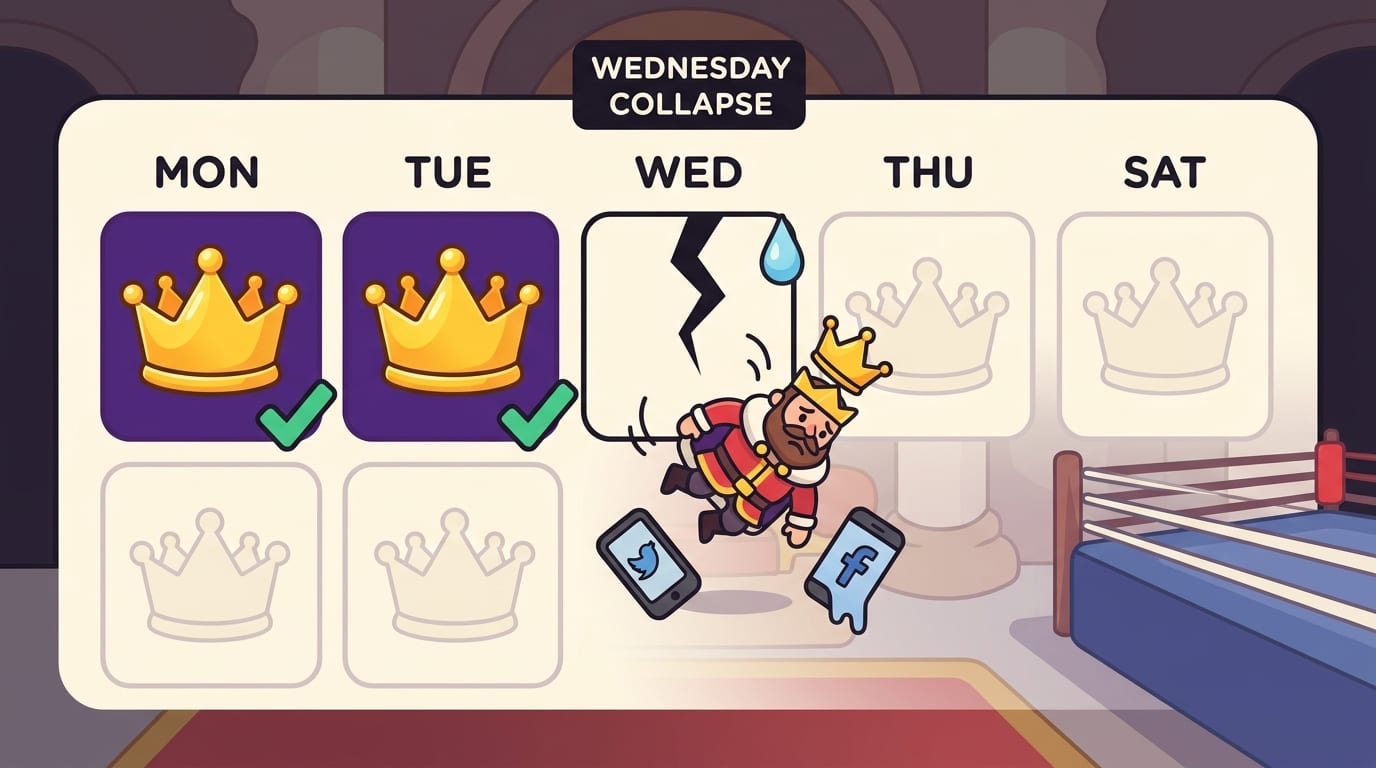
How to Build a Screen-Free Routine That Doesn’t Collapse by Wednesday
Most people fail at digital detox plans because they go too hard too fast. Monday: “I shall never scroll again.” Tuesday: “I am reborn.” Wednesday: “Why am I watching a 38-minute video about medieval soup?”
The trick is to make screen-free habits specific, small, and repeatable. You want a routine that survives normal life: busy days, low motivation, weird moods, deadlines, and the occasional soup documentary.
Step 1: Pick your “why”
Screen-free time works better when it serves something meaningful. Choose one reason:
- Better sleep.
- More focused study sessions.
- Less anxiety from news and social media.
- More creative energy.
- More present relationships.
- Less time lost to sites you do not even enjoy.
Your “why” is the crown jewel. Guard it.
Step 2: Choose one daily screen-free zone
Start with one zone, not twelve. Good options include:
- Morning: first 30 minutes after waking.
- Work: first 60 minutes of deep work.
- Meals: breakfast, lunch, or dinner without devices.
- Evening: final 30–60 minutes before bed.
Once that feels normal, add another. This is how habits become a reign, not a dramatic three-day coup.
Step 3: Replace, don’t just remove
If you remove screens without choosing an alternative, your brain will stage a tiny rebellion. Give it something to do.
- Instead of morning scrolling: make coffee, stretch, read one page, journal three lines.
- Instead of lunch scrolling: eat outside, call a friend, walk for 10 minutes.
- Instead of bedtime YouTube: read fiction, tidy the room, prep tomorrow, listen to calm audio without browsing.
- Instead of work procrastination: use a blocker, set a timer, and define the next tiny step.
Screen-free benefits show up when the replacement supports the life you actually want. Otherwise, you are just sitting there annoyed, staring at a wall like a punished Victorian child.
Use Friction Like a Champion: Make Distractions Annoying to Reach
Willpower is overrated. Design is underrated. If a distracting app or site is one tap away, you will probably tap it. Not because you are weak, but because your brain loves easy rewards. The attention economy knows this. It has a lab coat, a budget, and zero chill.
The solution is friction. Add just enough resistance that your automatic habit becomes a conscious choice.
Here are practical ways to add friction:
- Log out of distracting accounts after use.
- Delete social apps from your phone and use desktop only.
- Move apps off your home screen.
- Turn off nonessential notifications.
- Use grayscale mode during focus hours.
- Block distracting sites during work, study, or sleep prep.
This is exactly where BlockChamp’s gamified website blocker earns its royal snacks. You can block specific sites, keywords, or whole categories like Social Media, Video & Streaming, News, Shopping, Gaming, Gambling, Adult, and AI Distractions. Free users can block up to 3 sites and 2 categories, which is enough to put your top distractions in a headlock. Champion users get unlimited sites, all categories, keyword blocking, schedules, sync, and Hardcore Lockdown.
Hardcore Lockdown is especially useful for impulse control. If you try to turn focus off, you must wait through a cooldown or beat The King’s boxing-riddle mini-game. It sounds ridiculous because it is. It also works because impulses are often short-lived. Add 30–60 seconds of effort and suddenly “I need to check Reddit” becomes “actually, I will finish this paragraph like an adult with a crown.”
A Practical 7-Day Screen-Free Benefits Challenge
If you want to feel the screen free benefits without turning your life upside down, try this seven-day challenge. It is simple, measurable, and does not require you to buy a journal made from ethically sourced clouds.
Day 1: Track your screen traps
Write down your top three digital time sinks. Be honest. You are not in court. Common culprits: TikTok, Instagram, YouTube, Reddit, news sites, shopping, gaming, sports scores, adult content, gambling, or AI tools used as procrastination in a tiny productivity costume.
Day 2: Create a phone-free morning
No screens for the first 30 minutes after waking. Use an actual alarm clock if needed. Yes, they still exist. Tiny clocks survived the smartphone apocalypse.
Day 3: Protect one deep work block
Choose 45–90 minutes for focused work or study. Block distracting sites, silence notifications, and define one clear goal. If you need structure, read The Power of Pause for more on creating space between impulse and action.
Day 4: Make one meal screen-free
Eat without watching, scrolling, or reading comments. Taste your food. Revolutionary. Possibly illegal in some group chats.
Day 5: Take a boredom walk
Walk for 20 minutes without music, podcasts, or calls. Let your mind wander. If you get a good idea, write it down afterward on paper or a notes app once you return. Do not stop mid-walk and fall into notification quicksand.
Day 6: Do a screen-free evening reset
Turn off screens 45 minutes before bed. Prepare for tomorrow, stretch, read, or tidy. The goal is to teach your brain that nighttime is not a content buffet.
Day 7: Try a mini unplugged block
Spend 2–4 hours mostly screen-free. Cook, hike, clean, meet a friend, visit a market, read, work on a hobby, or sit dramatically by a window like you are in a music video. If you want inspiration for a bigger reset, check out BlockChamp’s post on the National Day of Unplugging.
At the end, review what changed. Did you sleep better? Focus longer? Feel calmer? Have more ideas? Talk to someone without glancing at your phone like it owed you money? That is your evidence. Keep the habits that helped. Toss the ones that felt like medieval punishment.
Common Screen-Free Mistakes: The Scroll Goblins Are Sneaky
Even good intentions can faceplant. Here are the common mistakes that sabotage screen-free routines.
Mistake 1: Going extreme immediately
If your current screen time is high, do not start with a full weekend offline unless you enjoy dramatic withdrawals and suspiciously intense snack cravings. Begin with 30-minute zones. Build from there.
Mistake 2: Calling all screens “bad”
Some screen time is useful, joyful, or necessary. Video calls with family? Great. Learning a skill? Useful. Watching one episode with intention? Fine. Watching one episode, then twelve clips, then researching the actor’s childhood dentist? Maybe not.
Mistake 3: Not changing the environment
If your phone is beside you, your apps are logged in, notifications are on, and distracting tabs are open, you are basically inviting the distraction goblins to a banquet. Change the setup.
Mistake 4: Forgetting rewards
Habits stick better when they feel rewarding. Track your streaks, celebrate wins, and make progress visible. BlockChamp leans hard into this with XP, levels, badges, reigns, a focus calendar, and a leaderboard. It turns “I didn’t waste an hour on YouTube” into “I defended the throne and gained XP.” Same behavior, better story.

The Real Screen Free Benefit: You Get Your Time Back
The most important screen free benefit is not just better sleep, sharper focus, improved mood, more creativity, stronger relationships, or fewer neck-cramp goblin moments. It is agency. You remember that your attention belongs to you.
Screens are tools. Amazing tools. But when every spare second gets swallowed by feeds, notifications, autoplay, and outrage snacks, your day stops feeling like yours. Screen-free routines give you pockets of control. They create space for thinking, resting, connecting, making, moving, and being a person instead of a thumb attached to Wi-Fi.
Start small. Pick one screen-free zone. Protect one focus block. Take one boredom walk. Make one meal phone-free. Block your biggest distractions when it matters. Let the benefits stack.
And if your willpower keeps getting knocked out in round one, bring in backup. BlockChamp helps you block distracting websites on Chrome, earn XP for focused time, build your reign, and get roasted by The King when you try to sneak back to the scroll pit. It is practical, private, gamified, and just unhinged enough to be fun.
Long live your focus. Defend the throne. Crush the scroll. Your screen-free kingdom awaits, champ.
Related posts

Writing Sprint Tips For Focused Output

Paper Or Digital Planner

Generative Ai And Staying Focused At Work
