
Productivity Tools For Team Collaboration

Your team does not need “one more productivity app.” Your team needs fewer meetings that could have been messages, fewer messages that could have been tasks, fewer tasks that live in someone’s head like a raccoon in the attic, and fewer “quick checks” of Slack that somehow become 37 minutes of meme archaeology.
That is why choosing the right productivity tools for team collaboration matters. The goal is not to build a glittering software throne room with twelve dashboards, five chat apps, and a project management system nobody updates unless threatened with stale donuts. The goal is simple: help people communicate clearly, track work reliably, collaborate without chaos, and protect enough focused time to actually do the work.
In this guide, we’ll compare the main types of productivity tools for team collaboration, explain where each one fits, show you practical workflows, and reveal the sneaky productivity villain nobody talks about enough: distraction. Yes, your task board is beautiful. But if your team is constantly tab-hopping between YouTube, Reddit, TikTok, news, shopping, and “just checking one thing,” the kingdom is under siege, champ.
Quick Answers
What Are Productivity Tools for Team Collaboration?
Productivity tools for team collaboration are apps and systems that help groups plan work, communicate, share files, make decisions, track progress, and stay focused. They are the digital equivalent of a well-run workshop: everyone knows what they’re building, where the tools are, who owns which piece, and why Gary should stop using “urgent” as punctuation.
These tools usually fall into a few major categories:
- Communication tools: Slack, Microsoft Teams, Google Chat, Zoom, Loom.
- Project and task management tools: Asana, Trello, ClickUp, Jira, Monday.com, Todoist.
- Documentation and knowledge tools: Notion, Confluence, Google Docs, Dropbox Paper.
- File sharing tools: Google Drive, Dropbox, OneDrive, Box.
- Scheduling and calendar tools: Google Calendar, Calendly, Motion, Clockwise.
- Focus and distraction-blocking tools: Website blockers, app blockers, time tracking tools, and yes, glorious royal boxing mascots like BlockChamp.
The best collaboration stack is not the one with the most features. It is the one your team actually uses. A tiny, consistent system beats a giant, abandoned software palace every time.
According to Microsoft’s Work Trend Index, workers are dealing with rising digital overload, including constant meetings, chats, and context switching. Translation: modern work has become a notification piñata, and everyone is swinging blindfolded.
The Collaboration Tool Stack: Build a Castle, Not a Junk Drawer
A good team productivity setup should answer four basic questions:
- Where do we talk?
- Where do we track work?
- Where do we store knowledge?
- Where do we focus?
If your team cannot answer those questions in under 30 seconds, your workflow probably has dragons in the basement.
1. Communication: The Town Square
Communication tools are where fast conversations happen. Slack and Microsoft Teams are the obvious giants here. They are great for quick updates, lightweight decisions, team channels, and async discussions. But chat tools can also become productivity goblins if every thought becomes a message and every message becomes a tiny panic bell.
Use chat for:
- Quick clarifications.
- Team announcements.
- Lightweight collaboration.
- Status updates that do not need a meeting.
Do not use chat for:
- Long-term documentation.
- Final decisions that need to be found later.
- Task ownership unless integrated with your project tool.
- Deep work interruptions every seven minutes. That is not collaboration. That is professional whack-a-mole.
For remote teams, async communication is especially important. Buffer’s State of Remote Work regularly highlights flexibility as a major remote work benefit, but flexibility only works when teams stop expecting instant replies like medieval kings demanding tribute.
2. Project Management: The War Map
Your project management tool is where work becomes visible. It should show what needs doing, who owns it, what the deadline is, what the status is, and what is blocked. If that information lives only in meetings or private messages, your project is not managed. It is haunted.
Popular options include:
- Asana: Great for cross-functional teams, marketing calendars, workflows, and recurring processes.
- Trello: Simple visual boards, ideal for small teams and lightweight task tracking.
- ClickUp: Feature-rich and customizable, useful if your team wants tasks, docs, goals, dashboards, and automations in one kingdom.
- Jira: Built for software teams, agile workflows, bug tracking, and sprint planning.
- Monday.com: Flexible visual work management for operations, marketing, sales, and creative teams.
The key is to make your tool the source of truth. If a task is not in the tool, it does not exist. Harsh? Maybe. Effective? Absolutely. The spreadsheet scribbled by Todd in 2021 does not count.
3. Documentation: The Royal Library
Documentation tools prevent your team from answering the same question 900 times. They are where decisions, processes, onboarding guides, policies, meeting notes, templates, and “how we do things here” content should live.
Notion is great for flexible team wikis and project docs. Confluence is popular with larger technical teams. Google Docs is beautifully simple and familiar. The best documentation tool is the one people can search, update, and trust.
Good documentation saves collaboration from becoming a never-ending scavenger hunt. Bad documentation creates the classic message: “Hey, do you know where the latest version of the Q3 launch plan is?” That message has stolen more human potential than most minor villains.
Best Productivity Tools for Team Collaboration by Use Case
Instead of declaring one app “the best” like a productivity influencer standing on a mountain of affiliate links, let’s match tools to team needs. Different teams have different dragons.
For Remote Teams
Remote teams need async-first systems. That means fewer “got a sec?” ambushes and more written clarity. Good tools include Slack or Teams for chat, Loom for video updates, Notion or Confluence for documentation, and Asana or ClickUp for task tracking.
A strong remote workflow might look like this:
- Daily updates happen in a Slack channel using a simple template: yesterday, today, blockers.
- Project work is tracked in Asana with owners and due dates.
- Decisions are documented in Notion.
- Long explanations are recorded in Loom instead of scheduling another meeting.
- Focus blocks are protected with calendar time and distraction blockers.
This gives everyone visibility without forcing them to live inside chat like caffeinated cave bats.
For Marketing Teams
Marketing teams juggle campaigns, content calendars, approvals, analytics, creative assets, stakeholder feedback, and last-minute “can we make it pop?” requests. Bless them. They need flexible project management and strong documentation.
Useful tools include Asana for campaign planning, Airtable for content calendars, Google Drive for assets, Figma for creative collaboration, and Slack for quick approvals. For research and planning, sources like HubSpot’s marketing statistics can help teams anchor campaigns in actual data instead of vibes wearing sunglasses.
For Software and Product Teams
Software teams usually need Jira, Linear, GitHub, GitLab, Confluence, Slack, and design tools like Figma. The workflow must support sprint planning, bug triage, product specs, code reviews, releases, and feedback loops.
The danger for technical teams is tool sprawl. A bug in Jira, a spec in Notion, a decision in Slack, a design comment in Figma, and a customer complaint in a support inbox can create a five-headed hydra of confusion. Integrations matter. So do naming conventions, templates, and ruthless clarity.
For Students, Study Groups, and Academic Teams
Collaboration tools are not just for companies. Study groups, student project teams, and college clubs need them too. A simple stack might include Google Docs, Trello, Discord, Google Calendar, and a focus tool to block distractions during study sprints.
If you are a student trying to wrangle group projects without descending into chaos, you might also like our guide on the best study tools for college students. It covers practical tools for staying organized, studying smarter, and surviving the academic circus with your crown intact.
Communication Tools: Stop Turning Every Thought Into a Meeting
Communication is the bloodstream of collaboration. But too much communication becomes cholesterol. Meetings clog the arteries. Notifications raise the blood pressure. Suddenly, everyone is “aligned” but nobody has shipped anything. Tragic. Regal tragedy, but tragedy.
Use these rules to make communication tools actually productive:
Set Channel Rules
Every communication channel should have a purpose. For example:
- #announcements: Company-wide updates only.
- #project-launch: Launch-related discussion, decisions, and blockers.
- #random: Memes, pet photos, and the sacred debate over pineapple pizza.
- #support-escalations: Customer issues that need quick attention.
Without rules, every channel becomes soup. Nobody wants soup when they asked for a dashboard.
Choose Async by Default
If something does not require live discussion, write it down. Async updates reduce interruptions and help people in different time zones contribute thoughtfully. A short Loom video can replace a 30-minute meeting. A project comment can replace a Slack storm. A clear brief can replace psychic guessing.
Asana’s Anatomy of Work research has repeatedly explored how much time workers lose to “work about work” — status updates, searching for information, switching between apps, and chasing approvals. Collaboration tools should reduce that burden, not add a tiny bureaucratic top hat to it.
Protect Deep Work Time
Here is the uncomfortable truth: collaboration is not the same as productivity. Teams need collaboration, but people also need uninterrupted time to think, write, design, code, analyze, and create. If your team spends all day reacting, your output becomes a pile of half-finished thoughts wearing a fake mustache.
Set “no meeting” blocks. Encourage notification batching. Use status indicators honestly. And when it is time to focus, use a tool like BlockChamp to block distracting websites during work hours. BlockChamp’s Pro schedule feature can automatically turn on blocks Monday through Friday, 9 to 5, so The King stands guard while your team does actual royal work.

Task Tracking Tools: Because “I Thought Dave Had It” Is Not a Strategy
A task management tool should make responsibilities obvious. Every task needs an owner, deadline, status, and context. If your task says “update thing” and nobody knows what thing, which update, or why it matters, congratulations: you have created a productivity potato.
Use this basic task template:
- Task name: Clear action, not vague fog. “Draft homepage hero copy” beats “Homepage.”
- Owner: One person accountable. Helpers are fine, but ownership cannot be a group hug.
- Due date: Realistic and visible.
- Description: What done looks like, links, context, and requirements.
- Status: To do, in progress, blocked, review, done.
- Priority: Critical, high, medium, low. Not everything is critical unless your office is literally on fire.
Good task tracking also reduces meeting load. Instead of asking everyone for updates in a call, review the board. If the board is outdated, fix the system. Do not reward outdated boards with more meetings. That is feeding the beast.
If your team includes students, interns, or younger workers still building strong routines, check out study habits and tools for teens. Many of the same principles apply: visible tasks, distraction control, consistent routines, and fewer “I’ll remember” lies from the brain gremlin.
Documentation Tools: Write It Down or Prepare to Repeat Yourself Forever
Documentation is the difference between a team that scales and a team that repeatedly asks “Wait, how do we do this again?” while staring into the void.
Your documentation system should include:
- Team processes and standard operating procedures.
- Project briefs and strategy docs.
- Meeting notes and decisions.
- Onboarding guides.
- Templates for common work.
- Tool instructions and naming conventions.
Documentation works best when it is easy to search and easy to update. If editing a process doc requires three approvals, a blood oath, and a candlelit ceremony, people will stop updating it. Keep it lightweight.
Also, decide what belongs in docs versus chat. Chat is for discussion. Docs are for decisions. If a decision happens in Slack, move it into the relevant project doc or task. Future-you will weep with gratitude instead of muttering curses into a lukewarm coffee.

Focus Tools: The Missing Piece in Team Collaboration
Most lists of productivity tools for team collaboration talk about chat, tasks, docs, and calendars. Those are essential. But they skip the part where humans are not robots. Humans get bored. Humans click things. Humans open one “quick” news article and emerge 48 minutes later knowing too much about celebrity kitchen renovations.
Focus tools help teams protect attention. This matters because collaboration creates inputs, but focus creates outputs.
Common focus tools include:
- Website blockers.
- App blockers.
- Pomodoro timers.
- Time trackers.
- Calendar focus blocks.
- Notification blockers.
BlockChamp fits here beautifully. It is a gamified website blocker for Chrome that helps people block distracting sites, keywords, and categories. Instead of giving you a sad gray blocked page, BlockChamp gives you The Stare-Down: a full-screen scene where The King judges your attempt to visit a blocked site. Sometimes he even roasts you out loud. It is productivity with boxing gloves and royal attitude. Finally, software with cheekbones.
For teams, BlockChamp is especially useful during deep work blocks, writing sprints, study sessions, research time, coding sessions, and remote work hours. Individuals can block social media, video, news, shopping, gaming, gambling, adult content, and AI distraction categories. Pro users can use recurring schedules and Hardcore Lockdown, which makes turning focus off require either a cooldown or a boxing-riddle mini-game. Impulse scrolling suddenly has to fight for its life.
If your team struggles with digital overload, our article on the benefits of digital wellbeing tools explores why reducing screen chaos can improve focus, energy, and consistency without turning your life into a monastery with Wi-Fi.
How to Choose the Right Collaboration Tools Without Summoning Tool Sprawl
Tool sprawl happens when every problem gets a new app. One day you have Slack and Asana. Then someone adds Notion. Then Miro. Then Airtable. Then three AI meeting note-takers. Then a dashboard for the dashboards. Suddenly your team needs a treasure map to find the Q4 plan.
Use this selection framework before adding anything new:
1. Define the Job
What exact problem should the tool solve? “Improve collaboration” is too vague. Try:
- Reduce status meetings by 30%.
- Make project deadlines visible.
- Create one searchable knowledge base.
- Block distracting sites during team focus hours.
- Track creative approvals in one place.
2. Check for Overlap
Do you already have a tool that does this well enough? Many teams use five tools at 20% capacity instead of two tools at 80% capacity. That is not a stack. That is a junk drawer with subscriptions.
3. Prioritize Adoption Over Features
The best tool is the one your team will use consistently. If a tool requires a PhD in dashboard wizardry, adoption may suffer. Simple beats powerful when powerful becomes abandoned.
4. Test With a Real Workflow
Do not evaluate tools by poking around the demo workspace full of fake tasks like “Design rocket ship” and “Pet office llama.” Test with an actual project. Run one campaign, sprint, or workflow through it. See where friction appears.
5. Write Usage Rules
For every tool, define:
- What it is for.
- What it is not for.
- Who maintains it.
- How often it should be updated.
- Where final decisions live.
This is boring for 12 minutes and useful forever. Wear the crown. Do the boring bit.
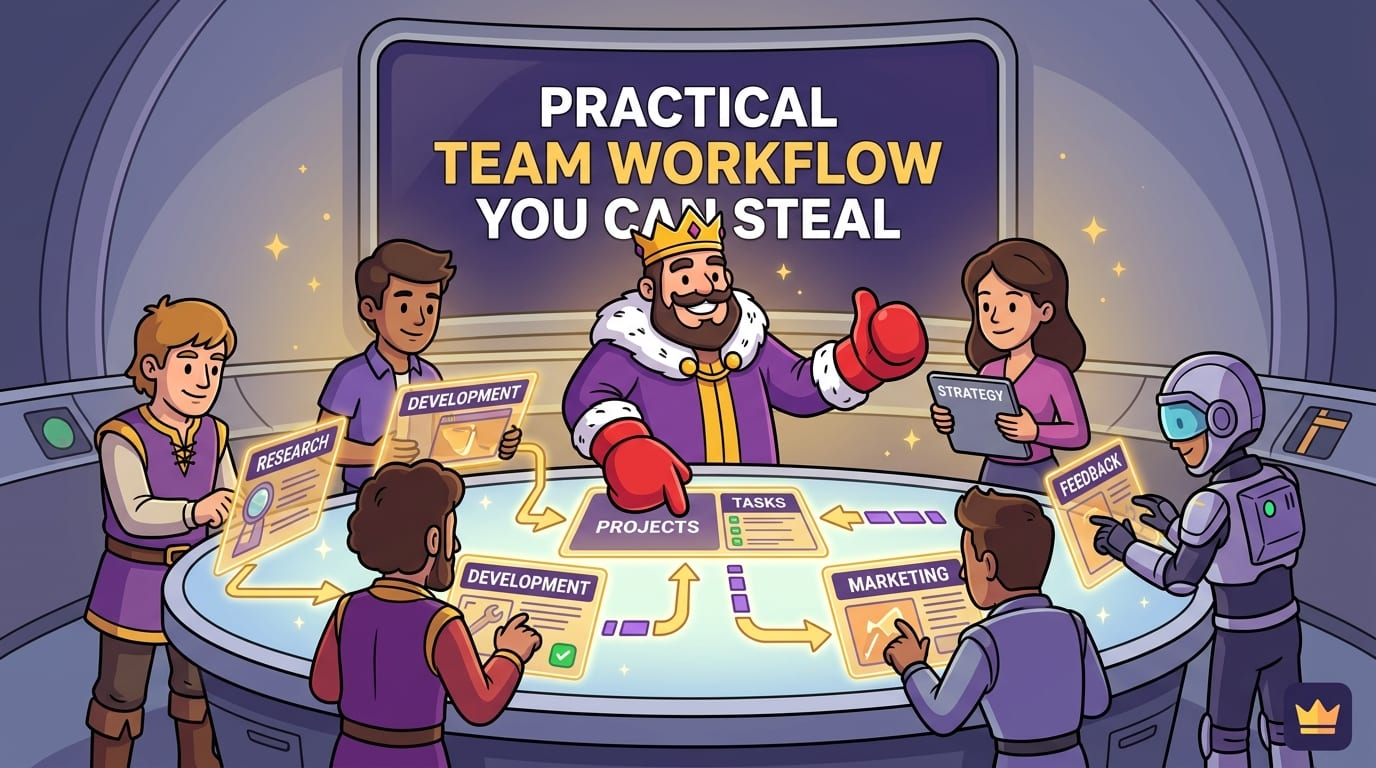
A Practical Team Collaboration Workflow You Can Steal Today
Here is a simple workflow that works for many small teams, remote teams, student groups, and creative squads. Steal it shamelessly. The King approves.
Monday: Plan the Week
Start with a 30-minute planning session or async planning doc. Identify top priorities, deadlines, blockers, and owners. Add everything to your project management tool. If it is not on the board, it is not real.
Daily: Async Updates
Each person posts a short update in chat or directly in the project tool:
- Yesterday: What I completed.
- Today: What I am working on.
- Blocked: What I need help with.
This prevents the dreaded “So, what’s everyone working on?” meeting, which is often just a calendar-shaped yawn.
Midweek: Deep Work Block
Set a shared two-hour focus block. No meetings. No non-urgent messages. Everyone works on their highest-value task. Use BlockChamp to block the usual suspects: social media, video, news, shopping, or any site that turns your attention into confetti.
If you want more tactics for building serious focus sessions, read how to increase productivity while studying. Even if you are not studying, the same focus principles apply to writing reports, building products, planning campaigns, and defeating the scroll beast.
Friday: Review and Clean Up
End the week by reviewing completed work, updating documentation, closing stale tasks, and capturing lessons learned. Keep it short. The goal is not a ceremony. The goal is a clean runway for next week.
Common Mistakes Teams Make With Productivity Tools
Even great tools can fail if the workflow is mushy. Here are the classic mistakes and how to dodge them like a caffeinated knight.
Mistake 1: Using Chat as a Project Management Tool
Chat moves fast. Tasks need structure. If you assign work in Slack but do not add it to your task tool, expect confusion. Messages disappear into the scroll swamp. Tasks should live where tasks belong.
Mistake 2: No Clear Ownership
“The team owns it” often means nobody owns it. Assign one accountable person to every task, project, and decision. Collaboration can involve many people, but accountability needs a name.
Mistake 3: Too Many Notifications
Notifications should be meaningful. If every update pings everyone, people will ignore everything. Use mentions carefully, mute noisy channels, and create focus norms. According to the American Psychological Association’s research on multitasking, switching between tasks can reduce efficiency and increase mental load. In plain English: your brain hates being yanked around like a shopping cart with one busted wheel.
Mistake 4: No Documentation Habit
A tool cannot save you if nobody writes anything down. Make documentation part of finishing work. A project is not done until decisions, links, and learnings are captured.
Mistake 5: Ignoring Individual Focus
Teams often optimize collaboration while destroying concentration. That is like building a beautiful kitchen and then throwing soup at the chef. Protect deep work. Encourage people to use blockers, schedules, and notification boundaries. Collaboration should support output, not nibble it to death.
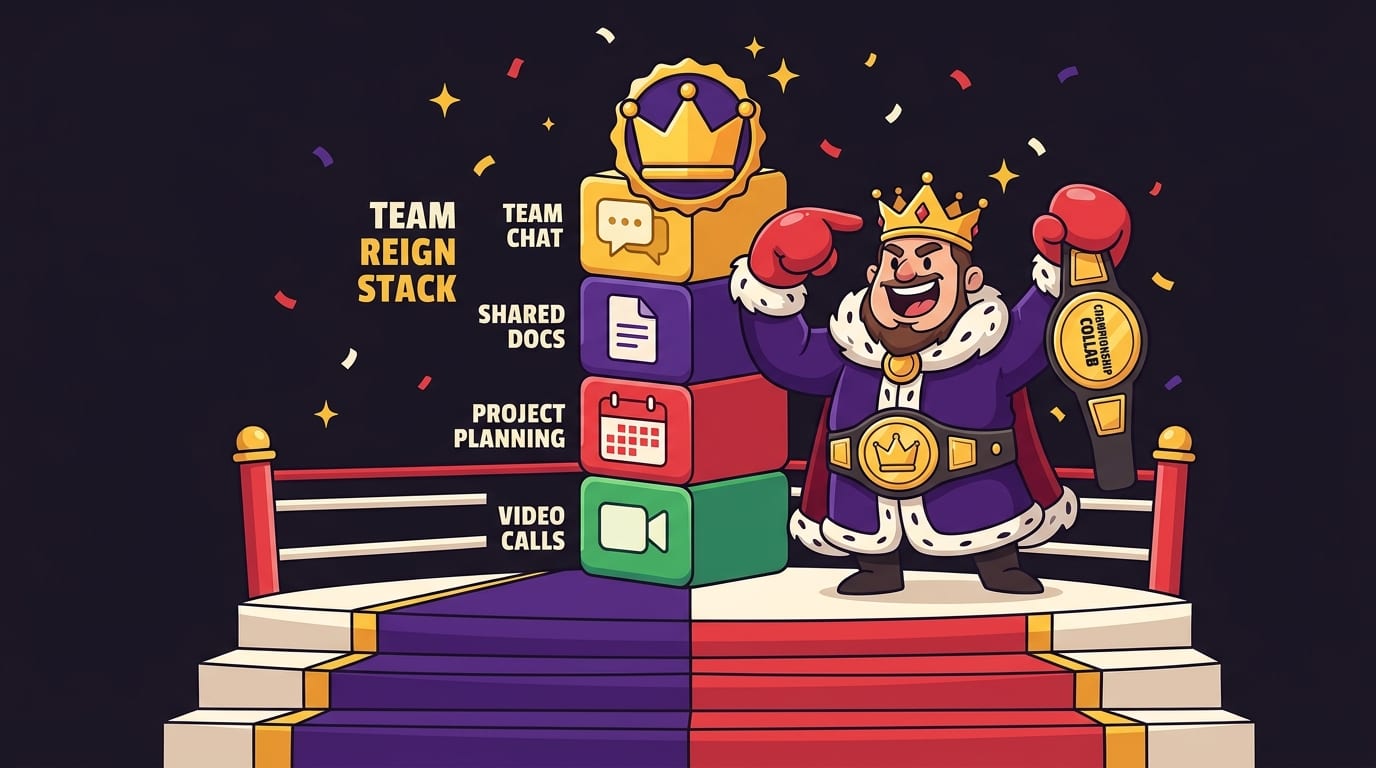
The Best Collaboration Stack for Most Teams
If you want a simple, effective stack, start here:
- Chat: Slack or Microsoft Teams.
- Meetings: Zoom or Google Meet.
- Tasks: Asana, Trello, ClickUp, or Jira.
- Docs: Notion, Confluence, or Google Docs.
- Files: Google Drive, Dropbox, or OneDrive.
- Scheduling: Google Calendar plus Calendly or Clockwise.
- Focus: BlockChamp for blocking distracting websites during deep work.
That is enough for most teams. Add specialized tools only when a real need appears. Not because a shiny startup promised “AI-powered synergy workflows” and your boss briefly blacked out near the purchase button.
For students or younger teams comparing focus software, our roundup of top study focus tools can help you evaluate timers, blockers, and productivity apps without getting buried in app-store confetti.
How BlockChamp Complements Team Collaboration Tools
BlockChamp is not trying to replace your project management app, chat tool, or doc system. That would be silly. The King wears boxing gloves; typing long project specs would be a logistical nightmare.
Instead, BlockChamp solves the attention problem that sits underneath collaboration. Your team can have perfect tasks, perfect docs, and perfect communication, but if individuals cannot stay focused long enough to execute, the system still leaks time.
Here is how BlockChamp fits into a collaboration workflow:
- During focus blocks: Team members activate BlockChamp to block social media, streaming, news, shopping, gaming, or other distractions.
- During work hours: Pro users set recurring schedules so blocking turns on automatically.
- During weak moments: The Stare-Down interrupts impulsive browsing with humor and friction.
- For motivation: XP, levels, badges, reigns, calendars, and leaderboards make consistency visible and fun.
- For serious discipline: Hardcore Lockdown adds a cooldown or boxing riddle before focus can be turned off.
In other words, your collaboration tools help define the work. BlockChamp helps you actually do it without wandering into the internet forest and returning with a shopping cart full of nonsense.
Final Verdict: Collaboration Needs Clarity, Focus, and Fewer Digital Gremlins
The best productivity tools for team collaboration do three things well: they reduce confusion, make work visible, and protect attention. You need a place to talk, a place to track tasks, a place to store knowledge, and a way to stop distractions from body-slamming your workday.
Start small. Choose tools based on real workflows, not feature checklists. Write down usage rules. Make ownership clear. Default to async when possible. Protect deep work like it is the royal treasury. Because it is.
And when your team has the plan, the tasks, the docs, and the calendar blocks ready, give your attention a bodyguard. BlockChamp helps you knock out distracting websites, build focus streaks, earn XP, and get roasted by The King when you try to betray your own productivity. It is helpful. It is ridiculous. It works because focus should feel less like punishment and more like winning.
So pick your tools. Set your rules. Defend the throne. Crush the scroll. Long live your team’s focus, champ.
Related posts

Finding Focus For Fiction Writing

Learning To Focus In A Digital World As A Creative

Finding Focus For Personal Growth
