
Top 6 Study Focus Tools

Your brain did not evolve to study calculus while a tiny glowing rectangle screams, “New meme just dropped.” Rude, honestly. That’s why this guide compares the top 6 study focus tools for students who want better concentration, fewer digital ambushes, and a fighting chance against TikTok, YouTube, Discord, Reddit, and the mysterious urge to reorganize your desk during exam week.
Focus is not just about “trying harder.” Trying harder while your laptop is one tab away from a 47-minute video essay about raccoons is like trying to diet inside a cake factory. The smarter move is to build a study system: block the junk, time your sessions, manage tasks, take better notes, and use habits that make concentration less heroic and more automatic.
Below, we’ll compare six practical study focus tools, explain what each one is best for, show you how to set them up, and give you habit strategies that actually work in the wild. Crown polished? Gloves on? Let’s defend the study kingdom.
Quick Answers
Why Study Focus Tools Matter More Than Willpower
Willpower is useful, but it is also fragile. It gets tired, hungry, bored, dramatic, and weirdly interested in checking whether your ex has posted a new story. Study focus tools help because they reduce the number of decisions your brain has to make.
Every time you ask, “Should I check Instagram?” your brain spends energy negotiating with itself. That negotiation is where procrastination sneaks in wearing a fake mustache. A good focus setup removes the negotiation. Distracting sites are blocked. Your timer is running. Your tasks are visible. Your phone is across the room, ideally looking ashamed.
Research on attention consistently shows that interruptions come with a cost. The American Psychological Association explains that task switching can reduce productivity because your brain needs time to reorient after each switch, especially when tasks are complex or unfamiliar. In other words, jumping from biology notes to group chat chaos is not “multitasking.” It is academic parkour with a backpack full of bricks. See the APA’s overview of multitasking and attention switching for more context.
There is also the phone problem. A widely cited study in the Journal of the Association for Consumer Research found that even the mere presence of a smartphone can reduce available cognitive capacity, especially when people are dependent on their phones. Your phone does not even have to buzz. It can just sit there like a tiny rectangular wizard draining your mental mana. You can read the study summary here: Brain Drain: The Mere Presence of One’s Own Smartphone Reduces Available Cognitive Capacity.
So no, needing tools does not mean you are weak. It means you are human, and the internet is a slot machine wearing a hoodie. The right tools simply make the focused choice easier.
The Top 6 Study Focus Tools: Quick Comparison
Before we crown champions and lightly roast the peasants, here is the fast version. These are the top 6 study focus tools worth considering if you want to reduce distractions and improve concentration:
- BlockChamp: Best for blocking distracting websites on Chrome with gamification, XP, streaks, and a mascot who judges your life choices.
- Forest: Best for phone distraction control using a cute tree-growing timer.
- Notion: Best for organizing study plans, notes, assignments, and revision dashboards.
- Todoist: Best for simple task management and daily study checklists.
- Google Calendar: Best for time blocking, exam schedules, and recurring study routines.
- Focusmate: Best for accountability through live virtual co-working sessions.
The best tool for you depends on your distraction style. If you lose hours to websites, you need a website blocker. If your problem is vague planning, you need a calendar and task manager. If you start strong but vanish into the Fog Realm after 12 minutes, you may need a timer or accountability partner.
Also, no single app will magically transform you into a monk with perfect posture and a glowing GPA. The real power comes from combining tools into a system. Block distractions with BlockChamp, schedule sessions in Google Calendar, list your tasks in Todoist, store your notes in Notion, plant focus trees with Forest, and use Focusmate when your motivation has left the castle via trapdoor.
1. BlockChamp: Best Website Blocker for Students Who Keep “Accidentally” Opening YouTube
Let’s start with the beast in the browser. BlockChamp is a gamified website blocker for Google Chrome that helps students block distracting sites, categories, and keywords. But unlike most blockers, it does not treat focus like a tax audit. It makes focus feel like a game.
You choose what to block: specific sites like YouTube, TikTok, Reddit, X/Twitter, Netflix, or Instagram; full categories like Social Media, Video & Streaming, News, Shopping, Gaming, Gambling, Adult, and AI Distractions; or, if you’re on Champion Pro, keywords that catch distracting pages even when they wriggle through the cracks like little internet goblins.
The magic is the experience. When you try to visit a blocked site, BlockChamp does not show a sad gray error page. You get The Stare-Down: a full-screen block page where The King, a cartoon royal boxer, catches you red-handed and sends you back to work. Sometimes he roasts you out loud with one of 12 voice lines. Is it silly? Yes. Does it work because embarrassment plus humor is strangely powerful? Also yes.
Best for
- Students who lose study time to social media, streaming, news, shopping, gaming, or AI rabbit holes.
- Chrome users who want a blocker that feels motivating instead of miserable.
- People who respond well to streaks, XP, badges, levels, and leaderboard-style progress.
How to set it up for studying
- Install BlockChamp for Chrome from blockchamp.app.
- Pick your top enemy sites. Start with the obvious villains: YouTube, TikTok, Reddit, Instagram, Netflix, Discord, and whatever site mysteriously eats your Tuesday nights.
- Turn on category blocking. For exam season, Social Media and Video & Streaming are usually the first two dragons to slay.
- Use the Master Focus Toggle before every study block. When it says “On Guard,” The King is awake. The throne is defended.
- If you upgrade to Champion Pro, set a recurring Focus Schedule for your study hours and use Hardcore Lockdown if you tend to disable blockers in a moment of weakness. The boxing riddle makes surrender annoying enough that your impulse often gives up first.
BlockChamp is especially helpful because it turns resistance into progress. You earn XP for focus time, for each day your blocks stay active, and for each Stare-Down survived. That means even the moment you almost slipped becomes a little win. Very royal. Very “I meant to do that.”
If you want more study-specific strategies to pair with blocking, read BlockChamp’s guide on how to stay focused while studying. It pairs nicely with the blocker because tools work best when your habits are not held together by panic and iced coffee.
2. Forest: Best Phone Focus Timer for Students Who Keep Touching the Cursed Rectangle
Forest is a popular focus timer app that helps you stay off your phone by growing virtual trees. You start a timer, plant a tree, and if you leave the app too early, the tree dies. Dramatic? Yes. Effective? For many students, absolutely. Nobody wants to murder a digital sapling because they needed to check one notification from a group chat named “Bio Lab Goblins.”
Forest works because it makes focus visual. A completed session becomes a tree. A productive day becomes a forest. Over time, you build a record of effort that is more emotionally satisfying than a bland timer. It also gives your hands something not to do: pick up your phone every 90 seconds like it contains exam answers from the future.
This matters because phones are not neutral study companions. According to DataReportal’s global digital reports, people around the world spend hours per day using the internet and social platforms, with mobile devices playing a huge role in daily screen time. You can browse the latest global usage data from DataReportal’s Digital 2024 Global Overview Report. The short version: the phone is not bored. It has a business model.
Best for
- Students who constantly check their phone during study sessions.
- People who like visual progress and gentle gamification.
- Pomodoro users who want a prettier timer than the one that looks like it was designed inside a spreadsheet.
How to use Forest well
- Choose a realistic timer length. Start with 25 or 30 minutes if your attention span currently has the structural integrity of wet cardboard.
- Put your phone physically out of reach after starting the timer. Across the room beats face-down beside you.
- Match one tree to one clear task: “Review Chapter 4 flashcards,” not “become academically unstoppable.”
- Use breaks intentionally. Stand up, refill water, stretch, stare into the distance like a Victorian poet. Do not open TikTok “for just a second.” That second has teeth.
Forest pairs beautifully with BlockChamp. Forest handles your phone. BlockChamp handles your Chrome browser. Together, they form a two-front defense: no pocket gremlin, no tab gremlin.

3. Notion: Best Study Command Center for Notes, Plans, and Academic Chaos
Notion is an all-in-one workspace where you can build class dashboards, revision trackers, assignment databases, reading lists, and note systems. It is powerful, flexible, and occasionally so customizable that students spend three hours building the perfect dashboard instead of studying. Beware the aesthetic productivity swamp. It has pastel icons and it wants your soul.
Used properly, Notion is excellent for organizing the information side of studying. Many focus problems are not caused only by distraction. They come from not knowing what to do next. If your tasks are scattered across syllabi, sticky notes, screenshots, and your brain’s junk drawer, you will procrastinate because starting feels awful.
Best for
- Students managing multiple classes, assignments, deadlines, and resources.
- People who like dashboards, databases, templates, and structured notes.
- Long-term exam prep where you need to track topics over weeks or months.
A simple Notion setup for studying
Do not build a productivity cathedral. Build a hut that works. Start with four pages:
- Class dashboard: One page that links to each course.
- Assignment tracker: Columns for task, class, due date, status, and priority.
- Revision tracker: Topics listed by confidence level: red for “send help,” yellow for “wobbly,” green for “I could teach this to a sleepy raccoon.”
- Study log: Date, subject, time spent, and what you completed.
The key is to make Notion answer one question quickly: “What should I study next?” If the answer takes more than 30 seconds to find, your system is too fancy. A good study dashboard should reduce friction, not become a second major.
For deeper advice on distraction-free study routines, check out BlockChamp’s post on studying without distractions. Organization and blocking are best friends. One holds the map; the other guards the gate.
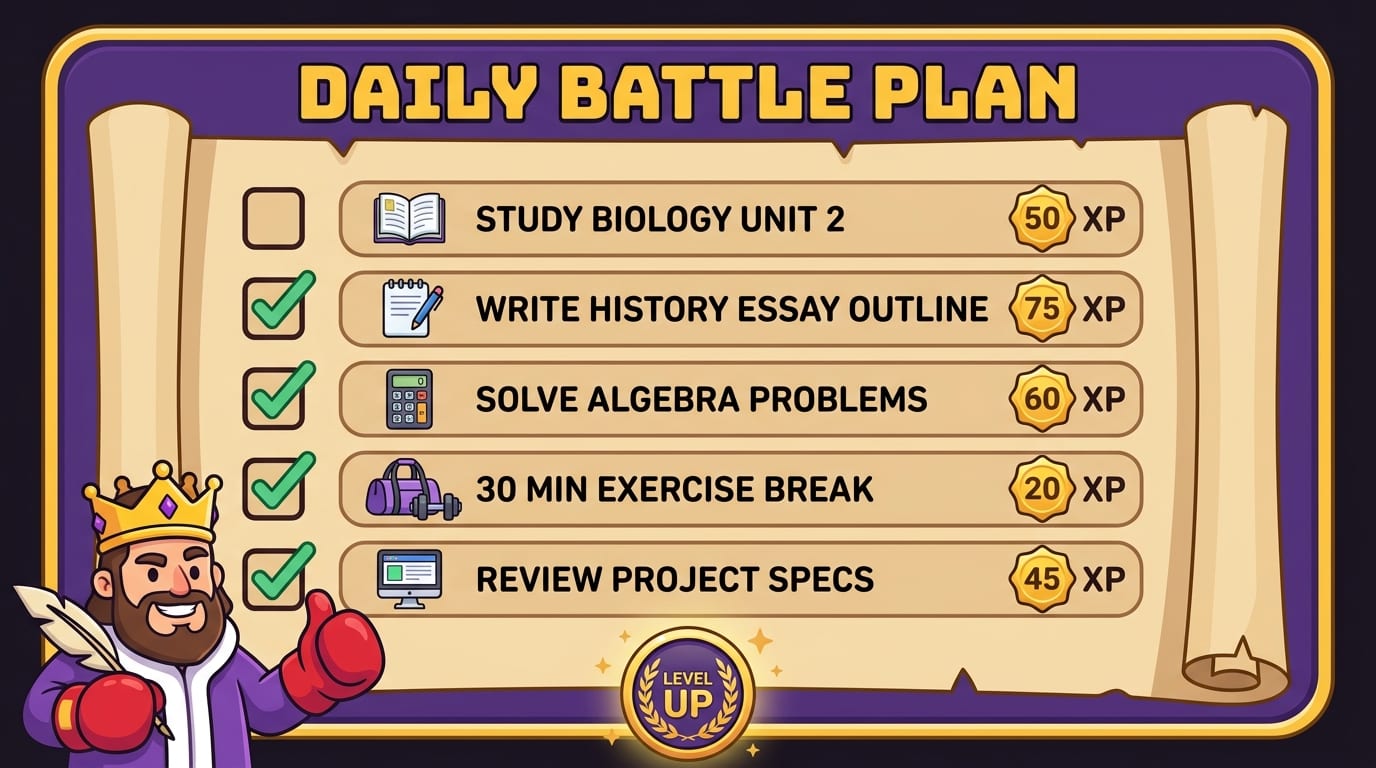
4. Todoist: Best Simple Task Manager for Students Who Need a Daily Battle Plan
Todoist is a clean task management app that helps you capture assignments, break big projects into small steps, and create daily study lists. It is less flexible than Notion, but that is exactly the point. Sometimes you do not need a dashboard with 19 relational databases. You need a list that says, “Read pages 42–58, do five practice problems, email professor.” Tiny crown, huge impact.
Todoist shines because it turns vague stress into visible actions. “Study chemistry” is too big. Your brain sees it and quietly walks into the sea. “Complete 15 stoichiometry problems” is specific enough to start.
Best for
- Students who feel overwhelmed by assignments and deadlines.
- People who prefer simple lists over complex workspaces.
- Daily planning, recurring study habits, and quick task capture.
How to set up Todoist for focus
- Create projects for each class.
- Add every known deadline from your syllabus. Yes, all of them. Future You deserves mercy.
- Break big tasks into subtasks. “Write essay” becomes “choose thesis,” “find 5 sources,” “outline,” “draft intro,” and “revise.”
- Use labels like “quick,” “deep work,” or “review” so you can match tasks to your available energy.
- Plan tomorrow before you stop studying today. This prevents the next session from beginning with 20 minutes of confused tab-opening.
Task tools help concentration because they reduce decision fatigue. When you sit down, you should not have to negotiate with your entire academic life. You should already know your next punch.
If you want expert-backed study advice to combine with task planning, BlockChamp has a useful interview-style post featuring Daniel Wong’s study tips for focus. It is packed with practical ideas for building better routines without becoming a productivity robot who speaks only in calendar invites.
5. Google Calendar: Best Time Blocking Tool for Building a Study Routine That Actually Exists
Google Calendar is not flashy. It does not give you a digital tree, a badge, or a royal boxing mascot. But it is one of the most useful study focus tools because it helps you decide when studying happens. If your plan is “I’ll study later,” congratulations: later has been eaten by errands, snacks, messages, fatigue, and one innocent-looking YouTube recommendation.
Time blocking means assigning specific blocks of time to specific activities. Instead of hoping you study, you schedule it. This is especially useful for students juggling classes, part-time work, commuting, sports, clubs, family responsibilities, and the occasional need to sleep like a mammal.
Time blocking also supports deep work. Cal Newport popularized the term “deep work” to describe focused, cognitively demanding work performed without distraction. You can explore the concept further through Cal Newport’s deep work overview. Studying difficult material is deep work. Scrolling lecture slides while also texting is shallow chaos wearing a backpack.
Best for
- Students who struggle to find consistent study time.
- Exam prep schedules and weekly routines.
- People who underestimate how long assignments will take. So, roughly everyone.
How to build a study calendar
- First, add fixed commitments: classes, work, commute, meals, sleep, workouts, and recurring obligations.
- Then add study blocks by subject. Be specific: “Psychology flashcards” beats “study.”
- Use 60–90 minute deep work blocks for hard subjects and 25–30 minute blocks for lighter review.
- Add buffer time. Your life will not run with Swiss-train precision. Build in wiggle room so one delay does not topple the kingdom.
- Set reminders 10 minutes before each study block. That is your royal trumpet.
Google Calendar becomes even stronger when paired with BlockChamp’s Focus Schedule on Champion Pro. You schedule study time in Calendar, then have BlockChamp automatically stand guard during those hours. No dramatic “should I block distractions?” decision. The King simply appears at the gate with gloves raised.
6. Focusmate: Best Accountability Tool for Students Who Focus Better When Someone Is Witnessing the Battle
Focusmate is a virtual co-working platform that pairs you with another person for a timed focus session. You both briefly say what you plan to work on, then get to work on camera, then check in at the end. It sounds simple because it is. It also works surprisingly well for students who struggle to start alone.
Accountability changes behavior. When someone else is present, even quietly, you are less likely to spend the session alphabetizing your bookmarks or investigating whether penguins have knees. The answer is yes-ish, by the way, but please return to your essay.
Best for
- Students who procrastinate when studying alone.
- People with big assignments that require starting momentum.
- Remote learners who miss the structure of libraries, classrooms, or study groups.
How to use Focusmate effectively
- Book a session before your motivation disappears. Treat it like a class.
- Prepare your task before the call starts. Do not spend the first 10 minutes deciding what reality is.
- State a concrete goal: “Finish my outline” or “complete practice questions 1–12.”
- Keep your camera on if comfortable. Visibility increases commitment.
- After the session, record what you completed in Notion or Todoist so your progress is visible.
Focusmate works especially well with BlockChamp because accountability plus blocking is a nasty one-two combo against procrastination. Your partner keeps you socially committed. BlockChamp keeps the browser goblins outside the castle walls.
How to Choose the Right Study Focus Tool for Your Distraction Type
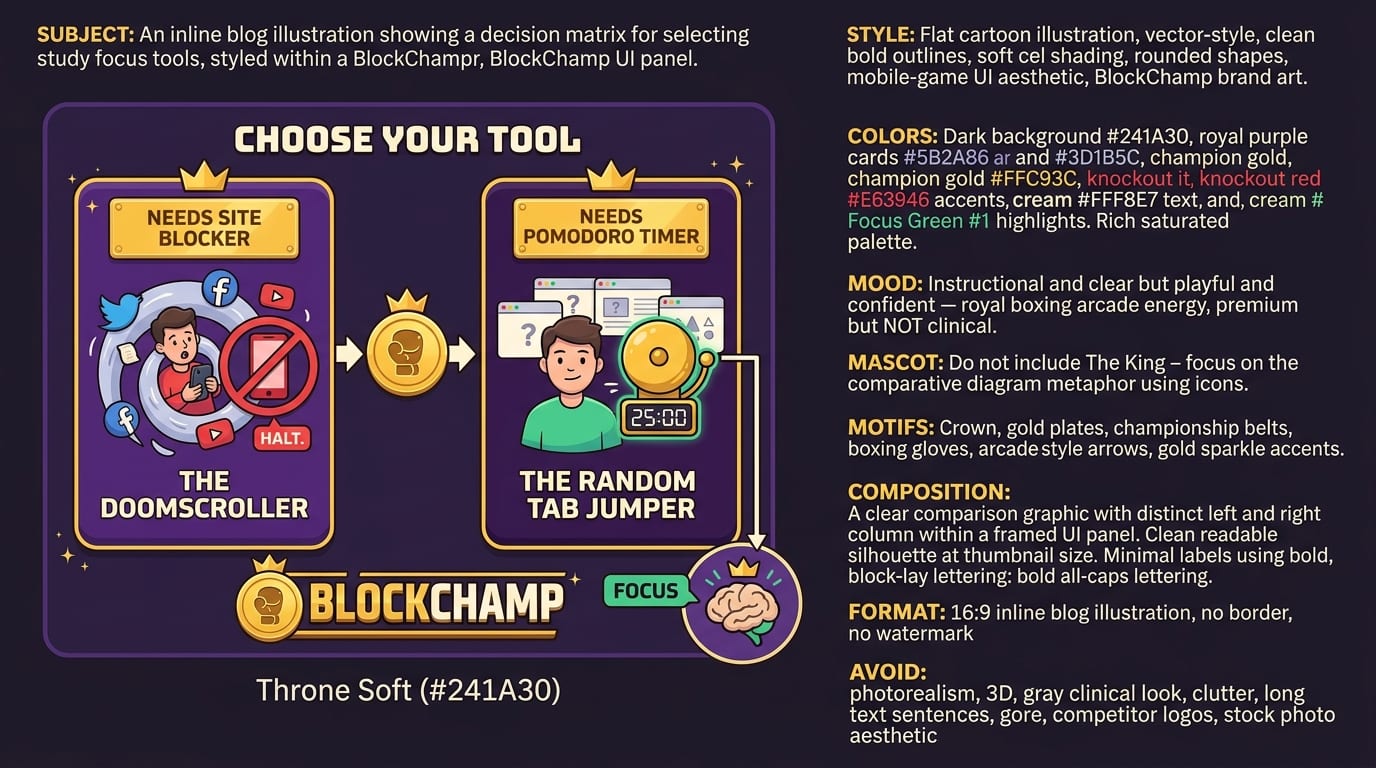
Choosing between the top 6 study focus tools is easier when you diagnose your distraction pattern. Do not just download six apps and hope your GPA levitates. Match the tool to the problem.
If you keep opening distracting websites
Use BlockChamp. This is the classic “I only needed one video and now I know the history of medieval soup spoons” problem. Block your known danger zones. Use categories to catch entire types of websites. If you tend to turn blockers off, use Hardcore Lockdown on Pro so quitting takes effort.
If your phone keeps stealing your hand
Use Forest. Start a timer, plant a tree, and put your phone out of reach. Bonus points if you leave it in another room. Your phone cannot distract you if it has been banished to the Kitchen Realm.
If you do not know what to study
Use Notion or Todoist. Notion is better for building a complete study dashboard. Todoist is better for fast, simple task execution. If you love systems, use Notion. If systems make you want to chew your pencil, use Todoist.
If you never “find time” to study
Use Google Calendar. Time blocking turns studying from a wish into an appointment. Protect the appointment like it is a tiny academic dragon egg.
If you cannot start without pressure
Use Focusmate. External accountability can help you begin when internal motivation is hiding under the bed with snacks.
For more ways to stay locked in during study sessions, you may also like BlockChamp’s guide on how to stay focused when studying. Yes, that sounds similar to the other focus guide. No, you are not imagining things. Studying needs many weapons. The distraction kingdom is well-funded.
A Practical 7-Day Setup Plan for Better Study Focus
Tools are only useful if you actually use them. So here is a simple 7-day plan to build your focus stack without turning productivity into a full-time unpaid internship.
Day 1: Identify your biggest distractions
Write down the top five things that interrupt your study sessions. Be honest. If the answer is “YouTube, Instagram, Reddit, Discord, and pretending to research while shopping for lamps,” write that. No judgment. Well, a little judgment from The King, but it is character-building.
Day 2: Set up BlockChamp
Add your top distracting websites to BlockChamp. Turn on two key categories if you are using the free tier. Social Media and Video & Streaming are strong starting picks for most students. Begin your reign and let the XP roll in.
Day 3: Build your task list
Use Todoist to enter all upcoming assignments and break them into smaller actions. If you prefer Notion, create an assignment tracker. The goal is to make your next study action obvious.
Day 4: Time block your week
Open Google Calendar and schedule study blocks around your fixed commitments. Keep blocks realistic. A 10-hour Sunday study marathon looks heroic and usually ends with snacks, despair, and one highlighted sentence.
Day 5: Add phone protection
Use Forest for each study block. Start with 25 or 45 minutes. Put the phone across the room. Let the little tree live. It has done nothing wrong.
Day 6: Try accountability
Book a Focusmate session for a task you have been avoiding. Pick something specific and slightly uncomfortable. Accountability is best used on tasks that make your brain whisper, “Maybe later, champ.”
Day 7: Review and adjust
Look at what worked. Did blocking websites help? Did time blocks feel realistic? Did you ignore your task manager because it had too many categories? Simplify. The best study system is the one you will use on a tired Tuesday.
Study Focus Habits That Make the Tools Work Harder
Even the best study focus tools need good habits around them. Otherwise, you end up with six apps, nine tabs, three planners, and the same unfinished assignment glaring at you like a disappointed owl.
Use the “one tab, one task” rule
Before starting, close everything unrelated. If you need your learning platform, notes, and one reference article, fine. If you have 27 tabs open, your browser is no longer a workspace. It is a digital junk drawer with Wi-Fi.
Start sessions with a written target
Write down what “done” means for this session. Examples:
- Summarize lecture 6 in 300 words.
- Complete 20 flashcards and mark weak ones.
- Draft the essay introduction and first body paragraph.
- Review all incorrect practice questions from yesterday.
This prevents fake studying, also known as “vibing near your textbook.”
Use breaks before your brain stages a coup
Breaks are not failure. They are maintenance. The trick is to choose breaks that restore attention instead of hijacking it. Walking, stretching, water, breathing, or a snack are good. Social media is risky because it is designed to extend itself. A five-minute scroll often returns three business days later wearing sunglasses.
Track progress, not perfection
BlockChamp’s XP, reigns, badges, and calendar are useful because they reward consistency. You do not need perfect days. You need enough focused reps to build identity: “I am someone who studies when I said I would.” That identity is the real crown.
For a broader distraction-free routine, BlockChamp also has this practical guide on studying without distractions. Pair those habits with the tools above and you will become significantly harder to derail.
Common Mistakes Students Make With Focus Tools
Focus tools are powerful, but students often sabotage them accidentally. Let’s prevent that, because your GPA deserves better than “oops.”
Mistake 1: Downloading tools instead of using them
Installing an app feels productive. It is not the same as studying. Set up the minimum version and start. Block the sites. Add the tasks. Schedule the session. Then work. The crown is earned in reps, not app stores.
Mistake 2: Making the system too complicated
If your Notion template requires a tutorial, a glossary, and emotional support, simplify it. A useful system should help you start faster. Complexity is just procrastination in a nice outfit.
Mistake 3: Leaving loopholes
If you block TikTok but leave YouTube Shorts, Reddit, Discord, and news sites open, your brain will simply choose a new tunnel. Block by category when possible. In BlockChamp, category bundles make this easier because you can block entire groups of distractions with one toggle.
Mistake 4: Studying with your phone beside you
Even if notifications are off, your phone can still tug at your attention. Put it away. Use Forest if you need a ritual. Out of sight, out of mind, out of the kingdom.
Mistake 5: Ignoring energy levels
Do hard subjects when your brain is freshest. Use lower-energy periods for review, flashcards, formatting, or admin tasks. A calendar that ignores your energy is just decorative suffering.
Final Verdict: Build Your Focus Stack, Then Defend the Throne
The top 6 study focus tools each solve a different part of the concentration puzzle. BlockChamp blocks the websites that ambush your study time. Forest helps you stop pawing at your phone like it owes you money. Notion organizes the academic chaos. Todoist turns vague stress into clear tasks. Google Calendar gives your study sessions a home. Focusmate adds accountability when your motivation is hiding in the royal basement.
If you want the strongest setup, do not pick just one tool and expect miracles. Build a simple stack:
- Use BlockChamp to block distracting websites during study hours.
- Use Google Calendar to schedule study blocks.
- Use Todoist or Notion to decide exactly what to work on.
- Use Forest to keep your phone away.
- Use Focusmate when you need accountability to start.
That is not overkill. That is defense in depth. The internet has algorithms, notifications, infinite scroll, autoplay, and thumbnails with people making shocked faces. You are allowed to bring armor.
Ready to knock out distractions and become king of your time? Start by installing BlockChamp, block your biggest study villains, and turn on your first focus session today. The King is waiting. He has gloves. He has judgment. And frankly, he would love to stop you from throwing away a 12-day reign over “just one quick video.”
Long live your focus, champ.
Related posts

Finding Focus For Fiction Writing

Learning To Focus In A Digital World As A Creative

Finding Focus For Personal Growth
