
The Best Study Tools For College Students

Searching for the best study tools for college students can feel like walking into a productivity jungle wearing flip-flops. There are apps for notes, apps for flashcards, apps for planning, apps for blocking distractions, apps for tracking whether your houseplant believes in you. Helpful? Sometimes. Overwhelming? Absolutely. The real trick is not collecting 47 shiny tools like productivity Pokémon. It is building a small, reliable study system that helps you focus, remember more, and stop accidentally spending 38 minutes watching “one quick” raccoon video.
College is basically a boss fight against deadlines, distraction, caffeine math, and the mysterious disappearance of clean laundry. Your tools need to support the three things that actually matter: organizing what you need to learn, focusing long enough to learn it, and reviewing it before your brain throws it into the academic void. This guide breaks down the best study tools for college students by category, explains when to use each one, and shows you how to combine them into a simple routine that works in real dorm rooms, libraries, coffee shops, and panic-powered 11:43 p.m. study caves.
Quick Answers
1. The Real Goal: Build a Study System, Not an App Museum
Before we crown the champions, let’s make one thing clear: the best study tools for college students are not automatically the fanciest ones. A tool is only useful if it reduces friction. If your “productivity setup” takes 25 minutes to prepare and includes color-coded tabs, a dashboard, a secondary dashboard, and a ceremonial lighting of the lavender candle, congratulations: you have invented procrastination in a tuxedo.
A good study system has four parts:
- Capture: Get information out of lectures, readings, labs, and group chats before it evaporates.
- Organize: Put notes, deadlines, and resources where you can actually find them.
- Focus: Protect study sessions from TikTok, YouTube, Reddit, shopping tabs, and “research” that somehow becomes sneaker browsing.
- Review: Practice recalling information over time so it sticks.
This matters because attention is not infinite. Research from the American Psychological Association on multitasking shows that switching between tasks can reduce efficiency and increase mental costs. Translation: every time you bounce from biology notes to Instagram to email to a “quick” Discord check, your brain has to reload like an ancient campus printer. Slowly. Angrily. Probably jammed.
If you want a deeper dive into structuring your time, BlockChamp has a helpful guide on the best time management strategies and tools for the age of distraction. Pair that with the tools below and you have a study kingdom worth defending.
2. Focus Tools: Because Your Brain Is Not Built to Defeat Infinite Scroll Alone
Let’s start with the category most students underestimate: focus protection. You can have beautiful notes and a perfect planner, but if YouTube ambushes you every 12 minutes, your study session becomes a sad little academic speed bump.
The internet is engineered to interrupt you. Social platforms, streaming sites, news feeds, games, shopping apps, and AI rabbit holes are designed to keep you clicking. This is not a personal failure. It is you versus billion-dollar attention machinery. Bring armor.
BlockChamp: The Website Blocker With a Crown and Boxing Gloves
BlockChamp is a gamified website blocker for Google Chrome built for students who want to study without being swallowed by the algorithm. You can block specific sites like YouTube, Reddit, TikTok, X/Twitter, Instagram, or whatever your personal goblin portal happens to be. You can also block entire distraction categories such as Social Media, Video & Streaming, News, Shopping, Gaming, Gambling, Adult, and AI Distractions.
What makes BlockChamp especially useful for college students is that it does not treat focus like a punishment. It turns it into a game. Every focused minute earns XP. Every day you keep blocks active builds your reign. Every time you try to visit a blocked site, The King appears on a full-screen Stare-Down page and judges you like a tiny royal boxing coach who caught you trying to throw away your GPA for “one meme.”
That little moment of friction is powerful. Instead of instantly opening the distraction, you get interrupted by humor, a visual reminder, and a chance to return to work. If you are studying for finals, writing a paper, or trying to survive a dense chapter on macroeconomics without fleeing to Netflix, BlockChamp is one of the best study tools for college students because it protects the most fragile resource: attention.
How to Use a Website Blocker for Studying
Don’t just install a blocker and hope magic happens. Use it strategically:
- Block your top three “I’ll just check it quickly” sites first.
- Create a study schedule, such as Monday to Friday from 9 a.m. to noon and 2 p.m. to 5 p.m.
- Block categories during high-risk study windows, especially Social Media and Video & Streaming.
- Keep one browser profile or device dedicated to schoolwork if possible.
- Track how many focus hours you complete each week and try to beat your previous score.
If distraction is your main villain, read BlockChamp’s guide on how to stay focused studying. It pairs nicely with a browser blocker and a smug refusal to be defeated by a recommended video titled “Guy Makes Tiny Pancakes for Hamster.”
3. Note-Taking Tools: Capture the Lecture Before It Escapes Into the Fog
Notes are the raw material of studying. Bad notes make exam prep feel like archaeology. Good notes give your future self a fighting chance. The best note-taking tool depends on how your classes work and how your brain likes to process information.
Notion: Best for Custom Study Dashboards
Notion is popular because it can be almost anything: lecture notes, project tracker, reading list, assignment calendar, database of sources, habit tracker, and occasionally a shrine to your ambitions. For college students, Notion works well if you like flexible layouts and want all your class materials in one place.
Use Notion for:
- Class dashboards with links to syllabi, readings, lecture notes, and assignments.
- Research paper planning with source databases.
- Weekly study agendas.
- Group project task boards.
The danger? Over-customization. If you spend more time designing your dashboard than studying, The King would like a word. Keep it simple: one page per class, one weekly task list, one assignment tracker. That’s enough. Your dashboard does not need to look like a spaceship control panel.
Microsoft OneNote: Best for Handwritten and Mixed Notes
OneNote is excellent for students who mix typing, handwriting, diagrams, screenshots, and PDFs. It feels like a digital binder, which makes it especially useful for STEM classes, lecture slides, math-heavy notes, and anything involving diagrams that look like spaghetti but are somehow “important for the exam.”
Use OneNote if you have a tablet or touchscreen laptop. You can annotate slides, draw arrows, solve equations, and keep everything organized by notebook, section, and page. It is less trendy than some newer tools, but reliable. Like a backpack with too many zippers. Not glamorous, but it gets the job done.
Google Docs: Best for Simple, Shareable Notes
Google Docs is the no-drama option. It is great for collaborative notes, study guides, group projects, and classes where everyone wants access to the same document without downloading “final_final_REAL_final_v7.docx.”
For best results, create a folder for each course and use consistent file names such as “BIO101 Week 03 Lecture Notes” or “History Midterm Study Guide.” Future-you will weep with gratitude instead of digging through a digital junk drawer named “stuff.”

4. Flashcard and Memory Tools: Make Your Brain Do Push-Ups
Reading notes is not the same as learning. Highlighting a textbook until it looks like a neon crime scene is not the same as learning either. To remember information, you need active recall: forcing your brain to retrieve an answer before checking it.
The learning science is solid. The American Psychological Association explains retrieval practice as a powerful way to strengthen learning and memory. In normal human language: quiz yourself. Your brain hates it at first, which is usually a sign it is working.
Anki: Best for Spaced Repetition
Anki is a flashcard app built around spaced repetition, which means it shows you cards right before you are likely to forget them. This makes it excellent for medical terms, language vocabulary, formulas, definitions, anatomy, law concepts, and any class where the professor casually says, “You should know all of these,” while pointing at 184 terms.
Anki is powerful, but it has a learning curve. Start small. Make 10 to 20 cards after each lecture instead of waiting until exam week and creating 600 cards in a caffeine trance. Good flashcards are specific and test one idea at a time.
Weak card: “Explain photosynthesis.”
Better card: “What molecule provides the carbon used to build glucose during photosynthesis?”
The second card makes your brain retrieve a precise answer. The first card invites your brain to lie down dramatically on the floor.
Quizlet: Best for Quick Sets and Group Sharing
Quizlet is easier to use than Anki and great for shared class sets, vocabulary drills, and quick practice before quizzes. It is especially useful if classmates are already making study sets. Just be careful: public flashcard sets can contain errors. Trust, but verify. Your exam does not care that “Brad_2004” spelled mitochondria wrong.
Best Flashcard Routine for College Students
- Create cards within 24 hours of class.
- Review for 10 to 15 minutes daily instead of cramming for three hours.
- Delete or rewrite confusing cards.
- Mix old and new material.
- Use flashcards for facts, terms, formulas, and short concepts — not entire essays.
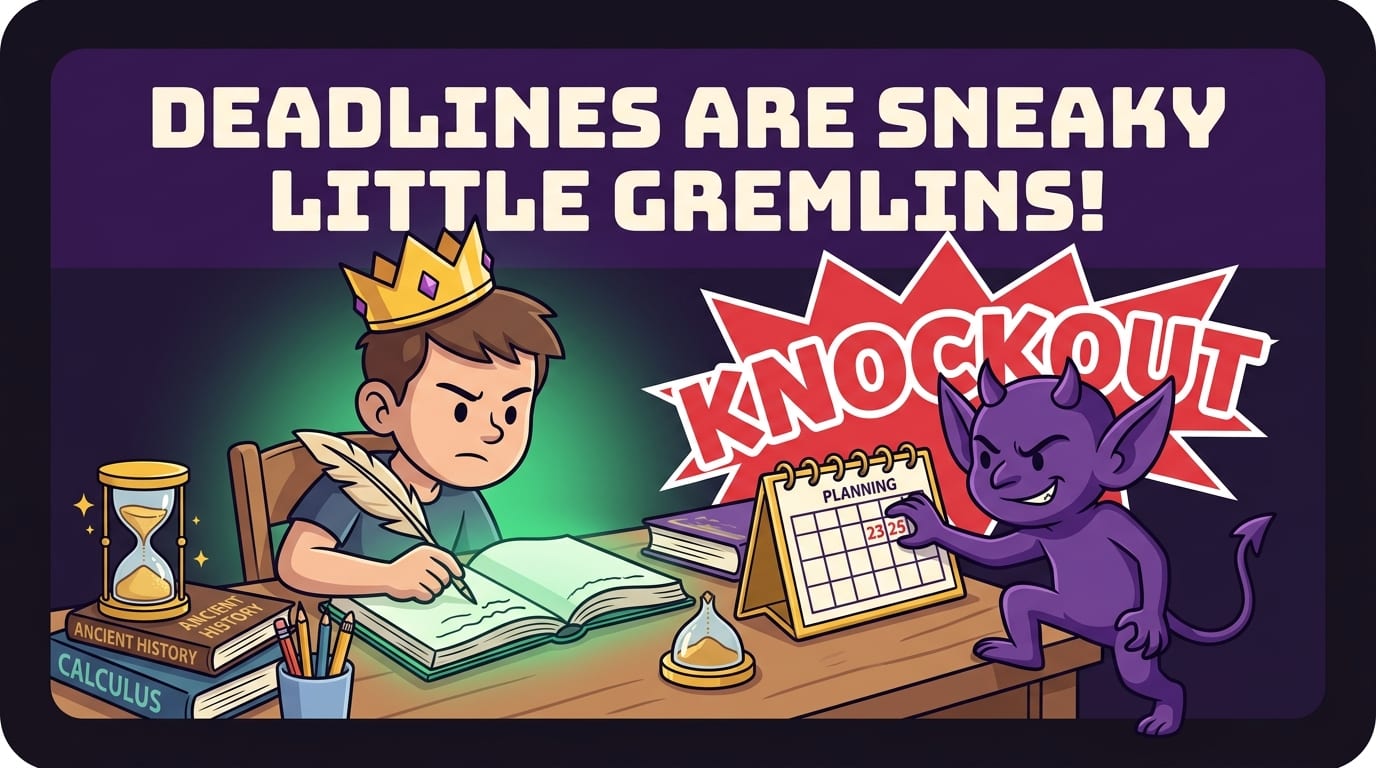
5. Planning Tools: Deadlines Are Sneaky Little Gremlins
A planner is not there to make you feel productive. It is there to prevent the classic college jump scare: “Wait, that paper is due tomorrow?” Few phrases contain more pure academic terror.
Google Calendar: Best for Time Blocking
Google Calendar is one of the best study tools for college students because it turns vague intentions into visible commitments. Instead of saying “study chemistry sometime,” schedule “Chemistry problem set, Tuesday 3:00–4:30 p.m.” Your brain is more likely to respect a block of time when it has a beginning and end.
Use different colors for classes, work, exercise, social plans, and study blocks. Add reminders for major deadlines one week, three days, and one day before they are due. Is that excessive? No. That is survival with a color palette.
Todoist: Best for Assignment Lists
Todoist is excellent for managing tasks across classes. You can create projects for each course, add due dates, and break big assignments into smaller steps. “Write research paper” is terrifying. “Find three sources,” “outline argument,” “draft introduction,” and “revise citations” are manageable. Still annoying, but manageable.
Productivity experts often recommend breaking work into concrete next actions, and Todoist makes that easy. For broader productivity principles, the Todoist productivity methods library is a useful resource for learning systems like Getting Things Done, time blocking, and task batching.
Trello: Best for Group Projects
Group projects are where optimism goes to get lightly bruised. Trello helps by making responsibilities visible. Create columns like “To Do,” “Doing,” “Waiting,” and “Done.” Assign cards to teammates. Add due dates. Then everyone can see who is carrying the royal banner and who has disappeared into the swamp.
For group work, visibility reduces drama. You still might have a teammate who replies “sounds good” and contributes one comma, but at least the board keeps receipts.
6. Reading and Research Tools: Stop Drowning in Tabs
College research can turn into tab chaos fast. One minute you are reading an article. The next you have 31 tabs open, three PDFs named “download,” and no memory of why you searched “Victorian sandwich economics.” You need tools that capture sources and tame the madness.
Zotero: Best for Citations and Research Papers
Zotero is a free reference manager that helps you save sources, organize research, and generate citations. If you write papers, Zotero is a gift from the citation gods. It can save books, articles, web pages, and PDFs, then help format bibliographies in styles like APA, MLA, and Chicago.
Use Zotero from the beginning of a research project. Do not wait until the night before the paper is due to reconstruct your sources from browser history and vibes. That path leads to sorrow, cold pizza, and suspicious citations.
Readwise Reader or Pocket: Best for Saving Articles
Tools like Readwise Reader and Pocket help you save articles for later instead of leaving them open forever like tiny digital hostages. This is useful for research-heavy classes or when professors share optional readings that are “optional” in the same way a seatbelt is optional.
Create folders or tags by class. When saving an article, add a quick note explaining why it matters. “Source for environmental policy counterargument” is much more helpful than “interesting???” three weeks later.
Google Scholar: Best for Finding Academic Sources
Google Scholar is a simple way to find scholarly articles, legal opinions, and academic books. Pair it with your university library access for full-text PDFs. The Google Scholar search engine is especially helpful when you need credible sources beyond random blog posts and suspicious websites with 14 pop-ups.
Pro tip: use the “Cited by” link under a paper to find newer research that references it. This helps you follow the academic conversation instead of grabbing the first source and hoping your professor does not notice it was published when flip phones ruled the earth.
7. Writing Tools: For Essays That Do Not Sound Like a Sleep-Deprived Pigeon Typed Them
Writing is a major part of college, even in classes that pretend otherwise. Lab reports, essays, discussion posts, scholarship applications, project proposals — words everywhere. The right writing tools can help you draft, revise, and avoid turning in sentences that wander into the forest and never return.
Grammarly: Best for Editing Clarity and Mechanics
Grammarly can catch grammar issues, awkward phrasing, punctuation problems, and clarity concerns. It is especially useful for polishing drafts before submission. But do not accept every suggestion blindly. Sometimes grammar tools try to make your sentence technically correct but emotionally beige. You are still the writer. The robot is an assistant, not the monarch.
Hemingway Editor: Best for Tightening Sentences
Hemingway Editor highlights long sentences, passive voice, adverbs, and complicated phrasing. It is great when your essay sounds like it was written by a committee of fog machines. Use it during revision, not drafting. Draft messy first. Clean later.
AI Writing Assistants: Useful, But Handle With Academic Tongs
AI tools can help brainstorm outlines, explain difficult concepts, generate practice questions, and give feedback on structure. But they can also produce inaccurate information, fake citations, and writing that violates your school’s academic integrity policy. Use AI like a tutor, not a ghostwriter.
If AI tools become a distraction during study time, BlockChamp’s AI Distractions category can help you block access during deep work blocks. Because sometimes “I’m just asking one question” becomes 40 minutes of prompting an AI to rank cereal mascots by leadership potential. Fascinating? Yes. Helpful for organic chemistry? Tragically no.
8. Study Technique Tools: Apps Help, But Methods Win the Crown
The best study tools for college students work even better when paired with proven study techniques. Tools are the boxing gloves. Techniques are the punches. Flailing is optional, but not recommended.
Pomodoro Timers: Best for Starting When Motivation Is Dead
The Pomodoro Technique uses focused work intervals, often 25 minutes, followed by short breaks. It is effective because it lowers the emotional barrier to starting. You do not have to “study all night.” You just have to do one focused round. One round becomes two. Suddenly you are productive. Disgusting, but useful.
Try this college-friendly version:
- 25 minutes: focused study with BlockChamp active.
- 5 minutes: stand, stretch, refill water, do not open TikTok unless you enjoy losing time in a velvet-lined trap.
- Repeat three or four times.
- Take a longer 20 to 30 minute break.
Active Recall: Best for Exam Prep
Instead of rereading notes, close them and ask yourself questions. Explain the topic out loud. Write everything you remember on a blank page. Take practice tests. This feels harder than rereading because it exposes gaps. Good. Gaps are where the learning goes.
For more practical focus advice, check out BlockChamp’s post on how to stay focused when studying. It covers the study-session habits that keep your attention from wandering off with a tiny bindle over its shoulder.
Spaced Repetition: Best for Long-Term Memory
Spaced repetition means reviewing information repeatedly over increasing intervals. Instead of cramming everything the night before, review briefly over days or weeks. According to research summarized by the Learning Scientists on spaced practice, spreading study sessions over time improves retention compared with massed cramming.
Use this simple schedule after a lecture:
- Same day: clean up notes and make flashcards.
- Next day: review flashcards and test yourself.
- Three days later: do practice problems or recall from memory.
- One week later: quiz yourself again.
- Before the exam: focus on weak areas, not everything equally.

9. A Simple Study Stack for Different Types of Students
You do not need every tool in this guide. In fact, please do not install everything unless your hobby is password resets. Pick a stack that matches your classes and your chaos level.
The Minimalist Stack
Best for students who want simple tools and fewer moving parts:
- Google Calendar for class times and study blocks.
- Google Docs for notes and study guides.
- Quizlet for quick flashcards.
- BlockChamp for blocking distractions during study sessions.
This stack is easy, low-maintenance, and effective. It is the grilled cheese of study systems: not fancy, but reliable and deeply respectable.
The STEM Survival Stack
Best for engineering, biology, chemistry, math, computer science, nursing, and pre-med students:
- OneNote for handwritten equations, diagrams, and annotated slides.
- Anki for formulas, terms, and high-volume memorization.
- Google Calendar for lab schedules and problem-set blocks.
- BlockChamp to block streaming, social, gaming, and Reddit rabbit holes.
STEM studying often requires repeated practice, not just reading. Schedule problem-solving sessions and protect them like they are royal treasure. Because they are.
The Humanities and Research Stack
Best for history, literature, philosophy, sociology, political science, and writing-heavy majors:
- Notion for class dashboards and reading notes.
- Zotero for citations and source management.
- Google Docs for drafting essays and collaborative feedback.
- Hemingway or Grammarly for revision.
- BlockChamp to block news, social media, and “research” detours.
Humanities students often need to manage large reading loads and long-term papers. Your enemy is not only distraction; it is vague progress. Break readings into chunks, summarize arguments, and track sources from day one.
10. The Best Study Routine: How to Use These Tools Without Overthinking It
Here is a practical routine you can use this week. No productivity monastery required.
- Sunday reset: Open your calendar, check syllabi, and list every deadline for the week.
- Time block: Schedule study sessions for each class, especially the hard ones. Put them on the calendar before your week gets eaten.
- Set the guard: Turn on BlockChamp during study blocks. Block your top distractions or entire categories.
- Capture: Take lecture notes in OneNote, Notion, or Google Docs.
- Convert: After class, turn key ideas into Anki or Quizlet cards.
- Practice: Use active recall, practice problems, and self-quizzing before rereading.
- Review daily: Spend 10 to 20 minutes reviewing flashcards or weak topics.
- Reflect: At the end of the week, ask what worked, what failed, and which distraction tried to stage a coup.
If you struggle with distraction specifically while studying, BlockChamp’s guide on studying without distractions gives more tactics for setting up a calmer, less chaotic study environment.
The key is consistency. You do not need a perfect 12-hour study day. You need repeated, protected, high-quality sessions. Two focused hours beat six distracted hours where your notes are open but your soul is browsing memes.

Final Verdict: Pick Fewer Tools, Use Them Harder
The best study tools for college students are the ones that help you do the unglamorous things consistently: show up, focus, take useful notes, practice recall, manage deadlines, and review before panic arrives wearing tap shoes. A simple stack might include Google Calendar for planning, Notion or OneNote for notes, Anki or Quizlet for memory, Zotero for research, Grammarly for writing, and BlockChamp for keeping distractions outside the castle walls.
Do not build a productivity museum. Build a study machine. Keep it lean. Keep it repeatable. Protect your attention like it is the last slice of dining hall pizza that does not look suspicious.
And if your biggest problem is not knowing what to study but staying away from YouTube, TikTok, Reddit, shopping tabs, gaming sites, news spirals, or “totally academic” AI detours, let BlockChamp stand guard. Turn on your blocks, build your reign, earn XP, survive The Stare-Down, and become king of your time. Your GPA may not wear a crown yet, but champ, we can fix that.
Related posts

Finding Focus For Fiction Writing

Learning To Focus In A Digital World As A Creative

Finding Focus For Personal Growth
