
Focus For Writing And Reporting

Focus for writing and reporting is not some mystical talent bestowed upon chosen journalists by a caffeinated forest wizard. It is a system. A slightly messy, deadline-haunted, coffee-stained system—but a system nonetheless. Whether you are drafting a feature, filing a daily news story, writing a research report, preparing a client brief, or trying to turn 47 scattered interview notes into something that does not resemble a raccoon’s diary, your attention needs protection.
The problem is that writing and reporting require two opposing brain modes. Reporting demands curiosity, searching, clicking, reading, calling, verifying, and chasing leads down digital alleyways. Writing demands stillness, structure, judgment, and the ability to stare at a sentence until it stops being a suspicious little goblin. The internet is useful for one mode and absolutely feral for the other.
So the goal is not “just focus harder.” That advice belongs in the productivity dungeon. The real goal is to build routines that help you gather information, organize it, write clearly, edit ruthlessly, and avoid being dragged into the swamp by social feeds, news alerts, YouTube tabs, and “quick research” that somehow becomes 35 minutes of reading about medieval soup.
Below is a practical, field-tested guide to improving focus for writing and reporting—using timeboxing, distraction management, beat planning, source workflows, editing rituals, and a few digital guardrails from tools like BlockChamp, the gamified website blocker that lets The King roast your bad browsing decisions before they eat your deadline.
Quick Answers
Why Writing and Reporting Break Your Focus So Easily
Writing and reporting are attention-heavy because they involve constant context switching. You are not just typing words. You are deciding what matters, checking facts, interpreting sources, shaping a narrative, and making judgment calls every few minutes. That is a lot of tiny mental push-ups. No wonder your brain wants to escape to TikTok and look at a dog wearing rain boots.
Research on interruptions shows that attention is expensive to recover. A frequently cited study from the University of California, Irvine found that after an interruption, it can take people over 20 minutes to return to the original task. You can read more about Gloria Mark’s work on attention and interruptions through the UCI research paper on interrupted work. That means every “quick” notification is not quick. It is a tiny productivity burglar with excellent branding.
For reporters, the trap is even sneakier because distraction often disguises itself as research. You open a source document. Then a related article. Then a background profile. Then a social media thread. Then a hot take about the hot take. Suddenly you are 14 tabs deep, your original question is missing, and your deadline is tapping its foot like an angry landlord.
For writers, the challenge is momentum. Drafting requires staying with imperfect thoughts long enough to shape them. But the moment a sentence feels hard, the brain looks for relief. Email! Slack! News! Analytics! Snacks! A random urge to reorganize the desktop folders from 2018! Focus collapses not because you are weak, but because your environment is full of escape hatches.
That is why serious focus for writing and reporting depends on structure. You need different modes for gathering, outlining, drafting, verifying, and editing. You need boundaries around each mode. And you need systems that make distraction harder than staying on task. In royal terms: put guards at the castle gate before the meme peasants invade.
Separate Reporting Mode From Writing Mode
The biggest focus mistake writers and reporters make is blending everything together. They research while drafting, draft while fact-checking, edit while reporting, and check messages while doing all of the above. This feels efficient because you are “doing everything.” In reality, your brain is juggling flaming swords while riding a unicycle through a newsroom.
Instead, split your work into clear modes:
- Reporting mode: gather facts, conduct interviews, review documents, collect links, and identify what you still need.
- Sense-making mode: sort notes, highlight patterns, choose the angle, and build the skeleton of the piece.
- Drafting mode: write without stopping every three minutes to verify a comma-shaped doubt.
- Verification mode: check names, dates, titles, numbers, quotes, links, claims, and context.
- Editing mode: improve structure, clarity, pacing, tone, transitions, and reader usefulness.
Each mode uses a different mental muscle. Reporting is open and exploratory. Drafting is closed and generative. Editing is analytical. Verification is suspicious. You do not want all those committee members yelling at the same time.
A simple way to apply this is to label your work blocks. Instead of writing “work on article” on your calendar, write “reporting: find 3 supporting studies,” “drafting: ugly first draft,” or “editing: tighten intro and transitions.” Specificity reduces decision fatigue. You know what game you are playing.
If you want a deeper look at focus challenges for writers working outside traditional offices, BlockChamp has a related guide on finding focus for remote writing and reporting. Remote work gives you flexibility, yes, but it also gives your distractions a spare key and a tiny crown.
Use Timeboxing Like a Deadline With Better Manners
Timeboxing means assigning a fixed amount of time to a specific task before you begin. It works beautifully for writing and reporting because open-ended work expands like bread dough in a warm kitchen. “Research background” can take 30 minutes or three business days unless you put it in a box and tell it to behave.
Timeboxing is not about rushing. It is about reducing ambiguity. When you say, “I have 45 minutes to gather background on the budget proposal,” your brain starts prioritizing. When you say, “I’ll research until I feel ready,” your brain says, “Excellent, let us build a small library and never write.”
Try this timeboxing structure for a standard article or report:
- 15 minutes: define the angle, audience, and core question.
- 45 minutes: gather background research and key documents.
- 30 minutes: identify sources, quotes, examples, or data points.
- 20 minutes: outline the piece with section headings and evidence notes.
- 60 to 90 minutes: draft without heavy editing.
- 30 minutes: fact-check and fill gaps.
- 30 to 45 minutes: edit for clarity, flow, and reader value.
Adjust the timing based on complexity. Investigative work obviously needs more reporting time. A quick blog post may need less. The point is to stop letting each phase bleed into the next like a dropped smoothie.
Timeboxing also helps with perfectionism. If you give yourself four hours to write an introduction, your inner critic will order snacks and move in permanently. If you give yourself 20 minutes to draft three possible openings, you create motion. Motion beats majestic overthinking. Every time.
External research supports the value of managing attention and deep work in deliberate blocks. The Harvard Business Review guide to focusing when distracted emphasizes reducing attention residue and creating intentional work environments. Translation: stop asking your brain to write Pulitzer-adjacent prose while 19 tabs scream for custody.
Build a Pre-Writing Ritual So Your Brain Knows It Is Go Time
A pre-writing ritual is a repeatable sequence that signals your brain: the royal nonsense is over; we are working now. It does not need to be dramatic. You do not need candles, Gregorian chanting, or a quill plucked from a productivity eagle. You just need consistency.
Here is a practical five-minute ritual for better focus for writing and reporting:
- Close every unrelated tab. Yes, even that one. The recipe can wait.
- Open only the document, outline, notes, and essential source material.
- Write the next concrete action at the top of the page.
- Set a timer for the work block.
- Turn on your distraction blocker or focus mode.
This ritual removes friction. Instead of relying on motivation, you create a runway. Pilots do not take off by “feeling aviation vibes.” They follow a checklist. Writers should steal that energy.
You can also create different rituals for different modes. Reporting mode might begin with opening your source tracker and question list. Drafting mode might begin with turning off the internet, putting your notes beside the document, and writing a deliberately bad first paragraph. Editing mode might begin with reading the piece aloud and marking every sentence that wheezes.
Self-care matters here too. If your brain is running on four hours of sleep, leftover pizza, and pure deadline terror, focus becomes much harder. For a broader look at how rest and unplugging support attention, read BlockChamp’s guide on why focus starts with self-care and unplugging. The crown sits better on a rested head, champ.

Plan Your Beat Before the Beat Beats You
Reporters and recurring content writers need beat planning. A beat is your subject territory: education, tech, local government, health, startups, culture, finance, sports, or whatever kingdom you patrol. Without a beat system, every story begins from zero, which is exhausting and extremely rude of reality.
A good beat plan helps you maintain focus because you already know where to look, who to ask, and what patterns matter. You are not wandering the internet with a butterfly net. You are running a route.
Create a simple beat dashboard with these elements:
- Core sources: experts, officials, analysts, community members, creators, or practitioners you trust.
- Primary documents: public records, reports, datasets, meeting minutes, filings, newsletters, or research hubs.
- Recurring questions: What changed? Who benefits? Who loses? What is missing? What is the evidence?
- Trend watchlist: keywords, companies, policies, people, organizations, and events to monitor.
- Story bank: half-formed ideas, follow-ups, unanswered questions, and “this smells like something” notes.
For example, if you cover workplace productivity, your beat dashboard might include research from Microsoft, Gallup, Stanford, Buffer, and major HR publications. Buffer’s annual remote work research is useful for understanding distributed teams; their State of Remote Work report includes insights on remote work habits, communication, and work-life boundaries. If you cover marketing, you might keep HubSpot’s marketing statistics hub bookmarked for quick data checks.
The focus benefit is huge: you spend less time searching and more time thinking. Your research becomes targeted rather than tab-happy. Your notes become cumulative. Your questions get sharper. Your drafts get faster because you are building on a living knowledge base instead of reinventing the wheel like a caffeinated caveman.
Design a Distraction Kill Zone for Drafting
Drafting is where distractions do the most damage. During reporting, you may need web access. During drafting, most web access becomes a trap wearing a fake mustache. You think you are checking one fact, but suddenly the internet has handed you a tray of shiny objects and whispered, “Behold, chaos.”
Create a drafting kill zone: a protected environment where only writing-related tools are allowed. This is where BlockChamp earns its tiny royal cape. With BlockChamp, you can block distracting websites by site, category, or keyword in Google Chrome. If your usual enemies are Reddit, YouTube, X/Twitter, TikTok, news sites, shopping sites, or AI tools you keep poking instead of thinking, put them behind the castle wall.
For writing and reporting workflows, useful BlockChamp setups include:
- Blocking social media during drafting blocks, while leaving research databases available.
- Blocking video and streaming sites during morning writing sessions.
- Using category blocks for Social Media, Video, News, Shopping, Gaming, and AI Distractions when you need deep work.
- Using keyword blocking for rabbit-hole topics that derail you, like “celebrity,” “meme,” “sale,” or “election polls” if you are not covering elections.
- Turning on a recurring focus schedule for daily writing hours so you do not have to negotiate with yourself every morning like a tiny courtroom drama.
The fun part is that BlockChamp does not just show a sad gray “blocked” page. If you try to visit a blocked site, The King gives you a full-screen Stare-Down, complete with royal judgment and occasional voice-line roasting. It is hard to pretend you are “just checking something important” when a cartoon monarch in boxing gloves is basically saying, “Nice try, peasant.”
This works because it interrupts the impulse. The moment between urge and action is where habits change. BlockChamp turns that moment into a tiny game: survive the Stare-Down, earn XP, keep your reign alive, and go back to the draft. Productivity, but with more crown-based humiliation. As nature intended.
Use an Outline That Actually Helps You Write
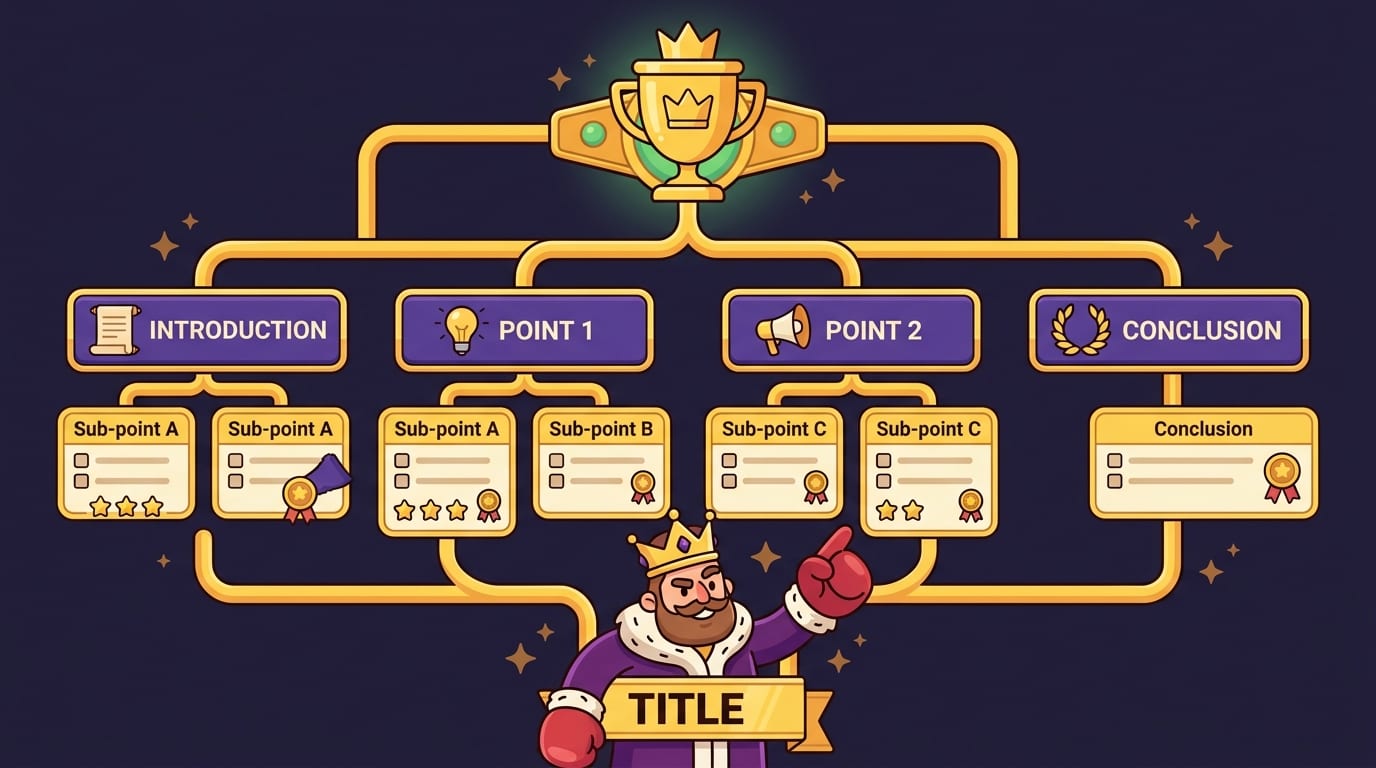
Some outlines are so vague they are basically decorative. “Intro, body, conclusion” is not an outline. It is a sandwich description. A useful writing outline tells you what each section must do and what evidence belongs there.
For reporting and nonfiction writing, try this structure:
- Working headline: What is the promise of the piece?
- Nut graf or core point: Why does this matter now?
- Reader question: What does the reader want to understand or solve?
- Key claims: What are the main points you will prove?
- Evidence: Quotes, data, examples, documents, observations, and links.
- Counterpoints: What complicates the story? What would a skeptical reader ask?
- Ending: What should the reader remember, do, or reconsider?
A good outline reduces drafting friction because it turns “write the whole thing” into “write this section using these notes.” That is much less terrifying. The blank page is scary because it is infinite. A section with three bullet points is merely annoying. Annoying can be defeated.
If you write creative nonfiction, essays, scripts, or narrative pieces, you may want a more flexible structure. BlockChamp’s guide to finding focus for creative projects has useful ideas for protecting momentum while still leaving room for discovery. Creativity needs space, but not so much space that it wanders into Instagram and comes back holding a smoothie.
One excellent reporting outline technique is the “because chain.” Write your main claim, then keep adding “because” statements until the logic is clear:
- This policy matters because it changes who qualifies for support.
- That matters because thousands of applicants may need to reapply.
- That matters because the deadline is short and public communication has been limited.
Now you have stakes, structure, and urgency. Much better than “write section about policy,” which has all the motivational power of damp cardboard.
Draft Ugly, Then Edit Like Royalty
Drafting and editing are different jobs. Drafting is construction. Editing is inspection. If you inspect every brick while building the wall, you will never have a wall. You will have one anxious brick and a headache.
Give yourself permission to write an ugly first draft. Not sloppy with facts—never sloppy with facts—but stylistically imperfect. Use placeholders like “[verify date],” “[add quote from Martinez],” or “[explain this like reader is smart but busy].” This keeps momentum alive without letting unresolved details hijack the writing session.
Then edit in layers. Do not try to fix everything in one pass. That is how mistakes sneak past wearing sunglasses.
Pass 1: Structure
Ask whether the piece is in the right order. Does the lead pull the reader in? Does the nut graf arrive soon enough? Does each section build on the last? Are there repeated points wearing different hats?
Pass 2: Evidence
Check whether every major claim has support. Look for missing context, weak examples, vague phrases, unsupported generalizations, and quotes that sound impressive but do not actually say much. Very sneaky, those quotes.
Pass 3: Clarity
Shorten sentences. Replace jargon. Define terms. Turn abstract claims into concrete examples. If a sentence requires a tiny map and emotional support, rewrite it.
Pass 4: Accuracy
Verify names, titles, dates, numbers, spellings, URLs, and attributions. If you use AI tools anywhere in your workflow, double-check everything they touch. AI can be helpful, but it can also confidently invent nonsense like a medieval bard with Wi-Fi.
Pass 5: Rhythm
Read the piece aloud. Your ears catch clunky transitions, repeated words, and sentences that collapse halfway through. If you run out of breath, the sentence is probably wearing armor.
For choosing tools that support this kind of workflow, BlockChamp has a useful roundup of the best writing apps. The best app is the one that helps you move from notes to draft to finished work without turning your process into a software museum.
Manage Sources, Notes, and Facts Without Creating a Swamp
Focus for writing and reporting improves dramatically when your notes are findable. If your source material lives across screenshots, email threads, random Google Docs, voice memos, sticky notes, and one mysterious file named “FINAL_final_notes_REAL,” your brain will spend half its energy hunting instead of writing.
Use a simple source system. It does not need to be fancy. In fact, fancy systems often become procrastination in a top hat.
At minimum, track:
- Source name and contact information.
- Date and context of interview or document access.
- Key quotes or findings.
- Verification status.
- Link to recording, transcript, document, or original source.
- Follow-up questions.
For larger projects, create a “facts table” with each factual claim in one column and its source in another. This is especially useful for reports, investigative pieces, technical content, and anything involving numbers. When editing, you can move through the table and verify systematically instead of panic-searching at midnight like a raccoon in a filing cabinet.
When using statistics, prioritize primary sources and reputable research. The Pew Research Center’s internet and technology research is a strong source for digital behavior trends. For workplace focus and engagement topics, Gallup’s workplace research is often useful. Good sourcing saves time later because editors, clients, and readers are less likely to ask, “Where did this come from?”—the most terrifying six-word sentence in reporting.

Create a Deadline System With Mini-Finish Lines
Big deadlines are dangerous because they create the illusion of time. If something is due Friday, your brain may treat Monday through Thursday as a decorative waiting room. Then Friday arrives swinging a chair.
Break every project into mini-deadlines:
- Angle approved by Monday at 10 a.m.
- Sources contacted by Monday at 2 p.m.
- Interviews completed by Tuesday afternoon.
- Outline finished by Wednesday morning.
- First draft completed by Wednesday evening.
- Fact-checking done by Thursday noon.
- Final edit completed by Thursday evening.
This system protects focus because you always know what “on track” means. Without mini-deadlines, you can work all day and still have no idea whether you are making progress or merely rearranging intellectual furniture.
Mini-deadlines also reduce emotional drama. Writing and reporting often feel overwhelming because the finished product is complex. But “send three interview requests” is manageable. “Draft the section on costs” is manageable. “Verify the chart data” is manageable. Tiny finish lines create momentum, and momentum is the closest thing productivity has to magic—minus the wizard hat.
BlockChamp can help here by turning focused time into visible progress. Every minute of focus earns XP. Every focused day builds your reign. Every blocked-site temptation survived gives you another little win. That matters because long writing projects can feel invisible until the final draft exists. Gamified progress makes the work feel real before the applause, invoice, grade, or editor’s “looks good” arrives.
Use Breaks Without Letting Them Become Escape Tunnels
Breaks are essential. Your brain is not a toaster; you cannot just keep pushing the lever down and expecting golden output. But breaks need boundaries, especially when writing and reporting under deadline.
The worst break is the “quick scroll.” Social feeds are designed to be bottomless. You enter for a sip and fall into a content well. Platforms optimize for engagement because attention is money. Hootsuite’s Digital Trends reporting regularly highlights how much time people spend online and on social platforms, which is useful context if you are wondering why your five-minute break keeps returning wearing a fake mustache and holding 40 minutes of your life.
Better breaks are restorative and finite:
- Walk around the block.
- Stretch your neck, shoulders, and wrists.
- Refill water or make tea.
- Look out a window and let your eyes relax.
- Do a two-minute breathing reset.
- Clean your desk surface, but not your entire apartment, your majesty.
If you want to use entertainment during breaks, set a timer and keep your blocker active for the worst rabbit holes. A break should return you to work refreshed, not make you forget the concept of employment.
A Sample Focus Routine for Writers and Reporters
Here is a practical daily routine you can steal, modify, and pretend was your idea. The crown allows it.
Morning: Deep Work Before the Internet Gets Loud
Start with your most cognitively demanding writing task. Draft the lead. Shape the argument. Edit the complicated section. Avoid email for the first work block if your job allows it. Email is where other people’s priorities arrive wearing tap shoes.
- 8:30–8:40: Review outline and define the next deliverable.
- 8:40–10:00: Drafting block with distracting sites blocked.
- 10:00–10:15: Real break away from the screen.
Midday: Reporting and Source Work
Use the middle of the day for interviews, calls, document review, and correspondence. This is when being connected is useful rather than destructive.
- 10:15–11:00: Source outreach or interview prep.
- 11:00–12:00: Interviews, research, or document review.
- 12:00–12:15: Update notes and source tracker immediately.
Afternoon: Sense-Making and Editing
Use afternoon energy for organizing notes, fact-checking, revisions, and cleanup. If you hit a slump, do mechanical tasks: format citations, verify links, clean transcripts, or build your fact table.
- 1:30–2:00: Organize notes into outline sections.
- 2:00–3:00: Revise draft for structure and clarity.
- 3:00–3:30: Fact-check key claims.
- 3:30–3:45: Plan tomorrow’s first writing block.
The final step—planning tomorrow—is wildly underrated. Ending the day with a clear next action lets you start faster. Your future self will thank you. Probably with coffee.

Common Focus Traps and How to Escape Them
Even strong routines break. That is normal. The point is not perfection; it is recovery. Here are common traps and quick fixes.
Trap: “I Need More Research Before I Write”
Sometimes true. Often fear wearing a lab coat. Fix it by writing a rough outline with evidence gaps clearly marked. If the structure holds, draft. If it collapses, report more. Do not let vague uncertainty become endless research.
Trap: “I’ll Just Check Social for Source Leads”
Social platforms can be useful reporting tools. They can also eat your afternoon and burp. Enter with a list: who you are checking, what you need, and when you will leave. Use BlockChamp to block unrelated social browsing outside designated reporting windows.
Trap: Editing While Drafting
Keep a “fix later” list beside your draft. When you notice an issue, jot it down and continue. This prevents micro-editing from breaking flow.
Trap: Too Many Tabs
Use one window for active work and another for reference parking, or save research links in a notes app. If a tab is not needed for the current block, close it. Tabs are not a personality. Mostly.
Trap: Deadline Panic
When panic hits, define the smallest useful action: write the nut graf, verify three facts, email one source, edit one section. Action shrinks anxiety. Not always elegantly, but effectively.
Final Thoughts: Defend the Draft, Protect the Reign
Improving focus for writing and reporting is not about becoming a productivity robot with perfect posture and suspiciously organized pens. It is about designing your work so attention has fewer leaks. Separate reporting from writing. Timebox the messy parts. Build rituals. Plan your beat. Use outlines that reduce friction. Draft ugly. Edit in layers. Take real breaks. Protect your browser from becoming a carnival of nonsense.
And when the internet starts whispering, “Just one quick video,” put a guard at the gate. BlockChamp helps writers, reporters, students, creators, and remote workers block distracting sites, categories, and keywords in Chrome—then turns focus into a game with XP, reigns, badges, leaderboards, and The King’s deeply judgmental Stare-Down.
You bring the notes, the questions, the ideas, and the deadline courage. BlockChamp brings the gloves.
Defend the throne. Crush the scroll. Finish the piece.
Related posts

Finding Focus For Fiction Writing

Learning To Focus In A Digital World As A Creative

Finding Focus For Personal Growth
