
Finding Focus For Remote Writing And Reporting

Finding focus for remote writing and reporting sounds simple until your “office” is also your kitchen, your laundry command center, your package-receiving depot, and the sacred temple where your cat performs dramatic floor rolls at 11:07 a.m. Remote writers and reporters face a special kind of attention chaos: you need the internet to research, interview, verify, draft, edit, publish, and promote your work… but the internet also contains Reddit threads about medieval soup, breaking news you absolutely do not need, and one innocent YouTube video that somehow becomes a 47-minute documentary about abandoned malls.
The trick is not to “just be disciplined.” That advice belongs in the productivity dungeon. The real answer is building a repeatable focus system: clear routines, time-blocked writing sprints, a workspace that tells your brain “we are working now, champ,” and distraction controls that keep the scroll goblins outside the castle gates. This guide breaks down practical strategies for finding focus for remote writing and reporting, especially when your work depends on staying online without being eaten alive by it.
Quick Answers
Why Remote Writing and Reporting Is a Focus Boss Fight
Writing and reporting are cognitively expensive. You are not just typing words. You are collecting information, making judgment calls, checking facts, organizing messy notes, shaping a narrative, and trying to sound like a functioning adult while your brain whispers, “Maybe check Instagram for one second.” Rude little goblin.
Remote work adds another layer of difficulty because the environment is usually less structured. In an office or newsroom, external cues help your brain understand what mode it should be in. There are desks, meetings, editors, other humans wearing shoes, and the low-grade social pressure of not wanting to look like a potato. At home, the cues are fuzzier. Nobody can see that you are technically “researching” while reading 19 comments under a toaster review.
Research on attention makes this even less surprising. The American Psychological Association has summarized how task switching creates mental costs, especially when moving between complex tasks. That matters for writers because every switch from draft to Slack to headline tweak to TikTok to source notes leaves a tiny cognitive receipt. Enough receipts and suddenly your brain is a cluttered junk drawer wearing headphones. See the APA’s overview of multitasking and task switching for the science behind why “just bouncing between things” is not the productivity flex it pretends to be.
Remote reporters also deal with urgency. News alerts, source replies, editor messages, social media chatter, and analytics dashboards can all feel important. Some of them are. Many are just shiny. The goal is not to block everything forever like a cave-dwelling monk with Wi-Fi trauma. The goal is to decide what deserves your attention right now and what can wait outside the throne room.
Start With a Pre-Work Ritual: Tell Your Brain the Kingdom Is Open
Focus improves when your day has a clear launch sequence. You do not need a 90-minute morning routine involving journaling, infrared light, yak butter, and chanting at your laptop. You need a short, repeatable ritual that marks the transition into writing mode.
For remote writing and reporting, a strong pre-work ritual might take five to ten minutes:
- Open your main writing document or CMS draft.
- Review your assignment brief, angle, or reporting question.
- Write down the one outcome that would make the session successful.
- Close unrelated tabs. Yes, even the “important” one about raccoons stealing pizza.
- Turn on your focus tools, including website blockers and notification controls.
- Set a timer for your first work block.
The magic is consistency. Do the same little sequence before every deep work session and your brain starts recognizing the pattern. It learns: coffee down, tabs closed, timer on, crown secured. We write now.
If you work best with environment cues, make the ritual physical. Put on specific headphones. Light a candle. Move to a particular chair. Use a dedicated notebook for reporting notes. Even tiny cues help separate “home brain” from “deadline beast mode.”
BlockChamp fits neatly here because turning on the Master Focus Toggle can become part of your launch sequence. One big switch, blocks active, The King on guard. For writers who repeatedly “accidentally” wander into social media during drafting, making the blocker part of the ritual removes negotiation. You are not deciding every five minutes whether to behave. You already put the crown on the door.
Time-Block Like a Reporter, Not a Spreadsheet Goblin
Time-blocking is one of the most useful strategies for finding focus for remote writing and reporting because it protects different modes of work. Reporting is not drafting. Drafting is not editing. Editing is not headline testing. Research is not “checking Twitter until the angle reveals itself through vibes.”
Good time-blocking separates these modes so your brain can do one type of work at a time. Cal Newport popularized the concept of deep work, and his framework is especially relevant for writers who need uninterrupted concentration. You can read more about the idea on Cal Newport’s Deep Work page.
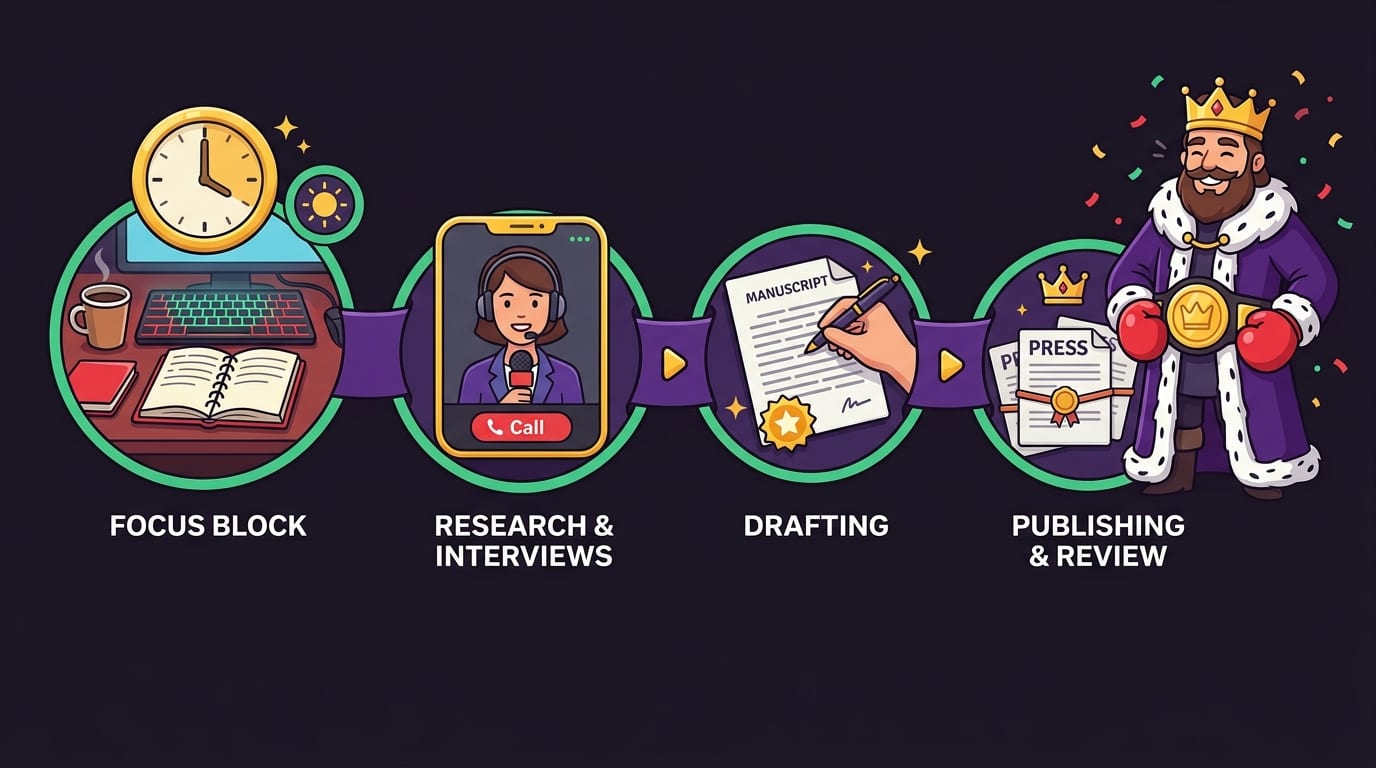
Here is a practical remote writing schedule template:
- Admin warm-up: 20 minutes for email, editor messages, assignment check-ins, and scheduling.
- Reporting block: 60 to 90 minutes for interviews, source outreach, transcript review, and fact collection.
- Drafting block: 90 minutes for uninterrupted writing with social media, news, and entertainment blocked.
- Break: 15 to 30 minutes away from the screen if possible. The chair has seen enough of you.
- Revision block: 60 minutes for structure, clarity, quotes, transitions, and ruthless sentence trimming.
- Publication/promotion block: 30 to 45 minutes for formatting, links, metadata, images, and planned sharing.
The key is not making the schedule perfect. It is making each block honest. If you are drafting, you do not need analytics. If you are editing, you do not need YouTube. If you are reporting, you may need email, phone, notes, and specific research sites, but you probably do not need the full carnival of the open web.
For remote writers who struggle with loose days, BlockChamp’s Champion features can help by scheduling blocks during recurring focus windows. For example, you might block Social Media, Video & Streaming, Shopping, and AI Distractions from 9 a.m. to noon every weekday. That way, your writing block begins without a dramatic internal courtroom debate. The King stands guard automatically, robe flapping, gloves ready.
If you want a broader look at setting up remote work systems, BlockChamp has a related guide on designing the ultimate distraction-free remote work setup. It pairs nicely with the time-blocking approach here, like coffee and smug productivity.
Build a Workspace That Doesn’t Beg You to Procrastinate
Your workspace does not need to look like a Scandinavian productivity influencer’s dream cave. It does need to reduce friction. Remote writing requires fast access to the right tools and fewer invitations to wander off.
Start with the basics:
- One primary writing zone: a desk, table, or corner where work consistently happens.
- Good lighting: natural light if possible, but any lighting that keeps you alert and prevents “sad cave journalism.”
- Comfortable posture: chair height, screen level, and keyboard placement matter when you are typing for hours.
- Minimal visual clutter: not because clutter is evil, but because every object can become a tiny side quest.
- Reporting tools within reach: notebook, recorder, headphones, chargers, style guide, source list, water.
A remote writer’s digital workspace matters just as much. Keep your browser clean. Use separate windows or profiles for different modes: one for reporting, one for drafting, one for admin. Pin only essential tabs. Bookmark research sources into folders by assignment. Stop treating your browser like a junk drawer with a search bar.
Also consider a “drafting-only” setup. During drafting blocks, open only:
- Your outline
- Your draft
- Your notes or transcript
- Your fact-checking document
- A dictionary or style guide, if needed
Everything else gets closed or blocked. This is not dramatic. This is hygiene. You would not invite a brass band into an interview and then complain that it is hard to hear the source. Yet somehow we invite ten tabs of nonsense into our writing session and act shocked when the paragraph refuses to behave.
If you are learning new tools, formats, or beats while working remotely, you may also like BlockChamp’s guide on how to focus when learning new skills in tech. The same principles apply: fewer inputs, better structure, and less digital confetti flying into your eyeballs.

Control Digital Distractions Without Going Full Medieval Hermit
Writers and reporters cannot simply unplug from the internet. Sources live online. Documents live online. Research lives online. Editors live online, sending messages that somehow contain both urgency and “just one small change.” So the smarter move is selective blocking: keep access to work-critical sites while blocking the traps.
Common distraction categories for remote writing and reporting include:
- Social media feeds that are not actively needed for reporting
- Video and streaming sites during drafting blocks
- News sites when you are not covering breaking news
- Shopping sites during stress spirals
- Gaming sites, forums, and meme hubs
- AI tools when they become avoidance machines instead of work aids
This is where a website blocker becomes less “strict parent” and more “useful bouncer.” BlockChamp lets Chrome users block specific sites, entire categories, and, for Champion users, keywords. If your reporting beat requires Twitter/X during one block but not during drafting, you can structure your day accordingly. If YouTube is useful for one interview clip but dangerous during writing, block it outside the research window. Specificity is the crown jewel.
The funny part matters more than people think. Many productivity tools make slipping feel shameful. Shame is a terrible project manager. BlockChamp’s Stare-Down page turns the moment into a joke with teeth: The King catches you, shows the site you tried to enter, and sends you back to work. On every second stare-down, he may roast you out loud. It is hard to keep pretending you “needed” TikTok for paragraph three when a cartoon royal boxer is judging your bloodline.
There is also evidence that the modern digital environment is aggressively attention-hungry. DataReportal’s global digital reports consistently show people spending hours per day online and on social platforms; the Digital 2024 Global Overview Report is a useful snapshot of just how crowded the attention battlefield has become. Remote writers are not weak for struggling. The arena is designed to throw punches.
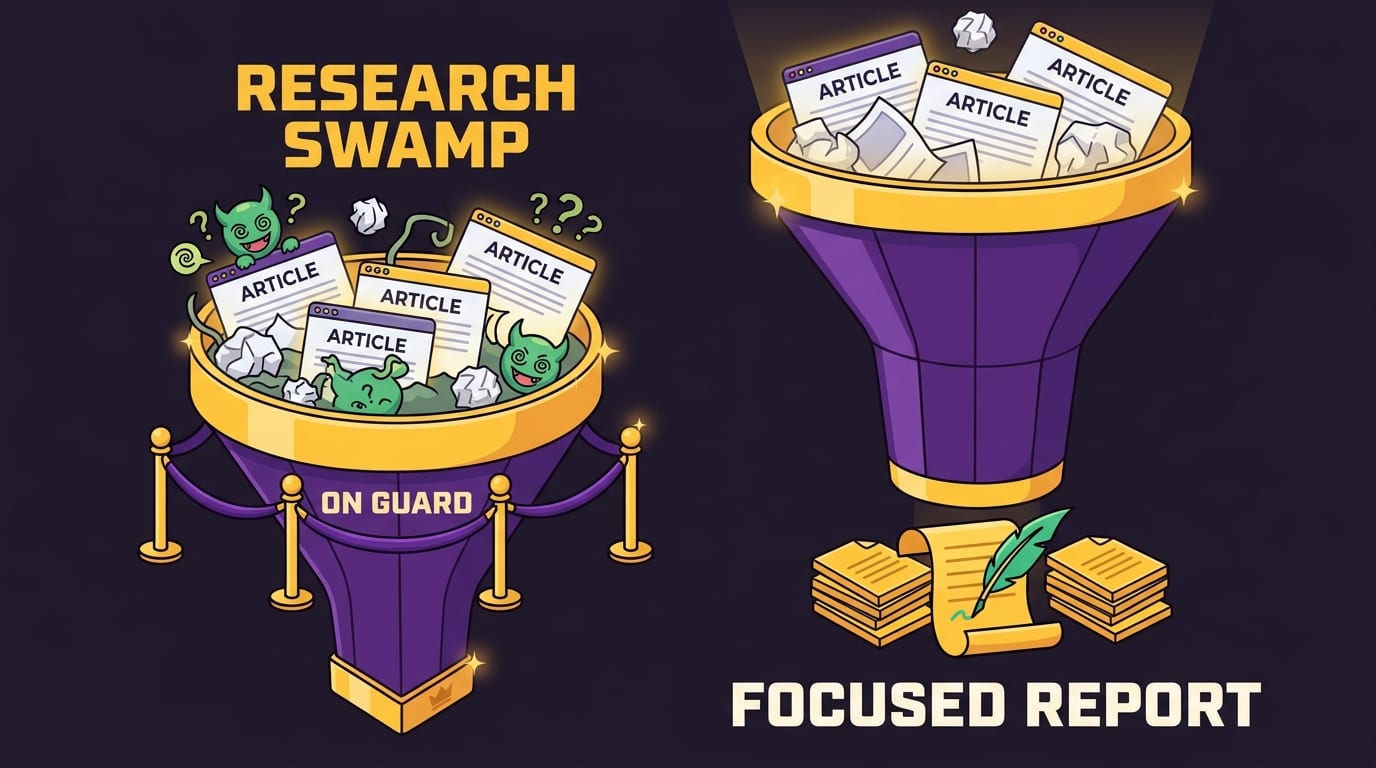
Use the “Reporting Funnel” to Stop Research From Becoming a Swamp
Research is essential. Research is also where deadlines go to wear a fake mustache and disappear. The problem is that gathering information feels productive even when it has stopped serving the piece. One more source. One more article. One more PDF. Suddenly your draft is still blank, but your notes folder has achieved sentience.
Use a reporting funnel to keep research focused:
- Question: What is the central question this piece must answer?
- Evidence: What facts, quotes, data, examples, or documents are needed?
- Sources: Who or what can provide that evidence?
- Cutoff: When is research “enough” for the first draft?
- Gap list: What missing items can be fact-checked after the draft exists?
That cutoff is crucial. Drafting reveals gaps better than endless research does. A first draft is like turning on the lights in a messy room. You see what is missing, what is duplicated, and which quote is wearing a tiny crown and deserves the lead.
Try this: before researching, write a “minimum evidence list.” For example, if you are writing a reported article about remote work burnout, your list might include one expert interview, two worker examples, one credible survey, and one recent study. Once you have those pieces, move to drafting. You can always return for targeted fact-checking later.
For credible statistics on remote work and workplace trends, sources like Gallup are useful. Their research on hybrid and remote work patterns is gathered in resources such as Gallup’s reporting on the future of hybrid work. The point is not to stuff your draft with links like a citation piñata. It is to use trustworthy sources deliberately.
Draft Ugly, Edit Royal: Separate Creation From Judgment
One of the biggest focus killers for writers is trying to draft and edit at the same time. You write a sentence, hate it, rewrite it, question your career, check email, return, delete the sentence, open a snack, and somehow it is Wednesday.
Drafting and editing use different mental muscles. Drafting is about movement: getting ideas onto the page. Editing is about judgment: shaping, cutting, polishing, and making sure your argument does not wobble like a shopping cart wheel.
During a drafting block, give yourself permission to write badly. Not permanently badly. Temporarily badly. A messy draft is raw material. A blank page is a smug little tyrant.
Use these drafting rules:
- Do not edit the first paragraph until the full draft exists.
- Use placeholders like “[CHECK STAT]” or “[INSERT QUOTE]” instead of stopping.
- Write section headers first if structure helps you move.
- Set a word-count target for the session, not a perfection target.
- Keep a “parking lot” note for unrelated ideas so they do not hijack the draft.
Then, in revision, switch modes. Read for structure first. Does the piece answer the central question? Does the order make sense? Are the best details buried? Then read for clarity. Then facts. Then rhythm and style. Last, trim the fluff. Every article has a few sentences wearing fake mustaches. Find them.
Writers who struggle with motivation can borrow from study-focused systems too. BlockChamp’s post on staying focused and motivated while studying covers principles that apply beautifully to remote writing: break work into smaller sessions, reward consistency, and stop expecting your brain to behave like a perfectly trained show pony.
Create a Communication System So Slack Doesn’t Eat Your Manuscript
Remote reporting usually involves other people: editors, clients, sources, designers, producers, fact-checkers, and that one person who responds “quick thought” before delivering a 900-word thought with attachments. Communication is necessary. Constant communication is a blender without a lid.
Set expectations around response windows. If your role allows it, define blocks like:
- Email and messages checked at 9:00 a.m., 12:30 p.m., and 4:00 p.m.
- Urgent calls or texts only for true deadline emergencies.
- Interview scheduling handled during admin blocks.
- Drafting blocks marked as unavailable on your calendar.
If you are on a team, over-communicate your focus plan before disappearing into the writing cave. A simple status works: “Drafting from 10–12. I’ll respond after noon unless urgent.” This prevents the dreaded remote-work mystery silence where everyone wonders if you are producing brilliance or trapped under a laundry basket.
Notifications deserve special treatment. Turn off nonessential alerts during writing blocks. Keep only what is necessary for the session. If you are waiting for a source call, keep your phone visible. If not, put it across the room. Your phone should not be close enough to seduce you with one thumb movement. That is how kingdoms fall.
Microsoft’s Work Trend Index has repeatedly highlighted the growing load of digital communication and meetings in modern work. Their Work Trend Index research is worth exploring if you want a bigger-picture view of why knowledge workers feel so fragmented. Spoiler: it is not just you. The tools are noisy.
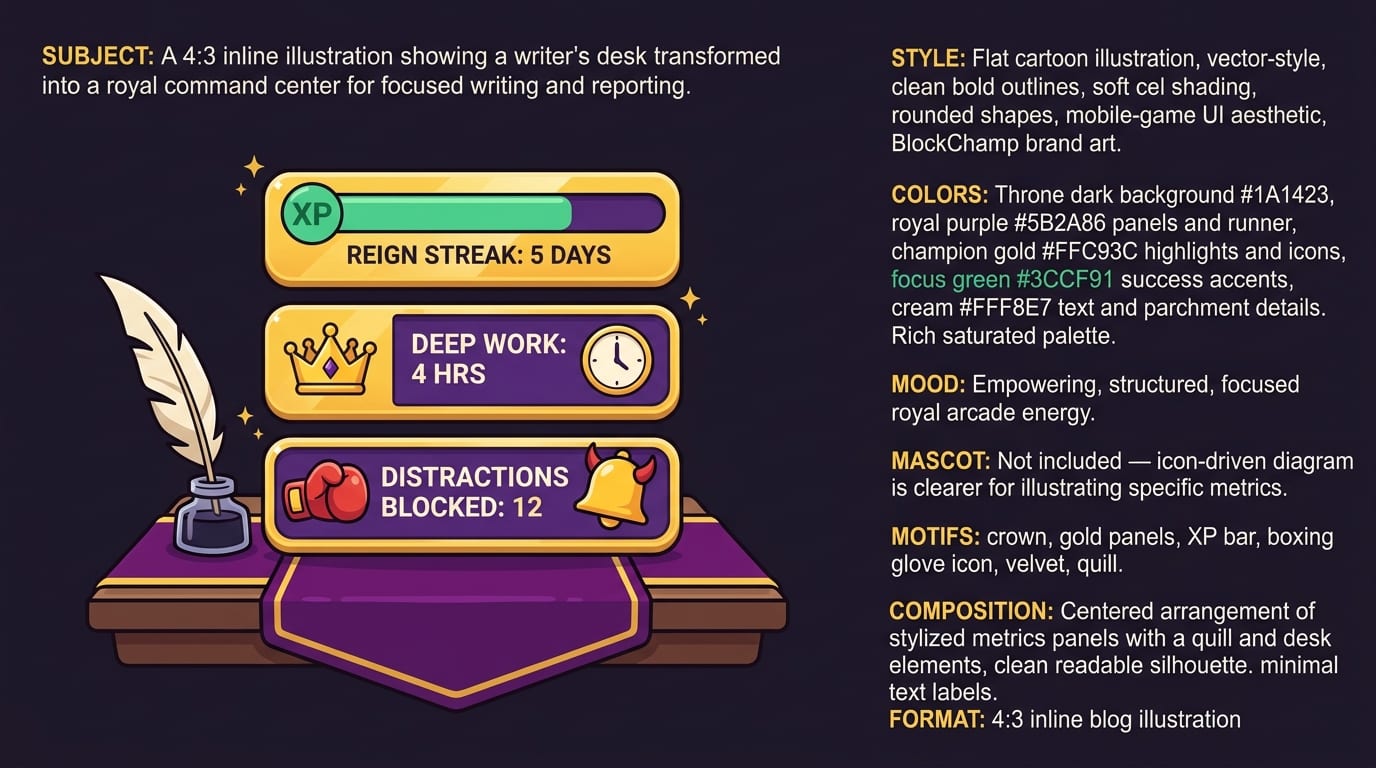
Make Focus Measurable: Track the Reign, Not Just the Deadline
Deadlines are necessary, but they are not always motivating in the right way. A deadline says, “Finish or perish.” Helpful? Sometimes. Charming? Not really. For sustainable focus, track inputs too: time spent writing, number of focused sessions, interviews completed, pages revised, distractions resisted.
Metrics turn effort visible. That matters because remote writing often feels intangible. You may spend two hours untangling structure and have only three paragraphs to show for it. But those two hours count. The crown saw them.
Useful focus metrics for writers and reporters include:
- Deep writing hours per week
- Number of completed drafting blocks
- Research sessions completed before cutoff
- Interview outreach messages sent
- Revision passes completed
- Distraction attempts resisted
BlockChamp’s gamification system is built around this idea. It gives XP for focus time, rewards each focused day, tracks your reign, shows focus history on a calendar, and lets you climb levels from Peasant of Procrastination toward BLOCK CHAMP — King of Your Time. Ridiculous? A little. Effective? That is the point. Motivation works better when progress is visible and mildly sparkly.
This is especially helpful for remote writers who do not get immediate feedback. You may not hear from an editor for hours or days. But you can still see that you completed three writing blocks, survived six stare-downs, and kept your reign alive. Tiny wins compound. Crowns are forged in the boring middle.
Emergency Focus Protocol: When the Deadline Dragon Is Breathing Fire
Sometimes your calm routine gets obliterated. A source cancels. Breaking news hits. A client moves the deadline because apparently time is a suggestion. When the deadline dragon arrives, you need an emergency protocol.
Here is a 60-minute rescue plan:
- Minute 0–5: Define the deliverable. What exactly must be submitted?
- Minute 5–10: Dump all notes, quotes, links, and facts into one place.
- Minute 10–15: Create a rough structure: lead, key points, evidence, ending.
- Minute 15–45: Draft without stopping. Use placeholders. Do not polish.
- Minute 45–55: Fill critical gaps, verify names, numbers, links, and quotes.
- Minute 55–60: Read once for sense, fix obvious disasters, submit or send for review.
During this hour, block everything nonessential. This is not the time for “just checking.” If you use BlockChamp, turn on the most aggressive setup you can tolerate: relevant categories blocked, known problem sites blocked, maybe Hardcore Lockdown if you are a Champion user and prone to panic-scrolling. Hardcore Lockdown adds friction if you try to surrender focus mode, using either a cooldown timer or The King’s boxing-riddle mini-game. Yes, you may have to earn your escape by repeating punch combos. No, your deadline does not care that you wanted Reddit.
The emergency protocol is not meant to replace a healthy workflow. It is the fire extinguisher, not the kitchen. But knowing you have one reduces panic, and reduced panic improves focus. Fancy how that works.
A Practical Daily Routine for Remote Writers and Reporters
Let’s put everything together into a realistic routine. Adjust the times, because your beat, energy, time zone, and household chaos gremlins may vary.
Morning: Build the runway
- Review assignments and deadlines.
- Choose one primary writing or reporting outcome.
- Check messages for anything truly urgent.
- Turn on BlockChamp and block obvious distractions.
- Start with a reporting or drafting block before the day gets loud.
Midday: Shift modes deliberately
- Handle interviews, source follow-ups, and admin.
- Take a real break away from the screen.
- Review notes and update your outline.
- Keep social media access limited unless it is directly part of reporting.
Afternoon: Draft, revise, ship
- Run a focused drafting or editing sprint.
- Do a fact-check pass with a checklist.
- Send the draft, publish, or prep next-day questions.
- Log what worked and what distracted you.
The final step is underrated. At the end of the day, take two minutes to identify your biggest distraction trigger. Was it boredom? Ambiguous next steps? A difficult paragraph? Waiting on a source? Once you know the trigger, you can design a better defense tomorrow.
If you like tool roundups and want more focus options beyond website blocking, check out BlockChamp’s guide to the top study focus tools. Even though it is study-focused, many of the tools and principles translate well to writing, reporting, and other brain-heavy remote work.
Common Focus Traps and How to Punch Them in the Hat
Remote writers tend to fall into a few repeat traps. The good news: once you name them, they become easier to beat. Like villains, but with worse posture.
Trap 1: “I need to research more”
Sometimes true. Often avoidance. Set a research cutoff and a gap list. Draft first, then return for targeted evidence.
Trap 2: “I’ll start after I clear messages”
Messages multiply like cursed rabbits. Give admin a defined block. Do not let it ooze across the whole morning.
Trap 3: “This draft is bad, therefore I am bad”
Nope. The draft is clay. You are the sculptor. Stop emotionally identifying with sentence one. Sentence one is wearing training wheels.
Trap 4: “Social media counts as work”
Sometimes, especially for reporters monitoring a beat. But define the purpose before opening the feed. Are you sourcing, verifying, promoting, or avoiding? The answer knows what it did.
Trap 5: “I can focus with everything open”
Maybe occasionally. But attention is easier when temptation is not tap-dancing in the corner. Close tabs. Block sites. Put the phone away. Defend the throne.
Conclusion: Focus Is a System, Not a Personality Trait
Finding focus for remote writing and reporting is not about becoming a flawless productivity robot with a perfectly labeled spice rack and no human urges. It is about building a system that makes the right action easier: a consistent pre-work ritual, honest time-blocking, a workspace that supports deep work, controlled access to digital tools, clear communication windows, and measurable progress.
You still need skill, curiosity, and persistence. You still need to interview well, think clearly, verify facts, and revise without mercy. But you do not need to fight every distraction bare-knuckled. That is how attention gets mugged in an alley.
If distracting websites keep ambushing your writing blocks, try BlockChamp for Chrome. Block your biggest time-wasters, earn XP for focused work, survive The King’s Stare-Down when you slip, and build a reign you will actually want to defend. Knock out your distractions, protect the draft, and become king of your time. Long live your focus, champ.
Related posts

Finding Focus For Fiction Writing

Learning To Focus In A Digital World As A Creative

Finding Focus For Personal Growth
