
Best Writing Apps

The best writing apps are not always the fanciest ones with 47 sidebars, a mood board, a productivity koala, and a button that somehow exports to both PDF and existential dread. The best writing app is the one that helps you get words out of your head and onto the page without turning your writing session into a software archaeology dig.
That said, writers are gloriously different creatures. A novelist needs structure. A student needs citations. A blogger needs SEO tools. A journalist needs clean notes and fast drafts. A screenwriter needs formatting that does not require summoning a formatting goblin. And every single one of them needs fewer “quick” trips to YouTube, Reddit, TikTok, and the suspiciously urgent task of reorganizing desktop folders from 2018.
So this guide compares the best writing apps by workflow, device, genre, pricing, and focus fit. We will cover what each type of app does well, where it gets weird, and how to build a writing setup that actually supports your brain instead of handing it a shiny new procrastination throne.
Quick Answers
What Makes the Best Writing Apps Actually “Best”?
Before we crown champions, let’s define the arena. A writing app is not automatically better because it has more features. In fact, too many features can become a glitter cannon pointed directly at your attention span. The best writing apps help with one or more of these jobs:
- Drafting: Getting words down quickly without friction.
- Organization: Managing chapters, sections, notes, research, and outlines.
- Editing: Improving clarity, grammar, structure, tone, and readability.
- Collaboration: Sharing drafts, comments, revisions, and approvals.
- Publishing: Exporting to formats like PDF, DOCX, Markdown, HTML, EPUB, or screenplay formats.
- Focus: Keeping you away from the internet goblin parade while you write.
Notice that last one. Focus is not a “nice bonus.” It is the drawbridge to the whole kingdom. A perfect writing app cannot help if your browser is open to “research,” which somehow becomes a 42-minute video about medieval cheese taxes. This is why many serious writers pair their writing app with a website blocker like BlockChamp, especially during deep work sessions. The draft lives in your writing app. The distractions get escorted out by The King. Royal efficiency.
There is also real evidence that context switching is expensive. The American Psychological Association notes that shifting between tasks can reduce productivity because your brain pays a “switching cost” each time it changes gears; see their overview of multitasking and mental efficiency. For writers, that cost is brutal. Every time you check social media mid-sentence, you are not just losing the 30 seconds you spent scrolling. You are losing the thread, the rhythm, the voice, and possibly your will to finish paragraph three.
The Best Writing Apps by Use Case: Pick Your Weapon, Champ
Instead of pretending one app rules them all, let’s match tools to writing jobs. The best writing apps depend on what you are making, how you think, and whether your manuscript currently resembles a clean outline or a raccoon nest full of brilliant sentence fragments.
Best for everyday drafting: Google Docs
Google Docs is the reliable workhorse. It is free, cloud-based, easy to share, and available almost everywhere. If you write blog posts, essays, reports, newsletters, client drafts, or collaborative documents, Google Docs is hard to beat. Its commenting and suggestion tools are excellent, and the version history can save you from the classic “I deleted the good paragraph and now only pain remains” situation.
Where it struggles: long, complex manuscripts. A 90,000-word novel in one Google Doc can become sluggish and messy. You can split chapters into separate files, but then organization starts to get clunky. Google Docs is great for drafts and collaboration, less great for managing a sprawling creative empire.
Best for long-form projects: Scrivener
Scrivener is beloved by novelists, nonfiction authors, researchers, and anyone building a monster project with lots of moving parts. You can break your work into chapters and scenes, store research, use corkboard views, create outlines, and compile everything into different formats.
Scrivener’s magic is structure. It lets you write a book as small pieces instead of staring at one giant document that whispers, “You will never finish me.” The downside is the learning curve. Scrivener is powerful, but it does ask you to become the mayor of Tool Town for a while.
Best for distraction-free writing: iA Writer
iA Writer is clean, minimal, and designed for focus. It supports Markdown, has a beautiful plain-text feel, and removes visual clutter. If you want a writing environment that says, “Here is the page, now stop being dramatic,” iA Writer is excellent.
It is especially good for bloggers, essayists, technical writers, and anyone who likes plain text. If you rely heavily on built-in research folders, complex outlines, or team editing, you may need another tool alongside it.
Best for grammar and editing help: Grammarly
Grammarly is not a complete writing environment in the same way Scrivener or Google Docs is, but it is one of the most useful editing companions. It catches grammar issues, awkward phrasing, tone mismatches, and clarity problems. It is especially handy for emails, articles, reports, and business writing.
Use it as an editor, not as your emperor. Grammarly can improve writing, but it can also flatten personality if you accept every suggestion like a nervous peasant. Your voice matters. Keep the good weirdness.
Best for notes and idea capture: Notion
Notion is a flexible workspace for notes, databases, outlines, calendars, and project planning. Writers use it for content calendars, research databases, character sheets, editorial pipelines, reading lists, and idea vaults. It is not always the smoothest pure drafting app, but it is fantastic for organizing the chaos around writing.
Notion is best when you create a simple system and stop yourself from building a cathedral of templates instead of doing the actual writing. Ask any productivity nerd. The template rabbit hole is real, and it wears a tiny hat.
Best for screenwriting: Final Draft or Highland
Screenwriting has strict formatting needs, so general word processors can become a pain. Final Draft is the industry heavyweight, especially for professional screenwriters. Highland is a cleaner, more modern option popular with writers who prefer a lighter interface.
If you write scripts, use a dedicated screenwriting app. Your future self will thank you when you are not manually adjusting dialogue indentation at 1:13 a.m. like a formatting goblin with a deadline.
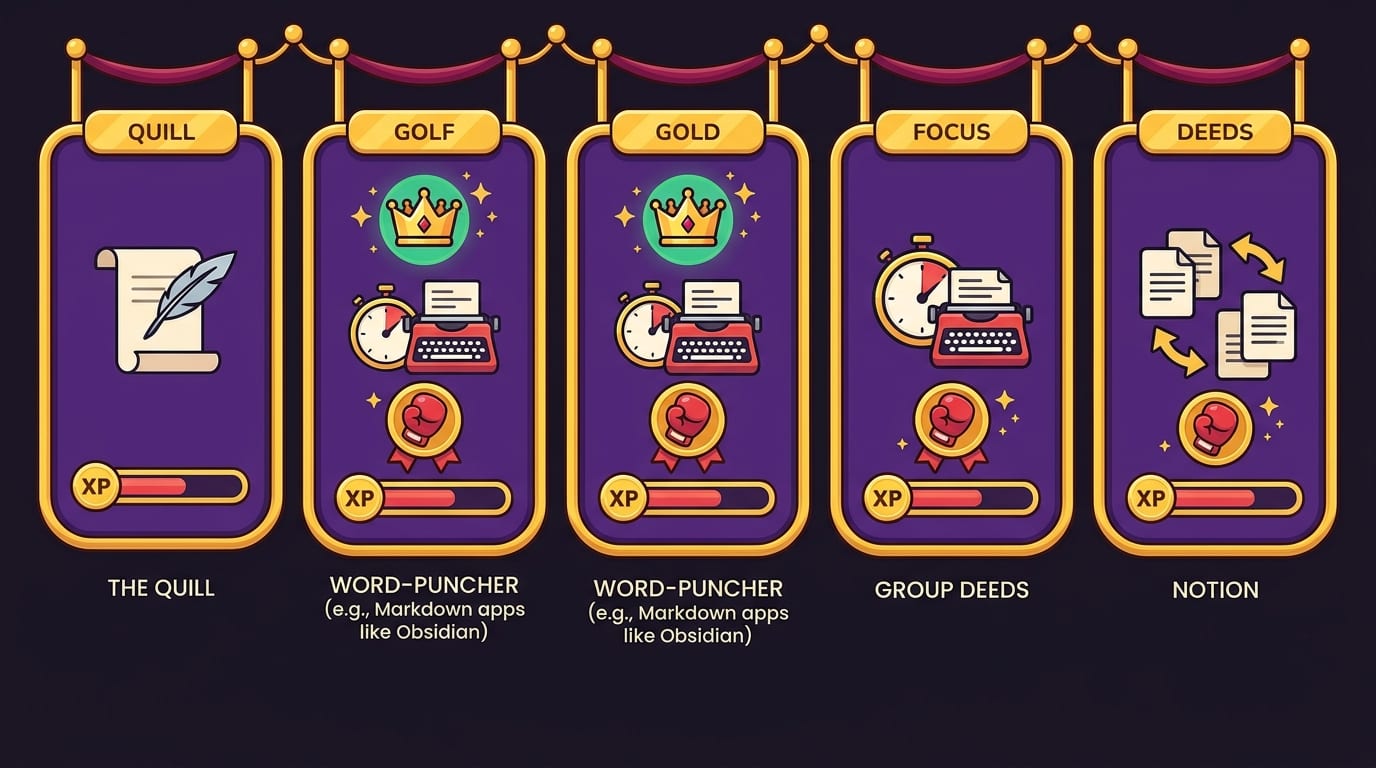
Quick Comparison Table: Best Writing Apps at a Glance
| App | Best For | Strength | Watch Out For |
|---|---|---|---|
| Google Docs | Collaboration, essays, blog drafts | Easy sharing and comments | Can get messy for books |
| Scrivener | Novels, nonfiction books, research-heavy projects | Structure and project organization | Learning curve |
| iA Writer | Focused drafting, Markdown writing | Minimal, clean interface | Limited project management |
| Grammarly | Editing, clarity, business writing | Grammar and tone suggestions | Can over-polish voice |
| Notion | Notes, planning, content calendars | Flexible organization | Template procrastination danger |
| Final Draft / Highland | Screenplays | Industry-specific formatting | Less useful outside scripts |
| BlockChamp | Focused writing sessions | Blocks distracting websites with gamified motivation | Chrome-focused; mobile apps coming soon |
Yes, BlockChamp is in the table. No, it is not a drafting app. But if your writing app is the sword, BlockChamp is the royal guard stopping TikTok from kicking down the castle gate. A writing stack without focus protection is like buying expensive running shoes and then sprinting directly into a snack cupboard.
Best Writing Apps for Different Types of Writers
The “best” app depends heavily on your genre and workflow. A PhD student, a novelist, and a freelance copywriter may all write thousands of words a week, but their needs are wildly different. One needs citations. One needs character arcs. One needs to invoice a client before caffeine turns into panic.
For students and academic writers
Students usually need a combination of drafting, citations, cloud access, and focus. Google Docs or Microsoft Word work well for essays and assignments. Zotero is excellent for reference management. Notion can help organize lecture notes and research. If you are in college and building a broader study stack, check out our guide to the best study tools for college students.
For focus, students should block the obvious villains during study and writing blocks: social media, video platforms, gaming sites, shopping, and AI distractions when those tools become a shortcut instead of a learning aid. BlockChamp’s category blocking is handy here because you can toggle whole bundles instead of manually adding every site like a medieval clerk copying URLs by candlelight.
For novelists and nonfiction authors
Scrivener is often the heavyweight champion here. It supports research, outlines, chapter organization, and compilation. Some authors also draft in plain-text apps and organize in Notion or Obsidian. The key is separating creation from management. Draft in a tool that feels calm. Organize in a tool that helps you see the project.
Want inspiration from people who actually finish books instead of just arranging notebooks beautifully? Read our breakdown of productivity habits of bestselling authors. Spoiler: consistency beats dramatic midnight genius almost every time. Rude, but true.
For bloggers and content marketers
Bloggers often need drafting, outlining, SEO planning, collaboration, and publishing. Google Docs is still the default for many teams because editors and clients know how to use it. Notion is great for editorial calendars. Grammarly helps polish. Some writers draft in iA Writer or Ulysses, then move copy into WordPress or a CMS.
Content writers should also protect research time from “research theater.” You know the move: you open one article, then another, then a YouTube explainer, then a Reddit thread, and suddenly your blog post has not improved but you do know the top 10 discontinued Taco Bell items. Use timed research blocks, capture sources, then block distracting categories while drafting.
For journalists and remote writers
Journalists need speed, accuracy, notes, recording tools, clean drafts, and reliable sync. Google Docs, Word, Otter, Notion, and simple note apps can all play a role. The trick is having a repeatable pipeline: capture, verify, outline, draft, revise, file.
If you work remotely, your environment is both your office and your distraction buffet. We wrote more about this in finding focus for remote writing and reporting, where the big lesson is simple: your tools matter, but your boundaries matter more.
Device Fit: Desktop, Mobile, Tablet, and the “I Wrote This in a Grocery Line” Lifestyle
The best writing apps should match where you actually write. Some writers only work at a desk. Others draft on a phone during commutes, revise on a tablet, and finish on a laptop while making heroic claims about “just one more paragraph.”
For desktop-first writers, Scrivener, Word, Google Docs, iA Writer, and Ulysses are all strong options. Desktop is still best for deep drafting because keyboards are better, screens are larger, and you can run supporting tools like BlockChamp in Chrome to keep distractions out of the royal court.
For mobile writing, Google Docs, Apple Notes, Notion, Ulysses, and iA Writer are strong. The main goal on mobile should be capture and light drafting, not necessarily perfect formatting. Your phone is great for saving an idea before it evaporates. It is less great for restructuring Chapter 17 unless you enjoy thumb-based suffering.
For tablets, especially iPads, Ulysses, iA Writer, Apple Notes, Notion, and Google Docs can feel excellent with a keyboard. Tablets are great for reviewing drafts, annotating PDFs, outlining, and writing in a more portable, less “office dungeon” way.
One practical tip: choose apps with reliable sync, but do not rely only on sync. Export important work periodically. Back up manuscripts. Save drafts in common formats. The writing gods are mostly kind, but they occasionally demand a sacrifice, and it is usually named “final_final_REAL_final.docx.”
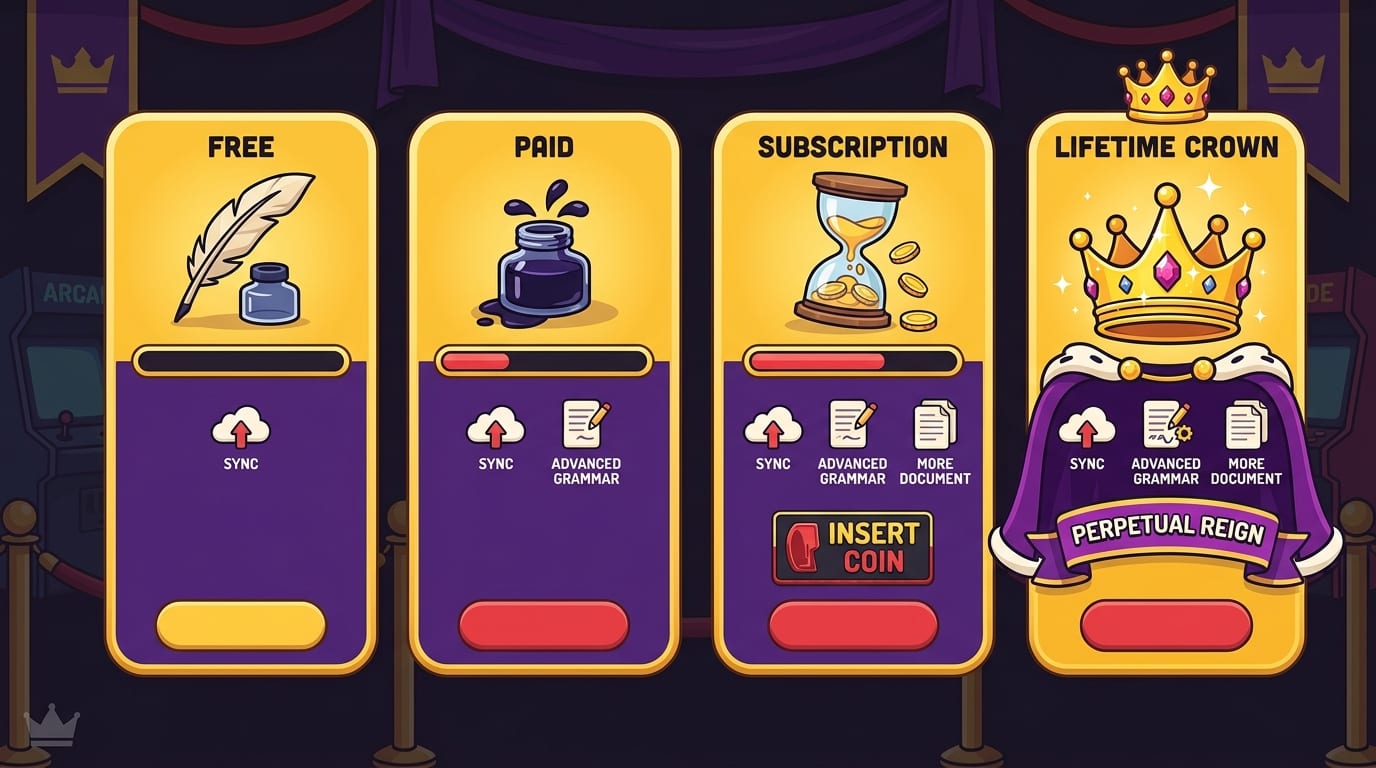
Pricing: Free, Paid, Subscription, or Lifetime Crown?
Writing app pricing varies wildly. Some tools are free, some are one-time purchases, and some are subscriptions. The right choice depends on how often you write and whether the app directly supports paid work, school success, or a serious creative goal.
Free tools can be excellent. Google Docs is powerful enough for many writers. Apple Notes and Google Keep are great for capture. Zotero is free for citation management. If you are just starting, do not let software shopping become a tax on your motivation.
Paid tools make sense when they remove friction you face constantly. Scrivener’s one-time purchase can be worth it for book-length projects. Grammarly Premium may be worth it if polished professional communication matters. Final Draft may be worth it if screenwriting is your serious lane.
Subscriptions deserve a stricter test. Ask:
- Will I use this every week?
- Does it save time or improve output quality?
- Does it replace another paid tool?
- Would losing it break my workflow?
- Is it helping me write, or just making me feel like someone who writes?
That last question is the jab-cross combo. Many apps feel productive because they let you prepare to write. Preparation matters, but eventually the crown goes to the person with words on the page.
BlockChamp follows a simple model: a free tier for blocking up to 3 sites and enabling 2 distraction categories, plus full gamification with XP, levels, badges, reigns, calendar, leaderboard, and The King’s glorious stare-downs. Champion Pro adds unlimited sites, all 8 categories, keyword blocking, schedules, sync, and Hardcore Lockdown for $24/year or $59 lifetime. If distraction is costing you billable hours, grades, deadlines, or sanity, that is cheaper than one “accidental” afternoon lost to algorithm soup.
AI Writing Tools: Helpful Assistant or Fancy Procrastination Costume?
AI writing tools can be useful. They can brainstorm angles, summarize notes, create outlines, rewrite clunky sentences, and help you get unstuck. According to McKinsey’s research on AI adoption, generative AI use has expanded quickly across business functions, and writing-related tasks are among the most obvious use cases.
But AI can also become a sneaky delay machine. If you spend 90 minutes prompting, regenerating, comparing, and tweaking outputs without writing anything yourself, congratulations: you have invented procrastination with a robot hat.
Use AI writing tools for specific jobs:
- Generate 10 headline ideas, then choose one yourself.
- Ask for counterarguments to strengthen an essay.
- Summarize research notes into bullet points.
- Request a structural critique of a draft.
- Use it to simplify a dense paragraph, then restore your own voice.
Do not use AI as a substitute for thinking, reporting, lived experience, or expertise. Readers can smell generic paste from three kingdoms away. Also, always fact-check AI output. Large language models can produce confident nonsense, and confident nonsense is still nonsense, even if it wears a blazer.
If AI tools distract you during deep writing, BlockChamp’s AI Distractions category can help you block ChatGPT, Claude, Gemini, Copilot, Perplexity, and similar sites during drafting windows. Then you can re-open them during a designated editing or brainstorming block. The King approves of boundaries. The King does not approve of “just one more prompt” spirals.
Build a Writing Workflow That Does Not Collapse Like a Wet Cardboard Castle
The best writing apps become more powerful when you arrange them into a workflow. Here is a practical system you can adapt.
- Capture ideas anywhere. Use Apple Notes, Google Keep, Notion, or a pocket notebook. Make capture frictionless.
- Plan in one place. Use Notion, Obsidian, Scrivener, or a simple document for outlines, research, and project notes.
- Draft in a low-friction app. Google Docs, iA Writer, Ulysses, Scrivener, or Word all work. Pick one and stop app-hopping like a caffeinated frog.
- Block distractions before starting. Turn on BlockChamp, enable relevant categories, and let The King guard the gates.
- Write in timed sessions. Try 25, 45, or 90 minutes depending on your energy. Longer is not always better; consistent is better.
- Edit separately from drafting. Draft messy. Edit later. Mixing both too early is how paragraphs go to die.
- Export and back up. Use common formats and keep copies of important work.
Research from Nielsen Norman Group on cognitive load reinforces a simple design truth: when tools reduce unnecessary mental effort, users can focus more on the actual task. For writers, this means your setup should make the next action obvious. Open app. See outline. Start section. No hunting, no fiddling, no side quest to customize icons.
If your current writing workflow feels chaotic, do a “friction audit.” Ask what slows you down before, during, and after writing. Maybe your notes are scattered. Maybe your drafts live in six apps. Maybe your biggest issue is not writing software at all but a browser that keeps whispering, “Psst. Memes.” If so, you do not need a new notebook app. You need a moat.
Productivity Strategies That Make Any Writing App Better
Even the best writing apps cannot save a bad writing routine. Tools are multipliers. If your routine is solid, tools help. If your routine is chaos wearing novelty socks, tools simply make the chaos searchable.
Use a start ritual
Start rituals train your brain to enter writing mode. Keep it simple: open your document, turn on BlockChamp, set a timer, put your phone away, and write one ugly sentence. The ugly sentence is important. It lowers the pressure. You can fix ugly. You cannot edit invisible.
Set a visible target
Choose one target per session: 500 words, one scene, one section, one revision pass, or 45 minutes of focused drafting. Vague goals like “work on article” are slippery little gremlins. Specific goals have handles.
Separate research from writing
Research feels productive, but it can become an infinite hallway. Set a research timer. Save sources. Then write with the internet blocked or heavily restricted. If you need a fact, leave a placeholder like “[stat about screen time]” and keep going.
For digital wellbeing context, DataReportal’s global reports regularly show how much time people spend online and on social platforms; their Digital 2024 Global Overview Report is a useful reminder that the attention economy is not exactly handing out free focus cupcakes. It is built to keep you clicking.
Track streaks, but do not worship them
Streaks can motivate, but perfectionism can backfire. BlockChamp’s reign system works nicely because it rewards continuous focus mode without turning one imperfect day into a shame parade. You earn XP for focus time, daily activity, and surviving stare-downs. The goal is consistency, not becoming a productivity statue.
If you are curious what happens when blocking tools become part of a daily routine, read our experiment on how blocking apps for a month improved mood and productivity. Tiny spoiler: fewer distraction portals equals a calmer brain. Shocking. Alert the royal scribes.
How to Choose the Best Writing App in 10 Minutes
If you are stuck comparing apps, use this quick decision process. Set a timer for 10 minutes. No endless reviews. No “best apps 2026 ultimate mega list” spiral. The crown demands decisiveness.
- Name your main writing type. Essay, novel, blog, screenplay, newsletter, research paper, client work, journaling, or notes.
- Pick your top pain point. Drafting, organizing, editing, collaborating, formatting, publishing, or focusing.
- Choose one primary app. Google Docs for collaboration, Scrivener for books, iA Writer for minimal drafting, Notion for planning, Final Draft for screenplays.
- Add one support tool. Grammarly for editing, Zotero for citations, BlockChamp for focus, Notion for planning.
- Use the setup for two weeks. Do not switch unless something is truly broken.
That last step matters. Writers often confuse setup discomfort with tool failure. Every app takes a little time. Give your system enough runway before replacing it. Otherwise you become a collector of writing apps instead of a writer. The dragon hoard looks cool, but the manuscript is still at 312 words.
The Best Writing App Stack for Most People
If you want a practical recommendation without reading 900 comparison charts, here is a strong default stack:
- Drafting: Google Docs or iA Writer
- Long-form structure: Scrivener if you are writing a book
- Planning: Notion or a simple outline document
- Editing: Grammarly plus your own judgment
- Citations: Zotero for academic work
- Focus: BlockChamp for Chrome website blocking, XP, streaks, badges, and royal judgment when you try to flee to Reddit
This stack covers the full writing lifecycle: capture, plan, draft, edit, protect focus, and finish. You can make it fancier later, but do not start fancy. Start functional. Fancy is dessert. Drafts are dinner.
The most underrated part is focus protection. Many writers obsess over whether they should use Docs or Word, then lose two hours a day to social media. That is like debating sword polish while a raccoon steals your horse. If your attention is leaking, patch that first. Block the sites that derail you. Schedule writing sessions. Use Hardcore Lockdown if you need extra resistance. Let The King stare down your weaker impulses so you can stay in the chair and do the work.
Final Verdict: The Best Writing Apps Help You Finish
The best writing apps are not the ones with the most features. They are the ones that fit your work, reduce friction, and help you finish. Google Docs is fantastic for collaboration. Scrivener is a beast for books. iA Writer is beautiful for focused drafting. Notion is excellent for planning. Grammarly is useful for editing. Final Draft and Highland serve screenwriters well. And BlockChamp protects the whole operation by knocking distractions out of the ring before they steal your writing session and sell it for algorithm snacks.
So pick your tools. Keep the stack lean. Build a routine. Block the obvious villains. Then write the next sentence.
If your biggest writing problem is not ideas, grammar, or structure, but the fact that your browser keeps turning into a carnival of nonsense, try BlockChamp. Turn on focus mode, defend your reign, earn XP, survive The Stare-Down, and become king of your time. Long live your focus, champ.
Related posts

Finding Focus For Fiction Writing

Learning To Focus In A Digital World As A Creative

Finding Focus For Personal Growth
