
Work Effectively From Home

Trying to work effectively from home sounds dreamy until your “office” is also your kitchen, laundry command center, snack arena, parcel depot, pet daycare, and the sacred temple of “I’ll just check one thing on YouTube.” Remote work gives you freedom, yes. It also gives your distractions a VIP backstage pass and a tiny crown.
The good news: working from home is a skill, not a personality trait bestowed upon monks and people with suspiciously clean desks. With the right routines, boundaries, workspace setup, and focus systems, you can get real work done without turning into a pajama goblin who answers emails from a pile of crumbs.
This guide breaks down practical strategies to help you work effectively from home: how to structure your day, manage distractions, protect deep work, communicate with humans, and keep your brain from melting into browser-tab soup. And yes, we’ll talk about tools like BlockChamp, because sometimes willpower needs a bouncer wearing boxing gloves and a crown.
Quick Answers
1. Build a Workday Ritual: Your Brain Needs a Starting Bell
When you worked in an office, your commute did more than steal your will to live. It created a psychological boundary between “home mode” and “work mode.” At home, that boundary disappears. One minute you’re brushing your teeth; the next you’re in a strategy meeting with one sock on and existential dread in your coffee.
To work effectively from home, you need a repeatable start-of-day ritual. It does not need to be elaborate. You are not opening the Olympics. You are telling your brain, “The kingdom is now open for business.”
Create a simple 15-minute startup routine
Try this:
- Get dressed enough that you would not panic if your camera turned on accidentally.
- Make coffee, tea, or your legally acceptable productivity potion.
- Open your task manager or notebook.
- Choose your top 1–3 priorities for the day.
- Turn on your focus tools before the chaos goblins arrive.
This ritual matters because habits reduce decision fatigue. You’re not negotiating with yourself every morning about when to start, what to do, or whether “research” means reading one article or vanishing into Reddit for 47 minutes. You decide once, then repeat.
If you struggle with morning momentum, pair your startup routine with environmental cues. Use the same playlist, light a candle, sit at the same desk, or open the same “work dashboard.” The more consistent the cue, the faster your brain shifts into work mode. Basically, you are training yourself like a golden retriever with a laptop. Noble. Effective. Slightly drooly.
2. Design a Workspace That Doesn’t Betray You
Your workspace does not need to look like a Scandinavian productivity influencer’s loft. But it does need to support focus. If your desk is covered in unpaid bills, snack wrappers, tangled cables, and a mysterious object you keep meaning to deal with, your brain will keep quietly screaming in the background.
A good remote work setup reduces friction. It makes the right behavior easy and the wrong behavior inconvenient. That is the entire game.
The essentials of a decent home office setup
- A dedicated work surface: A desk is ideal, but a specific table corner works too. The goal is consistency.
- A comfortable chair: Your spine should not be filing a formal complaint by 2 p.m.
- Good lighting: Natural light helps, but a desk lamp beats cave troll ambiance.
- External keyboard and mouse: Especially if you use a laptop all day. Your wrists deserve representation.
- Noise control: Headphones, white noise, or a closed door can save your sanity.
Ergonomics are not just fancy HR theater. Poor posture and uncomfortable setups can cause fatigue and pain, which quietly sabotage productivity. The Occupational Safety and Health Administration’s computer workstation guidance offers practical recommendations for monitor height, chair position, and keyboard placement.
If you want to go deeper on building a remote work environment that actually helps you focus, check out our guide to designing the ultimate distraction-free remote work setup. It covers the physical and digital parts of your workspace, because your chair matters—but so does the fact that TikTok is one click away wearing a fake mustache.
3. Time Block Like a Benevolent Tyrant
Remote work expands to fill every crack in your day unless you give it structure. Without time blocks, work becomes a mist. It floats everywhere. Suddenly you’re half-working at breakfast, half-working at dinner, and fully resenting your laptop like it personally insulted your ancestors.
Time blocking means assigning specific types of work to specific parts of your day. It is not about controlling every minute like a productivity robot with a clipboard. It is about protecting attention.
A practical remote work schedule template
Here’s a simple structure you can adapt:
- 8:30–9:00: Startup routine, planning, inbox scan.
- 9:00–10:30: Deep work block for your most important task.
- 10:30–10:45: Break. Walk. Hydrate. Stare dramatically out a window.
- 10:45–12:00: Project work or meetings.
- 12:00–1:00: Lunch away from your desk. Yes, away. The crumbs have had enough power.
- 1:00–2:30: Collaboration, calls, reviews, admin.
- 2:30–3:00: Email and messages.
- 3:00–4:30: Second focus block or wrap-up tasks.
- 4:30–5:00: Shutdown routine and plan tomorrow.
The magic is not the exact timing. The magic is knowing what mode you’re in. Deep work mode is different from Slack mode. Creative mode is different from admin mode. If you mix them all together, you get attention soup. Nobody asked for attention soup.
Research from Microsoft’s Work Trend Index has repeatedly shown that meetings, chats, and digital overload can fragment the workday. Their Work Trend Index reports highlight how modern workers are struggling with constant communication demands. Time blocking gives your attention a fence. A nice sturdy fence. Maybe with a moat.
4. Manage Digital Distractions Before They Manage You
The biggest threat to remote work productivity is not laziness. It is frictionless distraction. Social media, streaming sites, news feeds, shopping tabs, gaming platforms, gambling apps, and “just one AI prompt” tools are designed to be easy to enter and hard to leave. They are attention casinos with better branding.
If you want to work effectively from home, do not rely on heroic willpower. Willpower is a tiny umbrella in a hurricane. Instead, change the environment.
Make distractions harder to reach
Start with these moves:
- Log out of social media accounts on your work browser.
- Remove distracting bookmarks from your toolbar.
- Turn off non-essential browser notifications.
- Keep your phone out of arm’s reach during focus blocks.
- Use a website blocker during work hours.
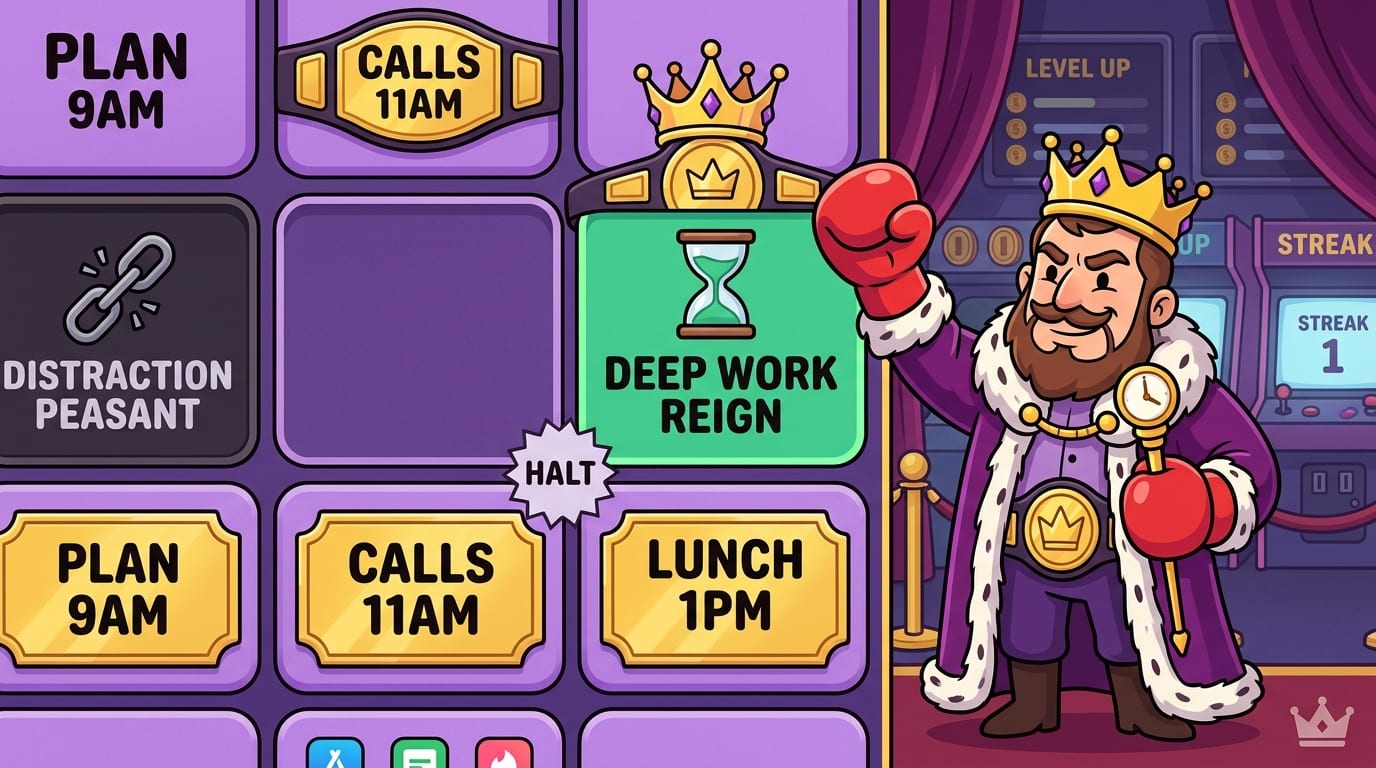
This is where BlockChamp earns its crown. As a gamified website blocker for Google Chrome, BlockChamp lets you block specific sites like YouTube, Reddit, X/Twitter, or Instagram; block entire categories like Social Media, Video & Streaming, News, Shopping, Gaming, Gambling, Adult, and AI Distractions; and turn everything on with one Master Focus Toggle.
That means you can create a remote work “On Guard” mode for 9 a.m. to 5 p.m. Instead of battling the urge to check Reddit like a medieval peasant wrestling a dragon, you hit a blocked page and meet The King’s Stare-Down: a full-screen royal judgment scene that basically says, “Nice try, champ. Back to work.” It’s silly. It works. Sometimes your prefrontal cortex needs comedy and a boxing glove.
For Champion users, BlockChamp’s Focus Schedule can automatically activate blocks during recurring work hours. Hardcore Lockdown can add a cooldown timer or boxing-riddle mini-game before you turn focus off. That extra friction is powerful because most impulses are brief. If you have to wait, solve, or actively choose to surrender your focus, the temptation often loses steam.
The broader science backs the need for friction. The American Psychological Association notes that multitasking and task switching can reduce productivity, especially when people rapidly shift between tasks. Every “quick check” has a switching cost. Your brain does not teleport back to deep work. It stumbles in late holding nachos.
5. Set Boundaries With People, Pets, and the Refrigerator
Working from home means your coworkers are online, but your interruptions may be painfully physical. Kids need help. Roommates ask questions. Partners forget you’re in a meeting. Pets demand emotional support because the mail carrier committed treason again.
Boundaries are not rude. Boundaries are how remote work survives.
Use visible and verbal signals
If you share your space, create simple signals:
- A closed door means “do not interrupt unless something is on fire or actively becoming fire.”
- Headphones mean “focus mode.”
- A desk sign or status light can show when you’re in a meeting.
- A shared calendar can show deep work blocks and break times.
Also, explain your schedule out loud. Do not assume people understand the difference between “at home” and “available.” Say something like: “From 9 to 11, I’m doing focused work and won’t respond unless it’s urgent. I’ll be free at 11:15.” That one sentence can prevent 19 tiny interruptions and one dramatic sigh from your soul.
Train yourself to respect your own boundaries
The sneakiest boundary breaker is you. You wander into the kitchen “for water” and emerge 20 minutes later having reorganized condiments by emotional significance. You fold laundry between calls and wonder why your brain feels like mashed potatoes.
Household tasks are not evil. They just need containers. Schedule a real lunch break, a short chore break, or a post-work reset. When you’re working, work. When you’re off, be off. Remote work becomes miserable when every role in your life is trying to sit in the same chair at once.
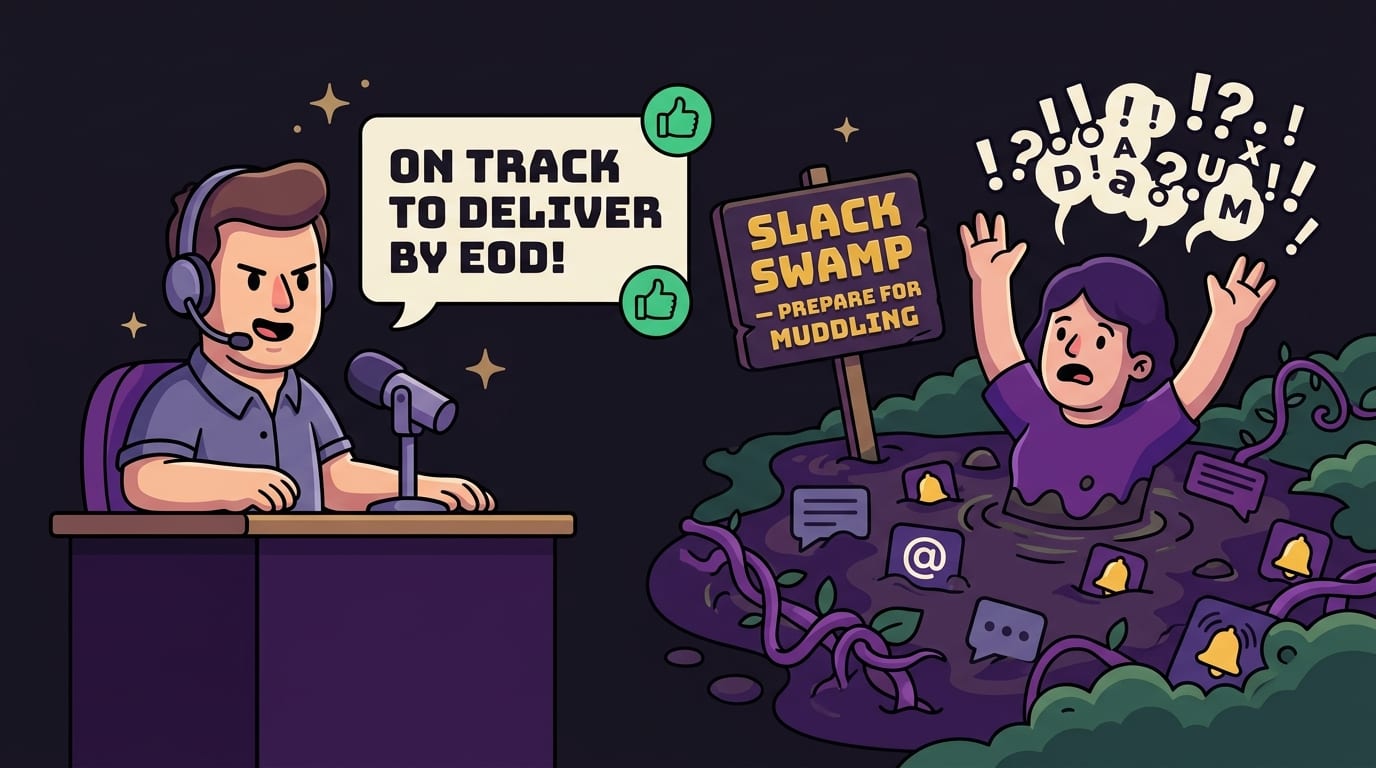
6. Communicate Clearly or Prepare for the Slack Swamp
Remote work depends on communication, but too much communication becomes a productivity swamp. Every ping says, “Look at me!” Every meeting says, “This could possibly have been a doc, but here we are.”
To work effectively from home, you need communication norms that protect focus while keeping collaboration alive. You are not disappearing into a cave. You are building a drawbridge.
Default to clarity
When sending messages, include context, deadlines, and the exact action needed. Compare these two messages:
Bad: “Thoughts?”
Better: “Can you review the landing page intro by 3 p.m. today? I’m mainly looking for feedback on clarity and whether the CTA feels too aggressive.”
The second message saves time because it reduces back-and-forth. It also prevents your teammate from staring at the screen like a confused raccoon.
Protect asynchronous work
Remote teams work best when not everything requires an immediate response. According to Buffer’s State of Remote Work, remote workers consistently value flexibility, but they also face challenges around communication and loneliness. Clear async habits help people stay productive without being glued to chat all day.
Try these norms:
- Use status messages to show when you’re in deep work.
- Batch email and chat replies 2–4 times per day.
- Write better project updates so fewer meetings are needed.
- Record short Loom-style videos when explaining visual work.
- Clarify what is urgent versus merely “I had a thought.”
If your team is hybrid, communication gets even trickier because some people are in-office and others are remote. Our guide on how to stay motivated in hybrid work has practical tips for keeping momentum when your schedule and environment keep changing like a shapeshifting goblin.
7. Take Breaks Like a Professional, Not a Chaos Gremlin
Breaks are not procrastination. Bad breaks are procrastination. Good breaks restore your attention, energy, and mood. Bad breaks turn into a 38-minute doomscrolling expedition where you learn nothing except that the internet is loud and everyone is somehow selling a course.
To work effectively from home, schedule breaks before your brain stages a rebellion.
What a good break looks like
A useful break should change your state. If you have been sitting, stand. If you have been staring at a screen, look away. If you have been thinking hard, do something simple and physical.
- Walk around the block.
- Stretch your shoulders, hips, and neck.
- Refill water and eat an actual snack, not a handful of cereal over the sink like a raccoon duke.
- Step outside for sunlight.
- Do a quick breathing exercise.
The key is to avoid breaks that hijack your attention. Social media is not always restful. News is usually not restful. Shopping “just to browse” is how you accidentally buy a desk lamp shaped like a goose.
Consider using a Pomodoro-style rhythm: 25 minutes focused, 5 minutes off; or 50 minutes focused, 10 minutes off. The best interval is the one you can actually maintain. For longer creative work, 90-minute blocks can work well, but only if you protect the break afterward.
If your breaks tend to spiral, use BlockChamp to block the specific sites that pull you in. You can still rest, stretch, snack, and touch grass. You just cannot accidentally enter the kingdom of infinite scroll and emerge older, wiser, and somehow subscribed to three newsletters about mushrooms.
8. Fight Work-From-Home Stress Before It Starts Swinging
Remote work can reduce commute stress, but it can also blur boundaries and create always-on pressure. When your laptop is always nearby, it is easy to answer one more email, check one more notification, or “quickly finish” something at 9:43 p.m. That path leads directly to burnout wearing slippers.
Burnout is not just feeling tired. It is chronic exhaustion, cynicism, and reduced effectiveness. The World Health Organization describes burnout as an occupational phenomenon resulting from chronic workplace stress that has not been successfully managed.
Create a shutdown routine
A shutdown routine is the closing bell for your workday. It tells your brain, “The throne room is closed. The peasants may email tomorrow.”
Try this 10-minute routine:
- Review what you completed today.
- Write down your top priorities for tomorrow.
- Send any final urgent messages.
- Close work tabs and apps.
- Physically leave your workspace if possible.
This reduces the mental residue of unfinished tasks. Instead of carrying every open loop into dinner, you park them somewhere safe. Your brain likes that. Your family probably does too.
If stress is already chewing on your ankles, read our practical guide to reducing stress at work. It pairs nicely with remote work routines because productivity is not just “do more.” Sometimes productivity is “stop letting Slack live rent-free in your bloodstream.”
9. Use Social Accountability Without Turning Your Life Into a Surveillance State
Working from home can get lonely. You lose casual accountability: the hum of coworkers, the visible rhythm of people working, the gentle shame of not opening Instagram in a room full of adults. At home, nobody knows if you’re writing a report or watching a 26-minute video about abandoned malls.
Social accountability can help. The trick is to keep it supportive, not creepy.
Try virtual co-working
Virtual co-working means joining others on a call or platform while you each work silently or semi-silently. You state your goal, work for a block of time, then report back. It sounds simple because it is. It works because humans are pack animals with calendars.
You can do this with a friend, teammate, study group, or online community. A typical session might look like:
- 5 minutes: Everyone shares what they’ll work on.
- 50 minutes: Cameras on or off, microphones muted, work sprint begins.
- 10 minutes: Quick check-in and break.
- Repeat if the kingdom demands it.
For a full breakdown, see our guide to virtual co-working. It’s especially useful if you miss the accountability of an office but not the fluorescent lighting and communal fridge politics.
BlockChamp also adds a personal accountability layer with XP, levels, badges, reigns, and leaderboards. Every focused minute earns XP. Every day your blocks stay active supports your reign. Every blocked-site temptation you survive becomes a tiny victory instead of a shame spiral. It’s productivity as a game, minus the dragon unless you count LinkedIn.
10. Create a “Distraction Emergency Plan” for Weak Moments
Everyone has weak moments. You are not a broken productivity machine. You are a human being with dopamine receptors and access to broadband. The goal is not perfection. The goal is recovery speed.
A distraction emergency plan is a pre-decided set of actions for when you feel the urge to bail on work. You make the plan when you are calm, so you do not have to rely on genius while your brain is chanting “TikTok TikTok TikTok” like a cursed clock.
Use the 3-step reset
- Name the urge: “I want to avoid this task because it feels hard/boring/unclear.”
- Reduce the task: “I only need to work on the first paragraph / first slide / first bug for 10 minutes.”
- Block the escape hatch: Turn on your website blocker, move your phone, and restart your timer.
This works because many distractions are avoidance in costume. If a task feels vague, your brain looks for relief. The fix is to make the next action small and obvious. “Write the report” is scary. “Draft the first three bullet points” is manageable. “Open Reddit” is still illegal in the kingdom.
BlockChamp’s Hardcore Lockdown is built for exactly this moment. If you try to turn off focus mode during a wobble, the cooldown timer or boxing riddle gives the impulse time to pass. You can cancel and stay on guard. The King keeps the throne warm while your wiser self regains control.
11. Measure What Matters, Not Every Tiny Wiggle
Remote work productivity should not be measured by mouse movement, hours online, or how quickly you respond to every ping. That is not productivity. That is digital tap dancing.
Measure outputs and focus patterns instead. Ask:
- Did I complete my most important work today?
- How many meaningful focus blocks did I protect?
- Which distractions interrupted me most often?
- What time of day was I most focused?
- What routine made work easier?
BlockChamp’s calendar and focus-hour counters are useful here because they make invisible attention visible. If your calendar is glowing gold on days when you block social media and schedule deep work, that’s data. If your reign breaks every Friday afternoon because “just one video” becomes a streaming swamp, that’s also data. No shame. Just intelligence for the next round.
The goal is to become more honest about your work patterns. Remote work gives you flexibility, but flexibility without feedback becomes mush. Track enough to learn, not so much that you turn your life into a spreadsheet dungeon.

Conclusion: Defend the Throne, Crush the Scroll
To work effectively from home, you do not need a perfect routine, a $3,000 desk setup, or the discipline of a medieval knight who journals at dawn. You need a system that makes focus easier and distraction harder.
Start with a clear morning ritual. Build a workspace that supports your body and brain. Time block your day. Set boundaries with people and pings. Take real breaks. Communicate clearly. Shut work down properly. And when the internet starts whispering, “Come scroll, noble champ,” have a plan ready.
Remote work is a privilege, but it is also a boss fight. The enemies are sneaky: tab overload, vague tasks, snack wandering, meeting swamp, notification bees, and the eternal villain known as “just checking.” But with the right habits and tools, you can turn your home into a focus kingdom instead of a distraction carnival.
If distracting websites are your biggest work-from-home villain, give BlockChamp a try. It blocks the usual suspects, rewards your focus with XP and reigns, and sends The King to stare down your worst impulses with royal boxing energy. Knock out your distractions, defend the throne, and become king of your time.
Now close the extra tabs, champ. The crown is not going to polish itself.
Related posts

Finding Focus For Fiction Writing

Learning To Focus In A Digital World As A Creative

Finding Focus For Personal Growth
