
Productive Learning Environment

A productive learning environment is not just a clean desk, a fancy notebook, and one suspiciously expensive candle named “Executive Rainforest.” It is the whole kingdom: your physical space, your digital space, your routine, your energy, your people, and the tiny systems that stop your brain from sprinting toward TikTok the moment a textbook looks at you funny.
Whether you are studying for finals, learning to code, building a new career skill, or trying to read more than three pages without checking whether someone liked your meme, your environment matters. A lot. Research from the American Psychological Association shows that multitasking and task switching can reduce productivity because your brain pays a mental “switching cost” every time you bounce between tasks. Translation: your brain is not a majestic octopus. It cannot do everything at once. It gets tired, confused, and starts looking for snacks.
The good news? You do not need monk robes, a remote mountain cave, or a personality transplant. You need a better setup. This guide will show you how to build a productive learning environment that helps you focus, remember more, avoid digital nonsense, collaborate without chaos, and turn learning into something you can actually stick with. Crown optional. But encouraged.
Quick Answers
1. Define What “Productive” Actually Means Before You Start Rearranging Furniture Like a Tiny Academic Interior Designer
Before you build a productive learning environment, you need to know what it is supposed to produce. “I want to be productive” is too vague. That is how people end up color-coding folders for four hours and calling it studying. Nice folders, zero conquest.
A productive learning environment should help you do three things:
- Start faster without negotiating with yourself like a medieval merchant.
- Stay focused longer without getting ambushed by notifications, tabs, and “quick” rabbit holes.
- Learn better by helping you understand, remember, apply, and review information.
That means your learning setup should reduce friction. Friction is anything that makes learning harder than it needs to be: a messy desk, a dead laptop, noisy roommates, unclear goals, 47 browser tabs, or a phone glowing beside you like a cursed treasure chest.
Start by asking yourself:
- What am I learning right now?
- What does a successful session look like?
- What usually distracts me?
- What tools do I actually need?
- What time of day do I focus best?
For example, if you are learning Python, a productive session might mean completing one lesson, writing 20 lines of practice code, and summarizing what you learned in five bullet points. If you are studying biology, it might mean reviewing one chapter, making active recall questions, and testing yourself without notes. If your goal is simply “study biology,” your brain will attempt escape. If your goal is “quiz myself on cell respiration for 30 minutes,” your brain at least knows which dragon to fight.
If you are trying to replace endless scrolling with actual growth, the shift starts with intention. We have a full guide on that exact move here: replacing social media with productive learning habits. Because yes, your brain can get hooked on learning. It just needs better bait than “Chapter 9, suffer.”
2. Build a Physical Study Space That Does Not Look Like a Laundry Avalanche
Your physical environment sends cues to your brain. A cluttered, chaotic workspace often makes it harder to focus because your attention has more objects competing for it. The desk covered in snack wrappers, old receipts, tangled cables, and one pen that may or may not work is not giving “scholar.” It is giving “archaeological dig site.”
A productive learning environment does not need to be aesthetic enough for Pinterest. It needs to be functional. Think “launchpad,” not “influencer monastery.”
Keep only what serves the session
Before each learning block, clear your space down to the essentials:
- Laptop or tablet
- Notebook or paper
- Pen or pencil
- Water
- Textbook or learning material
- Headphones, if needed
Everything else should move out of your immediate reach. Not forever. We are not declaring war on your decorative frog figurine. But during focus time, your desk should not be a museum of unfinished side quests.
Use lighting like a civilized goblin
Lighting affects alertness and comfort. Natural light is great when available, but a good desk lamp works too. Avoid studying in a dark room lit only by your laptop unless your goal is “haunted Victorian spreadsheet energy.” Poor lighting can make you sleepy, strain your eyes, and encourage you to slump like a defeated noodle.
The Sleep Foundation notes that light exposure influences your circadian rhythm, which affects alertness and sleep. Bright, cool light can help during daytime study sessions; dimmer, warmer light is better later in the evening so your brain does not think it is noon during your 11:30 p.m. cram spiral.
Control noise without becoming a cave creature
Some people focus best in silence. Others need background sound. The key is consistency. If random noise distracts you, try:
- Noise-canceling headphones
- Instrumental music
- Brown noise or white noise
- A library or quiet room
- A “do not disturb unless the house is on fire or pizza arrived” sign
Music with lyrics can interfere with reading and writing for many learners because your language-processing brain gets dragged into the song. Suddenly you are writing an essay about macroeconomics while emotionally performing a breakup ballad. Dangerous territory.
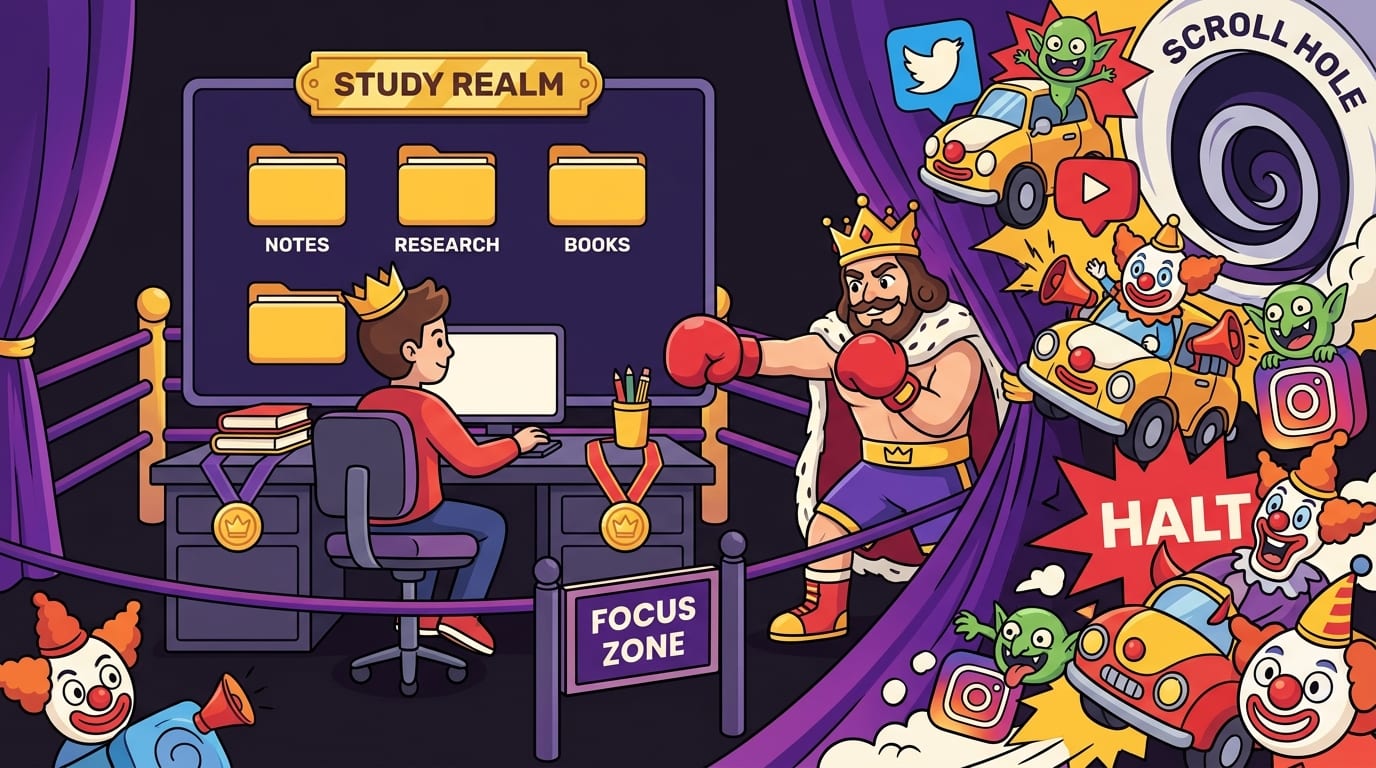
3. Design Your Digital Learning Environment Before the Internet Turns Into a Clown Car
For most learners, the real battlefield is not the desk. It is the browser. Your laptop contains your course materials, notes, calendar, research tools, group chat, and also every distraction civilization has ever invented. A productive learning environment must include digital boundaries, or your focus will be kidnapped by a thumbnail titled “I Trained Like a Medieval Knight for 30 Days.”
This is where website blockers, clean browser habits, and intentional tab management become royal armor.
Start with a “learning-only” browser setup
Create a separate browser profile or workspace just for learning. Keep it boring on purpose. No social bookmarks. No shopping shortcuts. No entertainment tabs. Your learning profile should include:
- Your learning platform or LMS
- Google Docs, Notion, Obsidian, or your notes app
- Calendar or planner
- Research databases or documentation
- A website blocker like BlockChamp for Chrome
BlockChamp is especially useful here because it turns distraction control into a game instead of a punishment chamber. You can block specific sites like YouTube, Reddit, Instagram, or X, or use category bundles for Social Media, Video & Streaming, News, Shopping, Gaming, Gambling, Adult, and AI Distractions. When you try to visit something blocked, The King gives you a full-screen stare-down and basically says, “Absolutely not, peasant.” It is silly. It is effective. It is much harder to pretend you “accidentally” opened Reddit when a cartoon royal boxer is judging your life choices.
Use blockers during learning hours, not just crisis mode
Many people install focus tools only when they are already in academic emergency mode. That is like installing a castle gate after the dragon is in the kitchen. Instead, use blocking proactively. Set your learning hours, then block your usual opponents before the session begins.
If you are learning technical skills and keep drifting into “research” that somehow becomes a 40-minute video binge, you may also like this guide on how to focus when learning new skills in tech. Tech learning is especially vulnerable because the internet is both the textbook and the trapdoor.
Reduce tab chaos
Open tabs are mental clutter. Every tab whispers, “Look at me.” Keep only the tabs needed for the current task. Use a simple rule: if you are not using it in the next 10 minutes, close it or save it.
Try this tab setup for a focused study session:
- Tab 1: course material
- Tab 2: notes
- Tab 3: assignment or practice tool
- Tab 4: allowed reference source
That is it. Four tabs. A tiny, dignified kingdom. Not 39 tabs stacked like a digital lasagna.
4. Create a Study Routine That Makes Starting Less Dramatic
Motivation is unreliable. Some days it arrives wearing a cape. Other days it is face-down in a cereal bowl. A productive learning environment relies on routine, not vibes.
According to research summarized by the National Library of Medicine, habits form through repeated context-dependent behavior. In plain English: when you do the same action in the same situation enough times, your brain starts automating it. That is the magic. Less internal debate. More doing.
Use a startup ritual
A startup ritual tells your brain, “We are entering focus mode. Put on your tiny academic helmet.” It should take less than five minutes.
Example startup ritual:
- Clear desk.
- Fill water bottle.
- Open only required tabs.
- Turn on BlockChamp’s Master Focus Toggle.
- Write the session goal on paper.
- Start a 25, 45, or 60-minute timer.
Simple. Repeatable. No chanting required, unless you are into that.
Choose a session length that matches the work
Not every learning task needs the same block of time. Use different session lengths for different cognitive loads:
- 25 minutes: review, flashcards, quick practice, light reading
- 45 minutes: problem sets, coding lessons, writing outlines
- 60-90 minutes: deep work, projects, essays, complex topics
The popular Pomodoro Technique uses focused work intervals followed by short breaks. It works well because it creates urgency without turning your entire day into one endless blob of “I should be studying.” For bigger, harder tasks, longer blocks may be better because they give you time to enter deeper concentration.
If you want to go deeper on single-tasking, check out how to monotask your way to a productive day. Monotasking is not glamorous. It is just doing one thing at a time like a person who has stopped letting browser tabs command the army.
End with a shutdown ritual
Ending well matters because it sets up the next session. Before you quit, take two minutes to record:
- What you completed
- What confused you
- What to do first next time
This prevents the classic “sit down tomorrow and spend 18 minutes remembering what planet you are on” problem. Future you deserves a map. Present you should provide one. Be noble.
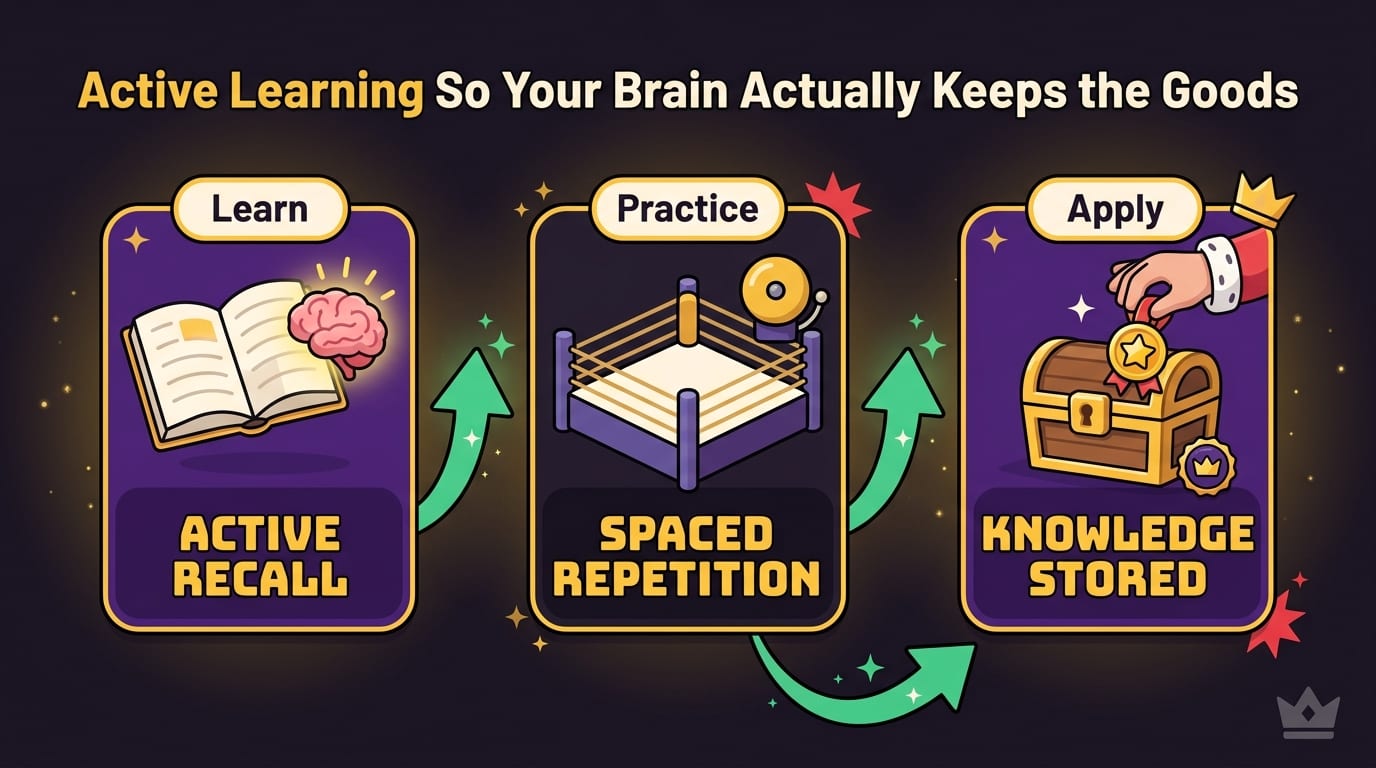
5. Use Active Learning So Your Brain Actually Keeps the Goods
A productive learning environment is not just about sitting still. You also need methods that help information stick. Passive learning feels productive because you are looking at the material. But looking is not learning. A potato can look at a textbook. We expect more from you, champ.
Active learning means engaging with the material: recalling, explaining, applying, testing, connecting, and creating. It is harder than rereading, but it works better.
A well-known review published in Psychological Science in the Public Interest found that practice testing and distributed practice are among the most effective study techniques. In other words: quiz yourself and space your learning over time. Your highlighter did not want you to hear that.
Swap rereading for retrieval practice
Instead of reading the same paragraph five times while slowly becoming furniture, close the book and ask:
- What were the three main ideas?
- Can I explain this in my own words?
- What example proves I understand it?
- What question would a teacher ask about this?
Retrieval practice forces your brain to pull information out, strengthening memory. It may feel awkward at first. Good. That means you are doing the work, not just decorating your notes.
Use the Feynman Technique
Pick a concept and explain it as if teaching a smart 12-year-old. If you get stuck, you found a gap. Go back, learn that part, then explain again.
Example: instead of saying “photosynthesis is a biochemical process,” say, “Plants use sunlight like a kitchen power source to turn carbon dioxide and water into sugar, then release oxygen as the bonus party favor.” Is that silly? Yes. Will you remember it? Also yes.
Make your environment support active learning
Keep tools nearby that encourage thinking, not drifting:
- Blank paper for mind maps
- Flashcard app or physical cards
- Practice questions
- A whiteboard
- A “confusion list” where you write what needs review
If you are studying specifically and want more tactical upgrades, read our guide to increase productivity while studying. It pairs nicely with this article, like coffee and pretending you are not tired.
6. Control Distractions Like a Benevolent Tyrant
Distraction control is not about having “more willpower.” Willpower is a tiny battery being asked to power a nightclub. Your environment should make the right action easier and the wrong action annoying.
Digital distractions are designed to be sticky. Social platforms use notifications, infinite scroll, recommendation algorithms, and variable rewards to keep you engaged. The Pew Research Center reports that YouTube, Facebook, Instagram, and TikTok are widely used by U.S. adults, with younger adults especially active across platforms. That means your learning session is competing against billion-dollar attention machines. Bring armor.
Use the “distance, friction, replacement” method
To reduce distractions, apply three layers:
- Distance: Put your phone across the room, in another room, or inside a drawer. Bonus points if the drawer is dramatic.
- Friction: Log out of distracting apps, remove bookmarks, block websites, and turn off notifications.
- Replacement: Decide what you will do instead when bored: stretch, drink water, solve one flashcard, or write one sentence.
BlockChamp helps with the friction layer. The free tier lets you block up to 3 sites and enable 2 categories, which is enough to knock out your biggest villains. Champion users can go full royal fortress with unlimited sites, keyword blocking, all categories, recurring schedules, and Hardcore Lockdown. Hardcore Lockdown is particularly useful if you are the type to disable focus mode “just for a second,” which is ancient student language for “see you in 90 minutes.”
Make distractions visible
One reason distractions win is that wasted time feels invisible. You do not feel 12 minutes of scrolling. You feel “oops.” Then “oops” happens nine times and suddenly your evening has been eaten by raccoons.
Use a simple distraction log for three days. Write down:
- What distracted you
- When it happened
- What triggered it
- How long it lasted
You will probably notice patterns. Maybe you check social media when a task gets confusing. Maybe you open YouTube after finishing one small step because your brain demands a parade. Once you see the pattern, you can design around it.
BlockChamp’s focus calendar, XP, streaks, and stare-down counter also make behavior visible. Every focused minute earns XP. Every blocked-site attempt you survive earns more XP. Instead of shame, you get progress. The King may roast you, but he also rewards you. Balanced monarchy.
7. Set Up Collaboration Without Letting Group Work Become a Five-Person Circus
A productive learning environment is not always solo. Sometimes you need study groups, project partners, tutors, mentors, or classmates. Collaboration can accelerate learning because explaining ideas to others exposes gaps and strengthens understanding. It can also become a chaos festival where everyone “works together” by opening a shared doc and silently panicking.
To make collaboration useful, structure it.
Use roles in study groups
Assign lightweight roles so everyone knows what to do:
- Facilitator: keeps the group on task
- Question master: asks practice questions
- Explainer: teaches one concept
- Scribe: records key takeaways
- Timekeeper: protects the schedule from wandering into gossip swamp
Rotate roles each session. This keeps one person from becoming the unpaid group parent, complete with emotional support spreadsheet.
Collaborate with a clear agenda
Never start a group session with “So… what should we do?” That sentence opens a portal to wasted time. Instead, create a simple agenda:
- 5 minutes: goals and priorities
- 20 minutes: individual work sprint
- 20 minutes: discuss hard questions
- 15 minutes: quiz each other
- 5 minutes: next steps
This hybrid method works well because it combines focused solo effort with targeted discussion. You are not just sitting together and calling it productivity because there are laptops nearby.
Use shared tools, but keep them tidy
Shared docs, Notion pages, Trello boards, Discord servers, and group chats can help. They can also become junk drawers with Wi-Fi. Create simple rules:
- One place for deadlines
- One place for notes
- One place for questions
- One place for final files
If your group chat has important instructions buried between memes, lunch plans, and “wait what are we doing,” the system has failed. Crown revoked.
8. Protect Energy: Sleep, Breaks, Movement, and Snacks That Are Not Entirely Vibes
Your learning environment includes your body. Annoying but true. A sleep-deprived, dehydrated, motionless human cannot focus well just because the desk is clean. You are not a productivity robot. You are a mammal with Wi-Fi.
The CDC notes that adults generally need at least 7 hours of sleep per night, and teens need more. Sleep affects attention, memory, mood, and learning. Pulling all-nighters may feel heroic, but so does fighting a bear with a spoon. Not ideal strategy.
Build breaks into the environment
Breaks are not failure. They are maintenance. The problem is when “five-minute break” becomes “I watched a documentary about competitive marble racing and forgot my name.”
Use intentional breaks:
- Stand up and stretch
- Walk around the room
- Drink water
- Step outside for sunlight
- Do a quick breathing exercise
- Prepare the next task before sitting back down
Avoid using breaks to open your most addictive apps. That is like rewarding yourself for escaping a pit by jumping into a shinier pit.
Fuel your brain without turning your desk into a snack bunker
Keep easy, non-chaotic snacks nearby if long sessions make you hungry: fruit, nuts, yogurt, granola, or whatever does not leave neon dust on your keyboard. Hydration matters too. A water bottle on the desk is a tiny productivity fountain. Very regal.
Match hard learning to high-energy hours
Pay attention to when you are sharpest. Many people learn better earlier in the day, while others peak later. Schedule difficult topics during your best energy window and save lighter review for lower-energy periods.
For example:
- Morning: new concepts, problem solving, writing
- Afternoon: practice, projects, review
- Evening: flashcards, light reading, planning
This is not universal. Test it. Your brain has operating hours. Find them before forcing calculus into your 10 p.m. goblin era.
9. Make Progress Visible So Motivation Has Something to Chew On
One of the best ways to maintain a productive learning environment is to track progress in a way that feels rewarding. Learning can be slow and invisible. You study for days and still feel like you know nothing, which is rude of your brain and frankly bad customer service.
Visible progress helps because it proves effort is accumulating. You can track:
- Hours studied
- Lessons completed
- Practice questions answered
- Flashcards reviewed
- Projects shipped
- Concepts mastered
- Distractions resisted
Keep the tracking simple. A wall calendar, habit tracker, spreadsheet, or app dashboard works. The best system is the one you will actually use after the novelty wears off and life starts throwing soup at you.
This is where BlockChamp’s gamification fits beautifully into a productive learning environment. Instead of only tracking “did I study,” it tracks whether you defended your focus. You earn XP for focus time, daily active blocking, and surviving stare-downs. You build a reign when your Master Focus Toggle stays on. You unlock badges like First Knockout, 7-Day Reign, Iron Crown, and more. Suddenly, studying is not just “try harder.” It is “protect the throne.”
Gamification works best when it supports the behavior rather than replacing it. The point is not to chase badges instead of learning. The point is to make the boring-but-important parts satisfying enough that you keep showing up. A little confetti never hurt anyone. Except maybe productivity purists, and they will recover.
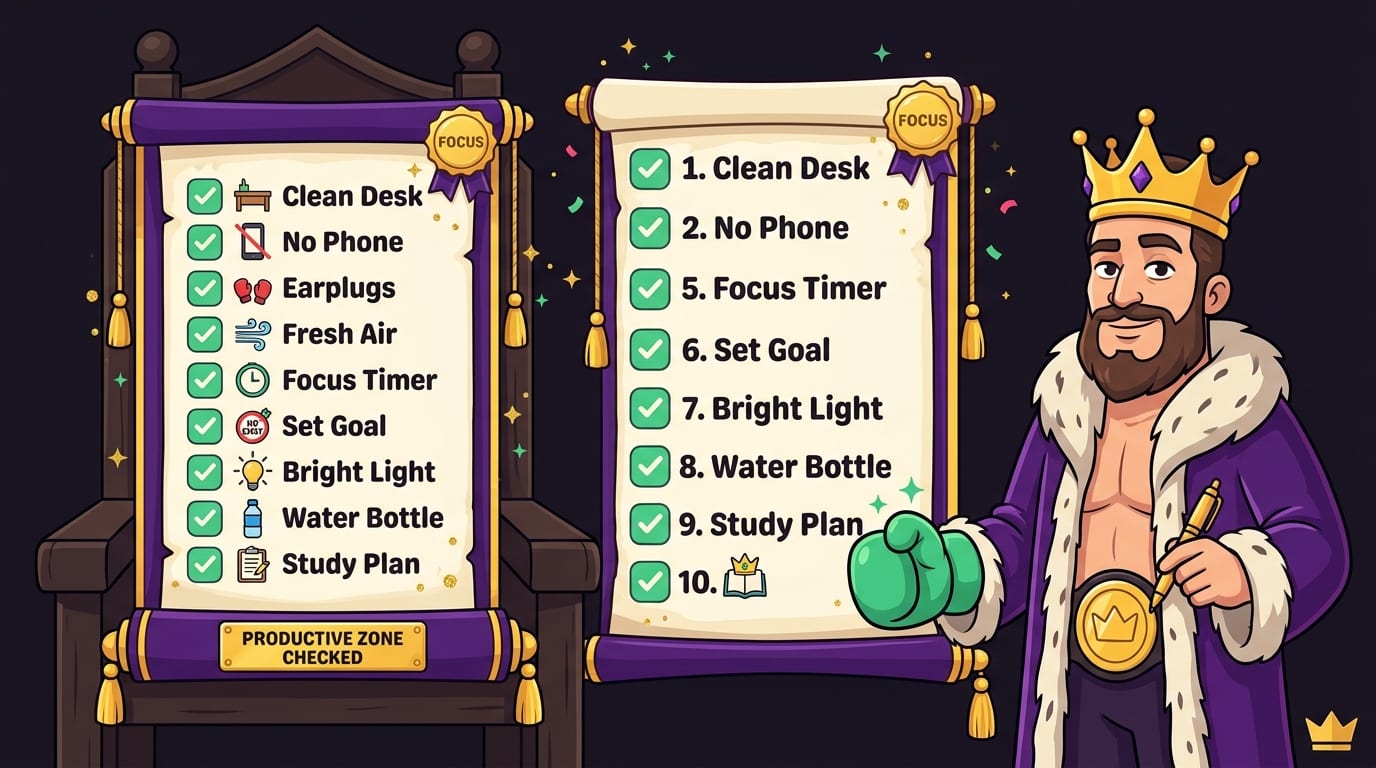
10. A Simple Productive Learning Environment Checklist You Can Use Today
If you want the practical version without the royal fanfare, here is your setup checklist. Use it before your next learning session.
Physical space
- Clear desk except for required tools
- Comfortable chair and posture-friendly setup
- Good lighting
- Water nearby
- Phone out of reach
- Noise managed with headphones, quiet room, or background sound
Digital space
- Only necessary tabs open
- Notifications off
- Distraction sites blocked
- Learning resources bookmarked
- Notes app ready
- Timer set
Learning method
- Clear goal for the session
- Active recall questions prepared
- Practice problems or application task ready
- Short review planned at the end
- Next action written before stopping
Routine
- Startup ritual under five minutes
- Focused work block chosen
- Breaks planned
- Progress tracked
- Distractions logged if they happen
If you are a teen, student, parent, or educator looking for age-specific strategies, we also put together study habits and tools for teens. Different stage, same boss battle: attention versus chaos.
Conclusion: Build the Kingdom, Then Defend the Throne
A productive learning environment is not one magic object. It is a system. Your desk matters. Your browser matters. Your routine matters. Your sleep, breaks, goals, group sessions, and distraction defenses all matter. The trick is not to become a perfect productivity monk who levitates above temptation. The trick is to make focus easier, distractions harder, and progress visible enough that you want to keep going.
Start small. Clear your desk. Write one specific goal. Open fewer tabs. Put your phone across the room like it has committed treason. Use active recall instead of rereading until your eyeballs file a complaint. Create a startup ritual. Track what you finish. Repeat tomorrow.
And if the internet keeps trying to steal your crown, bring backup. BlockChamp helps you block distracting websites on Chrome, earn XP for focused time, build reigns, unlock badges, and get roasted by The King when you try to sneak into forbidden scroll territory. It is focus protection with personality. Not a boring gray wall. A royal boxing glove to the face of procrastination.
Long live your focus, champ. Build the environment. Guard the gates. Knock out your distractions and become king of your time.
Related posts

Finding Focus For Fiction Writing

Learning To Focus In A Digital World As A Creative

Finding Focus For Personal Growth
