
One Sec Alternative

Looking for a One Sec alternative? Maybe the tiny pause before opening an app helped you notice the impulse—but you still ended up scrolling. Or perhaps you want something that blocks distractions more firmly, works in your browser, or makes staying focused feel less like being grounded by a spreadsheet. Good news: there’s no single best tool for everyone. The right choice depends on whether you want a speed bump, a screen-time limit, a hard barrier, or a very judgmental cartoon king.
One Sec is known for adding a deliberate pause before you open selected apps or websites. That interruption can create a moment to reconsider what you meant to do. Alternatives take different routes: some track and limit app use, some block websites outright, and some help you build a routine around focus. This guide compares the approaches, explains what to look for, and helps you choose a tool that fits your actual habits—not your imaginary, perfectly disciplined Tuesday.
Quick Answers
What One Sec does—and what an alternative should solve
One Sec’s central idea is simple: interrupt an automatic action. You try to open a distracting app or site, and the tool inserts a pause or reflection step before letting you continue. Rather than instantly forbidding access, it gives you a chance to ask whether you’re opening Instagram for a reason or because your thumb has developed its own career plan.
That kind of friction can be useful when your main problem is automatic checking. You might unlock your phone to reply to a message, see a social app, and suddenly be watching a video about a raccoon with a tiny hat. A short interruption can make the habit more noticeable and give you a moment to choose differently.
But an interruption is not the same as a block. If you decide to continue, you may still reach the app. That can be exactly right for someone who wants gentle awareness rather than a strict restriction. It may be less helpful if you repeatedly dismiss prompts, need a firm barrier during work, or are trying to stop opening distracting websites on a computer.
Before searching for a One Sec alternative, name the problem you want to solve:
- Automatic checking: You open apps without deciding to.
- Long sessions: You intend to check briefly and lose a large chunk of time.
- Work interruptions: You keep visiting distracting websites during focused tasks.
- Weak escape controls: You turn off limits as soon as they become inconvenient.
- Low motivation: A plain timer or block page feels dull, so you stop using it.
Different tools address different parts of this list. Choosing by feature count alone is like buying boxing gloves because you wanted to improve your posture. Start with the behavior.
Interruption, limits, or blocking: pick your kind of friction
1. Interruption tools: a speed bump, not a wall
An interruption tool inserts a pause, breathing exercise, question, or other prompt before you open an app. It is most relevant when the trouble starts with autopilot. The prompt can help you notice the urge and decide whether the visit has a purpose.
For example, if you reach for a social app whenever a work task feels difficult, a brief pause might help you recognize the pattern: “I’m avoiding the report.” You can then close the app, set a short work timer, or choose to continue intentionally. The value is in the moment of awareness, not in pretending that a breathing screen has personally defeated the internet.
Interruption tools suit people who want to keep access available and are willing to practice making a choice. They may be less effective when a prompt becomes just another button to tap through. If you dismiss the pause every time, try making the prompt more meaningful—or consider a stronger form of friction.
2. Screen-time limits: a boundary with a counter
Screen-time tools usually track usage and let you set daily limits or scheduled downtime. They can show where time goes and make a goal visible. Depending on the device and setup, they may offer reminders, restrictions, or prompts when you approach a limit.
Limits are useful when you want to reduce total use rather than eliminate access during a specific task. You might set a daily cap for a social app, or create downtime before bed. The catch is that a limit can be easy to ignore or extend, especially if the same device is needed for work, navigation, or messages. Look closely at what happens after the limit is reached: does the tool block access, ask for confirmation, or simply send a polite notification into the void?
3. Website blockers: a more direct barrier
Website blockers restrict access to selected sites, categories, or keywords during chosen periods. This approach is useful when the distraction is a browser habit: opening Reddit in a new tab, checking video sites between tasks, or visiting online shops whenever a difficult email appears.
A blocker can remove the decision point entirely—or at least make the detour harder. You choose the sites to restrict, set a focus period, and get a block page instead of the tempting destination. Some tools also offer scheduling or locked modes that make it harder to switch restrictions off impulsively.
This is where a One Sec alternative may be more than an app-opening prompt. If your main distraction happens in Chrome on a laptop, a browser-based blocker can address the place where the habit actually occurs. A tool designed for phone use may not protect your work browser, just as a website blocker cannot stop you from tapping an app on a phone it does not manage.
How to compare One Sec alternatives without drowning in feature lists
Product pages are full of words like “seamless,” “powerful,” and “transformative.” Those are lovely words. None tell you whether a tool will stop you from opening YouTube when you meant to write a conclusion. Use practical criteria instead.
- Where do you get distracted? Check that the tool supports your device, browser, and the apps or sites you actually use.
- How strong should the intervention be? Choose between a pause, a reminder, a limit, a scheduled block, or a restricted override.
- Can you customize it? You may want to block social media during study hours but leave maps, work tools, or a course site available.
- Does it support routines? Recurring schedules can be easier than remembering to activate a focus session every morning.
- What happens when you try to bypass it? A tool that is easy to disable may be enough for mild distraction, but not for a well-practiced escape habit.
- Does it help you return to work? A useful block should make the next action obvious, not merely announce that you have been denied entry to the kingdom of memes.
- What does it collect? Review privacy details and permissions, especially for tools that interact with app or browsing activity.
Try an alternative during a real work or study session, not just while browsing its settings. A tool can look excellent in a feature comparison and still be annoying in practice. Start with a small experiment: one block list, one regular focus window, and one week of observation.
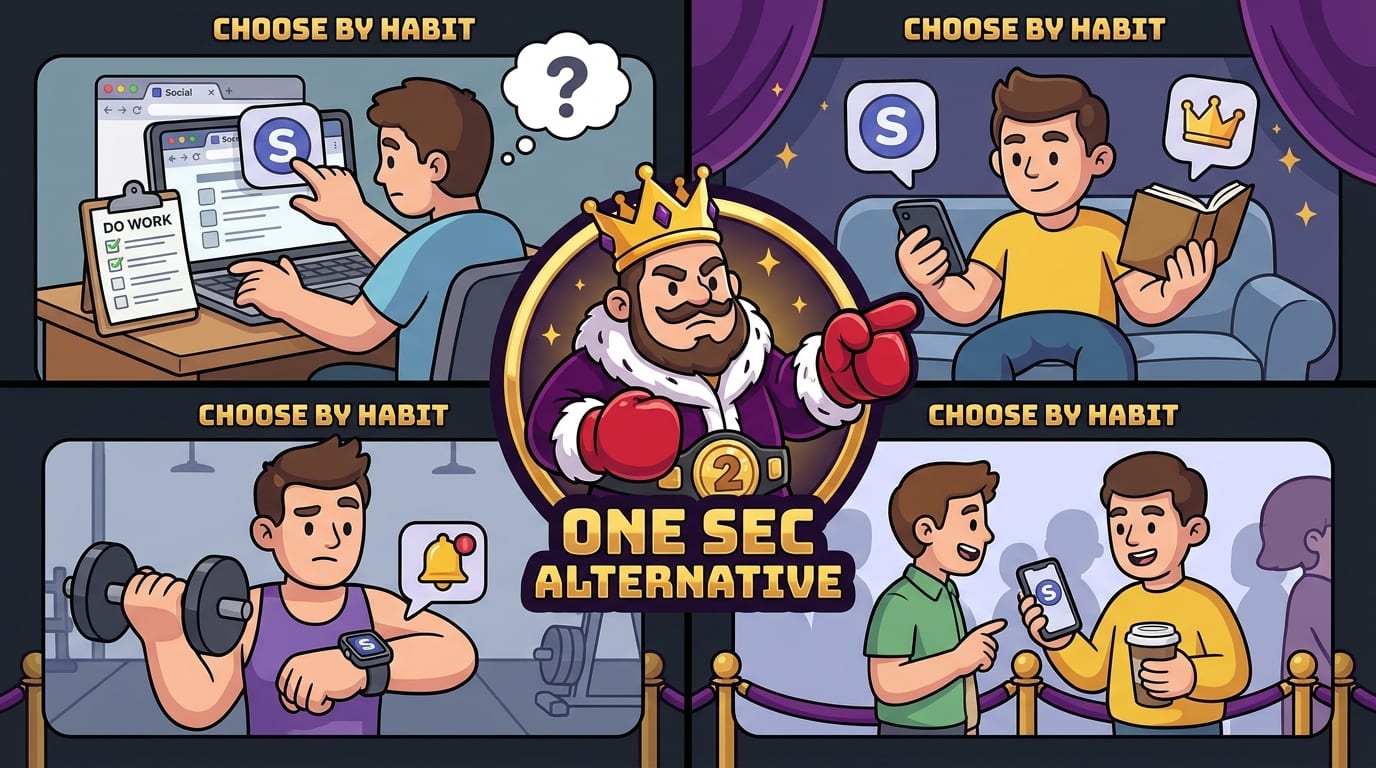
Choose by habit: four everyday scenarios
The “I open it without thinking” habit
If you frequently launch an app automatically but usually make a reasonable decision once you notice, an interruption-first tool may be a good fit. Keep the pause short enough that it doesn’t become irritating. Use it to ask a concrete question: “What am I opening this for?” A useful prompt connects the moment to your intention instead of demanding a dramatic life confession from your lock screen.
You can also change the environment around the habit. Move the app off your home screen, silence nonessential notifications, or decide when you will check it. For more ideas on changing everyday phone habits, see this guide to rethinking your relationship with your phone.
The “I meant to check one thing and lost half an hour” habit
Consider a combination of a pause and a time boundary. An interruption may help you make a deliberate choice before opening the app; a timer or screen-time limit can remind you when the visit has stretched beyond its purpose. Set the boundary before you open the app, not after you have been absorbed in a feed for twenty minutes and now believe that leaving would be rude.
Make the intended use specific. “Check messages” is a task; “see what the internet is doing” is a trapdoor with excellent lighting. You might set a five-minute timer, answer the messages you came for, then close the app and return to your next task.
The “I keep opening websites during work” habit
If distractions live in your browser, a website blocker is often the more direct alternative. Block the specific sites that interrupt you, or use broader categories if you repeatedly discover new places to wander. Pair blocking with a schedule: for instance, activate restrictions during a morning writing block and leave a planned break afterward.
BlockChamp is one option for Google Chrome users who want website blocking with a more playful approach. It can block individual sites, categories, and—on its Champion plan—keywords. Its free version supports up to three sites and two categories, while Champion adds unlimited sites, all eight categories, keyword blocking, recurring schedules, and Hardcore Lockdown. That last feature adds a cooldown or a short boxing-riddle challenge before you can turn focus off. The King has apparently decided that “I just need to check one thing” requires a full royal inquiry.
BlockChamp is a browser-focused tool, not a direct substitute for every phone feature. If you mainly need to manage app openings on a mobile device, confirm that a tool supports your device before choosing it. BlockChamp is currently available for Chrome, with mobile apps described as coming soon.
The “I disable every restriction I set” habit
If you regularly switch off your limits in the moment, look for tools that add deliberate steps to changing the settings. A cooldown can give an urge time to pass. A commitment feature may make you think twice before overriding a block. The goal is not to imprison yourself forever; it is to stop a fleeting impulse from making the decision for your future self.
Be sensible about strict modes. Leave essential sites accessible, avoid locking yourself out of work or emergency resources, and choose a duration you can realistically complete. A focus tool should defend your priorities, not hold your calendar hostage.
What research says about interruptions and digital habits
Digital habits are shaped by more than willpower. Notifications, easy access, social expectations, and the design of apps all influence when we check devices. The American Psychological Association offers practical guidance on technology use and well-being, including the value of thoughtful boundaries rather than assuming everyone should follow one universal screen-time rule.
Research on interruptions also suggests that returning to a task can take effort. A widely discussed study by Gloria Mark and colleagues examined the effects of interruptions on work and found that people often compensate for disruptions by working faster, which can come with increased stress. Read the research summary from the University of California, Irvine researchers. This does not mean every notification is disastrous; it does make a reasonable case for protecting stretches of attention when a task needs sustained thought.
For a broader look at how phone habits can affect daily life, the Pew Research Center’s reporting on how Americans use cell phones offers survey context. Remember that population-level findings do not diagnose your personal habits. A screen-time number is a clue, not a moral verdict. If a particular use is interfering with sleep, work, school, relationships, or your sense of control, focus on that impact rather than chasing a supposedly perfect daily total.
For a practical reset, try an experiment rather than declaring war on your phone. Block one distracting website during one recurring focus period. Or add a pause before opening one app. Track whether you completed the task you intended to do, how often you bypassed the tool, and how annoying the setup felt. Then adjust. The best system is one you can live with after the motivational fireworks have packed up.
Build a routine that makes your chosen tool stick
A One Sec alternative works best when it is part of a simple plan. The plan does not need a color-coded wall chart, a ceremonial candle, or a new personality. It needs a clear cue, a defined focus window, and a next step when the distraction is blocked.
- Name the task. Write down what you will work on, such as “draft the first 500 words” rather than “be productive.”
- Choose the right friction. Use an interruption for autopilot, a limit for total use, or a blocker for websites that derail a session.
- Set a realistic window. Start with 25 to 50 minutes, then take a planned break. A four-hour restriction that lasts nine minutes is not a focus strategy; it is a dramatic opening scene.
- Keep necessary access open. Make a short list of websites you need for the task so you do not block research, email, or learning materials by accident.
- Plan your return. When the urge appears, note it, take one breath, and return to the next visible action. If you need a break, take the break you planned.
- Review without shame. At the end of the week, ask what worked, what got bypassed, and what needs a lighter or firmer boundary.
Gamification can add motivation if you enjoy visible progress. BlockChamp uses XP, levels, badges, focus records, and reigns to make consistency feel like progress rather than a dull list of things you did not do. Each focused day can contribute to your score, and surviving a blocked-site visit can earn XP. It is not a magic spell; it is a way to make the boring part—showing up repeatedly—more rewarding.
If your distraction is mostly your phone, a browser blocker is only one piece of the plan. You could also make meals and evenings more intentional with ideas for leaving your phone at dinner, or explore a practical break from your phone when you want a broader reset.

Common mistakes when switching tools
The first mistake is choosing the strictest option because it sounds impressive. Strictness is only helpful when it matches your needs. If a gentle pause helps you notice a habit, a hard lock may feel excessive. If you repeatedly ignore pauses and need a browser barrier, a gentle reminder may be too easy to dismiss. Match the tool to the pattern, not to an imaginary contest for Most Disciplined Human.
The second mistake is trying to block everything at once. A giant block list can interfere with legitimate tasks and make you resent the tool. Start with the two or three destinations that cause the most trouble. Add more only when you have evidence that they are part of the problem.
The third mistake is treating a slip as proof that the tool failed. Maybe the block was scheduled at the wrong time. Maybe you needed a break, or the task was unclear. Adjust the setup and try again. A helpful focus system makes the desired action easier and the distracting action less automatic; it does not promise that you will never feel bored again. Boredom, unfortunately, did not sign the agreement.
Finally, check the platform and privacy details before committing. Some tools focus on mobile apps, others on websites, and some cover multiple devices. Read what permissions are required, what activity is stored, and whether your settings sync. Convenience is useful; knowing what a tool does with your information is better.

So, what is the best One Sec alternative?
The best One Sec alternative depends on what you need the tool to do. Choose an interruption-based option if you want a brief moment to question an automatic app opening. Choose screen-time limits if your goal is to set boundaries around total use. Choose a website blocker if browser distractions are repeatedly breaking your work or study sessions. If you need stronger commitment support, look for schedules, cooldowns, or other deliberate steps before disabling a block.
Start small and test one solution against one real habit. If your main distraction is Chrome, BlockChamp offers a playful website-blocking option with category controls, schedules, XP, badges, and Hardcore Lockdown on its Champion plan. Its King mascot may roast your attempted escape, but the point is to help you get back to what you chose to do.
For phone-first habits, explore the pause, limit, and routine changes that fit your device; for browser-first habits, choose a blocker that can guard the sites you actually visit. Either way, the crown goes to the system you will keep using. Pick one distraction, set one boundary, and defend your next focus session. Your time is waiting, champ—and it has better things to do than watch another autoplay video.
Related posts

Blockchamp Vs Blocksite

Blockchamp Vs Cold Turkey Blocker

Blockchamp Vs Blocksite
