
Best Gamified Website Blocker

Your browser was supposed to be a tool. Somehow it became a casino, a shopping mall, a news desk, and a video arcade—all before lunch. If you’re looking for the best gamified website blocker, you probably don’t need another lecture about willpower. You need a practical way to block distractions, plus a reason to keep the blocker switched on when the internet starts whispering, “Just one more scroll.”
Gamified blockers add game-like rewards—such as points, streaks, levels, badges, or challenges—to the basic job of keeping distracting websites out of reach. They aren’t magic, and they can’t make focus effortless. But the right one can turn a vague intention into a routine you can see, measure, and enjoy building. Here’s what to compare, how to choose a tool that fits your habits, and where BlockChamp’s royal boxing approach fits into the fight.
Quick Answers
What makes a website blocker “gamified”?
A standard website blocker puts up a wall between you and a distracting site. A gamified website blocker adds a progress loop: you take a focus-friendly action, see progress, and get a reward or signal that reinforces the action. Think less “computer says no” and more “you survived the temptation; here’s your XP.”
Common game-inspired features include:
- Points or experience: A visible score for time spent focusing or resisting blocked sites.
- Levels and ranks: Progress markers that show how far you’ve come.
- Streaks: A record of consecutive time spent keeping focus rules active.
- Badges: Small achievements for milestones, such as completing a week of focused work.
- Challenges or leaderboards: Goals that add a little friendly competition or structure.
- Playful feedback: Characters, animation, humor, or messages that make a blocked attempt less dull.
The best version of gamification supports the behavior you actually want: getting back to your assignment, finishing a report, or enjoying a break you chose in advance. It shouldn’t pressure you to chase points at the expense of sleep, reasonable boundaries, or real work. A leaderboard is a garnish, not a substitute for lunch.
How to choose the best gamified website blocker for you
There isn’t one universal winner. A student trying to keep TikTok and YouTube away during revision has different needs from a remote worker who wants scheduled blocks every weekday. Start by identifying the distraction you want to handle, then compare tools on the features that affect your actual routine.
1. Check what it can block
Some blockers let you add individual websites. Others support categories, keywords, apps, or multiple devices. If you only need to block Reddit, a simple site list may be enough. If you lose time across social media, shopping, gaming, and video sites, category bundles can save setup time. Keyword blocking can help when distractions hide behind changing pages or search results, though it may occasionally catch something you need.
Make a short list of your usual detours. Be honest. “I only open YouTube for a tutorial” may be true, but if the tutorial routinely ends with a ninety-minute tour of videos about antique water wheels, that site belongs on the list too.
2. Look for controls you won’t bypass in a weak moment
A blocker is most useful when it adds enough friction to interrupt autopilot. That could mean a schedule, a delayed unlock, a password held by someone you trust, or a challenge before turning focus off. Choose a level of resistance that matches your habits. If you need access for work, a rigid lock that blocks essential tools may create more trouble than it solves.
Useful safeguards should be deliberate, not punitive. A short pause can give an impulse time to pass; a complicated lock that makes legitimate tasks impossible is not a productivity strategy. It’s a tiny digital dungeon with poor customer service.
3. Make sure the rewards encourage consistency
Look for rewards that recognize useful effort, not just perfect performance. A good system can celebrate focused time, resisted distractions, and returning to a routine after an off day. If a missed streak makes you feel that everything is ruined, the system may be motivating the wrong thing.
Gamification works best as feedback, not as a second job. Pick rewards you find enjoyable, then keep your real goal in view: what you want to read, write, study, or finish while the distracting tabs are out of the way.
4. Check platform support, privacy, and price
Confirm that the blocker works in your browser and on the devices where you get distracted. A Chrome extension won’t automatically block apps on your phone, and a desktop schedule may not follow you to another computer. Check what data the product collects, whether an account is required, and what features sit behind a paid plan.
It’s worth trying a free tier or trial if one is available. Test it during a normal work session, not just while admiring the settings screen. A tool earns its place by helping you change what happens on Tuesday afternoon, when the task is boring and the group chat has found a new meme.
Types of gamified blockers: pick your arena
“Gamified blocker” describes an approach, not one fixed product category. Some tools emphasize social accountability; others make progress visible through points, badges, or playful interruptions. Understanding the differences makes comparisons easier.
- Progress-and-streak tools: These reward repeated use of focus rules. They suit people motivated by seeing a growing record or maintaining a routine.
- Challenge-based tools: These add a task, waiting period, or deliberate step before you can disable blocking. They can help interrupt impulsive choices.
- Competition-based tools: Leaderboards or group goals add social motivation. They can be fun, though not everyone wants their study session turned into the Olympics.
- Character-driven tools: A mascot or humorous message gives the blocker personality. This can make the experience memorable and less like being scolded by a gray dialog box.
Some products mix these approaches. When comparing options, don’t count features like trophies in a video game inventory. Ask how each feature changes a real moment: Does it make you pause before opening a distraction? Does it help you stick to a study schedule? Does it make you return after a lapse?

Where BlockChamp fits in the best gamified website blocker search
BlockChamp is a gamified website blocker for Google Chrome built around a straightforward idea: make focus feel more like progress and less like punishment. You can block individual sites or use category bundles for distractions such as social media, video, news, shopping, gaming, gambling, adult content, and AI tools. Champion subscribers can also use keyword blocking and recurring schedules.
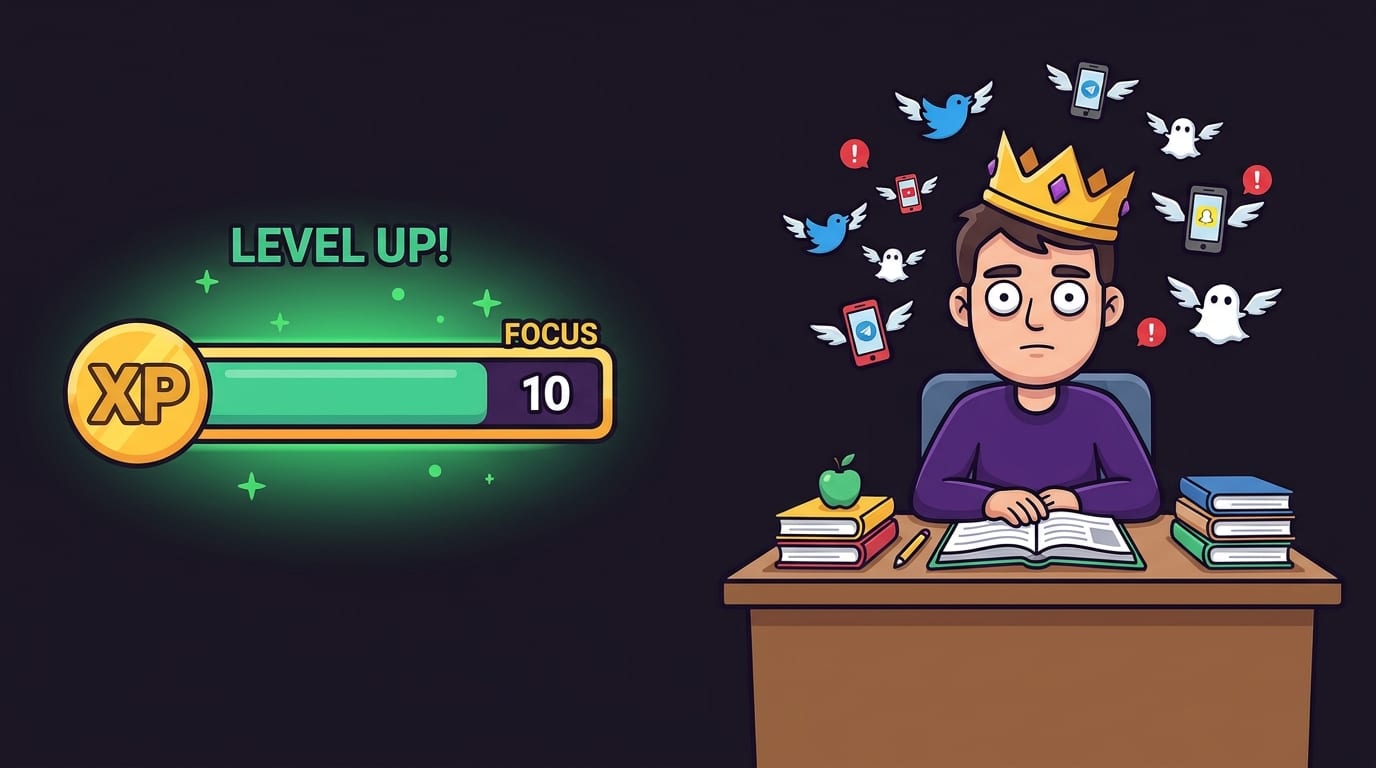
The game layer includes XP, levels, rank titles, badges, a reign counter, a focus calendar, and a leaderboard. You earn progress for focused time and for keeping blocks active; surviving a blocked-site visit earns XP too. That last detail matters because a temptation appearing is not the same as giving in. The system can recognize the moment you turn around and return to work.
When you try to visit a blocked site, BlockChamp’s Stare-Down replaces a plain error message with a full-screen scene featuring The King, a cartoon royal boxer. He gives you a dramatic look, reminds you what you tried to open, and points you back toward your task. Some stare-downs include a voice line, because apparently your browser needed a monarch with opinions.
For people who want extra friction, the Champion plan offers Hardcore Lockdown. Depending on the selected mode, turning focus off requires waiting through a cooldown or completing a short boxing-combo challenge. Blocking stays on during the cooldown. This is designed to interrupt a reflexive “I’ll just turn it off” moment, not to make essential browsing permanently impossible.
The free version includes up to three blocked sites, two categories, and the core gamification features. Champion adds unlimited sites, all categories, keyword blocking, schedules, Hardcore Lockdown, and sync across devices. The product is currently for Chrome, so check that this matches your browser and workflow before choosing it. You can explore BlockChamp’s website for current details.
Gamification can help—but it isn’t a focus spell
Points and badges can make progress more visible, but no reward system can remove every distraction or make a badly planned day manageable. Treat the game layer as a prompt to repeat useful actions, not a guarantee that motivation will show up wearing a cape.
Habit research often discusses the importance of making desired behaviors easier to repeat. For a readable introduction to the idea of habit formation and how cues and routines shape behavior, see the American Psychological Association’s overview of habits. For practical ways to build consistent routines, James Clear’s guide to habit formation offers an accessible framework. Use these ideas to make focus easier: choose a clear start time, define what counts as success, and remove obvious temptations before the work begins.
One useful approach is to pair a block with a specific action. Instead of “I’ll focus now,” try “From 9:00 to 9:45, I’ll draft the introduction with social media blocked.” That gives your brain a destination. The blocker handles the open tabs; your plan handles the work.
And make rewards meaningful. A level-up animation can be fun, but the best reward may be finishing your assignment early enough to take a proper walk. The crown is optional. The fresh air is a solid bonus.
A practical setup for study, writing, or deep work
You don’t need a heroic, twelve-hour productivity marathon. Start with one focused block and tune the setup around the distractions that actually interrupt you.
- Choose one concrete task. “Study biology” is broad. “Review cell structure notes and answer ten practice questions” gives the session a finish line.
- Identify your common detours. Write down the websites you open without thinking. Add only the ones that interfere with this session.
- Set a realistic timer. Try 25, 40, or 50 minutes. The right interval is the one you can repeat without turning focus into a punishment.
- Switch on your blocks before starting. Do it before opening the task, not after the first accidental trip to the social-media kingdom.
- Decide what happens during breaks. A short walk, water, or stretching may reset you better than opening a feed designed to keep you there.
- Review the session without self-roasting. Notice what worked, what distracted you, and what to change next time.
This approach also works for writing. If you’re trying to protect a writing session from browser drift, our guide to conquering distraction to write explores ways to defend creative time. For help choosing tools for your drafting workflow, see our overview of the best writing apps. The blocker protects the space; your process fills it.

Use streaks wisely: progress, not pressure
Streaks are satisfying because they turn repeated behavior into something visible. They can also become fragile little glass trophies. If one missed day convinces you that your entire effort is worthless, the streak has stopped helping.
Set a minimum version of success. For example, you might keep a weekday focus schedule active, or complete one distraction-free work session each day. A “small win” rule helps preserve momentum when life gets busy. If you break a streak, identify why and restart with a better plan rather than spending the afternoon writing a dramatic obituary for your productivity.
BlockChamp’s reign tracks how long focus remains switched on, while XP and other progress markers recognize focused minutes and resisted visits. The combination can make progress feel broader than a single perfect streak. Still, use the metrics as feedback. Your best measure is whether the system helps you spend more of your time on things you value.
If gaming itself has become a distraction, be thoughtful about choosing game-like rewards. Our article on using a website blocklist to regain control of gaming distractions discusses how blocking can support healthier boundaries. The aim is not to replace one compulsive loop with another; it’s to make your choices more intentional.
Common mistakes when choosing a gamified blocker
Even the best gamified website blocker can disappoint if it’s set up around the wrong goal. Watch for these common missteps:
- Blocking everything immediately: Start with your main distraction. Overblocking work or study resources can make you disable the whole system.
- Chasing points instead of outcomes: XP is feedback, not the assignment. Track whether you complete useful work, not only whether a counter goes up.
- Choosing a tool with the wrong platform support: Check the browser and devices you actually use most.
- Ignoring legitimate exceptions: Set schedules around your real work and leave a sensible path for necessary access.
- Expecting instant transformation: A blocker changes the environment; building a routine still takes practice.
- Using shame as motivation: Humor can make a reminder memorable. Humiliation that makes you quit is a bad feature, even if it has excellent animation.
Privacy deserves attention too. Read the product’s privacy information and understand what happens to browsing data, account details, and progress. A focus tool should help you feel more in control, not make you wonder whether your browser history has joined a leaderboard of its own.

So, what is the best gamified website blocker?
The best choice is the one that blocks the distractions you face, fits your browser and devices, and gives you a motivational nudge you’ll still appreciate next week. Prioritize reliable blocking, flexible schedules, sensible privacy, and rewards that encourage consistency. Treat leaderboards, badges, and mascots as helpful extras—not the whole strategy.
If you use Chrome and enjoy playful feedback, visible progression, and a little theatrical accountability, BlockChamp may be a good fit. It combines site and category blocking with XP, levels, badges, reigns, and The King’s Stare-Down. People who want stronger resistance can consider its cooldown or boxing-riddle Hardcore Lockdown options. If you prefer a quieter interface or need broad support across other platforms, compare alternatives against those specific needs before deciding.
Start small: choose one distraction, set one focused session, and give yourself a clear task to finish. Then see whether the tool makes it easier to return to that task when your attention tries to sneak off to the internet’s snack cupboard. You don’t need perfect focus. You need a setup that helps you win the next round.
Ready to defend the throne? Take a look at BlockChamp, set your first block, and knock out one distraction at a time. Long live your focus, champ.
Related posts

Blockchamp Vs Blocksite

Blockchamp Vs Cold Turkey Blocker

Blockchamp Vs Blocksite
