
The Pomodoro Technique

If your brain treats every task like a suspicious vegetable and every browser tab like a tiny carnival, the pomodoro technique may be the focus system you need. It is simple, slightly tomato-themed, and weirdly powerful: work for a short sprint, take a short break, repeat until your procrastination has been escorted out of the kingdom by royal guards.
The beauty of the pomodoro technique is that it does not ask you to become a productivity monk who rises at 4:37 a.m., drinks fog water, and journals in Latin. It asks for 25 minutes. That is it. One focused round. One tiny victory. One “fine, I’ll start” moment that turns into actual progress.
In this guide, we will break down exactly how to use the pomodoro technique: how long to work, how to plan tasks, what to do during breaks, how to avoid common mistakes, and how to combine it with distraction blockers like BlockChamp so your 25-minute sprint does not mysteriously become a 47-minute YouTube archaeology dig titled “how medieval people brushed their teeth.” Let us begin, champ.
Quick Answers
What Is the Pomodoro Technique? The Tomato Timer That Punches Procrastination
The pomodoro technique is a time management method created by Francesco Cirillo in the late 1980s. Cirillo used a tomato-shaped kitchen timer while studying, and “pomodoro” means tomato in Italian. Yes, one of the world’s most famous productivity systems is named after a tomato. Productivity is a strange little kingdom.
The classic version works like this:
- Choose one task.
- Set a timer for 25 minutes.
- Work on that task until the timer rings.
- Take a 5-minute break.
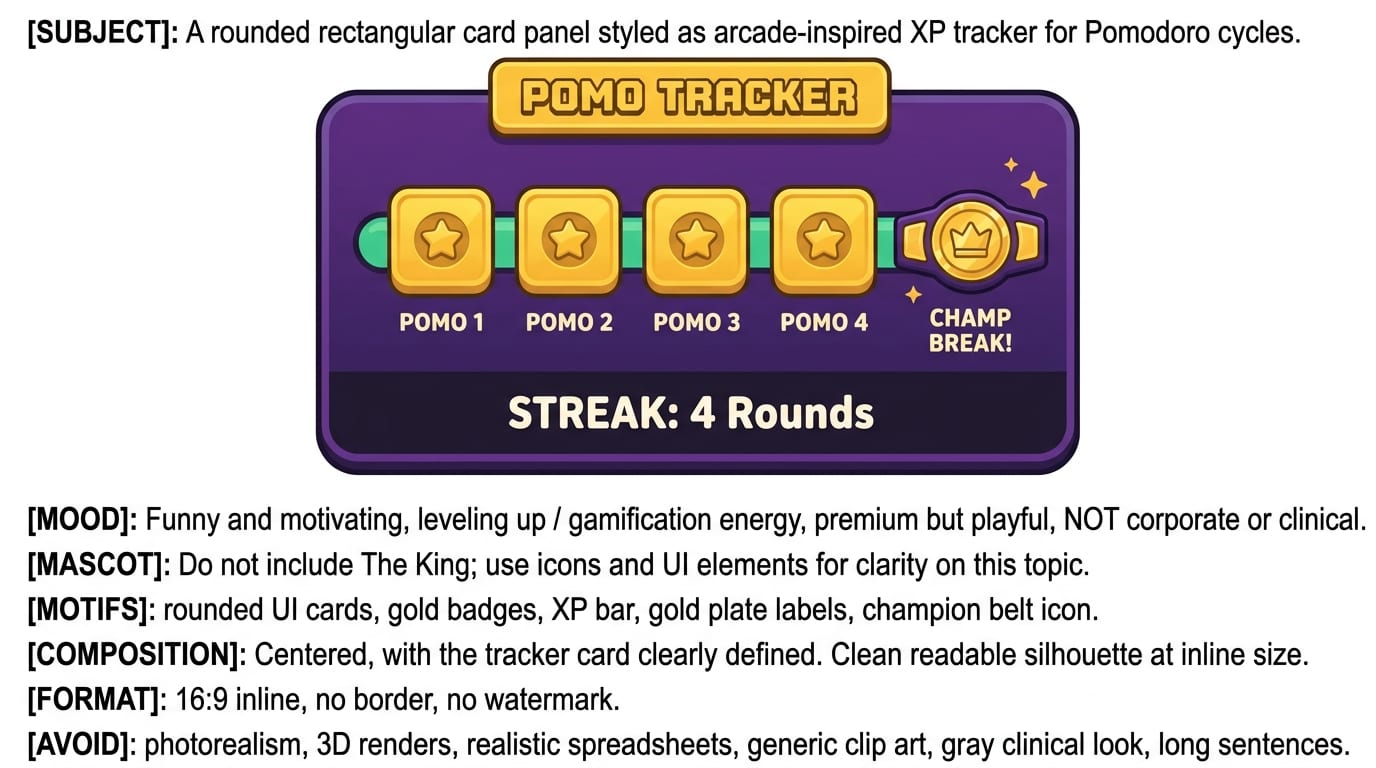
- Repeat for four rounds.
- After four pomodoros, take a longer break of 15 to 30 minutes.
One 25-minute work session is called a “pomodoro.” Four pomodoros make a longer focus cycle. This rhythm gives your brain a clear start line, finish line, and snack-sized reward. It reduces the dread of beginning because you are not committing to “write the entire report,” “study all biology,” or “fix your whole life by Thursday.” You are committing to 25 minutes. The dragon is smaller now. Still ugly, but smaller.
The method is popular because it works with human attention instead of pretending we are productivity robots with Wi-Fi souls. Research on attention suggests that our ability to stay focused is limited and vulnerable to interruptions. The American Psychological Association explains that multitasking often creates switching costs, meaning your brain loses time and efficiency when it jumps between tasks. The pomodoro technique fights that by giving your brain one job at a time.
Why the Pomodoro Technique Works: Your Brain Likes Small Doors
Big tasks are intimidating because they are vague. “Study chemistry” is not a task. It is a fog machine wearing a lab coat. “Review chapter 4 notes for 25 minutes and write five practice questions” is a task. Much better. The pomodoro technique forces you to shrink the work into something your brain can actually grab.
There are a few reasons this method is effective:
- It lowers starting friction. You only need to begin for 25 minutes, not pledge eternal loyalty to your spreadsheet.
- It creates urgency. A visible timer adds gentle pressure. Not panic. More like a tiny referee with a whistle.
- It protects your attention. During the sprint, the rule is simple: one task, no wandering.
- It builds recovery into the system. Breaks are not laziness. They are maintenance. Even race cars pit stop, and they do not even have email.
- It makes progress measurable. Four pomodoros completed feels better than “I worked for a while and then became soup.”
Breaks matter because sustained attention is expensive. The brain uses breaks to reset, consolidate information, and reduce mental fatigue. The National Institute of Neurological Disorders and Stroke notes that rest and sleep are essential for learning and memory. While a 5-minute break is not a full royal nap, it still gives your attention system a moment to breathe.
The pomodoro technique also helps with procrastination because it changes the emotional shape of work. Many people procrastinate not because they are lazy, but because the task feels unpleasant, uncertain, or too large. A short timer makes the task less threatening. You are not “finishing the essay.” You are opening the document and writing one ugly paragraph. Ugly paragraphs are allowed. The first draft is where dignity goes to do push-ups.
Step 1: Choose the Right Task Before You Start the Timer
The most common pomodoro mistake is starting the timer before you know what you are doing. That is like stepping into a boxing ring and asking, “So who are we fighting?” The timer starts, you stare at your screen, open five tabs, reorganize your desktop, and somehow end up reading a forum argument from 2016. The King is unimpressed.
Before each pomodoro, define a specific task. Not a project. Not a dream. A task.
Bad pomodoro tasks:
- Work on marketing
- Study math
- Clean inbox
- Write blog post
- Be productive, somehow
Better pomodoro tasks:
- Draft the introduction and first section of the marketing email
- Complete 10 algebra practice problems from chapter 6
- Reply to all unread client emails from this morning
- Outline the H2 sections for the blog post
- Review lecture notes and highlight anything confusing
If you struggle to decide what matters most, pair pomodoro with prioritization. BlockChamp has a helpful guide on how to prioritize tasks without turning your brain into scrambled eggs. Priority matters because doing eight pomodoros on low-value work is still procrastination, just wearing a tiny productivity hat.
A practical planning trick: create a “pomodoro menu” at the start of the day. List 5 to 10 tasks that can fit into one or two 25-minute sessions. Then, when it is time to work, you choose from the menu instead of negotiating with your inner chaos goblin.
Step 2: Set the Timer and Declare the Kingdom Closed
Once you know the task, set your timer. The classic pomodoro technique uses 25 minutes of work and 5 minutes of rest. That ratio is popular because it is long enough to make progress but short enough to feel survivable. It is the productivity equivalent of “just one round, champ.”
During the 25 minutes, your rules should be brutally simple:
- Work only on the chosen task.
- Do not check messages unless your job genuinely requires immediate response.
- Do not open social media, news, shopping, or video sites.
- If you remember something unrelated, write it down and return to the task.
- If the task gets hard, stay with it until the timer ends.
This last point is important. The moment a task gets difficult, your brain may suddenly develop an urgent interest in literally anything else. “Perhaps now is the time to compare desk lamps.” No, brave peasant. Stay in the ring.
This is where a website blocker becomes extremely useful. The pomodoro technique assumes you will protect the sprint. But if your browser is a buffet of distractions, willpower gets mugged in the parking lot. BlockChamp lets you block specific sites like YouTube, Reddit, TikTok, X, Amazon, or any personal weakness palace. You can also use category blocking for Social Media, Video & Streaming, News, Shopping, Gaming, Gambling, Adult, and AI Distractions. One master focus toggle puts The King “On Guard,” which is exactly the energy your pomodoro needs.
If you try to visit a blocked site mid-sprint, BlockChamp does not show a sad gray warning. It gives you The Stare-Down: a full-screen royal boxer judging your life choices and sending you back to work. Sometimes The King even roasts you out loud. Is it necessary? Maybe not. Is it effective? Shockingly, yes. Shame is boring. Comedy with consequences? That has legs.

Step 3: Take Breaks Like a Professional, Not a Screen Goblin
The 5-minute break is not a loophole for opening TikTok and waking up three geological eras later. The break is part of the method. Treat it like recovery, not escape.
Good 5-minute break ideas:
- Stand up and stretch your back, neck, and wrists.
- Refill your water.
- Walk around the room or outside.
- Look out a window to rest your eyes.
- Do 10 squats, push-ups, or a tiny victory dance.
- Breathe slowly for one minute.
- Tidy your desk without starting a full archaeological excavation.
Risky break ideas:
- Checking social media “just for a second.” The official measurement of “just a second” on the internet is 22 minutes and mild regret.
- Watching one short video. That video has cousins. Many cousins.
- Opening email if it will pull you into reactive work.
- Starting a new task that hijacks your next pomodoro.
A good rule: if an activity has an infinite feed, algorithmic recommendations, autoplay, or comments from strangers named DragonSlayer9000, it is not a break. It is a trap wearing pajamas.
For longer breaks after four pomodoros, take 15 to 30 minutes. Eat something. Go outside. Move your body. Let your brain stop gripping the steering wheel. According to the CDC, regular physical activity supports brain health and can improve thinking and learning, so even a short walk can help you return sharper.
Step 4: Track Your Pomodoros Without Becoming a Spreadsheet Hermit
Tracking pomodoros helps you understand how long tasks actually take. Most humans are terrible at estimating time. We think something will take “about 20 minutes,” and then it devours half the afternoon like a productivity kraken. Tracking gives you evidence.
You can track with a notebook, a timer app, a calendar, or a simple tally system. Write down:
- The task you worked on
- How many pomodoros it took
- Whether you finished it
- What interrupted you
- What to do next
For example:
- “Research sources for essay — 2 pomodoros — finished — interrupted by Slack twice — next: outline argument.”
- “Fix landing page copy — 3 pomodoros — 70% done — got stuck on headline — next: write 10 rough headline options.”
- “Study anatomy flashcards — 1 pomodoro — finished — no interruptions — next: quiz weak terms.”
Tracking also builds motivation. This is why BlockChamp turns focus into XP, levels, badges, streaks, reigns, and leaderboard progress. Your focus minutes are no longer invisible. Every minute you stay focused earns XP. Every day your blocks stay active strengthens your reign. Every blocked distraction you survive becomes a small win instead of a tiny failure. The pomodoro technique gives you the rhythm; BlockChamp gives you the arcade cabinet.
If you like systems that make productivity feel less like broccoli homework, you may also enjoy this BlockChamp guide to five productivity methods that can improve your daily routine. Pomodoro plays nicely with many of them, especially time blocking, task batching, and priority planning.
How Many Pomodoros Should You Do Per Day?
Here is a spicy truth: you do not need 16 pomodoros per day to be productive. In fact, if you are doing deep, difficult work, 6 to 10 high-quality pomodoros can be a very strong day. That is 2.5 to just over 4 hours of serious focused work, which is more than many people get in an entire workday filled with meetings, notifications, and the ceremonial checking of inboxes.
Your ideal number depends on your workload, energy, and the type of work:
- Students: Try 4 to 8 pomodoros for study sessions, split by subject.
- Writers and creators: Try 3 to 6 pomodoros for drafting, editing, or research.
- Developers and designers: Try 4 to 8 pomodoros, but consider longer sessions if you need deep flow.
- Remote workers: Use 2 to 4 pomodoros for priority work before meetings ambush your calendar.
- Beginners: Start with 2 or 3 per day. Build the habit before trying to conquer the empire.
Remember: the goal is not to collect pomodoros like shiny productivity Pokémon. The goal is meaningful progress. If you complete three focused pomodoros on your most important task before noon, you may have already won the day while everyone else is still “circling back.”
For planning your day around high-impact tasks, the 80/20 rule is a fantastic companion. Read BlockChamp’s guide on how to use the 80/20 rule to identify the small number of tasks that create the biggest results. Then feed those tasks into your pomodoro sessions. Efficiency crown: polished.
Custom Pomodoro Timings: Because Your Brain Is Not a Factory Preset
The classic 25/5 structure is a great starting point, but it is not sacred scripture delivered by a tomato angel. You can adjust it. Different tasks and attention styles need different rhythms.
Try these variations:
- 15/5: Best for beginners, low-energy days, ADHD-style restlessness, or tasks you deeply do not want to start.
- 25/5: The classic. Great for studying, admin, writing, reading, and general knowledge work.
- 50/10: Good for deeper work once you have momentum. Better for coding, design, long writing sessions, and complex analysis.
- 90/20: Useful for advanced deep work sessions, but only if you can actually protect the time and your brain does not melt into pudding.
The best pomodoro length is the one that helps you start and sustain focus without constantly fighting the timer. If 25 minutes feels too short because you are entering flow, try 50/10. If 25 minutes feels impossible, try 10/2 or 15/5. A tiny completed sprint beats a heroic schedule you abandon after one day.
The Todoist guide to the Pomodoro Technique also emphasizes adapting the method to your workflow rather than treating every task identically. Productivity methods are tools, not royal decrees. Even The King allows sensible customization. Occasionally.
Using the Pomodoro Technique for Studying, Writing, and Remote Work
The pomodoro technique works especially well when you tailor it to the job in front of you. Here are practical examples for common focus battles.
For Studying
Students often make the mistake of counting “hours at desk” instead of actual learning. Four hours with your textbook open while your phone performs psychological warfare is not four hours of studying. It is furniture cosplay.
Try this study pomodoro plan:
- Pomodoro 1: Review notes and mark confusing topics.
- Pomodoro 2: Watch or read one explanation for the hardest topic.
- Pomodoro 3: Do practice questions without notes.
- Pomodoro 4: Check answers and create flashcards for mistakes.
Use breaks to move, hydrate, and avoid infinite feeds. If your study enemy is YouTube, Reddit, Discord, or TikTok, set BlockChamp to block Social Media and Video & Streaming before the first timer starts. If you need YouTube for lectures, block specific distracting keywords or channels with Champion features, or keep your task extremely specific so you do not wander into “one helpful video” and emerge knowing how to restore antique swords.
For Writing
Writing is perfect for pomodoro because it separates creation from perfection. Use one pomodoro to draft badly on purpose. Use another to improve. Do not edit every sentence while writing, unless you enjoy dragging a tiny anchor through mud.
A writing sequence might look like:
- Pomodoro 1: Outline main sections.
- Pomodoro 2: Draft introduction and first section.
- Pomodoro 3: Draft remaining sections.
- Pomodoro 4: Edit for clarity and structure.
- Pomodoro 5: Add examples, links, and polish.
For Remote Work
Remote work is wonderful until your home becomes a buffet of micro-distractions: laundry, snacks, pets, notifications, and the suspicious urge to reorganize cables. Pomodoro gives structure to an environment that often lacks it.
Try blocking two “deep work windows” per day: one in the morning and one after lunch. During those windows, run two or three pomodoros on your highest-value work. If your schedule is messy, read BlockChamp’s morning routine checklist guide to build a more focused launchpad for the day. A good morning routine will not solve everything, but it can stop your day from entering the ring already concussed.
Common Pomodoro Mistakes That Make the Tomato Cry
The pomodoro technique is simple, but simple does not mean foolproof. Here are the big mistakes to avoid.
Mistake 1: Using Breaks to Doomscroll
This is the classic trap. You finish a pomodoro, reward yourself with social media, and suddenly your next sprint is gone. Social platforms are designed to keep you engaged. The Pew Research Center’s social media fact sheet shows how widely social platforms are woven into daily life, which is a polite research way of saying: the scroll beast is everywhere.
Keep breaks offline when possible. If you must use your phone, set a timer and avoid apps with infinite feeds.
Mistake 2: Ignoring Interruptions
If someone interrupts you every six minutes, your pomodoro is getting mugged repeatedly. Track interruptions for a few days. Are they messages? Meetings? Your own tab-hopping? Once you identify the pattern, you can defend the throne.
For digital interruptions, use BlockChamp to block distracting sites during focus blocks. For human interruptions, use a visible signal: headphones, a Slack status, a closed door, or a sign that says “In a focus sprint. Disturb only for fire, blood, or surprise pizza.”
Mistake 3: Making Tasks Too Big
If a task cannot reasonably fit into one to three pomodoros, break it down. “Build website” is not a pomodoro task. “Write homepage hero copy” is. “Create wireframe for pricing section” is. “Test signup form” is.
Mistake 4: Treating the Timer Like a Tyrant
The timer is a tool, not your tiny plastic overlord. If you are in deep flow when the timer rings, you can finish the thought before breaking. If you are mentally fried, take a longer recovery. The point is sustainable focus, not tomato obedience.
Pair Pomodoro With Distraction Blocking for Maximum Knockout Power
The pomodoro technique gives you a focus container. But the internet is very good at punching holes in containers. That is why pairing pomodoro with a website blocker is one of the smartest upgrades you can make.
Here is a simple BlockChamp-powered pomodoro setup:
- Choose your top task for the sprint.
- Turn on BlockChamp’s Master Focus Toggle so The King is On Guard.
- Block your usual enemies: social media, video sites, news, shopping, gaming, or AI distractions.
- Set a 25-minute timer.
- Work until the timer ends.
- Take a real break, not an algorithm bath.
- Repeat for 2 to 4 rounds.
If you are a Champion user, Focus Schedule can automatically turn blocks on during recurring work or study hours. Hardcore Lockdown can also add a cooldown timer or the boxing riddle before you turn focus off. That matters because most distraction failures happen in tiny impulse windows. You do not calmly decide, “I shall now waste 90 minutes.” You think, “Just one peek.” Then the algorithm throws a net over your royal ankles.
BlockChamp turns that impulse into a deliberate decision. If you hit a blocked site, The Stare-Down catches you. If you try to surrender, Hardcore Lockdown makes you wait or complete The King’s Combo. It is funny, but it also gives your craving time to pass. That little pause can save the entire pomodoro.
This connects to decision fatigue too. The more often you have to decide “Should I check this?” the weaker your focus becomes. BlockChamp’s guide on decision fatigue and the cost of distraction explains why reducing choices can protect your mental energy. A blocked site is one less negotiation with your inner raccoon.

A Simple 2-Hour Pomodoro Plan You Can Use Today
If you want a practical routine, steal this one. No ceremony required. Crown optional but encouraged.
- Minute 0-5: Choose one priority task and define the first action. Turn on BlockChamp and block your top distractions.
- Minute 5-30: Pomodoro 1. Work on the first action only.
- Minute 30-35: Break. Stand, stretch, drink water.
- Minute 35-60: Pomodoro 2. Continue or move to the next clear subtask.
- Minute 60-65: Break. Walk around. Do not open the scroll portal.
- Minute 65-90: Pomodoro 3. Push through the messy middle.
- Minute 90-95: Break. Rest your eyes and reset.
- Minute 95-120: Pomodoro 4. Finish, review, or write the next-step note.
At the end, write down what you completed and what comes next. This is crucial. Ending with a next-step note makes the next session easier to start. Future You deserves a map, not a riddle from a bridge troll.
If two hours feels too much, cut it in half: two pomodoros and two breaks. If you are having a rough day, do one. One honest pomodoro beats a whole afternoon of guilt-tab pinball.
Final Thoughts: The Tomato Is Small, But the Crown Is Real
The pomodoro technique works because it makes focus less dramatic. You do not need to transform your personality, delete the internet, or become the kind of person who says “synergy” without blinking. You need a timer, a clear task, a protected sprint, and a break that does not betray you.
Start small. Pick one task. Set 25 minutes. Block the distractions that usually defeat you. Take a real break. Repeat. That is the whole spell. Not glamorous. Very effective. Like a productivity broom with boxing gloves.
And if your browser keeps luring you into the swamp, bring backup. BlockChamp helps you defend your pomodoro sessions by blocking distracting websites, categories, and keywords while turning focus into a game of XP, badges, reigns, and royal stare-downs. The King will not write your essay, finish your code, or answer your emails. But he will absolutely judge you for trying to open Reddit mid-sprint. Fair trade.
So set the timer, champ. Defend the throne. Crush the scroll. Long live your focus.
Related posts

Writing Sprint Tips For Focused Output

Paper Or Digital Planner

Generative Ai And Staying Focused At Work
