
Ai Brain Rot

AI brain rot is what happens when your brain quietly outsources too much thinking to machines, then starts acting surprised when it can no longer remember how to reason, verify, decide, or write a normal sentence without asking a chatbot to “make it punchier.” It is not a medical diagnosis. No doctor is going to put “severe ChatGPT goblin mode” on your chart. But as a practical phrase, ai brain rot captures a very real modern problem: AI tools can save time, but they can also make us lazier, more gullible, more biased, and more mentally exhausted if we use them like a replacement brain instead of a power tool.
And yes, the irony is delicious: the same tools that promise productivity can become another distraction slot machine. One minute you are asking AI to summarize a research paper. Thirty minutes later, you are generating fantasy business names for a bakery run by raccoons. The kingdom has fallen. The raccoons have incorporated.
This guide breaks down what ai brain rot actually means, what causes it, the signs you might be slipping into it, and how to prevent AI-driven misinformation, cognitive bias, and decision fatigue without becoming a candlelit hermit who prints MapQuest directions. We will also cover practical ways to build healthier AI boundaries, including when to block AI tools entirely during deep work using a focus tool like BlockChamp, because sometimes the smartest thing you can do with artificial intelligence is tell it to sit in the corner while you use your actual intelligence.
Quick Answers
What Is AI Brain Rot, Really?
AI brain rot is a casual term for the mental dulling that can happen when people over-rely on AI systems for thinking tasks they should still practice themselves. It can show up as weaker critical thinking, lower tolerance for effort, reduced ability to focus, more shallow learning, and a dangerous habit of accepting AI-generated answers as truth because they sound confident in a blazer.
The problem is not AI itself. AI can be incredibly useful. It can help you brainstorm, summarize, code, translate, draft, organize, and learn. Used well, it is like having a calculator, research assistant, editor, and mildly overeager intern in one box. Used poorly, it becomes a velvet pillow for your brain. Comfortable, convenient, and slowly turning your mental muscles into soup.
Think of it this way: if you use GPS occasionally, great. If you use GPS to walk from your bedroom to your fridge, something has gone wrong in the royal navigation department. AI works the same way. The danger is not using it. The danger is using it so automatically that you stop noticing when your own judgment has left the building wearing sunglasses and a fake mustache.
AI brain rot usually includes three overlapping problems:
- Misinformation creep: AI can generate inaccurate answers, fake sources, misleading summaries, or outdated information.
- Cognitive bias amplification: AI can reinforce your assumptions if your prompts are biased or if you accept answers that match what you already believe.
- Decision fatigue: Endless AI options, drafts, angles, prompts, and revisions can make it harder to choose and act.
In other words: the tool that was supposed to reduce mental load can accidentally turn your brain into a browser with 47 tabs open, three of them playing music, and one labeled “final_final_REALLY_final_v6.”
Why AI Brain Rot Happens: The Sneaky Causes
AI brain rot does not usually arrive with trumpets. It sneaks in wearing convenience as a cape. You ask AI for one quick suggestion. Then another. Then a rewrite. Then a summary. Then a decision. Eventually, your default move becomes “ask the machine first,” even for questions your brain could answer after 14 seconds of mildly uncomfortable thought.
1. Convenience trains avoidance
Humans are energy-saving creatures. Our brains love shortcuts. That is not a moral failure; it is biology doing its budget planning. But when every hard thought can be avoided by typing a prompt, the brain learns that discomfort is optional. Over time, effort starts to feel unreasonable. Reading a full article? Barbaric. Comparing sources? Peasant labor. Thinking through a problem from first principles? Off with its tab.
Research on cognitive offloading shows that people often use external tools to reduce mental effort. That can be helpful, but it can also change how much we remember and process ourselves. A widely cited paper in Science on the “Google effect” found that people may remember where to find information more than the information itself when they expect it to be available later. AI takes that pattern and adds a tuxedo, a microphone, and unlimited confidence.
2. Fluency feels like truth
AI-generated writing often sounds polished. That polish can trick us. Psychologists call this fluency: information that is easy to read can feel more credible, even when it is wrong. A chatbot may produce a smooth explanation of a historical event, scientific topic, legal issue, or business strategy, and your brain goes, “Well, it used semicolons, so obviously it is correct.”
But large language models generate likely text, not guaranteed truth. OpenAI itself notes that AI systems can produce inaccurate information, and many experts discuss the problem of “hallucinations” in generative AI. For a clear overview, see IBM’s explanation of AI hallucinations. The short version: AI can make stuff up with the confidence of a man explaining crypto at a wedding.
3. Infinite answers create infinite dithering
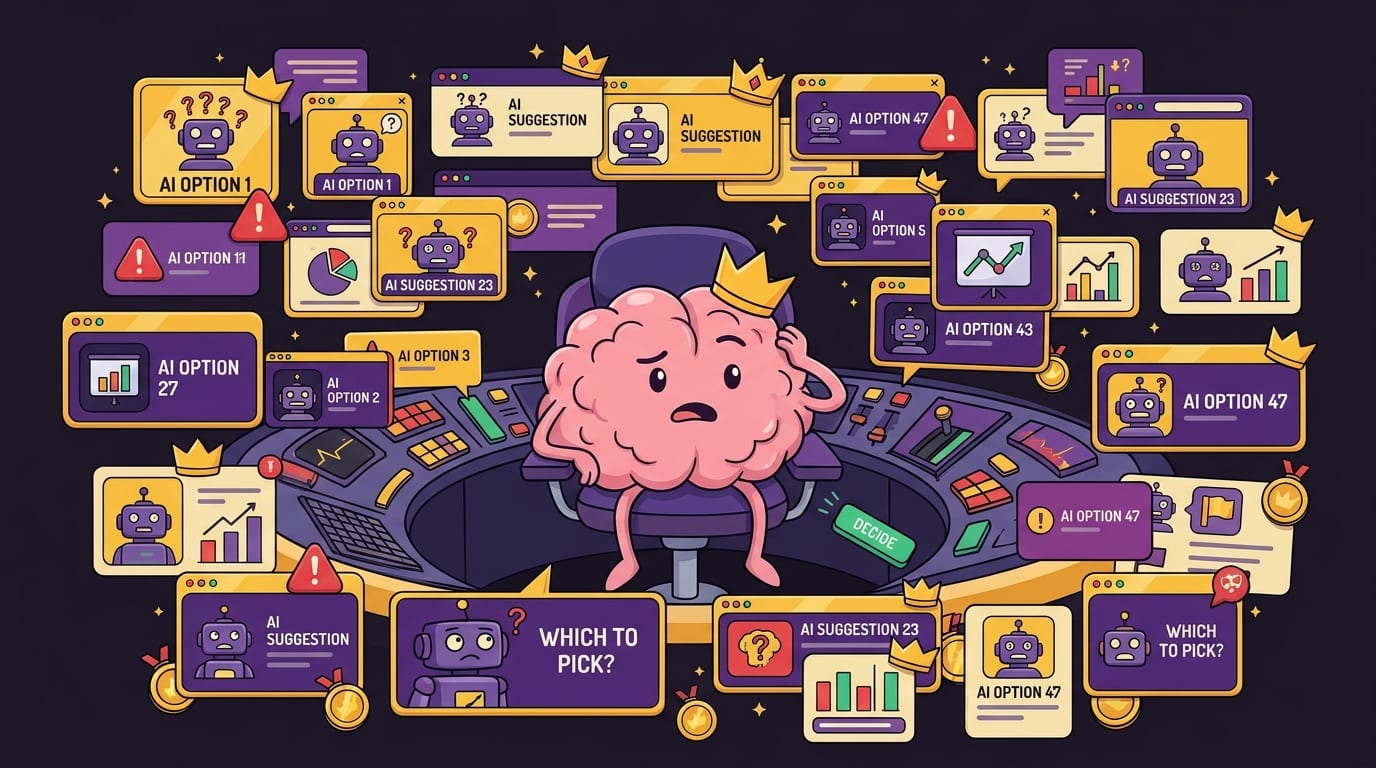
AI makes it easy to generate ten headlines, twenty strategies, thirty email versions, and forty “more playful” alternatives. That sounds productive until you realize you are now comparing 100 options instead of doing the task. Congratulations, champ. You did not solve decision fatigue. You automated it.
Decision fatigue happens when repeated choices drain mental energy and make later decisions worse. AI can reduce decision load when used with constraints. But without constraints, it can flood you with options and make every small task feel like judging a royal tournament of mediocre suggestions.
The Main Signs You Might Have AI Brain Rot
Again, ai brain rot is not a clinical condition. It is a warning label. Like “contents hot” or “do not lick the frozen flagpole.” If several of these signs feel uncomfortably familiar, your AI habits may need a tune-up.
- You ask AI questions before attempting to think through them yourself.
- You trust AI summaries without checking the original source.
- You struggle to write emails, outlines, captions, or essays without AI assistance.
- You keep generating more versions instead of choosing one and moving forward.
- You feel mentally foggy after long AI sessions, especially when jumping between prompts.
- You accept answers that confirm your opinion and ignore ones that challenge it.
- You use AI during study sessions so heavily that you can explain the answer only while looking at the AI output.
- You open AI tools reflexively when bored, stressed, or stuck.
That last one is a biggie. AI tools are not just productivity tools anymore. They can become entertainment, reassurance machines, procrastination engines, and “let me feel productive without actually committing” portals. If you are using AI to avoid the blank page, avoid a hard decision, or avoid starting the work, then the crown is wobbling.
If your broader focus already feels fried, you may also want to read BlockChamp’s guide on how to focus with a distracted brain. AI brain rot often rides in the same clown car as doomscrolling, tab-hopping, and digital overstimulation.
AI Misinformation: When the Robot Sounds Smart but Is Wearing Fake Glasses
One of the biggest risks behind ai brain rot is misinformation. AI tools can summarize information quickly, but they can also blur the line between verified knowledge and plausible nonsense. That matters when you are researching health, finance, law, academic work, politics, or anything where being wrong has consequences beyond “oops, my banana bread is spicy now.”
A 2023 Stanford report on AI noted rapid growth in AI capability and adoption, along with concerns about transparency, reliability, and responsible use. You can explore the broader landscape in the Stanford AI Index Report. Meanwhile, the Pew Research Center has reported growing public concern about AI’s role in daily life, which is not shocking given that half the internet now feels like it was assembled by a caffeinated autocomplete goblin.
Common AI misinformation traps include:
- Fake citations: AI may invent article titles, authors, journals, or links.
- Outdated facts: Some models may not know recent events or changes unless connected to current browsing.
- Overconfident summaries: Important nuance can disappear when complex material gets compressed.
- False balance: AI may present fringe views as equal to expert consensus if prompted poorly.
- Context collapse: A correct answer in one situation may be wrong in another.
A practical fact-checking rule: trust, but make it earn the crown
Before you use AI-generated information in anything important, run it through a quick verification process:
- Ask for sources, but do not stop there. Sources can be fake or irrelevant.
- Open the original source and confirm the claim actually appears there.
- Check date and context, especially for statistics, laws, medical guidance, and product details.
- Compare with at least one authoritative source, such as government pages, academic institutions, established research organizations, or reputable industry reports.
- Rewrite in your own words to confirm you understand it. If you cannot explain it without the AI output, you may not understand it yet.
This does not mean you must become a medieval librarian every time you ask AI for dinner ideas. But if the output affects your grades, money, health, job, reputation, or someone else’s trust, verify it. The King demands receipts.
Cognitive Bias: AI Can Become Your Yes-Man in a Fancy Hat
AI brain rot is not only about false facts. It is also about biased thinking. AI systems respond to how you prompt them. If you ask, “Why is my idea brilliant?” you may get a velvet parade of validation. If you ask, “Destroy this idea like a skeptical investor with acid reflux,” you will get something much more useful.
Humans already suffer from confirmation bias: we look for information that supports what we believe and discount information that challenges us. AI can intensify that because it is so good at producing persuasive arguments on demand. Want ten reasons your procrastination is actually “strategic incubation”? The robot will hand you a throne and call you visionary.
To reduce AI-driven bias, change the way you prompt. Use prompts that force disagreement, uncertainty, and alternatives.
Bias-resistant prompts to steal immediately
- “What are the strongest arguments against my position?”
- “What assumptions am I making that might be wrong?”
- “Give me three alternative explanations for this situation.”
- “What evidence would change this conclusion?”
- “Rate your confidence and explain what information is missing.”
- “Act as a skeptical expert and identify weak points.”
- “Separate facts, interpretations, and speculation.”
These prompts turn AI from a hype man into a sparring partner. That is the sweet spot. You want AI to help you think better, not clap like a royal seal every time you say something half-baked.
If resisting digital temptation is already a daily boxing match, BlockChamp has a related piece on training your brain to resist digital distractions. The same mental muscles apply here: pause, question the impulse, and choose deliberately instead of letting the internet drive your carriage into a ditch.
Decision Fatigue: When AI Gives You 47 Options and Calls It Help
AI is fantastic at generating options. That is also why it can be a menace. If you ask for ideas without limits, you might get a buffet so large you forget why you were hungry. For creators, students, marketers, developers, and entrepreneurs, this can become a subtle form of procrastination: you are “working” because you are prompting, but you are not deciding, publishing, submitting, studying, shipping, or finishing.
This is a classic productivity trap. More input feels safer than action. More drafts feel like progress. More research feels responsible. But at some point, the noble quest for quality becomes a swamp goblin named “One More Revision.”
Preventing AI decision fatigue requires boundaries before you start. Use AI within a container, not as an endless idea volcano.
The 3-5-1 rule for AI choices
Try this simple workflow:
- Ask for 3 options, not 30. Three is enough to compare without summoning chaos.
- Evaluate with 5 criteria: accuracy, usefulness, simplicity, fit, and risk.
- Choose 1 and move. No “just one more prompt” unless something is clearly broken.
For example, if you are writing a paper, ask AI for three possible outlines. Choose one. Modify it yourself. Then write a rough draft without AI open. Later, use AI for feedback. That sequence preserves your thinking while still getting support.
For work tasks, set a time limit: “I will use AI for 15 minutes to brainstorm, then I will decide.” Put a timer on it. When the timer ends, the royal council is dismissed. The peasants may return to their spreadsheets.
A Step-by-Step Plan to Prevent AI Brain Rot
Now for the practical stuff. You do not need to quit AI. You need to stop using it like a magic vending machine for thoughts. Here is a step-by-step plan to keep your brain sharp while still enjoying the productivity boost.
Step 1: Think first, prompt second
Before opening an AI tool, spend five minutes writing your own answer, outline, opinion, plan, or question. This is the mental equivalent of warming up before lifting. It tells your brain, “You are still employed here.”
Use a scratchpad and answer:
- What do I already know?
- What am I unsure about?
- What would a good answer need to include?
- What is my best first attempt?
Then use AI to improve, challenge, or expand your thinking. This one habit alone can prevent a lot of ai brain rot because it keeps you in the driver’s seat.
Step 2: Use AI as a tutor, not a vending machine
If you are studying, do not ask AI to “give me the answer” unless you want your exam performance to resemble a wet paper crown. Instead, ask it to guide you.
Better prompts include:
- “Explain this concept, then quiz me.”
- “Give me hints one at a time, but do not reveal the answer immediately.”
- “Ask me to solve a similar problem and grade my reasoning.”
- “Help me understand where my solution went wrong.”
This keeps retrieval practice alive. Retrieval practice—actively recalling information—is one of the most powerful learning methods. Passive reading feels easier, but active recall builds memory. Your brain wants the couch. Give it a kettlebell.
Step 3: Separate creation from correction
When writing, coding, designing, or planning, do one phase yourself before inviting AI to critique. If AI joins too early, it can hijack your voice, direction, and judgment. You end up polishing something that never became yours.
Try this workflow:
- Draft ugly by yourself.
- Use AI to identify gaps, unclear sections, or alternative structures.
- Revise manually.
- Use AI for proofreading or final checks.
The ugly first draft is not a failure. It is where your brain does pushups in a basement. Glamorous? No. Effective? Very.
Step 4: Build “no-AI zones” into your day
This is where boundaries matter. Some tasks benefit from AI. Others require uninterrupted human attention. Deep reading, strategic thinking, journaling, original writing, exam practice, and complex decisions often need no-AI zones.
If you constantly open AI tools during focus blocks, treat them like any other distracting site. Block them during specific hours. BlockChamp includes an AI Distractions category that can block tools like ChatGPT, Claude, Gemini, Copilot, and Perplexity when you need your brain back on the throne. You can also use schedules in Champion mode to keep AI blocked during study or deep work sessions, then unblock it when you intentionally need it.
The point is not “AI bad.” The point is “AI later.” Big difference. One is fear. The other is discipline with a crown.
Step 5: Review what AI changed
Whenever AI edits your work, compare the before and after. Ask:
- Did it improve clarity or just make it sound generic?
- Did it change my meaning?
- Did it remove nuance?
- Did it add claims I cannot verify?
- Do I still sound like me, or like a LinkedIn post that joined a cult?
This protects your voice and your accuracy. It also turns AI use into a learning loop instead of a copy-paste nap.
How to Use BlockChamp to Control AI Distractions
AI tools are useful, but they can become frictionless procrastination. If you have ever opened a chatbot to do one task and emerged 40 minutes later with a list of medieval dog names, you understand. The machine did not force you. But it did leave the door wide open with snacks.
BlockChamp helps by making AI boundaries easier to enforce. It is a gamified website blocker for Chrome that lets you block specific sites, keywords, and categories. Unlike grim productivity tools that feel like a tax form with trust issues, BlockChamp makes focus feel like a game. You earn XP for focus time, build reigns, unlock badges, and get roasted by The King when you try to visit blocked sites. It is accountability with boxing gloves.
For ai brain rot prevention, here are a few practical BlockChamp setups:
- Study mode: Block AI tools, social media, video sites, and Reddit during active recall sessions. Use AI only afterward to check explanations.
- Writing mode: Block AI for the first 45 minutes so your rough draft is yours. Then unblock for editing support.
- Research mode: Allow AI, but block social, video, and news rabbit holes to prevent “research” from becoming “three hours of chaos soup.”
- Work mode: Use recurring schedules to block AI during meetings, planning, or deep strategy work where you need original judgment.
- Hardcore mode: If you keep surrendering to distraction, Champion users can enable Hardcore Lockdown with a cooldown timer or boxing riddle before turning focus off. Yes, The King makes you earn your escape. Ridiculous? Absolutely. Effective? That is the point.
BlockChamp also fits into broader digital wellness. If your screen time has been chewing on your attention like a raccoon in a cereal box, read how screen time affects mental health and how to recover focus after burnout. AI brain rot is often part of a bigger overload pattern, not a standalone villain twirling a tiny robot mustache.
Healthy AI Rules for Students, Creators, and Remote Workers
Different people need different AI boundaries. A student using AI to learn calculus faces different risks than a marketer using it to brainstorm email subject lines. But the same principle applies: AI should support skill, not replace it.
For students
Use AI to explain, quiz, and provide feedback. Do not use it to skip the struggle that makes learning stick. If you paste every assignment into AI and submit polished answers you do not understand, you are not studying. You are renting a brain with bad citation habits.
Try this: attempt problems first, then ask AI to critique your work. For essays, create your thesis and outline yourself before asking for counterarguments or structural feedback. During exam prep, block AI completely for timed practice so you can see what you actually know.
For creators
AI can help you brainstorm angles, repurpose content, and beat blank-page panic. But it can also flatten your voice into “friendly professional oatmeal.” Protect your originality by drafting ideas yourself first. Keep a swipe file of your own phrases, jokes, stories, and opinions. Use AI as an editor, not your personality landlord.
For remote workers
AI can speed up emails, documentation, meeting notes, and planning. The trap is letting it turn every task into a prompt spiral. Set default limits: one prompt for drafting, one prompt for improving, one final human review. If a decision matters, ask AI for risks and alternatives, then make the call yourself. The crown sits on your head, not the chatbot’s server rack.
Remote workers may also benefit from protecting the first part of the day. Before opening inboxes, Slack, AI tools, or the internet circus cannon, do one meaningful task. BlockChamp’s article on protecting your mornings from email distraction pairs nicely with AI boundaries because mornings are prime brain real estate. Do not rent them out to notification goblins.
A Simple AI Hygiene Checklist
If you want a quick system, use this checklist before and after AI sessions. It is not glamorous, but neither is brushing your teeth, and yet society appreciates it.
Before using AI
- What is the specific task?
- Do I need AI for this, or am I avoiding effort?
- What is my own first attempt?
- What time limit will I set?
- What sources or standards will I use to verify the output?
During AI use
- Ask for reasoning, not just answers.
- Request uncertainty and limitations.
- Use skeptical prompts to challenge assumptions.
- Limit the number of generated options.
- Do not paste sensitive personal, client, or company information unless you understand the privacy implications.
After AI use
- Verify factual claims.
- Rewrite important ideas in your own words.
- Decide and act instead of generating forever.
- Reflect on whether AI improved your thinking or replaced it.
- Block AI tools during your next no-AI focus block if you overused them.
For broader responsible AI thinking, the NIST AI Risk Management Framework is a useful resource, especially for organizations thinking about trust, reliability, transparency, and risk. You do not need to read it before asking AI for a pasta recipe, but if AI is becoming part of your work or study systems, understanding risk is not optional. It is adulting with a helmet.
The Goal Is Not Less AI. It Is Better Thinking.
The best way to prevent ai brain rot is not to panic-delete every AI app and retreat into a cave with a quill. The goal is to use AI in ways that strengthen your thinking instead of weakening it. Good AI use should make you more curious, more critical, more efficient, and more capable. Bad AI use makes you faster at producing things you do not understand.
Here is the royal standard:
- Use AI to expand your thinking, not replace it.
- Use AI to challenge your bias, not flatter it.
- Use AI to clarify information, not blindly trust it.
- Use AI within time limits, not endless prompt tunnels.
- Use AI after your first attempt, not before every thought.
When you build these habits, AI becomes a tool again. A powerful one. A slightly weird one. A tool that may occasionally invent a court case, misread a question, or suggest adding “synergy” where no synergy belongs. But still a tool.
Conclusion: Keep the Robot, Save the Brain
AI brain rot is not inevitable. It is what happens when convenience outranks judgment for too long. The fix is not fear. It is friction, intention, and a little old-fashioned mental effort. Think first. Prompt second. Verify facts. Challenge assumptions. Limit options. Create no-AI zones. And when your brain needs deep work, block the shiny robot portals until the real work is done.
If AI tools are helping you, keep them. If they are turning into procrastination dressed as productivity, it is time to defend the throne. BlockChamp can help you block AI distractions, social media, video sites, news rabbit holes, and the other digital goblins trying to steal your focus crown. You get XP, streaks, badges, and The King’s full-screen Stare-Down when you try to wander off. Subtle? No. Memorable? Extremely.
So here is your next step, champ: pick one daily no-AI focus block this week. Start with 30 minutes. Think with your own brain first. Let AI assist later. And if your fingers try to sneak toward a chatbot mid-session, put BlockChamp on guard and let The King handle the peasants.
Long live your focus. Knock out your distractions. Keep the robot useful, and keep your brain royal.
Related posts

Finding Focus For Fiction Writing

Learning To Focus In A Digital World As A Creative

Finding Focus For Personal Growth
