
How To Set Digital Boundaries

Your phone is on the table. Your laptop is open. Three apps are sending alerts, one group chat is staging a tiny emergency, and somehow you’ve ended up watching a video about a raccoon stealing a sandwich. If you’re wondering how to set digital boundaries, you’re not alone—and you don’t need to move to a cabin with no Wi-Fi to do it.
Digital boundaries are practical rules for how, when, and why technology gets your attention. They help you protect your focus, downtime, sleep, relationships, and privacy without pretending screens can vanish from modern life. The aim isn’t to reject technology. It’s to stop every app, website, and notification from treating your attention like an all-you-can-eat buffet.
Here’s how to set boundaries that are specific, realistic, and easier to maintain than a heroic plan to “use my phone less.” That plan tends to last until the next notification.
Quick Answers
What Are Digital Boundaries, Exactly?
Digital boundaries are limits you choose around technology use. They can apply to your time, attention, availability, or the information you share. For example, you might decide not to check work messages after 6 p.m., keep your phone out of the bedroom, or block social media during study hours.
A good boundary is not a punishment or a declaration that technology is bad. It is a decision about what you want technology to do for you—and what you don’t want it doing. Your phone can be a map, camera, library, and connection to friends. It does not also need to be the unpaid manager of your every spare second.
Digital boundaries may be personal, professional, or social. Personal boundaries include screen-free meals or a bedtime cutoff. Work boundaries might mean turning off email alerts outside working hours. Social boundaries could involve asking friends not to expect an immediate reply. All are legitimate. You are allowed to be unavailable for a while without sending a formal royal decree.
If you want to think more broadly about reducing online interruptions, see this practical guide to getting rid of digital distractions. The key is to make choices intentionally, instead of letting default settings and other people’s expectations make them for you.
Start by Finding the Leaks in Your Attention
Before setting rules, notice where your time and attention actually go. The goal isn’t to create a courtroom exhibit against yourself. It’s to identify the moments when your devices pull you away from what you meant to do.
For a few days, pay attention to when you reach for your phone or open a distracting site. What happened just before? Were you bored, stressed, stuck on a task, waiting in line, or avoiding an awkward email? What did you intend to do, and what did you end up doing instead?
You can use built-in screen-time reports or simply jot down a few observations. Look for patterns rather than obsessing over every minute. Maybe you check messages whenever a task gets difficult. Maybe a quick news check turns into a tour of six websites and one baffling recipe video. Patterns show you where a boundary could help.
Try a brief attention audit with these questions:
- Which apps or websites interrupt me most often?
- When do I feel most tempted to check them?
- Which notifications are genuinely useful, and which are just noisy?
- What activity do I wish I had more uninterrupted time for?
- When do I want to be reachable—and when do I want to be off duty?
For another useful perspective, read about being more present and reducing digital distractions. Awareness gives you a starting point; it doesn’t require you to become a spreadsheet with shoes.
Make Your Boundaries Specific Enough to Follow
“I’ll spend less time online” sounds sensible, but it gives you no clear decision to make when the temptation arrives. “I won’t open social media until my first study block is finished” is much easier to act on. Specific boundaries turn a vague wish into a useful rule.
Choose one or two boundaries to start. Consider adding a time, place, or situation to each one. For example:
- Time: “I stop checking work messages at 6:30 p.m.”
- Place: “My phone stays off the dining table during meals.”
- Situation: “I don’t browse social media while writing a first draft.”
- Availability: “I check personal messages at lunch and after work, rather than constantly.”
- Sleep: “My phone charges outside the bedroom overnight.”
Make the boundary realistic for your life. If you are a caregiver, on call, or responsible for urgent work, a total communication cutoff might not be practical. You can still allow calls from specific people while muting nonessential alerts. Good boundaries are tailored; they are not copy-pasted from someone’s ideal morning routine on the internet.
It can help to define exceptions in advance. If you keep work messages muted after hours, decide what counts as an emergency and who can contact you. A clear exception prevents every mildly urgent “quick question” from slipping through the velvet rope.
For help deciding what deserves your attention first, explore how to set your daily priorities. Boundaries work better when they protect time for something you value, rather than existing as rules for rules’ sake.
Take Control of Notifications Before They Take Over
Notifications are invitations to switch tasks. Some are useful; many are designed to make an app feel important at precisely the moment you are doing something else. You don’t have to accept every invitation. Especially not the one from a shopping app announcing that a pair of socks is “almost gone.” The socks will survive.
Start with a notification clean-up. Open your phone and computer settings, then review alerts one app at a time. Turn off notifications that don’t need to reach you immediately. Keep essential alerts, such as calls from important contacts, calendar reminders, or time-sensitive work messages, and silence the rest.
Useful adjustments include:
- Turning off promotional and “you might like” notifications.
- Removing notification badges that tempt you to clear every red dot.
- Muting group chats during work, study, or sleep hours.
- Using Do Not Disturb or Focus modes for planned concentration time.
- Checking email and messages at set times instead of responding to each alert.
Consider switching off sound and vibration for nonessential apps. A silent notification still exists, but it is less likely to yank your attention away mid-thought. You can also move tempting apps off your home screen, log out of accounts, or use grayscale if colorful icons keep calling your name like tiny casino signs.
Choose a notification setup that supports your real responsibilities. The goal isn’t to miss everything. It’s to make sure the important things can reach you without allowing every app to cut the line.
Protect Your Focus with Time and Website Boundaries
Sometimes you have already decided to focus, but the distracting website is one click away. In that moment, “I should have more willpower” is not a complete plan. A stronger boundary changes the environment so the impulsive option takes more effort—or is temporarily unavailable.
First, set a defined focus period. Try 25 or 50 minutes of focused work followed by a short break, or choose a schedule that suits your task. During that block, keep only the tabs and tools you need open. Put your phone somewhere less convenient, and decide ahead of time what you’ll do if you feel the urge to check a distracting site.
For example, write the urge on a notepad and return to the task. You can check the site during your planned break if you still want to. Often, the urge passes once it is no longer being fed by an open tab and a well-timed “just one quick look.”
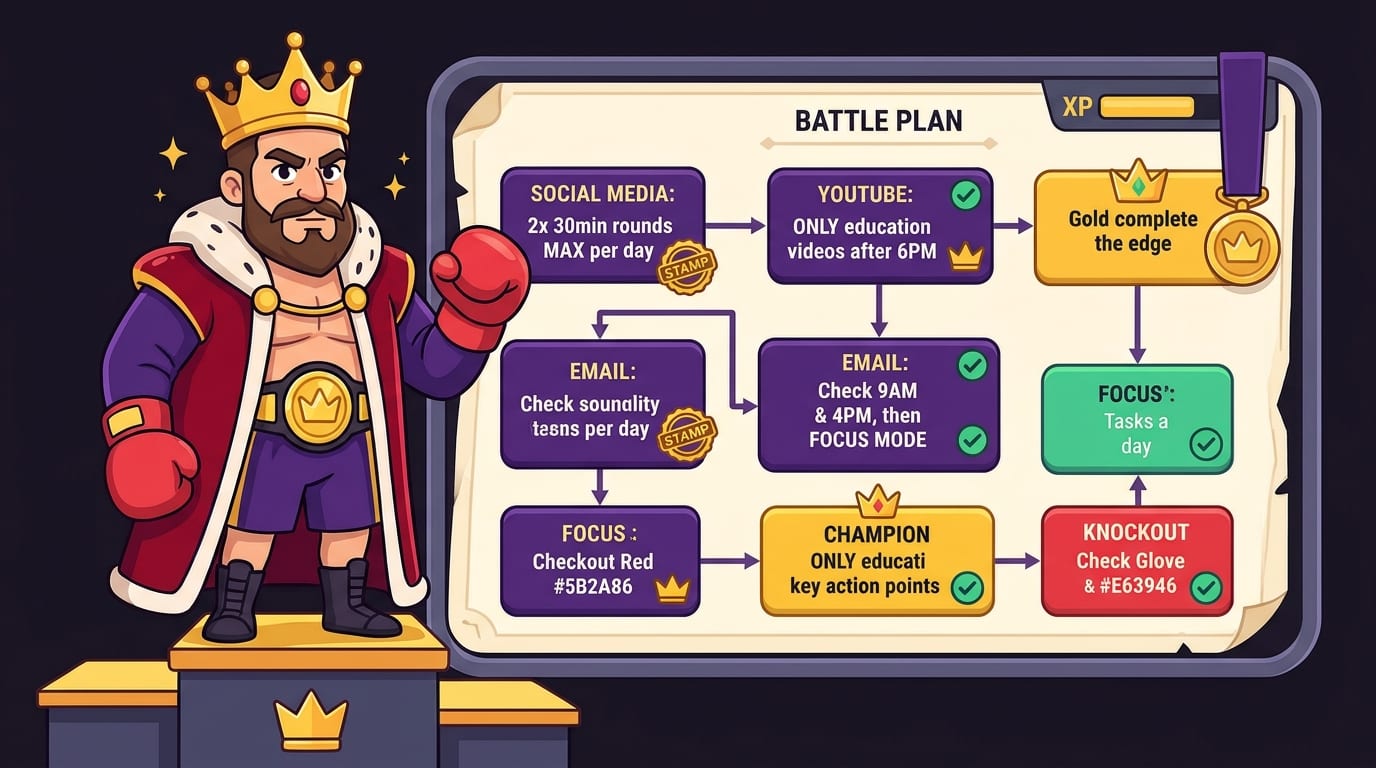
If distracting websites are your main weakness, a website blocker can add a practical layer to your boundary. BlockChamp is a gamified website blocker for Google Chrome. You can block specific sites, use category bundles, and—on its Champion plan—block keywords and set recurring schedules. Its focus toggle and schedule options help you put a rule into practice without relying on a fresh negotiation with yourself every five minutes.
When you try to visit a blocked site, BlockChamp’s Stare-Down page gives you a humorous reminder to get back to the task. Each time you resist, you can earn XP; focused days also contribute to your reign and progress. It’s a more playful approach than a blank error page, and it may suit people who respond better to a little game-like motivation than to a stern productivity chart. Learn more at BlockChamp.
Blocking should support your boundary, not decide your life for you. Keep essential sites accessible, choose a reasonable focus window, and review your settings if your schedule changes. The point is to defend your attention when you need it—not to declare war on the entire internet.
Set Boundaries for Work, Friends, and Family
Digital boundaries are not only about what happens on your devices. They also shape what other people can expect from you. If colleagues, friends, or family have grown used to instant replies, changing that pattern may feel awkward. That doesn’t mean the boundary is rude. It means you are communicating a new expectation.
Use clear, kind language. You don’t need a dramatic announcement or a twenty-slide presentation called “Why I Am Not Replying to Your Meme.” Try a simple message such as:
- “I’m focusing from 9 to 11, so I’ll reply after that.”
- “I’m offline in the evenings, but I’ll get back to you tomorrow.”
- “For urgent issues, please call. I check email during work hours.”
- “I’m trying to stay off my phone during dinner. I’ll catch up afterward.”
At work, communicate your response windows and use status indicators or an out-of-office message when appropriate. Managers can help by setting team norms around after-hours contact and what actually counts as urgent. If the culture expects people to be perpetually available, a personal setting may not solve everything; discussing expectations with your team may be necessary.
With friends and family, remember that a boundary is about what you will do, not controlling what others do. “I won’t respond while I’m working” is something you can follow. “Nobody is allowed to text me” is a rule for other people, and it may be harder to enforce. You can mute a chat, put your phone away, and reply when you are available.
Build Screen-Free Routines That Don’t Feel Like Punishment
Removing a digital habit leaves a gap. If you normally scroll during every quiet moment, turning off your phone may feel less like peace and more like being alone with your thoughts in an elevator. Plan a replacement activity so the boundary feels like making room for something, not simply losing access.
Choose simple alternatives that fit the moment: take a short walk, read a few pages, stretch, make tea, tidy one small area, or have a conversation without a glowing rectangle joining in as an uninvited third participant. Keep a book or notebook where you usually reach for your phone. Convenience matters; the replacement should be easy to start.
Screen-free routines can be especially useful at the beginning and end of the day. You might wait 20 minutes before checking your phone in the morning, or create a wind-down routine with a set time to put devices away. If you need your phone as an alarm, place it across the room or use a separate alarm clock.
Try a small experiment rather than a grand digital detox. Have one screen-free meal each day, take a short walk without scrolling, or keep one evening hour free of work messages. Notice how it feels. If the routine helps, keep it; if it doesn’t fit, adjust it. A boundary should improve your life, not become another task you can fail at.
For a real-life reflection on taking a break from interruptions, read how a day without digital interruptions can reset your week. You may find that a little quiet is surprisingly useful—and that no, the internet did not collapse while you were away.

Make Boundaries Stick with Friction, Schedules, and Small Wins
Good intentions are helpful, but defaults and routines are more reliable. Make your boundary easier to follow by changing your setup. Log out of distracting accounts, remove apps from your home screen, use separate browser profiles for work and personal browsing, or set your devices to activate Focus mode automatically at certain times.
Where possible, connect your boundary to an existing cue. “After I make coffee, I start my first focus block” is easier to remember than “At some point, I should be disciplined.” A recurring calendar event can remind you to take a break or close work for the day. A scheduled blocker can activate automatically during study or work hours.
Track whether the boundary is helping, not whether you followed it perfectly. You might note whether you finished a focus session, slept better, or felt less pulled toward your phone. If you slip, look for the reason. Was the boundary too vague? Did you need a specific person to reach you? Was the distracting site required for work? Adjust the plan instead of deciding you have permanently failed at technology.
Gamification can make consistency feel rewarding. BlockChamp, for example, awards XP for focus and rewards streaks with progress, badges, and ranks. The idea is not that every healthy habit needs a leaderboard. It’s that visible progress and small celebrations can help turn “I’ll try to focus” into a routine you want to repeat. Just remember: the real reward is the work, rest, or conversation you made room for—not merely a shiny badge.
Review Your Rules and Keep the Crown in Your Hands
Your needs change. A boundary that works during exam week may be too strict during a collaborative project. A strict work cutoff may need an exception during a genuine on-call shift. Review your rules every couple of weeks, or whenever your schedule changes, and ask whether they are protecting what matters.
A useful review can be short:
- Which boundary helped me most?
- Which one was difficult to follow, and why?
- What do I want more time or attention for next week?
- What small change would make the boundary easier?
If a rule isn’t working, revise it. Maybe “no phone after dinner” becomes “no social apps after dinner,” or “check email twice a day” becomes three scheduled checks during a busy week. Flexibility is not failure. It is how you make a boundary fit your actual life rather than an imaginary life where nobody ever needs a map, a message, or a weather forecast.
For more ideas on protecting creative time from online temptations, see how creators overcome digital temptations. The same principles apply whether you’re writing a novel, studying for an exam, finishing a report, or trying to enjoy dinner without checking a notification about a discount on something you didn’t know existed.

Set One Boundary Today—and Make It Easy to Keep
Learning how to set digital boundaries doesn’t require a perfect routine, a new personality, or a ceremonial phone burial in the garden. It starts with noticing where your attention goes, choosing one specific limit, and adjusting your environment so you can follow through.
Turn off a few unnecessary notifications. Keep your phone away during one meal. Set a no-work-message window. Block a distracting site while you study. Tell people when you’ll be available, and give yourself permission to reply later. Small, repeatable choices can protect your time far better than an ambitious rule you abandon by Tuesday.
Technology should serve your priorities—not summon you like a tiny glowing monarch. Pick one boundary, try it for a week, and adjust as needed. If your Chrome browsing keeps pulling you off course, BlockChamp can help you put a playful guard at the gate. Defend your focus, reclaim a little downtime, and reign over your time, champ.
Related posts

Reclaiming Quality Time

Healthy Tech Habits Kids

Can Children Resist Screens A Couples Home Experiment
