
Screen Time Boundaries

Your attention is not a public park. It is not a free buffet for TikTok, email, YouTube, news alerts, group chats, shopping tabs, “quick” Reddit checks, and that one app that somehow knows you want a waffle maker at 11:43 p.m. Healthy screen time boundaries are how you put a velvet rope around your brain and say, “Not today, tiny dopamine goblins.”
Here’s the good news: setting screen time boundaries does not require moving to a cabin, throwing your phone into a lake, or becoming the kind of person who says “I don’t own a TV” at parties. Boundaries are practical rules, habits, and tools that help you use screens on purpose instead of being dragged around by them like a medieval peasant tied to an algorithmic horse.
In this guide, we’ll cover how to set screen time boundaries that actually stick: for work, family, studying, sleep, social media, and “I opened Chrome and forgot who I was” moments. We’ll also talk about why willpower alone is a flimsy little paper crown, and how tools like BlockChamp can help you defend the throne when distractions come charging in with snacks and push notifications.
Quick Answers
What Are Screen Time Boundaries, Really?
Screen time boundaries are intentional limits around when, where, why, and how you use digital devices. They are not just “less screen time.” That’s too vague. “Use screens less” is the productivity equivalent of “just be taller.” Inspiring? Sure. Useful? Not exactly.
A good boundary is specific. It tells you what behavior is allowed, what behavior is off-limits, and what happens when temptation appears wearing a fake mustache. For example:
- No social media before 10 a.m.
- No phone in the bedroom after 9 p.m.
- Block YouTube, Reddit, and TikTok during work blocks.
- Check email only at 11 a.m. and 4 p.m.
- Keep meals screen-free, even if the group chat is being dramatic.
- Use streaming only after your planned tasks are done.
Notice the difference: these boundaries do not demonize technology. They simply stop technology from becoming the loudest toddler in the room. Screens are useful. They help us work, learn, connect, create, relax, and occasionally discover that raccoons can open doors. The problem is not screens themselves. The problem is unbounded screen use: the aimless, automatic, “how did I lose 47 minutes?” kind.
If you’re wondering how much screen time is too much, that depends on your age, job, responsibilities, and whether your screen use is active or passive. We break that down in more detail in our guide on how many hours of screen time is healthy. The short version: quality, context, and control matter just as much as the raw number.
Why Screen Time Boundaries Matter More Than Ever
Modern digital platforms are not casually hoping you stick around. They are engineered to keep you engaged. Infinite scroll, autoplay, recommendation algorithms, streaks, alerts, badges, and “people are typing…” indicators all exist to pull you back in. Your attention is valuable, and everyone brought a bucket.
Research from Pew Research Center shows how deeply smartphones are woven into daily life, with the vast majority of Americans owning one. Meanwhile, DataReportal’s Global Digital Reports consistently show that people around the world spend hours per day online across devices and platforms. Screens are not a side dish anymore. They are the whole buffet, dessert cart included.
The issue is that digital distractions do not just steal time. They also shred focus. The American Psychological Association has covered how multitasking and task-switching can reduce efficiency because the brain pays a cost every time it changes lanes. That “quick” notification check can create a focus pothole big enough to swallow your afternoon.
Screen time boundaries help because they reduce decision fatigue. Instead of deciding 93 times per day whether you should check Instagram, you create a rule: Instagram is blocked until lunch. Done. The King has spoken. The villagers may complain.
Boundaries also protect your rest. Evening screen habits can interfere with sleep routines, especially when they trigger emotional stimulation or delay bedtime. The Sleep Foundation explains that electronic device use near bedtime can affect sleep through light exposure, mental stimulation, and time displacement. Translation: “just one episode” is often a tiny goblin holding tomorrow hostage.
The Four Types of Screen Time Boundaries: Build Your Digital Castle
Not all boundaries do the same job. Some protect your time. Some protect your attention. Some protect your relationships. Some protect your sleep from being body-slammed by autoplay. To build screen time boundaries that actually work, use a mix of these four types.
1. Time boundaries
Time boundaries define when screens are allowed. They are great for work hours, study sessions, mornings, evenings, and weekends.
- “No social media before breakfast.”
- “Gaming only after 7 p.m.”
- “No email after 6 p.m.”
- “Streaming is for Friday and Saturday nights, not Tuesday procrastination theater.”
Time boundaries are powerful because they remove negotiation. If your rule is “no YouTube until after work,” then your 2:13 p.m. brain does not get to hold a parliamentary debate about whether “research” includes watching a man restore a rusty axe.
2. Place boundaries
Place boundaries define where screens are allowed. This is excellent for sleep, family time, and meals.
- No phone in bed.
- No laptop at the dinner table.
- No scrolling in the bathroom. Yes, we’re going there. The throne is for other business.
- Charging station outside the bedroom.
Place boundaries work because environments cue behavior. If your phone sleeps in another room, you are less likely to start your day with 18 minutes of doomscrolling and the emotional posture of a damp sock.
3. Purpose boundaries
Purpose boundaries define why you are using a screen. This separates intentional use from accidental rabbit holes.
- “I’m opening YouTube to watch one tutorial on Excel formulas.”
- “I’m checking LinkedIn to reply to messages, not to compare my career to a 23-year-old founder with a podcast microphone.”
- “I’m using ChatGPT to draft ideas, not to avoid writing the actual thing.”
Before opening a tempting app or site, ask: “What am I here to do?” If you cannot answer, congratulations, you have found a boundary opportunity wearing clown shoes.
4. Friction boundaries
Friction boundaries make distractions harder to access. This is where website blockers, app limits, grayscale mode, logged-out accounts, and device settings come in.
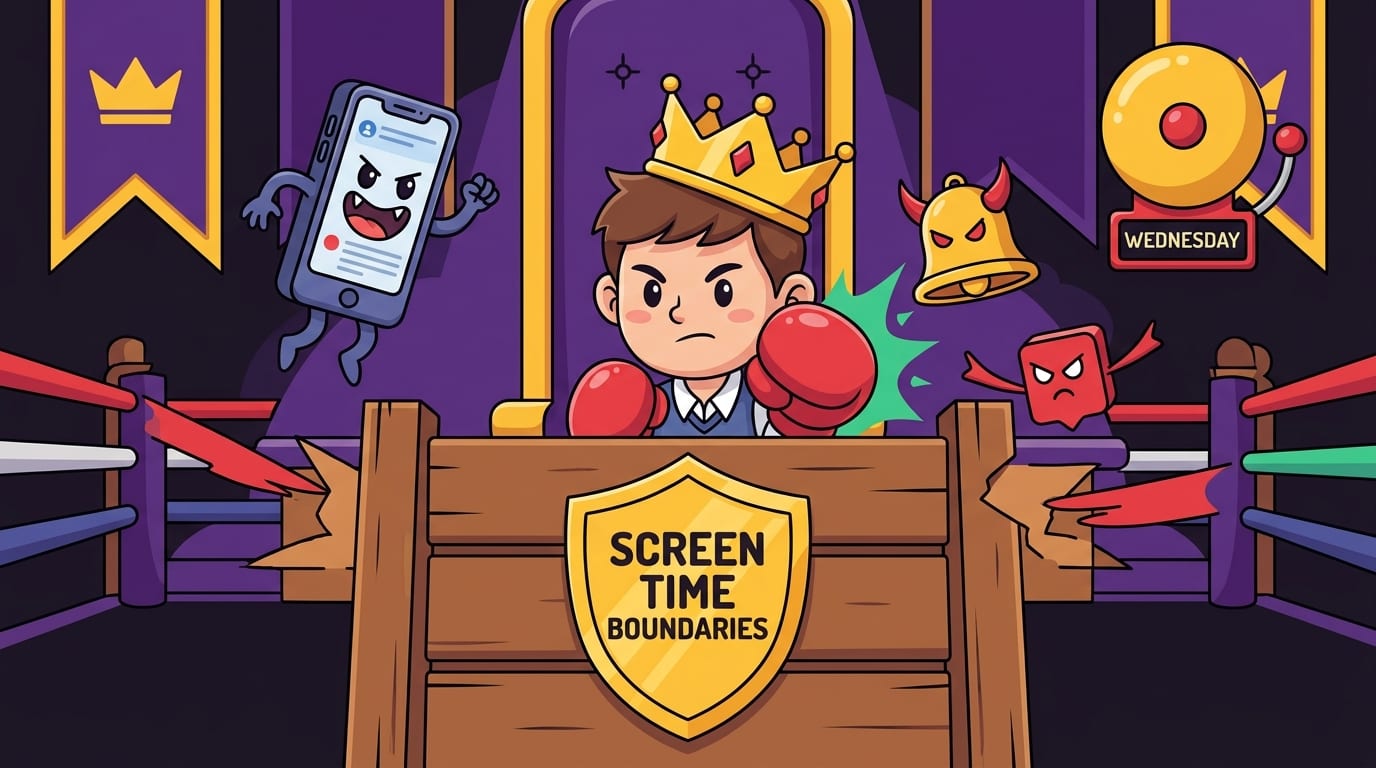
Friction matters because your future self is not always a noble warrior. Sometimes future you is tired, bored, snacky, and willing to trade your kingdom for 12 minutes of short-form video. Tools like BlockChamp add a guard at the gate. You can block distracting websites, keywords, and entire categories like Social Media, Video, News, Shopping, Gaming, Gambling, Adult, and AI Distractions. When you try to sneak into a blocked site, The King hits you with a full-screen Stare-Down instead of a boring error page. It’s focus protection with theatrical royal judgment. Deliciously useful.
Step-by-Step: How to Set Screen Time Boundaries That Don’t Collapse by Wednesday
Most people fail at screen time boundaries because they start too big. They declare, “I shall never waste time online again!” and then three hours later they’re watching a raccoon wash grapes. Ambition is cute. Systems are better.
Use this step-by-step plan to create boundaries that are realistic, measurable, and hard to wiggle out of.
-
Audit your digital chaos.
For two or three days, notice where your time goes. Check your phone’s screen time reports, browser history, or app usage stats. Do not judge yourself. You are gathering evidence, not sentencing yourself to the productivity dungeon.
-
Pick your top three problem zones.
Do not try to fix everything at once. Choose the worst offenders. Maybe it’s TikTok before bed, Reddit during work, and email every six minutes. These are your first opponents.
-
Create one boundary per problem.
Make each boundary specific. Instead of “less social media,” try “block social media from 9 a.m. to noon on weekdays.” Instead of “sleep earlier,” try “phone charges in the kitchen after 9:30 p.m.”
-
Add friction immediately.
If the boundary relies entirely on self-control, it is basically a cardboard drawbridge. Use blockers, app limits, schedules, notification settings, or physical distance. BlockChamp’s Master Focus Toggle is handy here: one big switch puts your blocks “On Guard” so you don’t need to micromanage every temptation.
-
Track one simple score.
Track days followed, hours focused, or number of avoided distractions. Keep it visible. BlockChamp turns this into XP, levels, badges, reigns, and leaderboard progress, which is much more fun than a guilt spreadsheet named “Why Am I Like This.xlsx.”
-
Review weekly and adjust.
If a boundary is too strict, loosen it. If it is too weak, strengthen it. The goal is not purity. The goal is control.
For a broader look at what improves when you reduce unnecessary screen time, read our post on the benefits of reducing screen time. Spoiler: your focus, sleep, mood, and relationships may all stop looking like they lost a boxing match.
Work Boundaries: Protect Deep Focus From Notification Goblins
Work screen time is sneaky because it feels productive. You are at your computer, after all. Very official. Many tabs. Much business. But not all work screen time is work. Some of it is Slack theater, inbox gardening, dashboard refreshing, and “research” that somehow becomes a 22-minute detour into celebrity net worth pages.
To set work screen time boundaries, start by separating creation time from communication time. Creation time is when you write, code, design, analyze, study, plan, or solve hard problems. Communication time is when you answer messages, attend meetings, and handle admin. Both matter, but mixing them constantly turns your brain into scrambled eggs with a Wi-Fi signal.
Try this work boundary stack:
- Block social media, news, shopping, and video sites during deep work blocks.
- Check email two or three scheduled times per day instead of constantly.
- Turn off nonessential notifications on desktop and phone.
- Use a 25, 50, or 90-minute focus sprint with a clear task outcome.
- Keep only the tabs needed for the current task open. Tab hoarding is not a personality trait, champ.
If you work in Chrome, BlockChamp can be your royal bouncer. Free users can block up to 3 sites and enable 2 distraction categories, which is enough to target your biggest troublemakers. Champion users get unlimited blocked sites, all 8 categories, keyword blocking, recurring schedules, and Hardcore Lockdown. That means your “I’ll just turn it off for five minutes” impulse has to fight through a cooldown timer or a boxing-riddle mini-game. Ridiculous? Yes. Effective? Also yes.
The key is to decide boundaries before the workday begins. A tired brain at 3 p.m. should not be responsible for defending the kingdom alone. Give it walls. Give it guards. Give it The King, preferably with red boxing gloves and zero patience for “quick checks.”
Family and Relationship Boundaries: Don’t Let Your Phone Third-Wheel Dinner
Screen time boundaries are not only about productivity. They are also about presence. Nobody wants to tell a story to someone whose face is lit by a rectangle and whose thumb is doing parkour under the table.
Family boundaries work best when they are shared, visible, and not framed like punishment. Instead of “phones are bad,” try “we’re protecting dinner because we like each other, allegedly.” Make the boundary about what you are gaining: better conversations, calmer evenings, more attention, less background buzzing.
Here are practical family screen boundaries:
- Screen-free meals for everyone, adults included. Yes, even the “important email” adult. Especially that adult.
- A shared charging station during family time.
- No phones during the first 20 minutes after someone gets home.
- Movie night with phones in another room, so nobody “just checks one thing” and misses the plot twist.
- Weekend outdoor time before gaming or streaming.
For kids and teens, screen time boundaries should be clear and consistent. But adults need boundaries too. Children notice when grown-ups announce limits while scrolling like raccoons with stock portfolios. Model the behavior you want. The crown is heavier when little villagers are watching.
You can also create a “screen menu” that separates high-quality digital activities from low-quality ones. Video calling grandparents, learning guitar, coding, drawing digitally, or watching a documentary is different from endless autoplay sludge. The goal is not to make all screen time morally suspicious. It is to make it intentional.
If your household is considering more screen-free routines, our article on screen-free benefits offers more ideas for what happens when the devices take a royal nap.

Sleep Boundaries: Stop Letting Your Phone Tuck You In Like a Menace
Evening screen use is one of the hardest habits to change because it feels like rest. You are tired. The couch is soft. Your brain wants low-effort entertainment. Suddenly it is midnight and an autoplay algorithm is teaching you about abandoned malls in Ohio. Fascinating? Sure. Helpful tomorrow morning? Absolutely not, my sleepy liege.
A strong sleep boundary starts with a digital sunset: a daily time when screens begin winding down. This does not have to be dramatic. Start with 30 minutes before bed. If that works, stretch it to 60. If you currently scroll until the phone falls on your face, even 10 minutes is a heroic uprising.
Try this nighttime boundary routine:
- Set a “screens off” alarm 30 to 60 minutes before bed.
- Charge your phone outside the bedroom or across the room.
- Block your top nighttime distractions after a set hour.
- Replace scrolling with a low-friction alternative: reading, stretching, journaling, music, or preparing tomorrow’s clothes.
- Keep a notepad nearby for random thoughts so you do not unlock your phone “just to write something down” and end up in the meme mines.
If you use your phone as an alarm, consider buying a cheap alarm clock. Revolutionary technology: it tells time and does not contain Instagram. Truly, the ancients were wise.
For more context on phone use and healthy limits, check out our guide on the right amount of time to spend on your phone. The goal is not to become anti-phone. The goal is to stop your phone from becoming the final boss of bedtime.
Social Media Boundaries: Keep the Fun, Lose the Brain Rot Buffet
Social media is not automatically evil. It can be funny, useful, creative, and genuinely connecting. It can also turn your afternoon into soup. The trick is to decide what role social media gets to play in your life before the algorithm decides for you.
Start with purpose. Are you using social media for messaging, professional networking, entertainment, learning, community, or promotion? Each purpose deserves different boundaries. A creator may need Instagram for work. A student may need Discord for a class group. A freelancer may use LinkedIn for leads. But none of those require infinite scrolling until your posture becomes a question mark.
Set social media boundaries like these:
- Use social apps only during two scheduled windows per day.
- Delete apps from your phone and use desktop only.
- Block feeds during work, but allow messaging tools if needed.
- Log out after each session to add friction.
- Turn off push notifications except direct messages from real humans.
- Unfollow accounts that make you feel angry, inadequate, or like buying a mushroom lamp at 1 a.m.
According to Hootsuite’s Digital Trends resources, social media continues to be a major part of how people communicate, discover content, and engage with brands. That makes boundaries even more important. If a platform is built to be sticky, your exit strategy needs more than “I’ll stop when I feel like it.” Famous last words, right next to “one more episode.”
BlockChamp is especially useful for social media boundaries because you can block individual sites like X/Twitter, Instagram, Reddit, Facebook, TikTok, or LinkedIn, or enable the Social Media category in one tap. If you try to break the rule, you meet The Stare-Down: The King appears, unimpressed, with a “HALT” message and a reminder not to throw away your reign for this nonsense. It’s like being caught sneaking cookies, except the cookie is Reddit and the judge has boxing gloves.
Study Boundaries: Because Your Textbook Cannot Compete With 14 Tabs of Chaos
Students have a uniquely brutal screen problem: most studying happens on the same devices that contain every distraction ever invented. Your laptop is both a library and a circus cannon. Your phone is both a calculator and a portal to group chat mayhem. No wonder focus feels like wrestling an octopus in a hoodie.
Good study screen time boundaries create a dedicated digital study environment. That means your device should look and behave differently during study blocks than during leisure time.
Use this study setup:
- Create a study-only browser profile with school bookmarks and no social logins.
- Block streaming, social, gaming, shopping, and news sites during study sessions.
- Use a timer: 25/5 Pomodoro for lighter work, 50/10 for deeper sessions.
- Put your phone in another room or use focus mode.
- Write the exact task before starting: “Finish biology notes section 3,” not “study.”
- Reward completion with a planned break, not random tab wandering.
One underrated boundary: decide your “allowed study distractions.” Sometimes you need a break. That does not mean you need TikTok. Use breaks that actually reset your brain: walking, water, stretching, snacks, breathing, staring dramatically out a window like a genius in a movie. Five minutes of movement beats five minutes of algorithmic chaos most of the time.
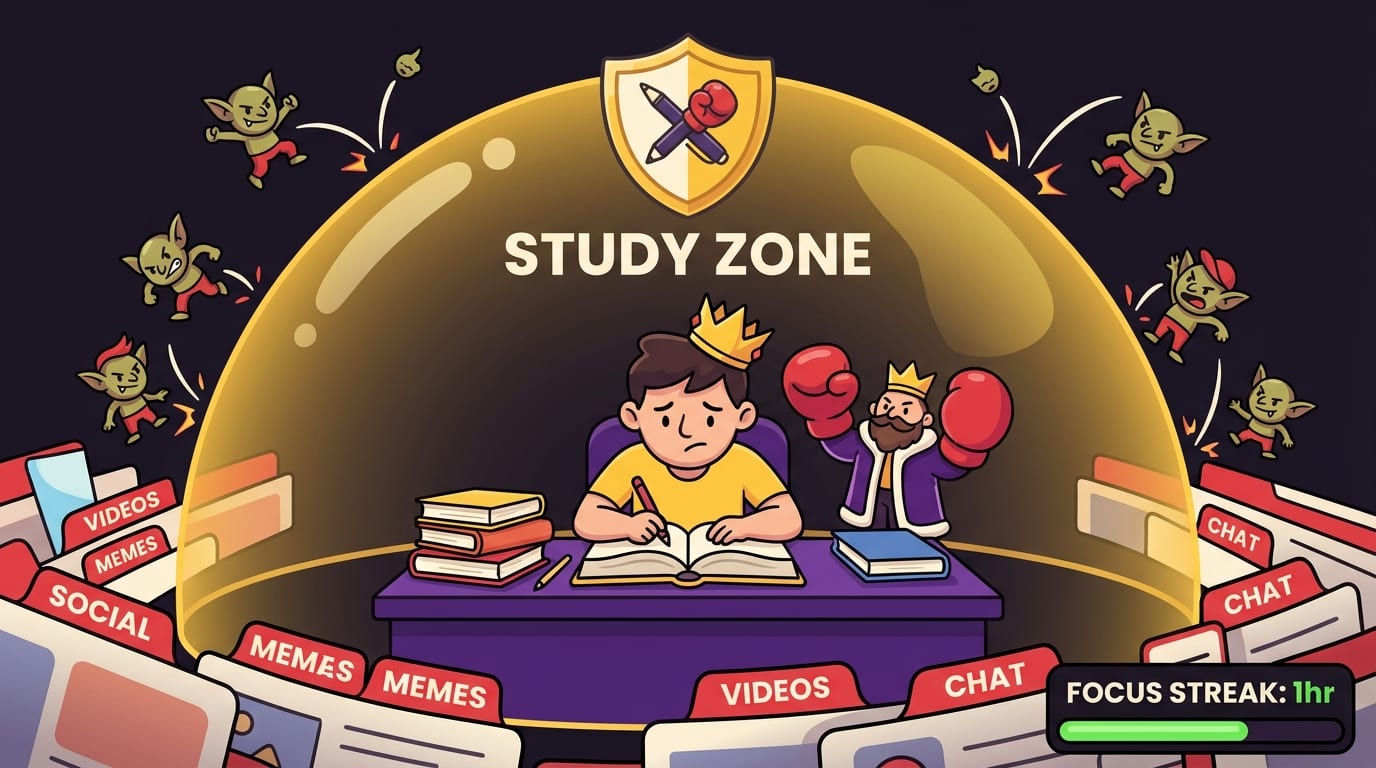
BlockChamp’s gamification can help students because progress becomes visible. Every focused minute earns XP. Every blocked-site attempt survived earns more XP. Keep your Master Focus on and your reign climbs. Instead of “I should study more,” you get concrete proof: focus hours, badges, streaks, calendar progress. Tiny victories. Big crown energy.
Make Boundaries Stick With Friction, Rewards, and Identity
The best screen time boundaries combine three forces: friction, rewards, and identity. If you use all three, you are no longer relying on heroic willpower every day. You are building a system that makes the right behavior easier and the wrong behavior slightly more annoying. Annoyance is underrated. It is the moat around your castle.
Friction: make distractions harder
Friction is any obstacle between you and the behavior you want to reduce. Website blockers, app limits, removing apps, logging out, grayscale mode, and charging your phone elsewhere all add friction. Even a 10-second delay can be enough to interrupt an impulse.
This is why BlockChamp’s Hardcore Lockdown is so clever. If you try to turn focus off, you may have to wait through a cooldown timer or complete The King’s Combo, a three-round boxing riddle. By the time you finish, the original impulse may have slunk away in shame. Beautiful. Petty. Effective.
Rewards: make focus satisfying
Humans like rewards. This is not a moral failing. It is biology wearing a party hat. If you only make screen boundaries feel like deprivation, your brain will rebel. Build in positive feedback.
- Track focus streaks.
- Celebrate screen-free evenings.
- Reward a completed deep work block with a walk or coffee.
- Use tools that show progress visually.
- Turn your focus into a game, because apparently our brains love shiny points. Fair enough.
BlockChamp leans hard into this with XP, rank titles, badges, reigns, a focus calendar, and a Hall of Champions leaderboard. It turns “I didn’t waste my morning” into “I defended the throne and leveled up.” Same behavior. Better story.
Identity: become the kind of person who protects attention
The deepest boundaries come from identity. Instead of “I’m trying to use my phone less,” try “I protect my mornings.” Instead of “I shouldn’t scroll,” try “I’m someone who does deep work before social media.” This might sound cheesy, but identity-based habits are powerful because they turn choices into votes for who you are becoming.
You do not need to be perfect. You just need to keep voting. A few strong boundaries, repeated daily, can change your default relationship with screens.
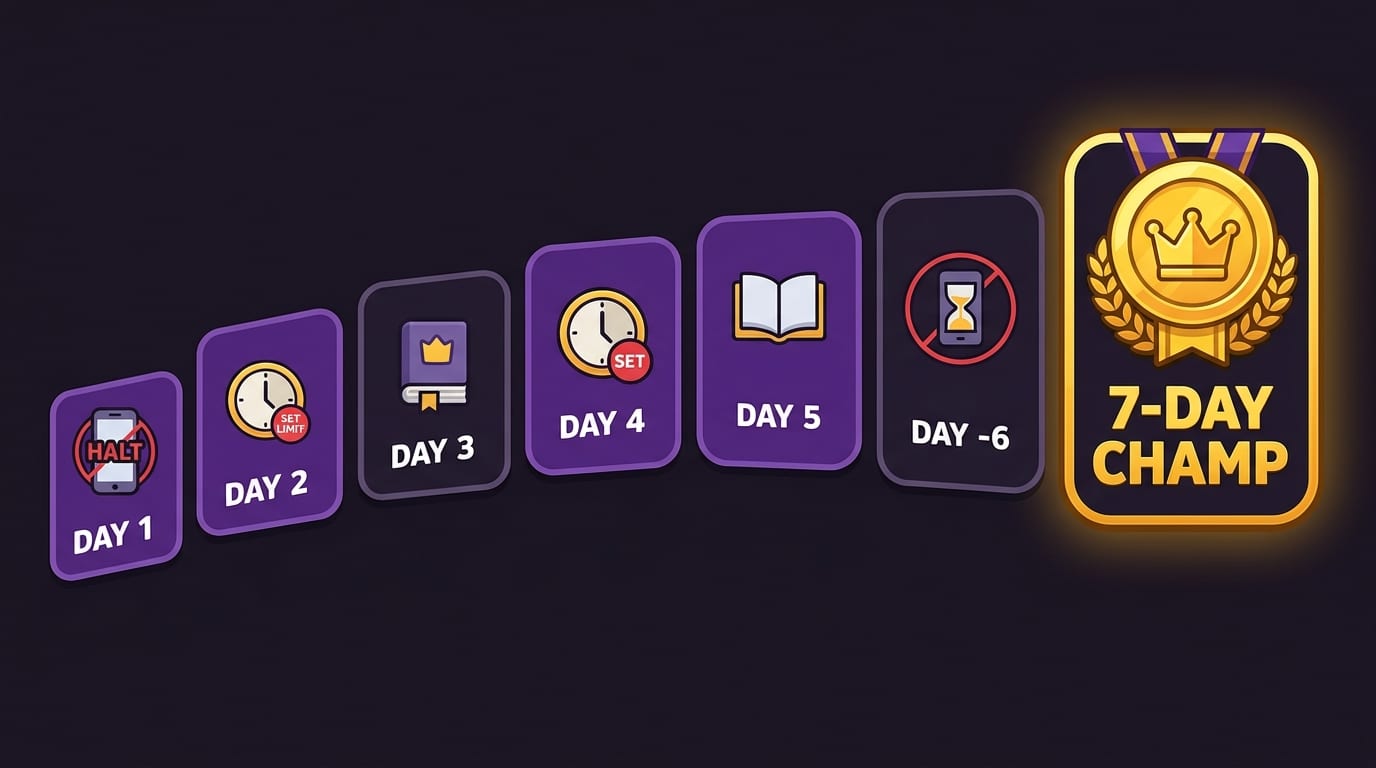
A Simple 7-Day Screen Time Boundary Challenge
If you want to start today, do not redesign your entire life. Try this 7-day challenge. It is practical, mildly heroic, and does not require a monk robe unless you already own one.
- Day 1: Check your screen time stats and identify your top three distractions.
- Day 2: Set one time boundary, such as no social media before noon.
- Day 3: Set one place boundary, such as no phone in bed.
- Day 4: Block your top distraction during work or study hours.
- Day 5: Create a 30-minute screen-free evening routine.
- Day 6: Do one meal or hangout completely phone-free.
- Day 7: Review what worked, what failed, and which boundary deserves to become permanent.
If you want to make the challenge more fun, install BlockChamp for Chrome, pick your opponents, and turn Master Focus on. Start a reign. Earn XP. Let The King shame your worst tabs with dignity and volume. If you survive your first blocked-site attempt, congratulations: that is a tiny knockout. Stack enough of those and your week starts looking suspiciously productive.
If you are curious about longer-term health and cognitive concerns around passive screen habits, our article on passive screen time and dementia risk explores emerging research and why active, intentional use matters.
Common Mistakes That Make Screen Time Boundaries Flop
Before we wrap this royal scroll, let’s talk about the traps. Screen time boundaries often fail for predictable reasons, which is good news because predictable problems can be defeated with a clipboard and a tiny trumpet.
-
Going too extreme too fast.
If you cut every fun digital activity overnight, your brain may stage a rebellion. Start with your biggest pain point and build from there.
-
Making vague rules.
“Use my phone less” is not a boundary. “No phone during meals” is a boundary. Specific beats inspirational every time.
-
Relying only on willpower.
Willpower gets tired. Systems do not. Use blockers, schedules, physical distance, and default settings.
-
Ignoring emotional triggers.
Many people scroll when bored, anxious, lonely, tired, or avoiding a hard task. If you do not address the trigger, the habit will keep respawning like a low-budget villain.
-
Not replacing the habit.
If you remove a screen habit, put something else in its place: walking, reading, calling a friend, cleaning, stretching, cooking, or doing literally one push-up like a dramatic productivity goblin.
-
Treating one slip like failure.
A boundary is not broken forever because you messed up once. Reset quickly. The crown may wobble, but it does not have to fall.
Healthy screen time limits should support your real life, not become another source of guilt. The point is to reclaim attention for things that matter: work that moves you forward, people you care about, hobbies that make you feel alive, and rest that does not involve waking up under a pile of autoplay regrets.
Conclusion: Defend the Throne, Crush the Scroll
Screen time boundaries are not about hating technology. They are about using technology like a tool instead of serving it like a tiny glowing monarch. The strongest boundaries are specific, realistic, and supported by friction. They protect your focus during work, your presence during family time, your brain during study sessions, and your sleep from the midnight scroll goblin.
Start small. Pick one time boundary, one place boundary, and one friction tool. Track your progress for a week. Adjust. Repeat. You do not need a perfect digital detox. You need a kingdom with walls, a schedule, and a few guards who are not afraid to body-check YouTube at the gate.
And if you want help making those boundaries stick, try BlockChamp. It’s a gamified website blocker for Chrome that lets you block distracting sites, keywords, and categories, earn XP for staying focused, build reigns, unlock badges, and get hilariously judged by The King when you try to sneak into blocked sites. It is practical focus protection with a crown, boxing gloves, and just enough roast energy to keep you honest.
Long live your focus, champ. Defend the throne. Crush the scroll. Become king of your time.
Related posts

Be Present And Reduce Digital Distractions

Reclaim Your Attention And Focus On What Matters

Understanding And Adapting To Different Work Styles
