
Screen Time Boundaries

Your screen time boundaries are probably being violated right now. Not by a villain in a cape. By a tiny glowing rectangle whispering, “Just check one thing.” Then suddenly it is 47 minutes later, you know too much about a celebrity divorce, and your to-do list is staring at you like it wants custody of your future.
Setting screen time boundaries is not about becoming a cave monk with a flip phone and a suspiciously intense relationship with herbal tea. It is about deciding when screens serve you, when they sabotage you, and how to build realistic limits so your attention stops getting mugged in broad daylight.
Work, school, home, parenting, studying, relaxing, doomscrolling, “research,” actual research, fake research, and watching a raccoon steal a sandwich can all happen on the same devices. That is the problem. Boundaries are the castle walls. Without them, every app, website, notification, and algorithm strolls into your kingdom wearing muddy boots.
This guide breaks down practical, step-by-step ways to set screen time boundaries that actually stick. No shame. No “delete the internet and live in a tree.” Just usable routines, environmental tweaks, website blocking strategies, and habit changes that help you regain control like the crowned champion you were clearly born to be.
Quick Answers
What Are Screen Time Boundaries, Really?
Screen time boundaries are rules, routines, and friction points that define when, where, why, and how you use digital devices. They are not just “less phone.” That is too vague. “Less phone” is the productivity version of saying “be healthier” while eating cereal from a saucepan at midnight.
Good boundaries are specific. They answer questions like:
- Which apps or websites are off-limits during work or study?
- What time do screens shut down before bed?
- Where are phones allowed in the house?
- How long can you use entertainment platforms on weekdays?
- What do you do instead when you feel the urge to scroll?
Screen time boundaries are also personal. A graphic designer may need eight hours on a computer and still have healthy digital habits. A student may need YouTube for lectures but not for six consecutive videos about ancient battle tactics narrated by a man named “History Goblin.” Context matters.
The goal is not to make screens evil. Screens are tools. They help us work, learn, connect, pay bills, build businesses, and occasionally watch a goose chase a police officer. The goal is to stop screens from becoming the default answer to boredom, stress, procrastination, loneliness, or the terrifying silence of your own thoughts.
If you want a broader look at healthy daily usage, BlockChamp has a helpful guide on how many hours of screen time is healthy. Spoiler: the “right” amount depends heavily on what you are doing, not just the number on your screen time report.
Why Your Brain Treats Screens Like a Snack Machine With Wi-Fi
Before setting screen time boundaries, it helps to understand why screens are so sticky. You are not weak. You are not uniquely broken. You are a human with a brain built for novelty, rewards, social signals, and avoiding unpleasant tasks like tax forms, essays, and emails that begin with “Just circling back.”
Social platforms, streaming services, news feeds, shopping apps, and games are built to keep you engaged. Infinite scroll removes stopping points. Autoplay eliminates decision-making. Notifications create urgency. Variable rewards keep your brain checking because maybe this time there is something interesting. Maybe this time the internet has placed a little dopamine cupcake on your digital doorstep.
Research from organizations like the American Psychological Association has explored how digital media use can affect attention, mental health, sleep, and social behavior. Meanwhile, sleep experts at the Sleep Foundation explain that evening electronics use can interfere with sleep through stimulation, blue light exposure, and delayed bedtime routines.
There is also a cognitive cost to constant switching. The APA’s research summary on multitasking notes that switching between tasks can reduce efficiency and increase mental load. Translation: checking Instagram between spreadsheet edits is not “refreshing your brain.” It is making your brain do burpees in a tiny cubicle.
That is why boundaries work best when they reduce decisions. If every moment requires heroic willpower, you will lose eventually. Not because you are a peasant of procrastination forever, but because willpower is a battery. Systems are power outlets.
Step 1: Audit Your Screen Time Without Roasting Yourself Into Dust
You cannot set effective screen time boundaries if you do not know what you are protecting your time from. The first step is a simple audit. Not a guilt festival. Not a courtroom drama. Just data.
For three to seven days, track your screen use. Use built-in tools like Apple Screen Time, Android Digital Wellbeing, browser history, or your computer’s activity reports. Look for patterns:
- Which apps or websites take the most time?
- When do you usually fall into scrolling?
- What triggers it: boredom, stress, avoidance, fatigue, loneliness?
- Which screen activities leave you feeling better?
- Which ones leave you feeling like a damp sock?
Divide screen time into three categories:
- Essential: work, school, finances, communication, learning, creative projects.
- Optional but valuable: intentional entertainment, video calls with friends, hobbies, guided workouts, skill-building.
- Attention goblins: doomscrolling, compulsive checking, autoplay rabbit holes, rage-reading comments, random shopping, “quick” news loops.
The goal is not to slash everything. It is to protect the first category, intentionally enjoy the second, and put the third in a tiny royal dungeon where it belongs.
If you want extra motivation, read about the benefits of reducing screen time. Better sleep, more focus, less stress, and fewer mysterious hours disappearing into the algorithmic swamp are all strong reasons to defend the throne.
Step 2: Create Work Screen Time Boundaries That Survive Monday Morning
Work is where screen time boundaries get tricky because many of us need screens to do our jobs. You cannot exactly tell your boss, “Sorry, I am digitally detoxing, so I mailed the spreadsheet by pigeon.” The trick is to separate productive screen use from distracting screen use.
Start by defining your “focus windows.” These are blocks of time when your job is to do one meaningful task, not graze across 19 tabs like a caffeinated goat. For example:
- 9:00–10:30: Deep work on proposal
- 10:30–10:45: Email and messages
- 10:45–12:00: Client project
- 1:00–1:30: Admin tasks
- 1:30–3:00: Writing, coding, designing, studying, or analysis
During focus windows, block or close anything unrelated. That includes social media, streaming sites, shopping tabs, sports scores, news, and whatever forum convinces you that reading 88 comments is “industry awareness.” It is not. It is a distraction wearing a fake mustache.
This is where a website blocker helps. With BlockChamp, you can block specific sites like YouTube, Reddit, Instagram, X/Twitter, or Amazon, or use category bundles like Social Media, Video & Streaming, News, Shopping, Gaming, Gambling, Adult, and AI Distractions. One master focus toggle puts The King on guard, and suddenly your “quick peek” at TikTok gets intercepted by a royal boxer with judgment in his eyes. Beautiful. Terrifying. Effective.
For Pro users, BlockChamp’s recurring Focus Schedule can automatically turn blocks on during work hours. That matters because the best boundary is the one you do not have to remember while under-caffeinated and emotionally vulnerable to memes.

Step 3: Build Home Boundaries So Your Couch Does Not Become a Scroll Throne
Home screen time boundaries are different from work boundaries. At home, screens often fill gaps: waiting, resting, eating, decompressing, avoiding chores, or pretending laundry is a myth invented by Big Hamper.
Start with location-based boundaries. These are powerful because they attach rules to places instead of moods. Try:
- No phones at the dinner table.
- No screens in bed.
- Charging station outside the bedroom.
- TV only in shared spaces, not as background noise all day.
- Phones parked during family conversations or date nights.
Next, add time-based boundaries. For example, create a nightly “digital sunset” 30 to 60 minutes before bed. This gives your brain a chance to land the plane instead of crash-landing into sleep after watching a video titled “Top 10 Haunted Theme Parks.”
The CDC emphasizes the importance of sufficient sleep for health, mood, and performance. If screens are pushing bedtime later, your boundary should be boringly obvious: make the last hour of the day lower-stimulation. Read, stretch, prep tomorrow’s clothes, tidy the kitchen, journal, or stare heroically into the middle distance like a Victorian lighthouse keeper.
For families or shared households, make boundaries visible. Put a small card on the fridge:
- Weeknight entertainment screens: after homework/workout/chores.
- No phones during meals.
- Devices charge in the kitchen after 10 p.m.
- Sunday morning is screen-light until noon.
The clearer the boundary, the fewer debates. And fewer debates means fewer tiny courtroom dramas where someone argues that “technically YouTube is educational” while watching a man deep-fry a shoe.
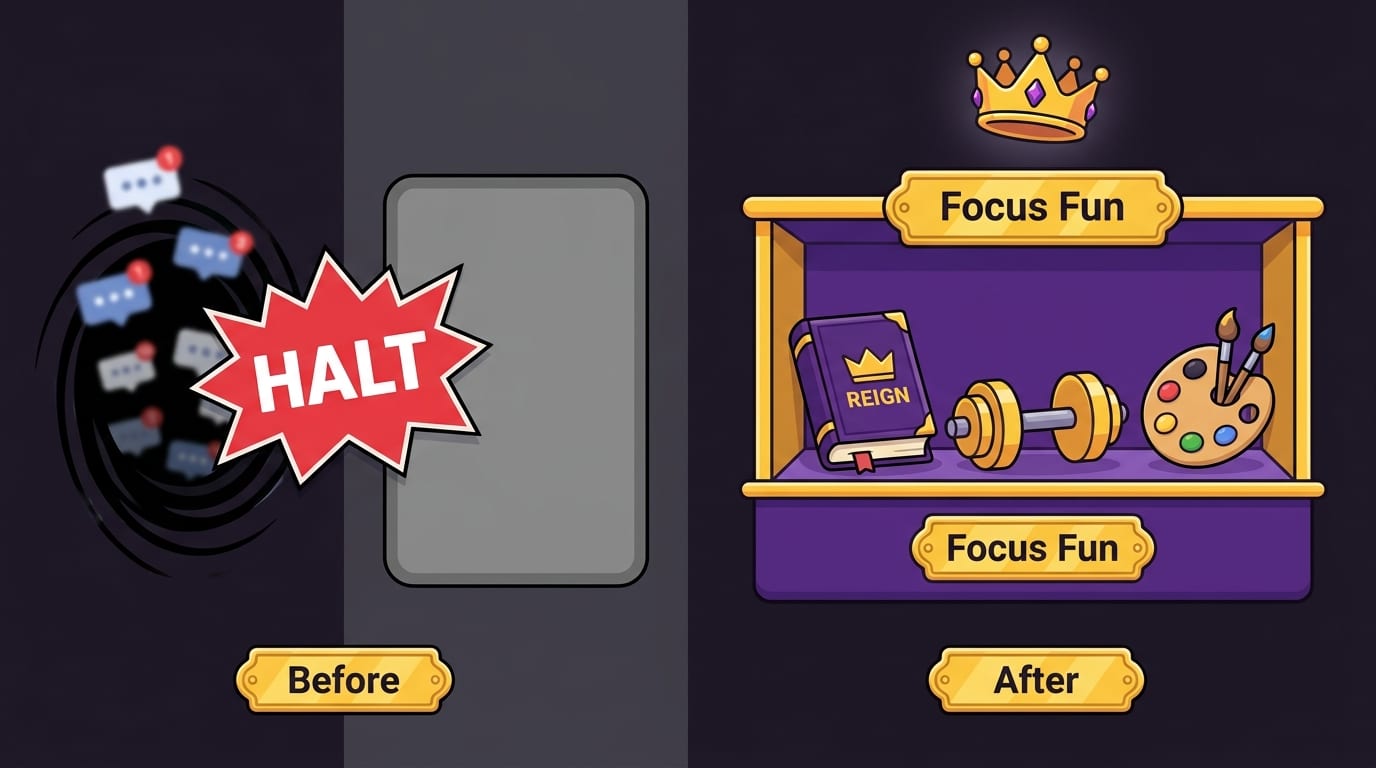
Step 4: Replace the Scroll, Don’t Just Remove It
A common mistake: people set screen time boundaries by removing the behavior without replacing the reward. Then they sit there feeling itchy and bored, like a raccoon denied access to a trash buffet.
If scrolling gives you rest, novelty, social contact, or escape, your replacement should meet the same need in a healthier way. Otherwise your brain will stage a coup.
Try this replacement map:
- If you scroll because you are tired: take a 10-minute walk, stretch, nap, or make tea.
- If you scroll because you are avoiding work: set a 10-minute timer and start with the smallest next action.
- If you scroll because you are lonely: text one real person, send a voice note, or schedule a call.
- If you scroll because you need fun: read fiction, play music, cook something weird, doodle, or do a hobby with your hands.
- If you scroll because you are stressed: breathe slowly, journal, clean one surface, or step outside.
The replacement does not need to be noble. You do not have to swap TikTok for translating ancient Greek. You just need an option that does not leave you feeling digitally deep-fried.
For inspiration, check out BlockChamp’s post on screen-free benefits. It is a good reminder that the best parts of life usually do not require a loading spinner.
Step 5: Use Friction Like a Productivity Bodyguard
Most screen time problems happen because access is too easy. Your phone is in your hand. Your browser remembers every site. Your apps are logged in. Your notifications are screaming. The castle gate is not only open; there is a welcome mat that says “Please steal my attention.”
Friction means adding small barriers between impulse and action. Not impossible barriers. Just enough delay for your adult brain to catch up with your goblin brain.
Examples of useful friction:
- Log out of distracting apps after each use.
- Remove social apps from your home screen.
- Turn off non-essential notifications.
- Use grayscale mode during work hours.
- Keep your phone across the room while working.
- Delete saved bookmarks for distracting websites.
- Block distracting websites during focus windows.
BlockChamp is basically friction with a crown and boxing gloves. If you try to visit a blocked site, you get The Stare-Down: a full-screen block page where The King catches you, displays the site you tried to open, and sends you back to work. Every stare-down survived earns XP, which turns “I almost wasted 20 minutes” into “I defended the kingdom.” Ridiculous? Yes. Useful? Also yes.
Champion users can enable Hardcore Lockdown, which adds a cooldown timer or a three-round boxing riddle before turning focus off. This is especially helpful if your weakness is the classic “I’ll just disable the blocker for five minutes” lie, which has destroyed more afternoons than bad meetings and free office cake combined.
Step 6: Set Different Boundaries for Different Types of Screen Time
Not all screen time is created equal. A two-hour video call with your long-distance best friend is different from two hours of rage-refreshing news headlines. Writing a paper is different from watching “one more” productivity video instead of doing the work. The crown recognizes nuance.
Create boundaries by purpose:
For work and study
Use task-based rules. Before opening your laptop, write the outcome you want: “Finish outline,” “Review chapter 4,” “Send invoice,” “Code login page.” When the task is clear, distraction is easier to spot.
For entertainment
Make it intentional. Decide what you are watching or playing before you begin. “One episode” is a boundary. “Whatever the algorithm serves until my skeleton becomes a museum exhibit” is not.
For social media
Schedule check-in windows. For example, 15 minutes at lunch and 20 minutes after dinner. Avoid opening social apps first thing in the morning, because then the algorithm gets to be your emotional breakfast. Terrible nutrition.
For news
Choose one or two trusted sources and set a fixed time to check them. According to the Pew Research Center’s reporting on social media and news, many people get news through social platforms, which can make boundaries harder because information and outrage arrive in the same firehose. A scheduled news habit beats constant doom-refreshing.
For AI tools
AI can be useful, but it can also become procrastination in a tuxedo. If you use AI for work or study, define the task first. “Summarize this article” is useful. “Chat with a robot about my productivity system for 90 minutes instead of starting” is a royal facepalm. BlockChamp even includes an AI Distractions category for people who need to stop turning tools into rabbit holes.
Step 7: Make Boundaries Social Without Becoming the Phone Police
Screen time boundaries are easier when the people around you know what you are trying to do. But be careful: nobody enjoys being ambushed by a self-appointed Minister of Device Morality.
Instead of announcing, “This family is addicted to screens and I alone am enlightened,” try something calmer:
- “I’m trying to keep my phone out of the bedroom so I sleep better.”
- “Can we do dinner without phones tonight?”
- “I’m blocking social media during work hours so I stop sabotaging myself like a tiny chaos raccoon.”
- “Want to do a screen-free walk after work?”
For couples, roommates, or families, create shared screen-light zones or times. Examples include no-phone meals, movie nights without second-screen scrolling, family charging stations, or Saturday morning errands before entertainment screens.
If you are a student or remote worker, find an accountability buddy. Agree on a focus block, turn on your blockers, and check in afterward. Even a simple “I’m doing 90 minutes, see you on the other side” can make you less likely to vanish into Reddit like a medieval villager entering a cursed forest.
BlockChamp’s leaderboard and XP system can add a playful social layer. Instead of “I am depriving myself,” the story becomes “I am leveling up.” That identity shift matters. People stick with habits longer when the habit feels like part of who they are, not a punishment they are enduring.
Step 8: Build a Screen Time Boundary Plan You Can Actually Follow
Let’s turn this into a practical plan. Not a 47-page constitution. A simple boundary blueprint you can start today.
- Pick your top three distractions. Choose the apps, sites, or habits causing the most damage. Do not fight the entire internet at once. That is how heroes get trampled.
- Choose your protected time. Start with one daily window, such as 9–11 a.m. or 8–10 p.m.
- Set one location rule. No phone in bed, no phone at meals, or phone charges outside the bedroom.
- Add friction. Turn off notifications, move apps, log out, or use BlockChamp to block distracting sites.
- Choose replacements. Decide what you will do instead: walk, read, stretch, call a friend, tidy, journal, cook, or stare dramatically at the horizon.
- Track one metric. Use focus hours, bedtime consistency, number of pickups, or BlockChamp XP. Keep it simple.
- Review weekly. Ask: What worked? What failed? What needs adjusting?
Here is a sample weekday plan:
- 7:00 a.m.: No social media before breakfast.
- 9:00 a.m.–12:00 p.m.: Block social, video, news, and shopping sites during deep work.
- 12:30 p.m.: 15-minute social check-in.
- 2:00–4:00 p.m.: Second focus block with distracting sites blocked.
- 6:30 p.m.: Phone-free dinner.
- 9:30 p.m.: Digital sunset. Phone charges outside bedroom.
Simple. Clear. Repeatable. Your future self may weep with gratitude and possibly build you a tiny statue.
Common Screen Time Boundary Mistakes, Also Known as “Oops, I Built a Trap”
Even good intentions can go sideways. Watch out for these common mistakes:
Making boundaries too extreme
If you go from seven hours of recreational screen time to “I shall only use parchment,” you will probably rebound. Start with realistic reductions. Win small. Stack victories.
Using screen time limits without changing triggers
If stress triggers scrolling, a timer alone may not help. You need a stress replacement: walking, breathing, journaling, or talking to someone.
Letting work apps invade every hour
Boundaries are not only for entertainment. Slack, email, and project tools can also become attention goblins. Set communication windows when possible.
Counting all screen time as bad
This creates guilt and confusion. Productive, creative, educational, and social screen time can be valuable. Focus on intentionality and outcomes.
Relying on motivation
Motivation is a flaky little jester. Systems are better. Schedules, blockers, charging stations, and routines keep working even when motivation leaves to buy snacks.
If your phone is the main battlefield, BlockChamp’s guide on the right amount of time to spend on your phone can help you think through realistic limits without spiraling into screen-time guilt soup.

When to Tighten the Boundary: Red Flags to Watch
Sometimes screen use crosses from “a bit too much” into “this is messing with my life.” Consider tightening your boundaries if screens regularly:
- Delay your bedtime or reduce sleep quality.
- Interfere with work, school, or relationships.
- Make you feel anxious, angry, numb, or inadequate afterward.
- Cause you to avoid important responsibilities.
- Replace hobbies, movement, or in-person connection.
- Feel hard to stop even when you want to stop.
Passive screen time can be especially sneaky because it feels restful while still draining hours. If that sounds familiar, read BlockChamp’s piece on passive screen time and dementia risk for a deeper look at why the type of screen time matters.
If screen use feels compulsive, distressing, or tied to serious anxiety or depression, consider talking with a mental health professional. Tools and boundaries are powerful, but you do not have to solo-boss every battle. Even kings have advisors.
Final Round: Defend the Throne, Crush the Scroll
Screen time boundaries are not about hating technology. They are about making technology behave. Your devices should be tools, not tiny glowing monarchs issuing commands from your pocket.
Start with awareness. Pick your biggest distractions. Create protected focus windows. Keep phones out of high-risk places like beds and dinner tables. Add friction. Replace scrolling with something that actually meets the need. Review weekly. Adjust like a reasonable human, not a productivity robot with cheekbones.
And if your biggest problem is distracting websites on Chrome, let BlockChamp stand guard. You can block sites, keywords, and categories; earn XP for focused time; build a reign; survive The King’s Stare-Down; and turn focus into something that feels less like punishment and more like leveling up. Because sometimes the difference between “I wasted another afternoon” and “I defended my time” is a crown-wearing cartoon boxer yelling you back to work.
Ready to set better screen time boundaries and stop losing your day to the scroll goblin? Visit BlockChamp, install the Chrome extension, pick your distractions, and begin your reign. Long live your focus, champ.
Related posts

Be Present And Reduce Digital Distractions

Reclaim Your Attention And Focus On What Matters

Understanding And Adapting To Different Work Styles
