
How Using A Time Tracker Can Increase Your Productivity

Your calendar says you worked eight hours. Your brain says you fought a raccoon in a spreadsheet factory. Your browser history says you “quickly checked” YouTube, Twitter/X, Reddit, Slack, email, and one deeply unnecessary article about medieval soup. This is why understanding how using a time tracker can increase your productivity matters: it turns the foggy, dramatic mystery of “Where did my day go?” into actual evidence.
A time tracker is not a tiny digital prison guard. Used well, it is more like a brutally honest court jester: it tells you the truth, makes the truth slightly uncomfortable, and then helps you stop stepping on the same rake every afternoon. It shows what you worked on, how long tasks really take, when your focus peaks, where distractions sneak in, and which habits are secretly eating your kingdom one scroll at a time.
And here is the spicy bit: time tracking works even better when paired with distraction blocking. Tracking shows the leak. Blocking plugs it. That is why tools like BlockChamp fit so nicely into a productivity system. A tracker reveals that you lose 47 minutes to social media. BlockChamp puts The King at the castle gate and says, “Not today, peasant.” Beautiful teamwork. Slightly rude. Highly effective.
Quick Answers
Why Time Tracking Works: You Cannot Defeat What You Cannot See
Most people are terrible at estimating time. Not because we are foolish little productivity goblins, but because attention is slippery. A task that feels like “about 20 minutes” can take 90. A “quick break” can become a full expedition into the swamp of recommendations. If you rely only on vibes, your schedule becomes fiction with meetings.
Time tracking increases productivity because it replaces guesses with data. Instead of saying, “I think I spent too much time on admin,” you can see that admin ate three hours, bit your ankle, and demanded snacks. Instead of wondering why your writing project never moves forward, you can discover that your best writing time is being sacrificed to email triage and other tiny dragons.
This matters because productivity is not just about doing more. It is about doing the right things with less wasted motion. Research on workplace interruption has repeatedly shown that context switching is expensive. The American Psychological Association explains that task switching carries mental costs, especially when people move between complex tasks. Translation: your brain does not enjoy being yo-yoed between a report, a notification, and a meme of a possum wearing sunglasses.
A time tracker gives you a map of your day. Once you have the map, you can ask smarter questions:
- Which tasks take longer than expected?
- When do I do my best focused work?
- Where do distractions interrupt me?
- Which projects are underfunded with attention?
- What work should I automate, delegate, batch, or delete with extreme royal prejudice?
That is the basic magic: visibility creates control. Control creates better choices. Better choices create productivity. Crown polished. Throne defended.
The First Productivity Boost: Tracking Makes Your Priorities Embarrassingly Obvious
One of the fastest ways a time tracker can increase your productivity is by exposing the gap between what you say matters and what your calendar actually worships. You may say your priority is finishing your thesis, launching your side project, building your portfolio, or doing deep client work. But if your time log says “email, meetings, Slack, news, YouTube, existential tab rearranging,” then the kingdom has been infiltrated.
This is not a moral failure. It is a measurement failure. Most people do not intentionally neglect important work. They simply let urgent, noisy tasks colonize the day. A time tracker shows the imbalance in plain numbers.
For example, imagine a freelance designer tracking one week:
- Client design work: 14 hours
- Admin and invoicing: 5 hours
- Email and messages: 8 hours
- Research and inspiration: 6 hours
- Accidental social media: 4 hours
At first glance, “research and inspiration” may sound noble. Put a tiny cape on it. But if that category includes two hours of “just checking Instagram design trends,” your tracker has uncovered a productivity raccoon wearing a business hat.
The fix is not to track forever and stare at charts like a wizard reading prophecy smoke. The fix is to convert the insight into rules. For instance:
- Design work happens before email every weekday.
- Research gets a 45-minute cap.
- Social media is blocked during client work hours.
- Admin gets batched on Tuesday and Friday afternoons.
This is where BlockChamp becomes useful in a very practical way. If your time tracker reveals that social platforms keep hijacking your best work blocks, use BlockChamp to block Social Media, Video & Streaming, News, or Shopping categories during focus sessions. You are not relying on heroic willpower. You are building guardrails. The King stands watch while your attention does actual grown-up work.
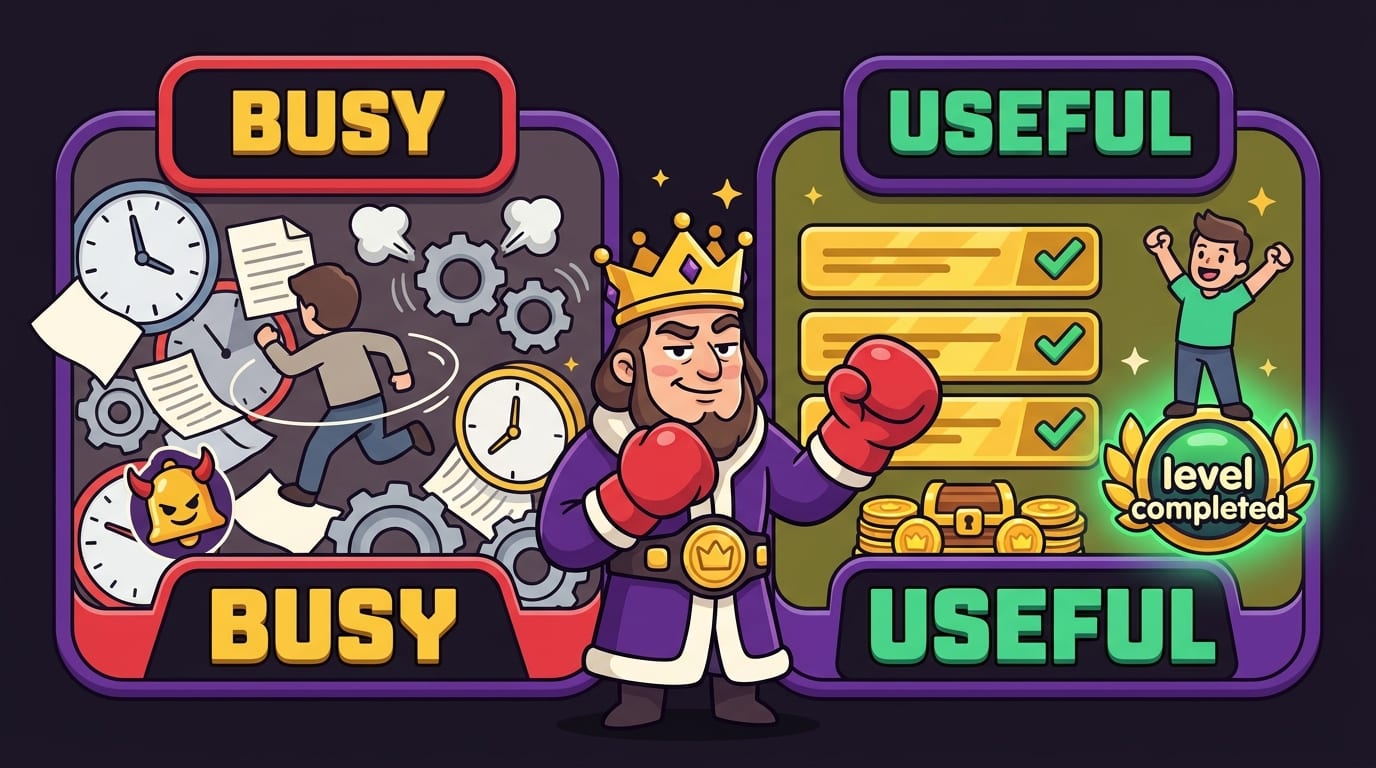
Track Tasks, Not Just Hours: The Difference Between “Busy” and “Useful”
Tracking time only as “worked from 9 to 5” is like tracking food as “ate objects.” Technically true. Deeply unhelpful. To get real productivity gains, track your time by task or category. You want to know not just how long you worked, but what kind of work filled the hours.
Useful categories might include:
- Deep work: writing, coding, studying, designing, analysis
- Communication: email, Slack, meetings, calls
- Admin: invoicing, scheduling, file organization
- Learning: courses, reading, research
- Planning: weekly review, task prioritization, project scoping
- Breaks: lunch, walks, recovery time
- Distractions: social media, streaming, news, random browsing
Yes, track distractions. Do not hide them in a trench coat called “research.” If you want to learn how using a time tracker can increase your productivity, this is one of the key moves: track reality, not the version of reality you would present to a very judgmental productivity monk.
Once you categorize your time, patterns jump out. Maybe meetings are crowding out meaningful work. Maybe your “quick morning inbox check” eats your peak mental energy. Maybe your study sessions are technically three hours long, but only 75 minutes are actual studying because YouTube keeps opening like a cursed treasure chest. If YouTube is your particular beast, you may enjoy our guide on why you can’t stop watching YouTube. Spoiler: it is engineered to keep you there. Rude, but effective.
A practical method is to use three levels of tracking:
- Project: What larger outcome does this support?
- Task type: Is this deep work, admin, communication, or learning?
- Quality: Was this focused, interrupted, or distracted?
That third level is where the gold is buried. Two people can both log “2 hours writing.” One had two clean hours of deep work. The other checked messages 19 times and wrote one sentence that sounds like it was assembled by a tired pigeon. Time alone is not the whole story. Focus quality matters.
Analyze Your Patterns: Your Brain Has Office Hours, Apparently
Time tracking helps you identify your personal productivity rhythm. Some people are sharp in the morning. Some come alive at night like caffeinated vampires. Some experience a daily 2:30 p.m. brain fog so dense it should be registered as weather.
When you track consistently for one or two weeks, you can spot your best windows for different types of work. Maybe analytical work goes best before lunch. Maybe creative tasks flow better after a walk. Maybe meetings before 10 a.m. turn you into a haunted fax machine. The tracker does not judge. It simply points.
Daniel Pink’s work on timing popularized the idea that energy and alertness follow predictable daily patterns for many people, and productivity researchers often recommend matching demanding work to peak energy periods. The broader principle is simple: do your hardest work when your brain is most available, not when your calendar randomly coughs up an opening.
You can also combine time tracking with techniques like time blocking. The Todoist guide to time blocking explains how assigning tasks to specific calendar blocks can reduce decision fatigue and protect priority work. Time tracking then tells you whether your blocks were realistic. If you scheduled “write report: 45 minutes” and it repeatedly takes two hours, congratulations: you have discovered planning optimism, the productivity goblin’s favorite perfume.
Try this weekly pattern review:
- List your top three energy peaks.
- List the tasks that require the most mental horsepower.
- Move those tasks into your strongest windows.
- Push shallow work into lower-energy periods.
- Block distracting websites during your peak windows so you do not donate your best brain cells to doomscrolling.
If Twitter/X is one of the gremlins invading your peak hours, read our breakdown of why it is so hard to log off Twitter/X. Then block it during deep work. The crown demands boundaries.
Reduce Distractions: The Tracker Shows the Crime Scene, BlockChamp Brings the Gloves
A time tracker can reveal distraction patterns, but it cannot always stop them by itself. Seeing “1 hour 18 minutes on random browsing” is useful. But at 3:11 p.m., when your brain whispers, “Let’s check Reddit for one second,” a chart from last Tuesday may not leap out of the shadows and tackle you.
This is why tracking and blocking are a knockout combo. The tracker identifies your problem zones. A website blocker prevents repeat offenses. BlockChamp is built for exactly this moment: when you know what steals your time, but your impulse control is currently wearing clown shoes.
Here is a practical workflow:
- Track your work for five normal days.
- Identify your top three distraction sites or categories.
- Choose specific focus windows where those sites are off-limits.
- Use BlockChamp’s Master Focus Toggle to go “On Guard.”
- Review your time log at the end of the week and compare focused hours.
BlockChamp lets you block specific sites like YouTube, Reddit, Instagram, or X/Twitter. Champion users can also use keyword blocking and all eight category bundles, including Social Media, Video & Streaming, News, Shopping, Gaming, Gambling, Adult, and AI Distractions. That matters because distractions rarely travel alone. You block YouTube, and suddenly your hand opens Reddit. You block Reddit, and now you are reading news about a celebrity’s refrigerator. The internet is a hydra with Wi-Fi.
BlockChamp’s Stare-Down block page adds a little theatrical friction. Instead of a dull “site blocked” message, The King appears, judges your attempted betrayal, and sends you back to work. Every stare-down survived earns XP, so even resisting temptation becomes progress. Weirdly motivating? Yes. Scientifically elegant? Also yes, because immediate feedback helps habits stick.
If your biggest problem is the infinite buffet of social platforms, our post on how to limit time on social media pairs perfectly with time tracking. Track the leak, set a boundary, block the trapdoor. Long live your focus.
Use Time Tracking to Improve Estimates: Stop Lying to Your Calendar
Humans are famously optimistic about time. We think tasks will take less time than they do, even when we have done the same task before and been wrong every single time. This is called the planning fallacy, and it is why “I’ll finish this in an hour” often becomes “I now live inside this project and have named the stapler.”
Time tracking increases productivity by making your estimates less ridiculous. When you know that writing a blog draft usually takes three hours, not one, you can plan accurately. When you know editing client videos takes 90 minutes per finished minute, you stop promising impossible deadlines while your future self screams into a cushion.
Better estimates improve productivity in several ways:
- You schedule fewer tasks and finish more of them.
- You reduce stress because your plan resembles Earth physics.
- You protect deep work from being squeezed by unrealistic commitments.
- You communicate timelines more honestly to clients, teachers, managers, or teammates.
The simplest method is to compare estimated versus actual time. Before starting a task, write down your guess. After finishing, log the actual time. Do this for recurring tasks like studying a chapter, editing a podcast, responding to emails, coding a feature, preparing a report, or creating a presentation.
After two weeks, calculate your “reality multiplier.” If you estimate 30 minutes and the task usually takes 45, your multiplier is 1.5. Next time, plan accordingly. This tiny habit can save you from the daily humiliation of a to-do list that looks like it was written by a motivational poster with no job.
For students, this is especially useful. If you learn that reading 20 pages of dense material takes 75 focused minutes, you can build a real study plan instead of a fantasy montage. Pair that with blocking video and social sites during study blocks, and suddenly exam prep feels less like chaos wearing headphones.

Turn Your Data Into Habits: The Weekly Review Is Where the Crown Gets Polished
Tracking without review is just collecting receipts for a store you never visit. The productivity gains happen when you review the data and change behavior. A weekly review does not need to be a three-hour ritual with candles and a productivity robe. Fifteen to twenty minutes is enough.
At the end of each week, ask:
- What tasks consumed the most time?
- Which work produced the most value?
- Where did I lose focus?
- Which distractions appeared repeatedly?
- What should I do more, less, earlier, later, or not at all?
Then choose one improvement for the next week. Not twelve. One. The brain loves dramatic transformation plans and then immediately ignores them. A single change is more likely to stick.
Examples:
- “I will check email only at 11 a.m. and 4 p.m.”
- “I will block YouTube from 9 a.m. to noon.”
- “I will schedule two 90-minute deep work blocks before meetings.”
- “I will batch admin on Friday afternoon.”
- “I will stop pretending LinkedIn is ‘networking’ when it is clearly scroll soup.”
This is also where BlockChamp’s gamification can reinforce your habit loop. The app tracks focus hours, reigns, XP, badges, and calendar progress. That visual feedback makes consistency satisfying. You are not just “avoiding distractions.” You are building a reign. Every focused day adds XP. Every blocked temptation survived is a tiny knockout. Every streak milestone is proof that your future self is not doomed to be ruled by autoplay.
Gamification works because motivation often needs feedback. The Nielsen Norman Group’s overview of gamification notes that game-like elements can increase engagement when they support meaningful user goals. In productivity, that means points, streaks, levels, and badges should help you do the thing you already care about: focus better, waste less time, and stop getting emotionally mugged by notifications.
A Simple Time Tracking System You Can Start Today
You do not need a complicated system with 47 tags, color codes, and a dashboard that looks like a spaceship sneezed. Start simple. The best system is the one you will actually use after Wednesday.
Here is a beginner-friendly setup:
- Pick a tracker. Use a time tracking app, spreadsheet, notebook, or calendar. Fancy is optional. Consistency is mandatory.
- Create 5–7 categories. Keep them broad enough to use quickly: deep work, communication, admin, learning, planning, breaks, distractions.
- Track in real time when possible. Start a timer when you begin a task. Stop it when you switch. If you forget, estimate honestly later.
- Add a distraction note. If you got interrupted, write what caused it: phone, YouTube, Slack, boredom, hunger, emotional support browser tab.
- Review daily for two minutes. Ask: What worked? What stole time? What needs blocking tomorrow?
- Review weekly for fifteen minutes. Look for patterns and change one habit.
If you want to pair this with distraction blocking, use this schedule:
- Morning deep work: Block Social Media, News, Video & Streaming.
- Study sessions: Block YouTube, TikTok, Reddit, gaming sites, and AI distractions if they become rabbit holes.
- Admin blocks: Keep email open, but block entertainment sites.
- Evening wind-down: Turn focus off intentionally, not because your willpower fell down a staircase.
For people who struggle with phone-related spirals, tracking can also show how often “just checking one thing” breaks concentration. Our post on why you can’t put your phone down digs into why those loops are so sticky. The short version: your devices are designed to be interesting at exactly the wrong moments.

Common Time Tracking Mistakes: Tiny Traps Wearing Productivity Hats
Time tracking is powerful, but only if you avoid the classic mistakes. Do not worry. Everyone makes at least one. The productivity kingdom is built on lessons learned from deeply silly errors.
Mistake 1: Tracking Too Much Detail
If your categories include “email about project A,” “email about project B,” “thinking about email,” and “recovering spiritually from email,” you may be overdoing it. Too much detail creates friction. Friction kills habits. Track enough to make decisions, not enough to qualify as a forensic investigation.
Mistake 2: Using Tracking as Self-Punishment
A time tracker is not there to shame you. It is a feedback tool. If you discover you lost two hours to distractions, the correct response is not “I am trash.” The correct response is “Interesting. Let’s block that site tomorrow and move deep work earlier.” Data, not drama.
Mistake 3: Ignoring Breaks
Breaks are not failure. Brains need recovery. The goal is not to become a productivity statue. Track breaks so you can distinguish intentional recovery from accidental wandering. A 15-minute walk is a break. A 52-minute scroll through comment wars is a goblin picnic.
Mistake 4: Tracking Without Changing Anything
If your tracker shows the same distraction pattern every week and you do nothing, you are basically watching security footage of raccoons entering the pantry while refusing to close the door. Use the data. Set rules. Block sites. Move tasks. Batch shallow work. Protect your peak hours.
Mistake 5: Expecting Perfect Days
Perfection is not the goal. Improvement is. A productive system should survive imperfect humans, because unfortunately that is the only model currently available. BlockChamp’s XP and reign system is built around consistency rather than flawless behavior. Even if you bump into a blocked site, surviving the Stare-Down still counts as a win. The King may roast you, but he also gives XP. Balanced monarchy.
How to Know It Is Working: Productivity Metrics That Actually Matter
After a few weeks of time tracking, you should look beyond total hours. More hours do not automatically mean more productivity. If that were true, meetings would be sacred temples of achievement. They are not. Sometimes they are just shared calendars crying.
Better metrics include:
- Focused hours: How much uninterrupted deep work did you complete?
- Distraction time: Is random browsing decreasing?
- Estimate accuracy: Are your plans becoming more realistic?
- Priority alignment: Are your most important goals getting time?
- Task completion: Are fewer tasks rolling over each day?
- Recovery quality: Are breaks intentional and refreshing?
You can also track “stare-downs survived” if you use BlockChamp. This is surprisingly useful. If you hit blocked sites 12 times on Monday and only 4 times by Friday, that is a behavioral signal. Your impulses are meeting resistance. Your environment is improving. Your attention is learning where the castle walls are.
For broader context, workplace distraction is not a small problem. Atlassian has reported on the high cost of workplace distractions and interruptions, including how much time can be lost when people are pulled away from focused work. Meanwhile, social platforms continue to compete aggressively for attention; DataReportal’s global digital reports consistently show just how much time people spend online and on social media worldwide. The attention economy is not politely waiting for you to finish your spreadsheet. It is doing cartwheels outside your window with a notification bell.
The goal is to build a system where your important work gets the first and best claim on your time. Track your time. Analyze the patterns. Block the repeat offenders. Review weekly. Adjust. Repeat until your day looks less like a browser tornado and more like a kingdom with laws.
The Ideal Stack: Time Tracker + Website Blocker + One Tiny Bit of Self-Respect
If you want the practical answer to how using a time tracker can increase your productivity, here it is in one sentence: a time tracker shows where your time goes, and a blocker helps make sure it goes somewhere better tomorrow.
Use the time tracker for awareness. Use BlockChamp for enforcement. Use your weekly review for course correction. This three-part system works because it covers the full habit loop:
- Awareness: You see the real pattern.
- Intervention: You block the biggest distractions.
- Feedback: You review focused hours, XP, reigns, and progress.
- Adjustment: You refine your schedule and rules.
For example, your tracker may reveal that you lose time to WhatsApp Web during writing sessions. That is not a character flaw. That is a cue. You can learn more about the psychology behind that pull in our article on why it is hard to stay away from WhatsApp, then block it during writing blocks. Knowledge plus boundary. Very royal.
The best productivity tools do not ask you to become a different person overnight. They help your current chaotic self make better choices with less effort. A time tracker lowers the fog. BlockChamp lowers the temptation. The King provides the side-eye. Together, they help you reclaim hours that were previously being sacrificed to the algorithmic swamp.

Conclusion: Track the Time, Block the Nonsense, Defend the Throne
Learning how using a time tracker can increase your productivity is not about obsessing over every second like a stopwatch goblin. It is about making time visible so you can spend it deliberately. When you track tasks, analyze patterns, improve estimates, reduce distractions, and review your week, you stop guessing and start steering.
The big lesson: productivity is not a personality trait. It is a system. Your system should show you the truth, protect your focus, and make progress satisfying enough that you actually stick with it. Time tracking gives you the truth. Smart habits give you direction. BlockChamp gives you a gamified castle wall, XP, badges, streaks, The Stare-Down, and a cartoon royal boxer who is deeply unimpressed by your attempt to open YouTube during work.
So start small. Track one week. Find your top distraction. Block it during your best focus hours. Review the results. Then repeat like a champion with a calendar and a crown.
If you are ready to stop donating your prime brain hours to scroll goblins, try BlockChamp for Chrome. Knock out your distractions, build your reign, and become king of your time. The throne is waiting, champ. Try not to keep it waiting while “quickly checking” Reddit.
Related posts

Finding Focus For Fiction Writing

Learning To Focus In A Digital World As A Creative

Finding Focus For Personal Growth
