
Focus At Work

Trying to improve your focus at work can feel like trying to meditate inside a casino while a raccoon live-streams from your keyboard. Slack pings. Email breeds like wet gremlins. Someone says “quick question” with the confidence of a villain. Then your brain whispers, “What if we checked Reddit for three minutes?” Suddenly it is Thursday.
The good news: focus is not a mystical gift reserved for monks, chess grandmasters, and people who own suspiciously expensive notebooks. It is a skill. More importantly, it is an environment. If your day is built like a distraction buffet, your brain will graze. If your day is built like a boxing ring, distractions get knocked out before they start shadowboxing your attention.
This guide breaks down practical, non-fluffy strategies to improve focus at work: time-blocking, distraction limits, task prioritization, routines, breaks, and tools that make staying focused less painful. We will also talk about how to defend your digital kingdom with BlockChamp, a gamified Chrome website blocker that turns avoiding distractions into a tiny arcade quest with XP, streaks, badges, and a royal boxer named The King who judges your nonsense. As he should.
Quick Answers
Why Focus at Work Is So Ridiculously Hard Now
Let’s start with the obvious: your focus is not broken. It is being hunted for sport.
Modern work is packed with attention traps. You are expected to answer messages instantly, attend meetings, switch between tools, keep tabs open “just in case,” and somehow produce high-quality thinking in the gaps between calendar ambushes. This is not a personal flaw. It is a system design problem wearing business casual.
Research has repeatedly shown that task switching carries a real cost. The American Psychological Association explains that switching between tasks can reduce efficiency because your brain has to reorient each time, even when the switch feels tiny. That “quick check” of email is not quick if it drags your attention out of a complex problem and makes you rebuild your mental scaffolding from scratch. Tiny switches become productivity termites.
Microsoft’s Work Trend Index has also highlighted the growing burden of digital overload, including meetings, messages, and fragmented workdays. Meanwhile, the American Psychological Association’s research on multitasking makes the central problem painfully clear: humans are not as good at multitasking as we think we are. We are mostly just rapidly abandoning one thing for another while calling it “being responsive.” Very elegant. Very doomed.
To improve focus at work, you need fewer attention leaks, clearer priorities, and routines that remove decision fatigue. You do not need to become a productivity robot. Nobody wants that. Robots do not have snacks.
Start With a Tiny Focus Audit: Find the Leaks in the Castle Wall
Before you build a better workday, you need to know where your focus actually goes. Not where you think it goes. Where it really goes. This is where many people discover that their “busy” day is actually 40% useful work, 30% context switching, 20% digital wandering, and 10% staring into the middle distance like a haunted Victorian child.
Do a simple focus audit for two or three workdays. You do not need a fancy system. A notes app, spreadsheet, or paper will do. Every time you notice a major switch, record it quickly:
- What were you working on?
- What interrupted you?
- Was the interruption necessary, optional, or completely ridiculous?
- How long did it take to get back on track?
- What sites, apps, or people caused the most derailment?
You are looking for patterns. Maybe your focus collapses after lunch. Maybe email becomes a swamp at 10 a.m. Maybe LinkedIn is pretending to be “professional networking” while secretly serving you hot takes from strangers named Chad. Maybe YouTube is fine for tutorials until one thumbnail says “I turned a shed into a submarine” and your workday is immediately in danger.
Once you know your top distractions, you can design defenses. If websites are your weakness, use a blocker instead of relying on heroic self-control. BlockChamp is built for exactly this: you can block specific sites like YouTube, Reddit, X/Twitter, and Instagram, or use category blocks for Social Media, Video & Streaming, News, Shopping, Gaming, Gambling, Adult, and AI Distractions. That means you can build a workday moat without manually listing every goblin website on Earth.
If you work from home and your distractions include laundry, snacks, pets, and the couch whispering “just recline,” you may also like this related guide on how to stay focused when working from home. Different battlefield, same attention dragons.
Use Time-Blocking Like a Grown-Up Wizard
Time-blocking is one of the most effective ways to improve focus at work because it answers a question your brain constantly asks: “What should I be doing right now?” If you do not answer that question in advance, your brain will outsource it to vibes. Vibes are terrible project managers.
Time-blocking means assigning specific tasks or task types to specific blocks of time on your calendar. Instead of keeping a giant to-do list and hoping the important stuff floats to the top like a noble productivity dumpling, you decide when each piece of work will happen.
A simple time-blocking template
Here is a practical structure for a typical workday:
- Start-up block: 15 minutes to review priorities, check calendar, and choose the day’s top tasks.
- Deep work block: 60 to 120 minutes for your most important thinking work.
- Communication block: 30 minutes for email, Slack, project updates, and admin.
- Meeting block: Cluster meetings where possible instead of sprinkling them like productivity confetti.
- Second focus block: 45 to 90 minutes for execution, writing, analysis, coding, planning, or creative work.
- Shutdown block: 10 to 15 minutes to capture loose ends and decide tomorrow’s first task.
The magic is not that your calendar becomes perfect. It will not. The magic is that you create a default plan. When chaos barges in wearing a fake mustache, you have something to return to.
Cal Newport popularized the idea of deep work, and his writing remains useful for anyone trying to protect serious concentration. His overview of deep work and focused success is worth reading if your job requires actual thinking instead of just reacting to notifications like a caffeinated meerkat.
Block your distractions during focus blocks
Time-blocking works best when your environment supports the block. If you schedule 9:00 to 10:30 for focused work but leave social media, news, shopping, and streaming wide open, you are basically putting a salad next to a volcano and hoping for calm.
This is where BlockChamp pairs nicely with your calendar. During focus blocks, turn the Master Focus Toggle to “On Guard” and let The King protect the throne. If you are a Champion user, you can set recurring Focus Schedules so blocks automatically activate during your work hours. Monday through Friday, 9 to 5? The King clocks in. No HR paperwork. No tiny crown-sized lunch break.
Time-blocking tells you what to do. Website blocking keeps the internet from yelling, “But what if you watched raccoons steal pizza instead?”
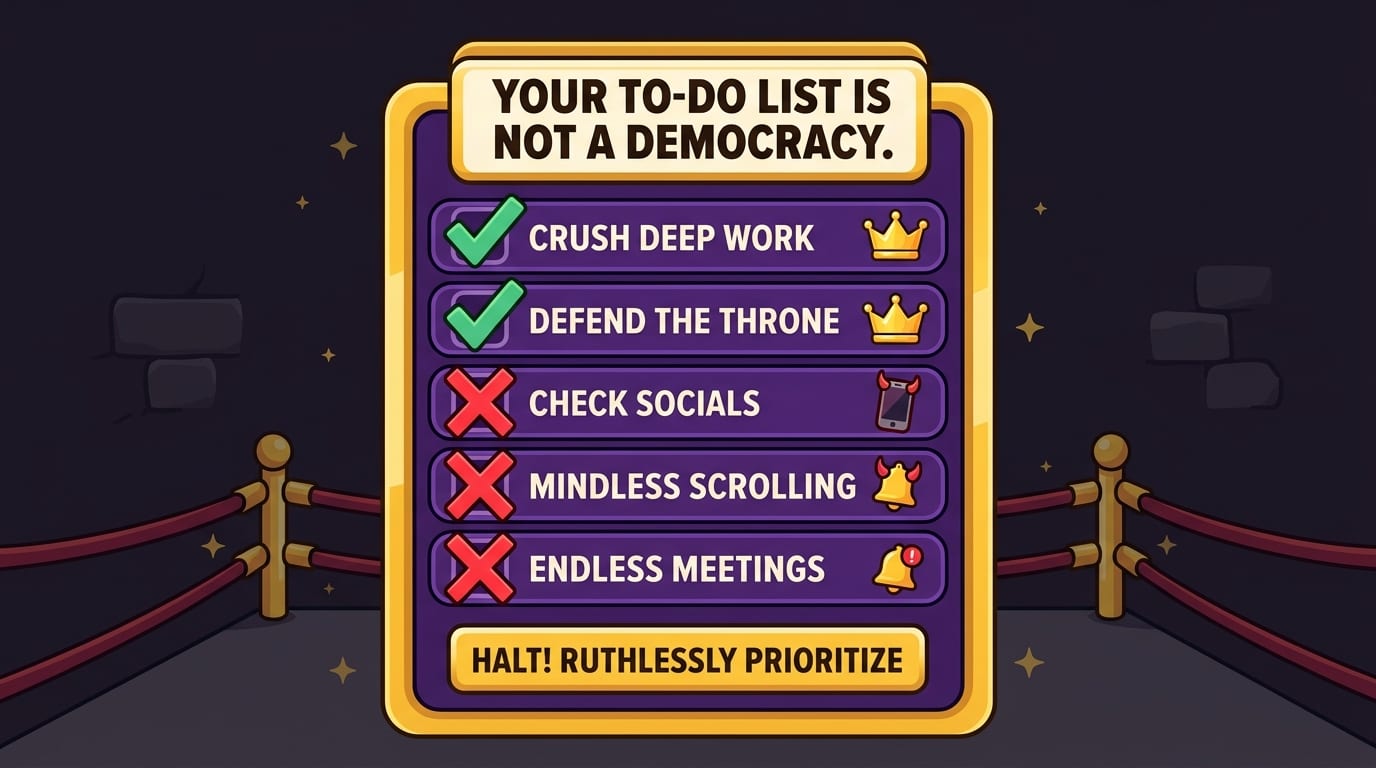
Prioritize Ruthlessly: Your To-Do List Is Not a Democracy
One reason people struggle with focus at work is that everything feels important. When everything is important, nothing is. Your task list becomes a loud medieval market where every vendor is screaming about deadlines, and you end up buying a suspicious goat named “Inbox Zero.”
To focus better, prioritize before you start working. Not mid-chaos. Not after three coffees and a panic scroll. Before.
The 1-3-5 method
Try this simple daily structure:
- 1 big task: The most important outcome of the day.
- 3 medium tasks: Useful progress items that matter but are not the main boss fight.
- 5 small tasks: Quick admin, follow-ups, minor fixes, or cleanup work.
This prevents your day from being hijacked by low-value tasks that feel productive because they are easy. Answering 47 emails may feel like a glorious victory march, but if your real job was to finish a proposal, write code, create a campaign, or analyze customer data, you might just be polishing the drawbridge while the castle burns.
The “next visible action” trick
Big tasks are often unfocused because they are too vague. “Work on report” is not an action. It is a fog bank. Replace vague tasks with visible next actions:
- Instead of “work on presentation,” write “draft slide titles for sections 1–5.”
- Instead of “research competitors,” write “review pricing pages for 5 competitors and note key differences.”
- Instead of “improve onboarding,” write “list the first 10 user actions after signup.”
The more concrete the next step, the easier it is to begin. Focus loves clarity. Procrastination loves fog. Do not feed the fog.
If you are a freelancer juggling multiple clients, shifting priorities, and the occasional “urgent” request sent at 11:48 p.m. by someone who needs a hobby, read this BlockChamp guide on ways freelancers can reclaim focus and deep work. Freelance focus is its own extreme sport.
Control Digital Distractions Before They Control Your Face
Digital distractions are especially dangerous because they are frictionless. You do not need to stand up, walk somewhere, or even commit. One twitch of the finger and your brain is in a different kingdom. You open a tab “for research” and wake up inside a comment thread arguing about sandwich geometry.
According to DataReportal’s Digital 2024 Global Overview Report, people spend a huge amount of time online each day, with social platforms, video, search, and messaging deeply woven into daily life. That does not mean the internet is evil. It means your focus needs borders. A kingdom without borders is just a buffet for invaders.
Set distraction rules, not vague wishes
“I should use social media less” is not a rule. It is a tiny motivational poster with weak knees. Better rules look like this:
- No social media until after the first deep work block.
- Email only at 10:30 a.m., 1:30 p.m., and 4:30 p.m.
- No news sites during work hours unless directly required for the job.
- No YouTube unless the specific URL is related to a current task.
- Shopping sites blocked Monday through Friday, because “just browsing desks” is how lunch breaks become furniture research documentaries.
BlockChamp makes these rules easier to enforce. You can block by site, category, and—on Champion—keyword. Keyword blocking is especially useful when your distractions are sneaky. Maybe you need YouTube for work but want to block pages containing “shorts,” “celebrity drama,” or “gaming highlights.” Maybe you need AI tools sometimes but want to block AI distractions during writing sessions so you do not outsource your thinking before your brain even gets a warm-up lap.
Make cheating annoying enough to interrupt the impulse
Impulse is fast. Discipline is slow. So your focus system needs to slow the impulse down.
BlockChamp’s Hardcore Lockdown does this in a wonderfully ridiculous way. If you try to turn focus off during a weak moment, you can require a cooldown timer or a three-round boxing riddle before surrendering. The point is not punishment. The point is to create enough friction for your sensible brain to return from its coffee break and say, “Actually, champ, we do not need to throw away this focus block for TikTok.”
And if you try to visit a blocked site anyway, BlockChamp gives you The Stare-Down: a full-screen royal judgment scene where The King catches you, displays the site you tried to enter, and sends you back to work. Sometimes he roasts you out loud. Is it mildly embarrassing? Yes. Does it work better than a bland gray “blocked” screen? Also yes. Shame is heavy. Comedy is sticky.
Build a Pre-Focus Ritual So Your Brain Knows It Is Go Time
Your brain loves cues. A consistent pre-focus ritual tells your nervous system, “We are entering work mode now. Put down the mental kazoo.” It does not need to be complicated. In fact, complicated rituals often become procrastination wearing a velvet cape.
Use a short ritual that takes three to five minutes:
- Clear your workspace enough that it does not look like a raccoon tax office.
- Write the one task you will complete in this focus block.
- Close unrelated tabs and apps.
- Turn on website blocking or focus mode.
- Set a timer for 25, 45, 60, or 90 minutes.
- Take one deep breath and begin before your brain files an appeal.
The ritual matters because starting is often harder than continuing. Once you are in motion, momentum helps. But getting into motion requires reducing friction. Think of it like lowering the drawbridge for your attention and raising it against distractions. Very dramatic. Very effective.
Use the same opening move every day
For maximum focus at work, choose an opening move that is so clear you can do it even when your brain is booting up like an old printer. Examples:
- Open the project document and write three bullet points.
- Review yesterday’s code and write the next function name.
- Read the client brief and highlight the deliverables.
- Open your dashboard and identify the one metric that matters today.
Your opening move should be small enough to start immediately but connected to important work. Once you start, you can keep going. The crown is won one tiny non-glamorous action at a time.
If you want a more formal system for defining work boundaries, BlockChamp has a helpful post on using an attention charter to stay focused at work. It is basically a constitution for your attention, minus powdered wigs.
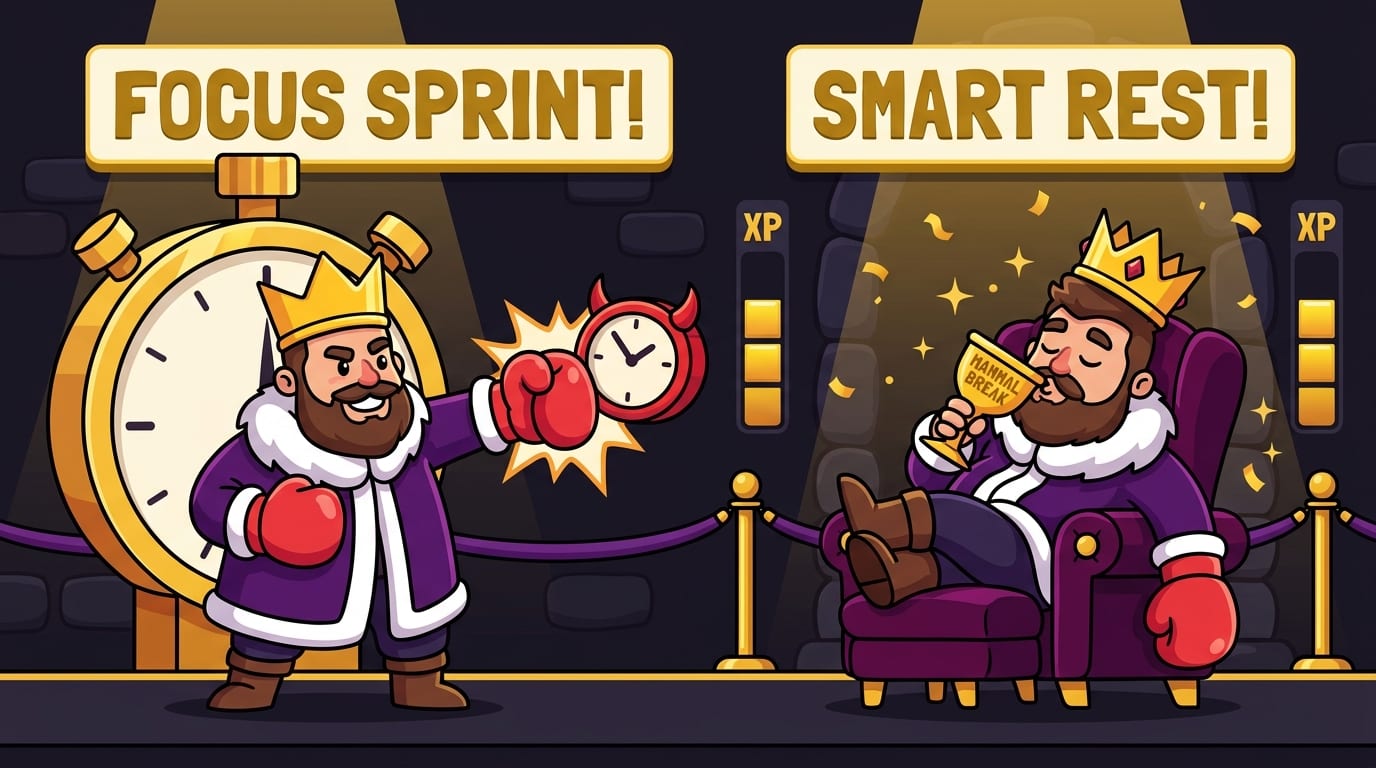
Work in Focus Sprints, Then Take Breaks Like a Smart Mammal
Focus is not infinite. You cannot deep-work for eight straight hours any more than you can sprint a marathon while reciting quarterly projections. Your brain needs cycles of effort and recovery.
The Pomodoro Technique is a popular option: 25 minutes of focused work followed by a 5-minute break. For deeper work, many people prefer longer blocks like 50/10, 75/15, or 90/20. The best rhythm depends on your task type and energy level. Writing, coding, strategic planning, and analysis often benefit from longer blocks. Admin work may fit shorter ones.
The Todoist guide to the Pomodoro Technique gives a practical breakdown if you want a structured approach. But do not worship the timer. The timer serves the throne. If 25 minutes is too short for your work, adjust it. If 90 minutes turns you into a chair-shaped soup creature, shorten it.
Good breaks are not just smaller distractions
A real break should restore attention, not shove more digital confetti into your skull. If your break is five minutes of doomscrolling, you are not resting. You are inviting the algorithm into your living room and handing it a tiny fork.
Better break options include:
- Stand up and stretch.
- Walk outside or around the room.
- Drink water like a responsible houseplant.
- Look out a window and let your eyes relax.
- Do a quick tidy of your desk.
- Write down the next step before leaving your task.
That last one is powerful. Before you break, leave yourself a breadcrumb: “Next: draft the pricing section” or “Next: debug the API response.” When you return, you do not have to spend ten minutes asking, “Who am I? What is this document? Why are there 26 tabs?”
Batch Communication So Your Inbox Stops Wearing the Crown
Email and chat are necessary. They are also focus assassins in tiny notification hats. If you answer everything instantly, you train everyone—including yourself—that your attention is always available. That may feel responsible, but it can destroy meaningful work.
Instead, batch communication. Choose specific windows for email and messages. For example:
- 9:00 a.m. quick triage for anything urgent.
- 11:30 a.m. response block after deep work.
- 2:30 p.m. project updates and team messages.
- 4:30 p.m. final sweep and next-day planning.
This does not mean ignoring urgent work. It means separating true urgency from ambient noise. A server outage is urgent. A forwarded article titled “Thoughts?” is not urgent. It may not even be thoughts.
If your workplace culture expects instant replies, communicate your focus windows. Try messages like:
- “I’m in a focus block until 11:00, then I’ll reply.”
- “For urgent issues, tag me with ‘urgent’; otherwise I’ll respond in my next message block.”
- “I’m heads-down on the launch doc this morning. I’ll check Slack at noon.”
Most people are reasonable when expectations are clear. The ones who are not may need a meeting, a policy, or The King staring at them from a golden plate. Sadly, BlockChamp does not yet block coworkers named Derek. Roadmap idea.
Design Your Environment: Focus Is Easier When the Room Stops Betraying You
Your workspace affects your attention more than you think. A cluttered desk, noisy room, uncomfortable chair, or constantly visible phone can nudge your brain away from work. You do not need an aesthetic productivity cave with walnut shelves and a $400 lamp named after a Scandinavian emotion. You just need fewer cues that scream “do something else.”
Physical environment upgrades
Try these simple improvements:
- Keep only task-relevant items visible during focus blocks.
- Put your phone out of reach, ideally in another room.
- Use headphones or background noise if your environment is loud.
- Keep water nearby to avoid unnecessary wandering.
- Use a notebook to capture random thoughts instead of chasing them immediately.
That notebook trick is excellent. When your brain says, “We should compare standing desks right now,” write it down and return to work. You are not suppressing the thought. You are putting it in the royal waiting room.
Digital environment upgrades
Your browser may be the messiest room you own. Clean it up:
- Close tabs unrelated to the current task.
- Use separate browser profiles for work and personal browsing.
- Disable non-essential notifications.
- Move distracting bookmarks out of sight.
- Block known distraction sites during work hours.
BlockChamp is especially useful here because it gives your digital environment teeth. The free tier lets you block up to 3 sites and 2 categories while still giving you XP, levels, badges, reigns, calendar tracking, leaderboard rankings, and The Stare-Down. Champion unlocks unlimited sites, all categories, keyword blocking, schedules, Hardcore Lockdown, and sync across devices. In plain language: fewer loopholes for your distraction goblin.

Use Gamification to Make Focus Feel Like Progress
One underrated reason people struggle to focus at work is that focused effort often feels invisible. You spend 90 minutes thinking hard, and what do you get? Maybe three paragraphs, a fixed bug, or a clearer plan. Important, yes. Emotionally thrilling? Not always. Your brain likes visible rewards. That is why apps, games, and social platforms are so good at pulling attention: they hand out feedback constantly.
So steal the trick. Make focus visible.
Track focus hours. Count completed deep work blocks. Keep a streak. Celebrate finished blocks. Use a calendar where focused days become visually obvious. This turns concentration from “I suffered quietly” into “I built evidence that I am becoming dangerous.”
BlockChamp bakes this into the product. Every minute of focus earns XP. Every day your blocks stay active earns more XP. Every blocked-site attempt you resist earns 5 XP. Your reign continues as long as you keep Master Focus on, and milestone streaks can unlock badges like 7-Day Reign, Iron Crown, and Century Reign. It is productivity with a scoreboard, except instead of crushing candy, you crush the scroll.
This matters because consistency beats intensity. A heroic five-hour focus day followed by three days of chaos is less useful than a sustainable routine you can repeat. Gamification helps make that routine satisfying. You are not just “not checking Instagram.” You are defending the throne. Subtle difference. Huge vibes.
A Practical Daily Focus Plan You Can Steal Today
Enough theory. Here is a workday plan you can try tomorrow. Adjust the times to match your schedule, energy, and whether your workplace treats meetings like a competitive eating contest.
Morning setup: 10 minutes
- Review your calendar.
- Choose your 1 big task, 3 medium tasks, and 5 small tasks.
- Write the first action for your big task.
- Turn on BlockChamp or your website blocker.
- Close unrelated tabs and silence notifications.
First deep work block: 60 to 90 minutes
Work on the most important task before your attention gets mugged by the day. Do not check email first unless your job truly requires it. Email is where other people’s priorities arrive wearing tap shoes.
Communication batch: 30 minutes
Check email and messages. Respond. Triage. Capture tasks. Do not let communication expand into the whole morning like a productivity gas leak.
Second focus block: 45 to 75 minutes
Work on your second-most important task or continue the big one. If motivation dips, use a shorter sprint. Starting small is better than negotiating with your brain for 20 minutes while staring at a document title.
Admin and meetings: scheduled windows
Keep shallow work together when possible. Shallow work is necessary, but it should not interrupt every serious thought like a jester with a leaf blower.
Shutdown: 10 minutes
- Mark what you completed.
- Write tomorrow’s first task.
- Capture loose ends.
- Clean up tabs.
- End the day intentionally instead of oozing into the evening with 19 browser tabs and vague guilt.
If your work setup includes remote days, hybrid chaos, or a home office that is suspiciously close to your fridge, this post on working from home fearlessly pairs nicely with the plan above.
Common Focus Mistakes That Make Work Harder Than It Needs to Be
Even smart, motivated people sabotage their focus with tiny mistakes. Not because they are lazy. Because the modern workday is booby-trapped.
Mistake 1: Starting with email
Email feels productive because it is full of tasks. But it often puts you into reactive mode before you have made progress on anything meaningful. If possible, start with 30 to 60 minutes of priority work before opening the inbox gates.
Mistake 2: Keeping every tab open
Open tabs are visual noise. They remind you of unfinished things, tempting things, and random things you forgot existed. Close them. Bookmark what matters. Block what tempts you. The tab bar should not look like a centipede.
Mistake 3: Using breaks to consume more stimulation
A break from focused work should lower cognitive load. Social feeds, news, and short videos often raise it. If you return from a break more scattered than before, your break betrayed you. Send it to the dungeon.
Mistake 4: Planning too much work
If your daily plan requires three clones and a time machine, it is not ambitious. It is fiction. Overplanning creates discouragement, and discouragement invites procrastination. Pick fewer priorities and finish them properly.
Mistake 5: Relying on willpower alone
Willpower fluctuates with sleep, stress, hunger, and mood. Systems are more reliable. Use schedules, blockers, rituals, and clear rules. Build a focus environment where the easiest path is the right path.
How to Recover When Your Focus Falls Apart
Some days will go sideways. A meeting explodes. A client panics. Your brain turns into soup. You accidentally spend 22 minutes reading comments under a recipe for soup, which feels thematically rude.
The goal is not perfect focus. The goal is recovery. When you get distracted, do not spiral into “well, today is ruined.” That is how one bad moment becomes a full-day surrender. Instead, use a reset protocol:
- Notice the distraction without drama.
- Close the tab, app, or conversation if possible.
- Write down what pulled you away.
- Take one minute to breathe or stand up.
- Restart with a 10-minute focus sprint.
Ten minutes is the secret weapon. It is too small for your brain to fear, but long enough to rebuild momentum. Once you begin, you will often continue. And if you use BlockChamp, even a slip can become part of the game: a stare-down survived, XP earned, reign defended. The King may roast you, yes, but he wants you back in the ring.
Final Round: Become the Champion of Not Getting Distracted
Improving focus at work is not about becoming a productivity monk who drinks plain air and smiles at spreadsheets. It is about building a day that protects your attention from predictable attacks. Time-block your important work. Prioritize before the chaos starts. Batch communication. Take real breaks. Clean up your digital environment. Use tools that create friction between you and your worst distractions.
Most importantly, stop treating focus like a personality trait. It is a practice. It is a system. It is a crown you defend one block at a time.
If distracting websites keep body-slamming your workday, give BlockChamp a try. It is a gamified website blocker for Chrome that helps you block time-wasting sites, earn XP, build reigns, unlock badges, and survive The King’s glorious Stare-Down when you try to sneak back to the scroll mines. Free users can block key sites and categories with full gamification; Champion users unlock unlimited blocks, schedules, keyword blocking, Hardcore Lockdown, and the legendary boxing riddle.
Long live your focus. Defend the throne. Crush the scroll. And for the love of all that is royal, close the tab before The King sees you.
Related posts

Finding Focus For Uninterrupted Writing

Using Ai Productively Without Losing Focus

Finding Focus For Self Publish
